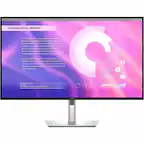
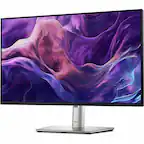
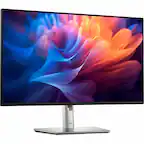
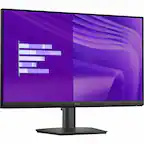
ASUS - ProArt 27" 5K IPS Professional Monitor with HDR (DisplayPort, HDMI) - Black
Screen Size
27"More Buying Options
Related Item

Highlights
- Key Specs
- Refresh Rate: 60Hz (The number of frames per second the device can produce natively without enhancement. Higher rates help produce smooth, seamless pictures.)
- Maximum Resolution: 5120 x 2880 (5K) (Maximum resolution refers to the highest number of pixels that a screen can process and display. Higher resolution signals produce more detailed images.)
- Response Time: 5 milliseconds (The speed at which pixels can change colors is called response time. It is measured in milliseconds (ms).)
- Panel Type: IPS (Technology that affects response time and image quality.)
- Synchronization Technology: Not Applicable (Generally, these technologies allow syncing between a computer/console game's frame rate and the device's refresh rate for a smoother display without tearing.)
- Screen Size: 27 inches (Size of the screen, measured diagonally from corner to corner.)
- Display Connector(s): 1 x DisplayPort 1.4, 1 x HDMI 2.1, Display connection via USB port (The number and type of connectors used to connect to an external display.)
- General
- Brand: ASUS
- Model Number: PA27JCV
- Product Name: ProArt 27" 5K IPS Professional Monitor with HDR (DisplayPort, HDMI)
- Color: Black
- Operating System Compatibility: Windows, Mac, Chrome, Linux
- Display
- Refresh Rate: 60Hz (The number of frames per second the device can produce natively without enhancement. Higher rates help produce smooth, seamless pictures.)
- Maximum Resolution: 5120 x 2880 (5K) (Maximum resolution refers to the highest number of pixels that a screen can process and display. Higher resolution signals produce more detailed images.)
- Native Resolution: 5120 x 2880 (5K) (Native resolution of a screen refers to its single, fixed resolution. Sometimes screens must scale an image up or down in order to fit the native resolution. This can cause a loss of resolution or detail.)
- Contrast Ratio: 1500:1 (Measured difference between a displayed image's brightest whites and darkest blacks. The larger the first number, the more detail and color that can be displayed.)
- Response Time: 5 milliseconds (The speed at which pixels can change colors is called response time. It is measured in milliseconds (ms).)
- Display Type: LED
- Panel Type: IPS (Technology that affects response time and image quality.)
- Synchronization Technology: Not Applicable (Generally, these technologies allow syncing between a computer/console game's frame rate and the device's refresh rate for a smoother display without tearing.)
- Aspect Ratio: 16:9 (The measurement of the width of a screen compared to the height of a screen, expressed as a ratio.)
- Curved Screen: false
- Pixel Density: 218 pixels per inch (The number of pixels present per inch on the device's display. Higher pixel density improves the clarity and sharpness of the displayed image.)
- Brightness: 400 candela per square meter (A measure of the total light output.)
- Screen Size: 27 inches (Size of the screen, measured diagonally from corner to corner.)
- High Dynamic Range (HDR): true (An HDR-compatible 4K TV or other HDR-compatible product displays HDR video content when it's available from sources like 4K Ultra HD Blu-ray Discs and 4K streaming services.)
- High Dynamic Range Format: HDR 10, VESA Certified DisplayHDR 500 (There are a few HDR formats that tell the TV or other HDR-compatible product how to best utilize its capabilities to display HDR content. HDR technology can support one or multiple formats, each with various benefits to picture quality.)
- Horizontal Viewing Angle: 178 degrees (The maximum angle at which the display can be viewed with acceptable visual performance from either side.)
- Vertical Viewing Angle: 178 degrees (The maximum angle at which the display can be viewed with acceptable visual performance from above or below.)
- Touch Screen: false (Touch-screen devices make navigating more intuitive. Using a touch-screen display, you can do things such as tap to select, hold and drag to move items, swipe to scroll, and pinch to zoom.)
- On-Screen Display Languages: English (The available language options for displayed text.)
- Display Surface: Anti-glare, Anti-reflective
- Color Gamut (Standard RGB): 100 percent
- Connectivity
- Number of DisplayPort Inputs (Total): 1
- Number of HDMI Inputs (Total): 1
- Display Connector(s): 1 x DisplayPort 1.4, 1 x HDMI 2.1, Display connection via USB port (The number and type of connectors used to connect to an external display.)
- DisplayPort Over USB-C: DisplayPort 1.4 (The version of DisplayPort that leverages the Alternate Mode Functional Extension of the USB-C interface. This connector allows for higher resolution, broader color space, multichannel audio support, and greater backwards compatibility with display adapters. Also known as DisplayPort Alt Mode.)
- Number of USB Ports (Total): 1
- USB Ports: 1 x USB-C, 3 x USB-A 3.2, 1 x USB-C 3.2 (The number and type of USB ports the product has.)
- Number of USB-C Charging Ports: 1
- Headphone Jack: true (The device features an interface that allows for the connection of headphones.)
- Compatibility
- Wall Mountable: true (The product is able to be secured to a wall. Some products are designed ready to mount, while others may require additional hardware/accessories for installation.)
- VESA Wall Mount Standard: 100mm x 100mm (VESA wall mount standards refer to the spacing of screw holes built into a TV in order to fit with standard TV wall mounts. These standards are implemented into most TVs and monitors.)
- Features
- Tiltable: true
- Adjustable Stand Height: true
- Anti-Glare: true (Product has features, such as a matte finish, that reduce the likelihood for screen glare.)
- Eye Relief Features: Anti-glare, Flicker free, Low blue light
- Built-In Webcam: false
- Integrated Speaker(s): true
- Smart Capable: false (Smart, or smart-capable devices are able to connect directly to your home network in order to stream content from the Internet, run Internet-based apps, or connect to other smart devices.)
- Dimensions
- Product Height With Stand: 21.19 inches
- Product Width: 24.1 inches (The out of box width of the item. Width is measured as the horizontal distance from one side of the item to the other as it would be primarily used or placed.)
- Product Depth (With Stand): 8.46 inches
- Product Weight: 13.03 pounds (The out of box weight of the item.)
- Stand Included: true
- Power
- Power Consumption: 31.04 watts
- Power Saving/Off Mode: 0.5 watts (This mode will turn the display and/or the device off, or into a standby mode, after a preset length of time with no activity to conserve power.)
- Certifications Listings & Approvals
- ENERGY STAR Certified: false (Devices carrying the ENERGY STAR service mark, such as computer products and peripherals, kitchen appliances, and other products, generally use 20% to 30% less energy than required by federal standards.)
- EPEAT Qualified: false (The Electronic Product Environmental Assessment Tool (EPEAT) was designed to provide an environmental assessment tool for purchasers. In order to qualify for EPEAT, a product must meet all 23 required criteria.)
- Warranty
- Warranty - Parts: 3 years
- Warranty - Labor: 3 years
- Other
- UPC: 197105628984
ProArt Display PA27JCV is a 27-inch 5K HDR monitor designed for professional content creators. This Calman Verified display boasts a wide gamut with 99% DCI-P3, 100% sRGB and 95% Adobe RGB coverage, and it’s factory calibrated to Delta E<2 for exceptional color accuracy. Built-in Auto KVM allows for convenient, effortless switching between two connected laptops or PCs using a single keyboard and mouse. To ensure brightness and color temperature accuracy, ambient light and backlight sensors automatically adjust visual settings. Plus, a USB-C port offers DisplayPort support and enables superfast data transfers and 96-watt power delivery via a single cable.
- 27-inch 5K (5120 x 2880): LuxPixel AGLR display with IPS 178° wide viewing angle panel
- International Color Standard: 99% DCI-P3 and 100% sRGB wide color gamut
- Calman Verified: Factory calibrated for excellent Delta E < 2 color accuracy
- Extensive Connectivity: DisplayPort over USB-C with 96W Power Delivery, DisplayPort, HDMI and USB hub
- Light Sync Solution: Ambient Light Sensor and Backlight Sensor for reliable color performance from the start
- Built-in Auto KVM: Allows for effortless switching between two connected laptops or PCs with a single keyboard and mouse
- Ergonomic Design: With tilt, swivel, pivot and height adjustments for a comfortable viewing experience
- Green Sustainability: Paper packaging and energy-efficient environmental standards
- 27-inch 5K (5120 x 2880): LuxPixel AGLR display with IPS 178° wide viewing angle panel
- International Color Standard: 99% DCI-P3 and 100% sRGB wide color gamut
- Calman Verified: Factory calibrated for excellent Delta E < 2 color accuracy
- Extensive Connectivity: DisplayPort over USB-C with 96W Power Delivery, DisplayPort, HDMI and USB hub
- Light Sync Solution: Ambient Light Sensor and Backlight Sensor for reliable color performance from the start
- Built-in Auto KVM: Allows for effortless switching between two connected laptops or PCs with a single keyboard and mouse
- Ergonomic Design: With tilt, swivel, pivot and height adjustments for a comfortable viewing experience
- Green Sustainability: Paper packaging and energy-efficient environmental standards
Whats Included
- PA27JCV Monitor
- Color Pre-Calibration Report
- HDMI Ultra High Speed Cable
- USB-C Cable
- Power Cord
- Microfiber Cloth
- Welcome Card
- Quick Start Guide
- Warranty Card
- PA27JCV Monitor
- Color Pre-Calibration Report
- HDMI Ultra High Speed Cable
- USB-C Cable
- Power Cord
- Microfiber Cloth
- Welcome Card
- Quick Start Guide
- Warranty Card
Q: What is the response time of this monitor?
A: The response time is 5 milliseconds.
Q: What is the resolution of this monitor?
A: The monitor has a 5K resolution (5120 x 2880).
Q: How does the Auto KVM feature work?
A: The built-in Auto KVM feature allows effortless switching between two connected laptops or PCs using a single keyboard and mouse.
Q: Does this monitor have HDR?
A: Yes, this monitor supports HDR10.
Q: What is the color accuracy of this monitor?
A: This monitor is factory calibrated to Delta E<2 for exceptional color accuracy.
Q: Is this monitor adjustable?
A: Yes, it has tilt, swivel, pivot, and height adjustments for a comfortable viewing experience.
Q: What type of connectivity does this monitor offer?
A: It offers DisplayPort over USB-C with 96W Power Delivery, DisplayPort, HDMI, and a USB hub.
Q: How accurate is this for the Rec 709 color gaumut for video editing?
A: This monitor model has 100% accurate for the Rec. 709 color gamut.
Compare similar products

ProArt Display PA27JCV is a 27-inch 5K HDR monitor designed for professional content creators. This Calman Verified display boasts a wide gamut with 99% DCI-P3, 100% sRGB and 95% Adobe RGB coverage, and it’s factory calibrated to Delta E<2 for exceptional color accuracy. Built-in Auto KVM allows for convenient, effortless switching between two connected laptops or PCs using a single keyboard and mouse. To ensure brightness and color temperature accuracy, ambient light and backlight sensors automatically adjust visual settings. Plus, a USB-C port offers DisplayPort support and enables superfast data transfers and 96-watt power delivery via a single cable.
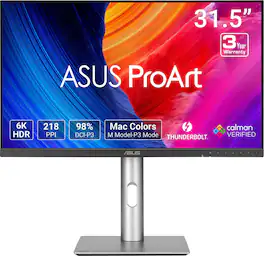
ASUS ProArt Display PA32QCV is a 31.5-inch 6K HDR monitor designed for professional content creators. This Calman Verified display boasts a wide gamut with 98% DCI-P3 coverage and Delta E<2 color accuracy. The ProArt Preset feature now includes the new M Model-P3 mode to deliver seamless and consistent colors when working with MacBook devices. Dual Thunderbolt™ 4 ports support daisy-chaining and enable superfast data transfers and 96-watt power delivery via a single cable.

Introducing Studio Display. An immersive 27-inch 5K Retina display* with a 12MP camera with Center Stage, studio-quality mics, and six-speaker sound system. Pairs beautifully with any Mac.

Dell UltraSharp 4K Thunderbolt Hub Monitors. Experience enhanced IPS Black with 3000:1 contrast ratio, improved ComfortView Plus technology, an ambient light sensor, and a 120Hz refresh rate display.
| Pros for ASUS - ProArt 27" 5K IPS Professional Monitor with HDR (DisplayPort, HDMI) - Black | |||
|---|---|---|---|
| Color Accuracy, Build Quality, Connectivity, Port Count, Resolution | There were no pros for this product— | There were no pros for this product— | There were no pros for this product— |
| Cons for ASUS - ProArt 27" 5K IPS Professional Monitor with HDR (DisplayPort, HDMI) - Black | |||
| Refresh Rate | There were no cons for this product— | There were no cons for this product— | There were no cons for this product— |
Specs




Reviews
Customers are saying
Customers are enthusiastic about the ProArt 27" 5K monitor's color accuracy and build quality. The monitor's connectivity and port count are appreciated for their flexibility and workspace organization. Some customers wish the refresh rate was higher.
Customer Images
The vast majority of our reviews come from verified purchases. Reviews from customers may include My Best Buy members, employees, and Tech Insider Network members (as tagged). Select reviewers may receive discounted products, promotional considerations or entries into drawings for honest, helpful reviews.
- Rated 5 out of 5 stars
Mac Display? Absolutely.
I was looking for a compatible external display for my iMac, that didn’t compromise the clarity you get with a Retina display. After 3 tries, I have finally found a monitor that gives Apple a run for its money, and saves you some. It is super close to the native colors of a Mac. I love it!!!
Posted by KayW
- Rated 4 out of 5 stars
Configure ASUS ProArt 27" 5K Monitor to Your Needs
The ASUS ProArt 27-inch 5K IPS LED Professional Monitor is just that—a large, flat 5K monitor that is an excellent display for content creators, graphic designers, photographers, and others who want a configurable high-definition display. Unboxing the ASUS PROArt 27-inch Monitor was quick. It ships in a sturdy tuck-flap box with a molded recycled paper insert that holds the parts in place. The monitor screen and adjustable stand components ship in protective plastic envelopes. This monitor is fairly intuitive to set up. You can use the stylish metal stand or use the VESA screen mount holes on the back. The stand has three parts; the base, the adjustable column, and the plate that fits into the back of the monitor. No tools are required to assemble the stand and attach it to the monitor. Use the included HDMI or USB-C cable to connect the monitor to your computer, or use your own cable with the DisplayPort. Plug the power cord into a standard A/C outlet on your power strip, and the white indicator light glows. Use the on-screen menu to configure the ASUS Pro Art Monitor's settings. Use the joystick on the bottom right corner of the monitor's frame to move through the menu. Choose the source, either HDMI or USB-C; the color profile, and much more. I tested the monitor with the provided USB-C cable and The Adobe RGB setting on a MacBook Pro 16-inch laptop. Though this monitor has a native resolution of 5120 x 2880 pixels, the actual resolution is lower if you want to mirror your laptop (or have the laptop mirror the ASUS 27-inch ProArt Display. Pros: • The Monitor has a native resolution of 5120 X 2880 pixels, or 5K. • The User can configure (adjust) the ProArt monitor from eight different presets, and configure palette, brightness, and more settings for the chosen preset. This allows flexibility for content creators, graphic designers, photographers, and others who require a high-res monitor. • The User can adjust the monitor height, tilt, and swivel. The monitor also pivots ±90 degrees for Portrait mode. • A small bezel on three sides and a larger bezel on the bottom make the monitor appear nearly frameless. • The high resolution allows more on-screen content, such as two large windows or two+ pages of content side-by side. • The monitor has a choice of many different ports on the back of the monitor; three options for connecting the display; multiple USB ports including one powered USB-C where you can connect other devices; an earphone jack. Cons: • The setup instructions consisted of diagrams only, and the diagrams were very small. For a more detailed explanation of the monitor's features and setup, you must download the User Manual from ASUS. • The Joystick and controls for the onscreen menu are nearly invisible; I found the joystick by accident. When you press the joystick, icons appear onscreen above each of the monitor's control buttons. • The onscreen menu apparently works only with the joystick and control buttons; it would be much easier if the User could also adjust settings using a mouse or other input device with dedicated ASUS software. • The User may need to reduce the resolution for readability on the ASUS ProArt Monitor and/or the attached computer's screen. Overall Assessment: The ASUS ProArt 5K IPS LED Professional Monitor is a powerful tool for content creators, graphic designers, photographers, and others who need a high-resolution display. It is highly configurable to meet the needs of different types of users. It has a sturdy, adjustable stand with height, tilt, swivel and pivot capabilities. I can envision using this monitor to stream content and screen movies in a small space. I suggest that you download and read the User Manual to understand all of its many capabilities.
Posted by iconoclast
- Rated 5 out of 5 stars
Stunning 5K Graphics at an affordable price
PRODUCT ASUS - ProArt 27" 5K IPS LED Professional Monitor Model: PA27JCV SUMMARY REVIEW I’m transitioning from a 32 inch monitor for my everyday work from home monitor to this ASUS ProArt 27 inch 5K monitor. I was worried that the size would be a letdown, but honestly it feels more natural (the 27 inch) and the 5K real estate is amazing. I was blown away by the color and clarity and crispness of everything. IMPRESSIONS The build quality is great for this price point. It is not 100% metal, who cares? I don’t need my monitor to look like a hot rod on the outside if it performs like one on the inside, which it does. Setup/assembly was easy, with no issues. The parts all felt strong and good quality. Out of the box the monitor is “pre-calibrated” and of course you can fine tune it to your environment and usage. Disclaimer, I’m not a graphics artist, but the colors and everything seemed spot on out of the box, rich and vibrant. The monitor looked great at any angle and was not overly glossy or reflective. FEATURES For me, the winning feature is included USB-C (display port) connectivity which I prefer over HDMI and traditional Display Port. I also like that ASUS still included the “legacy” ports for added flexibility and allowing for connecting more than one system. PRO’s - Video Ports (HDMI, Display Port, USB-C) - USB Hub (3 Ports Type A, Plus 1 Port USB-C) - Buttons on the front for easy access / fine tuning - KVM capability (2 systems, 1 monitor) - Earphone Jack and Built in Speakers - Rotating Stand for Portrait Mode - HDR 500 (very bright) with ambient light sensor to automatically dim - Built in Power Supply (no bricks) - Dedicated On / Off Power Switch The speakers are not going to win any awards for audio quality, but I already have my own dedicated sound bar, which I prefer anyway. It is nice they are there in a pinch. I like the fact that the controls are on the front instead of behind the monitor. This makes it much easier when you complete the initial setup and fine tune settings. NOTE: This is not a high-speed gaming monitor, it only supports 60p and 5ms. MY USE In general, this is my everyday monitor for boring work stuff and the added 5K real estate is a big help. However, every so often, I need to process and edit large 4K video files and 25MP photos. With the built in KVM I can just fire up my graphics editing computer and be off and running with the 5K monitor. It looks fantastic! RECOMMENDATION This is a huge step up in quality over my older but similarly priced 4K monitor. If you are thinking about 4K take a closer look at 5K. I think you will be very impressed. I recommend this monitor for all professional uses.
Posted by TheOffice1234