Dell - Pro 23.8" IPS LED FHD 100Hz Monitor (VGA, HDMI) - Black
About this product
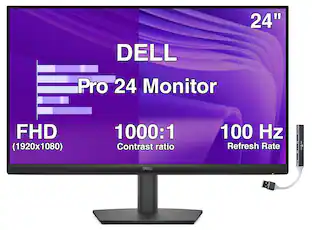
The Dell Pro series monitors. An improved viewing experience with a high 100Hz refresh rate and ComfortView Plus technology. With wide viewing angles (178°/178°), an ultra-thin bezel design, and 3000:1 contrast ratio, you see more from every angle. The functional, space-saving design features a VESA compatible mount to personalize your desktop and convenient varied connectivity gives you access and keeps you on track to finish what you start.
Screen Size
23.8"Highlights
Full HD
23.8in screen size with 1920 x 1080 resolution provides a native display of Full HD video sources without any degradation due to down-sampling technologies
Viewing angle
This stylish LED Monitor offers 178/178 degree viewing angles for some great viewing experience no matter where and how you look at it
VESA compatible
VESA mount compatibility allows you to mount the display on a wall or with a stand depending on your specific needs
Brightness
View your content easily in well-lit areas with 250 Nit brightness
- Refresh Rate100HzMaximum Resolution1920 x 1080Response Time5 millisecondsPanel TypeIPSSynchronization TechnologyNot Applicable
Reviews
Rating 5 out of 5 stars with 1 review
The vast majority of our reviews come from verified purchases. Reviews from customers may include My Best Buy members, employees, and Tech Insider Network members (as tagged). Select reviewers may receive discounted products, promotional considerations or entries into drawings for honest, helpful reviews.


Compare similar products

The Dell Pro series monitors. An improved viewing experience with a high 100Hz refresh rate and ComfortView Plus technology. With wide viewing angles (178°/178°), an ultra-thin bezel design, and 3000:1 contrast ratio, you see more from every angle. The functional, space-saving design features a VESA compatible mount to personalize your desktop and convenient varied connectivity gives you access and keeps you on track to finish what you start.

Experience incredible color and superior black performance with UltraSharp 24" Class Monitor. Built-in Ambient Light Sensor intelligently optimizes brightness and color temperature based on your surroundings to help reduce eye strain plus with ComfortView Plus technology, harmful blue light emissions drop to <35%, for all-day comfort without sacrificing color accuracy. A 120Hz refresh rate delivers less flicker, more seamless scrolling and smoother motion and with a tilt, swivel, pivot, and height adjustable stand, you can work your way all day. Simply plug in accessories and devices with a quick-access USB-A port and a USB-C port that delivers up to 15W of power.
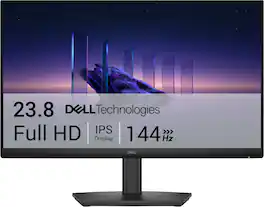
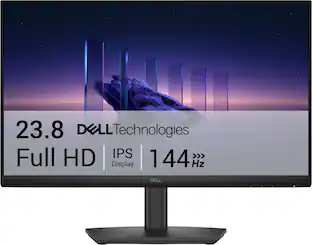
Breeze through everyday tasks on this 23.8-inch monitor with 144Hz refresh rate, 1ms Moving Picture Response Time (MPRT), and TÜV 3-star certification for eye comfort.
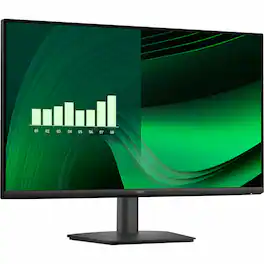
The Dell Pro series monitors. An improved viewing experience with a high 100Hz refresh rate and ComfortView Plus technology. With wide viewing angles (178°/178°), an ultra-thin bezel design, and 3000:1 contrast ratio, you see more from every angle. The functional, space-saving design features a VESA compatible mount to personalize your desktop and convenient varied connectivity gives you access and keeps you on track to finish what you start.
| Pros for Dell - Pro 23.8" IPS LED FHD 100Hz Monitor (VGA, HDMI) - Black | |||
|---|---|---|---|
| There were no pros for this product— | There were no pros for this product— | Overall Performance, Adjustability, Refresh Rate | Setup Ease, Size |
| Cons for Dell - Pro 23.8" IPS LED FHD 100Hz Monitor (VGA, HDMI) - Black | |||
| There were no cons for this product— | There were no cons for this product— | Connectivity | There were no cons for this product— |
Specs
How do you switch between the two different inputs? Is there a button on monitor that switches sources quickly without having to go through a bunch of steps?
Answered by YourDellTeamThere is not direct switch button to toggle between different inputs. The monitor has on-screen display (OSD) controls on the monitor, and you can switch between inputs through the Input Source menu.
can I mount it?
Answered by YourDellTeamYes, you can mount the monitor. The product supports "VESA mounting". The official user manual explicitly states: “Yes, this monitor is VESA mount compatible. Ensure you use the appropriate VESA mount kit for installation.”
does the power light flicker when the pc is shut down . or can i turn it off
Answered by YourDellTeamNo, the Dell Pro monitor does not have a power light that flickers when your PC is shut down. It typically has a small LED that stays solid amber or off when the monitor is in standby mode.
What is the refresh rate of this monitor?
The refresh rate of this monitor is 100Hz.
This question and answer was generated by AI based on customer and product data.Does this monitor have integrated speakers?
No, this monitor does not have integrated speakers.
This question and answer was generated by AI based on customer and product data.

Customers often buy these together
Computer Keyboards

Monitor and Video Cables


More recommended items
 Laptop Docking Stations
 Mice
Mice Web Cameras
 Cables and Adapters
 Mouse Pads
More to consider
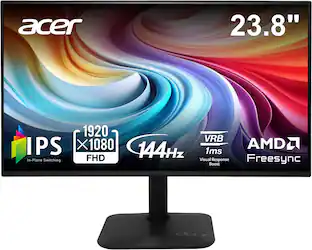 Top Deal$79.99The price was $119.99
 Top Deal$94.99The price was $149.99
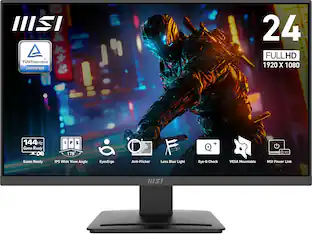 $89.99The price was $109.99
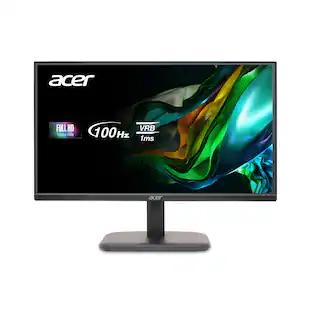 $69.99The price was $159.99
 $179.99The price was $190.77

Explore tech essentials Sponsored
 Top Deal$299.99The price was $369.99
- Top Deal$79.99The price was $119.99

Discover related products
 $7.99The price was $14.99
 $24.99The price was $27.99







Keep exploring
 $189.99The price was $299.99
 $299.99The price was $329.99
 $474.99The price was $549.99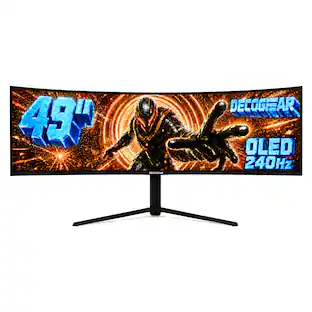
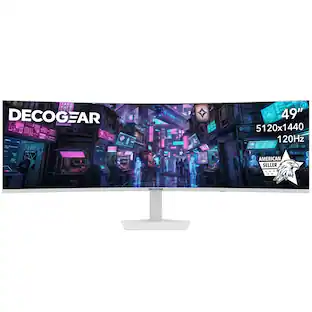
Deco Gear - 49" QD-OLED 240Hz Curved Super Ultrawide Gaming Monitor 5K DQHD 0.03 ms HDR400 90W USB-C
$739.99The price was $1,539.99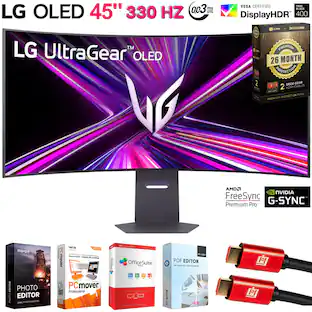 $1,499.99The price was $2,101.91
 $824.99The price was $979.32
 $878.67The price was $971.99