• Visit our Support Center
  • Check your Order Status
  • Shipping, Delivery & Store Pickup
  • Returns & Exchanges
  • Price Match Guarantee

Order & Purchases

  • Check Order Status
  • Shipping, Delivery & Pickup
  • Returns & Exchanges
  • Price Match Guarantee
  • Product Recalls
  • Trade-In Program
  • Gift Cards

Payment Options

  • My Best Buy® Credit Card
  • Pay Your Bill at Citibank
  • Lease to Own
  • Buy Now, Pay Later
  • Best Buy Business Financing

Support & Services

  • Visit our Support Center
  • Shop with an Expert
  • Schedule a Service
  • Manage an Appointment
  • Protection & Support Plans
  • Haul Away & Recycling
  • Contact Us

Rewards & Membership

  • My Best Buy Memberships
  • View Points & Certificates
  • Member Offers

Partnerships

  • Sell on Best Buy Marketplace
  • Advertise with Us
  • Affiliates: Creators & Publishers
  • Best Buy Health
  • Best Buy Education
  • Best Buy Business
  • Partner+

About Best Buy

  • Corporate Information
  • Careers
  • Corporate Responsibility
  • Sustainability
Sign in or Create Account

Get the latest deals and more.


Best Buy appLearn more ›

Share on YouTubeShare on InstagramShare on TikTokShare on FacebookShare on PinterestShare on X

Best Buy Canada

AccessibilityTerms & ConditionsPrivacyInterest-Based AdsState Privacy RightsHealth Data PrivacyDo Not Sell/Share My Personal InformationLimit Use of My Sensitive Personal InformationTargeted Advertising Opt OutCA Supply Chain Transparency Act
In-store pricing may vary. Prices and offers are subject to change. © 2026 Best Buy. All rights reserved. BEST BUY, the BEST BUY logo, the tag design, and MY BEST BUY are trademarks of Best Buy and its affiliated companies.

Labor Day Appliances SaleEnds 9/16. Limited quantities. No rainchecks.Shop now

$(csi.user.businessName)
Skip to contentGo to Product Search
Assistive Survey
Fall Football
Top Deals
Deal of the Day
Gift Ideas
My Best Buy Memberships
Credit Cards
Gift Cards
Trade-In
Best Buy Business
Main Content

Wireless Access Points

Filters

Skip To Results

Get it fast

Select Store
55423

Brand

Price

to

Features

Wireless Networking Standard

Encryption Type

Best Buy

/

Computers & Tablets

/

Wi-Fi & Networking

/

Wireless Access Points

Wireless Access Points (2)

Sort by:
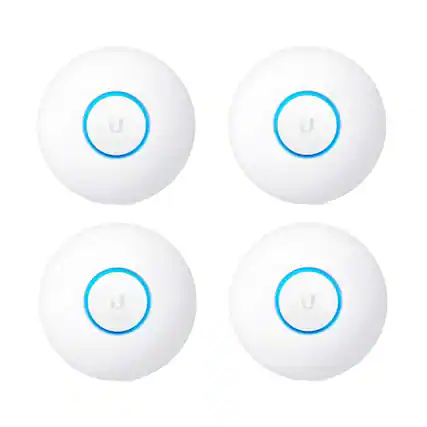
  • Front. Ubiquiti Networks - UniFi nanoHD UAP-nanoHD-US Compact Dual Band Wave2 Enterprise Wi-Fi 4x4 MIMO 1730 Mbps (4-Pack) - White.

    Ubiquiti Networks - UniFi nanoHD UAP-nanoHD-US Compact Dual Band Wave2 Enterprise Wi-Fi 4x4 MIMO 1730 Mbps (4-Pack) - White

    Not yet reviewed

    Not yet reviewed
    $304.95$30495

    Get it by Mon, Sep 14 • FREE

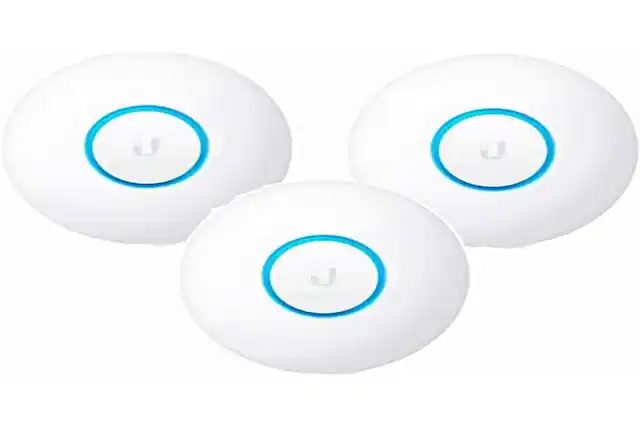
  • Front. Ubiquiti Networks - UniFi Acess Point NanoHD UAP-nanoHD 3-Pack Gigabit Ethernet Wave2 4x4 MU-MIMO 5GHz up to 1733 Mbps - White.

    Ubiquiti Networks - UniFi Acess Point NanoHD UAP-nanoHD 3-Pack Gigabit Ethernet Wave2 4x4 MU-MIMO 5GHz up to 1733 Mbps - White

    Not yet reviewed

    Not yet reviewed
    $233.95$23395

    Get it by Mon, Sep 14 • FREE

Sponsored
Sponsored
Sponsored

What is a wireless access point?

Using an access point.

A wireless access point is a device that allows you to connect to the internet without needing to use an Ethernet cable. If you have Wi-Fi at home, then you are making use of a wireless access point. For many home Wi-Fi systems, this means that you are connecting via a router. A router connects to your modem, which brings the internet into your home. The router, including Wi-Fi access point hardware, then broadcasts a wireless network.

Not all wireless access points are routers, however. When many people refer to a wireless access point, they mean a device that is connected exclusively to a wireless local area network (WLAN). These access points are typically used as intermediary devices, creating a wider and stronger wireless signal for the home or office network.

Adding access points to your network can be useful if you want to increase coverage without converting to a mesh Wi-Fi system. If you are unsure of what mesh Wi-Fi is and if you need it, it is an extensive wireless network created by multiple mesh routers that brings the internet all throughout the house.
Setting up a Wi-Fi access point.

Setting up a Wi-Fi access point is easy. First, connect your access point to either your router or directly to your modem. Then, configure the settings on the device, such as the name and password. For maximum security, make sure to use a strong password. You can also choose a wireless access point with data encryption for increased security on your network. This could be important if you work from home or use wireless-based security cameras and surveillance.

If you are confused when figuring out how to set up your home network or you need to do some troubleshooting, you can always contact Best Buy to take advantage of our professional home Wi-Fi setup. Our experts can help you implement data encryption, activate parental controls on your devices and seamlessly connect all of your smart home technology.

Having strong and reliable Wi-Fi is crucial in the modern day. And if you want to be prepared with Wi-Fi when you’re on the go, you should also consider investing in a Wi-Fi hotspot. After all, having reliable Wi-Fi access is an essential part of daily life, work and communication. 

Discover what your Wi-Fi network can do

Explore