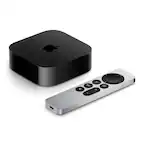
A:AnswerChromecast with Google TV works with most TVs, even the old ones as long as it has a port for HDMI input. You can take a look at the following link to know the requirements for Chromecast devices: https://support.google.com/chromecast/answer/7022492
A:Answeryes you can cast . You can do it thru Chrome Browser. Click the three dots in upper right corner, Cast.
In windows 10 Edge, Click the dots, More tools, cast to media device, download Chrome extension.
Hope this helps
A:AnswerI have a chromecast ultra. This is way better. I litterly have no issues with as far as streaming cutting out. I couldn't stream 4k with the ultra. This one no issue at all. Definitely worth the money the remote is definitely the cherry on top.
A:AnswerIf you mean streaming over the internet and your hotel has WiFi for the guests then yes it should work. I know Dish Network just put their Dish Anywhere app onto the Chromecast App Store and one of the perks is you can watch your TV channels anywhere on that so I’m confident it should work for streaming. If you’re watching a film off your HD on the mobile device you might be able to cast it onto the Chromecast, but again you would need hotel WiFi for that to work.
A:AnswerThere are more than 6,500 apps available to use with Chromecast. Be advised that there are apps that are subscription-based. You can check this link about all the available apps https://play.google.com/store/apps/stream/new_home_canvas_featured_APPLICATION
A:AnswerNo. Chromecast with Google TV does not come with local TV channels, but you can watch different contents using the subscriptions linked to your account. Moreover, you can still cast traditionally through cast-enabled apps on your mobile device to the TV. You can visit the following link to check out our partnering apps: https://store.google.com/us/product/chromecast_apps
A:AnswerYes. You can add storage. It's usb c device and you can buy compatible usb c hub with passthrough. And connect usb flash drive to it, and use it as additional storage.
A:AnswerChromecast with Google TV works with most TVs, even the old ones as long as it has a port for HDMI input. You can take a look at the following link to know the requirements for Chromecast devices: https://support.google.com/chromecast/answer/7022492
A:AnswerHi schmendrick,
Yes, as long as you have an internet connection you can use the Chromecast with GoogleTV and stream all your cast enabled apps before you decide to terminate your other services.
A:AnswerYou can continue to use whatever device is plugged into your TV for better sound as you are currently doing. I am not familiar with getting the TV sound to play on the various google assistant devices. Using the chromecast would not add or subtract from the way you are currently listening to the TV sound.
A:AnswerYou can use a mobile phone (Android 6.0 or higher, iOS 12 or higher) to connect to Chromecast with Google TV using the Google Home app via Wi-Fi connection. For more information on Chromecast requirements, click here: https://support.google.com/chromecast/answer/7022492
You may also cast from your laptop using the Chrome browser. However, connecting Chromecast to a laptop as your alternative monitor will not work, as Chromecast requires an HDMI input. You can follow the steps here for casting using a Chrome browser: https://support.google.com/chromecast/answer/3228332