A:AnswerYou can sync it with other pulse 3d dongles. Problem is they don't sell them separately. I can't find a conclusive answer if it can be made to work with 3rd party dongles.
A:AnswerWhenever the PlayStation is restocked these will be restocked soon. So my advice is to go follow a ps5 restock account on Twitter, turn notifications on. These will be much much easier to buy because the demand for these headsets are much lower. So you should have 10 minutes to buy this headset when restocked. Should be really easy. Y
A:AnswerFrom using it, the headset seems to have good sound quality and clarity when speaking into it, however, the headset suffers from frequent interference issues and will disconnect when you tilt or move your head into a certain position. This issue appears to be ongoing and others appear to have experienced this issue as well. I have noticed that some say that exposed hard drive cables are the cause, but the software installed on it could also be the problem. I had this problem standing right in front of the USB adapter, so it was not a distance issue and there was nothing blocking the signal from being received. Beware I did not immediately experience this issue and it might occur after some time has passed.
A:AnswerI was told today that you can only get it today if you preordered. To buy from the store you have to wait until Nov. 12 when the console launches. At least that was what I was told when I went to pickup my controller.
A:AnswerIt has been popping in and out of stock, I did get an order in yesterday so there may still be luck. All I can say is keep checking, that's what I did. I'm sure there will be more available at all retailers closer to the November release.
A:AnswerI highly doubt it will be compatible with an Xbox. You wouldn't want to do that anyway. Your best bet would be to wait for the Xbox to come out, and look for headsets in the $90-$120 range that will for sure be compatible. I have a $100 pair of headphones for my PlayStation 4 and i swear i hear more for multiplayer games then my friend does who uses Astro A'50s which are $300.
A:AnswerThese headsets seem to be experiencing frequent interference and disconnect issues. I move my head slightly or move about 5ft away from the included USB adapter and the sound suddenly disappers until i get closer and maneuver my head to better angle it for the audio signal. I did not immediately experience this issue, but for now it has been ongoing, unfortunately. It has good sound quality and the mic seems to be clear when talking though, however Bose headphones also has good sound quality as well and some do not need the adapter to work on PC. My adapter was right in front of me being less than 1 foot away and it was unobstructed so there should be no issues. I have noticed that the white light on the adapter will flicker erratically when this problem occurs, but when it is not happening the light will be a solid white with no blinking effects.
A:AnswerIf the dongle for your Sony Pulse 3D headset is flashing blue rapidly and not turning white when you press and hold the reset button, there might be an issue with the dongle. The rapid blue flashing typically indicates that the dongle is not entering the pairing mode correctly.
Here are a few steps you can try to troubleshoot the issue:
Check the Dongle and USB Port: Ensure that the dongle is properly connected to a working USB port on your console or PC. Sometimes, using a different USB port can help resolve connection issues.
Reset the Dongle: Try resetting the dongle again, making sure you are holding the reset button down for a sufficient amount of time (usually around 10 seconds). Be patient, and keep holding the button until it turns white or the flashing pattern changes.
Reconnect the Headset: Ensure that your Sony Pulse 3D headset is in pairing mode when you attempt to connect it to the dongle. Refer to the headset's user manual for instructions on how to do this. It usually involves holding down a button on the headset until it enters pairing mode.
Firmware Update: Check if there is a firmware update available for your Sony Pulse 3D headset and/or the dongle. Updating the firmware can sometimes resolve compatibility and connection issues.
Contact Sony Support: If none of the above steps work and the dongle continues to flash rapidly without turning white, it's possible that the dongle is faulty. In this case, you should contact Sony's customer support or the retailer where you purchased the headset for further assistance or a possible replacement.
A:AnswerIf you go in person to Best Buy, an associate might be able to order you a pair. A buddy of mine couldn't get them online as they were already sold out, but an associate was able to place an order for him and he recieves them tomorrow on the 13th! Best of luck, happy gaming!
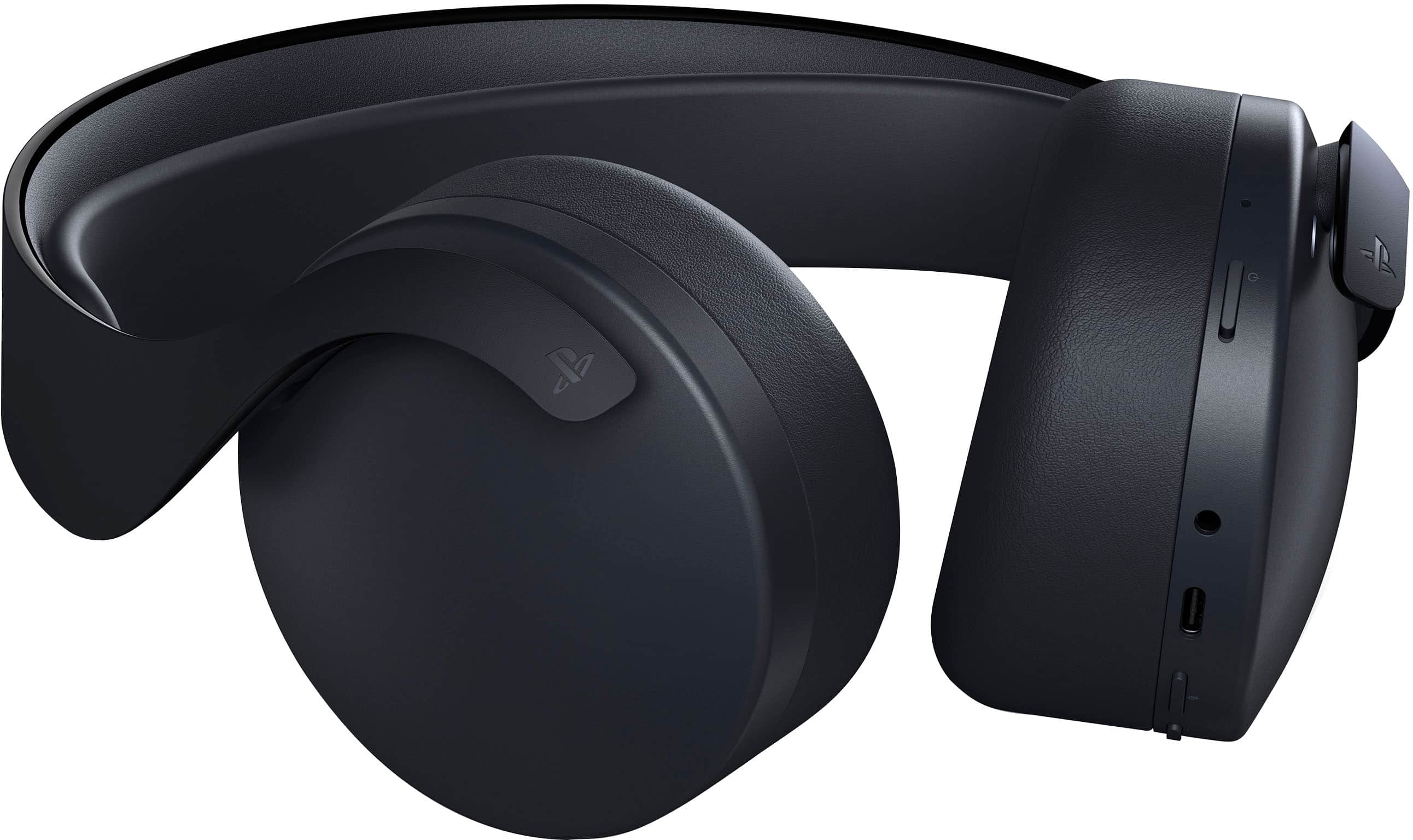
A:AnswerI assume that, like the PlayStation Platinum and Gold headsets the built-in microphones are located at the bottom-front portion of the ear cups except this headset features dual microphones (I assume one per ear cup) to pickup your voice more clearly and have active noise canceling.