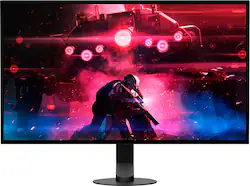
Sony - 27” INZONE M10S OLED QHD 480Hz 0.03ms NVIDIA G-SYNC Gaming Monitor with HDR400 (DisplayPort 2.1 UHBR10) - Black
- Key Specs
- Refresh Rate: 480Hz (The number of frames per second the device can produce natively without enhancement. Higher rates help produce smooth, seamless pictures.)
- Maximum Resolution: 2560 x 1440 (Maximum resolution refers to the highest number of pixels that a screen can process and display. Higher resolution signals produce more detailed images.)
- Response Time: 0.03 milliseconds (The speed at which pixels can change colors is called response time. It is measured in milliseconds (ms).)
- Panel Type: Not Applicable (Technology that affects response time and image quality.)
- Synchronization Technology: G-SYNC Compatible (NVIDIA Adaptive Sync) (Generally, these technologies allow syncing between a computer/console game's frame rate and the device's refresh rate for a smoother display without tearing.)
- Screen Size: 26.5 inches (Size of the screen, measured diagonally from corner to corner.)
- OLED Technology: Standard OLED
- Display Connector(s): 1 x DisplayPort 2.1, 2 x HDMI 2.1 (The number and type of connectors used to connect to an external display.)
- General
- Brand: Sony
- Model Number: SDM27Q10S
- Product Name: 27” INZONE M10S OLED QHD 480Hz 0.03ms NVIDIA G-SYNC Gaming Monitor with HDR400 (DisplayPort 2.1 UHBR10)
- Color: Black
- Operating System Compatibility: Not Applicable
- Display
- Refresh Rate: 480Hz (The number of frames per second the device can produce natively without enhancement. Higher rates help produce smooth, seamless pictures.)
- Maximum Resolution: 2560 x 1440 (Maximum resolution refers to the highest number of pixels that a screen can process and display. Higher resolution signals produce more detailed images.)
- Contrast Ratio: 1,500,000:1 (Measured difference between a displayed image's brightest whites and darkest blacks. The larger the first number, the more detail and color that can be displayed.)
- Response Time: 0.03 milliseconds (The speed at which pixels can change colors is called response time. It is measured in milliseconds (ms).)
- Display Type: OLED
- Panel Type: Not Applicable (Technology that affects response time and image quality.)
- Synchronization Technology: G-SYNC Compatible (NVIDIA Adaptive Sync) (Generally, these technologies allow syncing between a computer/console game's frame rate and the device's refresh rate for a smoother display without tearing.)
- Aspect Ratio: 16:9 (The measurement of the width of a screen compared to the height of a screen, expressed as a ratio.)
- Curved Screen: false
- Brightness: 275 candela per square meter (A measure of the total light output.)
- Screen Size: 26.5 inches (Size of the screen, measured diagonally from corner to corner.)
- High Dynamic Range (HDR): true (An HDR-compatible 4K TV or other HDR-compatible product displays HDR video content when it's available from sources like 4K Ultra HD Blu-ray Discs and 4K streaming services.)
- High Dynamic Range Format: HDR 10, Hybrid Log-Gamma (HLG) (There are a few HDR formats that tell the TV or other HDR-compatible product how to best utilize its capabilities to display HDR content. HDR technology can support one or multiple formats, each with various benefits to picture quality.)
- OLED Technology: Standard OLED
- Connectivity
- Number of DisplayPort Inputs (Total): 1
- Number of HDMI Inputs (Total): 2
- Display Connector(s): 1 x DisplayPort 2.1, 2 x HDMI 2.1 (The number and type of connectors used to connect to an external display.)
- Number of USB Ports (Total): 4
- USB Ports: 2 x USB-A, 1 x USB-B, 1 x USB-A (The number and type of USB ports the product has.)
- Compatibility
- Wall Mountable: true (The product is able to be secured to a wall. Some products are designed ready to mount, while others may require additional hardware/accessories for installation.)
- VESA Wall Mount Standard: 100mm x 100mm (VESA wall mount standards refer to the spacing of screw holes built into a TV in order to fit with standard TV wall mounts. These standards are implemented into most TVs and monitors.)
- Features
- Tiltable: true
- Adjustable Stand Height: true
- Anti-Glare: true (Product has features, such as a matte finish, that reduce the likelihood for screen glare.)
- Built-In Webcam: false
- Integrated Speaker(s): false
- Dimensions
- Product Height With Stand: 19.84 inches
- Product Height Without Stand: 13.77 inches
- Product Width: 23.77 inches (The out of box width of the item. Width is measured as the horizontal distance from one side of the item to the other as it would be primarily used or placed.)
- Product Depth (With Stand): 7.75 inches
- Product Depth Without Stand: 2.28 inches
- Product Weight: 22.04 pounds (The out of box weight of the item.)
- Stand Included: true
- Certifications Listings & Approvals
- ENERGY STAR Certified: false (Devices carrying the ENERGY STAR service mark, such as computer products and peripherals, kitchen appliances, and other products, generally use 20% to 30% less energy than required by federal standards.)
- EPEAT Qualified: false (The Electronic Product Environmental Assessment Tool (EPEAT) was designed to provide an environmental assessment tool for purchasers. In order to qualify for EPEAT, a product must meet all 23 required criteria.)
- Other
- UPC: 027242930360
Unleash game changing performance with a 480Hz refresh rate, ultra-fast up to 0.03 ms response time, and stunning 1440p QHD resolution, built for peak precision. Developed in collaboration with the Fnatic esports team, it’s designed to elevate your gameplay and give you a competitive edge in every match.
- Developed with Fnatic: Image quality, game-enhancing features, and an iconic design developed with Fnatic esports team.
- Speed meets quality with OLED: Extremely low latency paired with 480Hz high refresh rate lets you spot your enemies quickly and keep track of their movements.
- 480Hz refresh rate: Blazing-fast refresh rate for quick and accurate detection of enemies during competitive gameplay.
- Up to 0.03 ms response time: Self-illuminating OLED pixels react instantaneously for up to 0.03ms GtG blur-free response time.
- High resolution QHD 1440p: QHD conveys approximately 1.8 times the resolution of FHD, meaning you can engage–and win–at longer ranges.
- Broad color gamut: Infinite contrast and vivid color performance with a wide color gamut of DCI-P3 98.5% and smooth 10-bit gradation.
- 1300 nits peak brightness: The Micro Lens Array+ technology further enhances high contrast OLED images. With VESA Certified DisplayHDR™ True Black 400 and up to 1300 Cd/m2 peak brightness, every scene comes to life.
- High-performance cooling structure: Integrated high-performance thermal system to ensure long-term use. The heat sink efficiently channels the thermal output from the high-bandwidth ASIC panel controller and video processor, up and away from the OLED panel for consistent brightness and efficient operation.
- Customize with the INZONE Hub Software**: Quickly and easily adjust monitor settings directly from a PC through the INZONE Hub software. **Assign picture modes, screen size, color settings and assign specific setting profiles for individual games.
- Developed with Fnatic to be tournament ready: The INZONE M10S combines decades of Sony display experience alongside a collaboration with professional esports gamers at Fnatic. Designed to be the ultimate tournament monitor, the M10S delivers unmatched image quality, ergonomics, and performance-enhancing FPS Pro and FPS Pro + modes.
- 24.5 inch mode: Adjust screen size to a 24.5 inch mode which displays games at a 1:1 resolution of 1332p up to 480Hz refresh rate. Players can also select lower resolution, including 1080p, idea for esports players familiar with 24 inch 1080p monitors
- FPS Pro and FPS Pro+ modes: Sharpen your skills with the FPS Pro mode, designed to simulate the image characteristics of TN panel LCD monitors typically used in competitions. FPS Pro+ mode maximizes performance in battle by highlighting colors mostly used for enemy outline (Red, Yellow, Purple) and leveraging OLED's brightness and contrast for better visibility.
- Designed with Fnatic: An iconic design, developed with Fnatic—one of the world's leading esports teams.
- Big performance, small footprint: Designed in collaboration with Fnatic professionals, the simple and stable design encourages a host of keyboard and mouse (KBM) configurations.
- High-performance inputs: High-bandwidth DisplayPort 2.1 (UHBR10)*** and HDMI 2.1-capable inputs are ready for the latest video signals, providing a seamless experience of higher resolutions and up to 480Hz frame rates.
- NVIDIA® G-SYNC® compatible: Supports NVIDIA G-SYNC to prevent tearing, even if the refresh rate fluctuates.
- Developed with Fnatic: Image quality, game-enhancing features, and an iconic design developed with Fnatic esports team.
- Speed meets quality with OLED: Extremely low latency paired with 480Hz high refresh rate lets you spot your enemies quickly and keep track of their movements.
- 480Hz refresh rate: Blazing-fast refresh rate for quick and accurate detection of enemies during competitive gameplay.
- Up to 0.03 ms response time: Self-illuminating OLED pixels react instantaneously for up to 0.03ms GtG blur-free response time.
- High resolution QHD 1440p: QHD conveys approximately 1.8 times the resolution of FHD, meaning you can engage–and win–at longer ranges.
- Broad color gamut: Infinite contrast and vivid color performance with a wide color gamut of DCI-P3 98.5% and smooth 10-bit gradation.
- 1300 nits peak brightness: The Micro Lens Array+ technology further enhances high contrast OLED images. With VESA Certified DisplayHDR™ True Black 400 and up to 1300 Cd/m2 peak brightness, every scene comes to life.
- High-performance cooling structure: Integrated high-performance thermal system to ensure long-term use. The heat sink efficiently channels the thermal output from the high-bandwidth ASIC panel controller and video processor, up and away from the OLED panel for consistent brightness and efficient operation.
- Customize with the INZONE Hub Software**: Quickly and easily adjust monitor settings directly from a PC through the INZONE Hub software. **Assign picture modes, screen size, color settings and assign specific setting profiles for individual games.
- Developed with Fnatic to be tournament ready: The INZONE M10S combines decades of Sony display experience alongside a collaboration with professional esports gamers at Fnatic. Designed to be the ultimate tournament monitor, the M10S delivers unmatched image quality, ergonomics, and performance-enhancing FPS Pro and FPS Pro + modes.
- 24.5 inch mode: Adjust screen size to a 24.5 inch mode which displays games at a 1:1 resolution of 1332p up to 480Hz refresh rate. Players can also select lower resolution, including 1080p, idea for esports players familiar with 24 inch 1080p monitors
- FPS Pro and FPS Pro+ modes: Sharpen your skills with the FPS Pro mode, designed to simulate the image characteristics of TN panel LCD monitors typically used in competitions. FPS Pro+ mode maximizes performance in battle by highlighting colors mostly used for enemy outline (Red, Yellow, Purple) and leveraging OLED's brightness and contrast for better visibility.
- Designed with Fnatic: An iconic design, developed with Fnatic—one of the world's leading esports teams.
- Big performance, small footprint: Designed in collaboration with Fnatic professionals, the simple and stable design encourages a host of keyboard and mouse (KBM) configurations.
- High-performance inputs: High-bandwidth DisplayPort 2.1 (UHBR10)*** and HDMI 2.1-capable inputs are ready for the latest video signals, providing a seamless experience of higher resolutions and up to 480Hz frame rates.
- NVIDIA® G-SYNC® compatible: Supports NVIDIA G-SYNC to prevent tearing, even if the refresh rate fluctuates.
Whats Included
- Monitor
- AC power adapter
- AC power cord
- DisplayPort 2.1 40Gbps cable
- Setup Guide
- Operating instructions
- Color calibration factory report
- Warranty card
- INZONE sticker
- Monitor
- AC power adapter
- AC power cord
- DisplayPort 2.1 40Gbps cable
- Setup Guide
- Operating instructions
- Color calibration factory report
- Warranty card
- INZONE sticker
Disclaimers
- PC must have NVIDIA graphics card that is G-SYNC enabled.
- PC software is available on Windows computers only. Windows 10 (64 bit) or later and internet connection are required for the PC software INZONE Hub. To experience 360 Spatial Sound for Gaming, feature must be turned on while using the INZONE Hub PC software.
- With DisplayPort 2.1 cable included.
- PC must have NVIDIA graphics card that is G-SYNC enabled.
- PC software is available on Windows computers only. Windows 10 (64 bit) or later and internet connection are required for the PC software INZONE Hub. To experience 360 Spatial Sound for Gaming, feature must be turned on while using the INZONE Hub PC software.
- With DisplayPort 2.1 cable included.
Q: Is the monitor compatible with G-SYNC?
A: This monitor is compatible with G-SYNC, as it features NVIDIA Adaptive Sync technology.
Q: What is the response time of the monitor?
A: The monitor has a response time of up to 0.03 ms.
Q: What is the weight and dimensions of the monitor?
A: The monitor weighs 22.04 pounds and has a screen size of 26.5 inches.
Q: Does the monitor have built-in speakers?
A: This monitor does have built-in speakers.
Q: What is the resolution of the monitor?
A: The monitor has a stunning 1440p QHD resolution with a maximum resolution of 2560 x 1440.
Q: What is the maximum resolution supported by the monitor?
A: The maximum resolution supported by the monitor is 2560 x 1440.
Q: Does the monitor have touchscreen
A: No, this monitor does not have touchscreen.