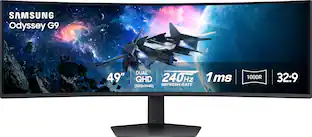
Samsung - 49" Odyssey OLED G9 (G93SD) Dual-QHD 240Hz 0.03ms G-Sync Compatible Curved Glare Free Gaming Monitor - Silver
Customers are saying
Customers recognize that this monitor delivers impressive overall performance, highlighted by its excellent OLED picture quality and high refresh rate. Users particularly appreciate the crisp 1440p resolution and a screen size that integrates perfectly into their workspaces. While the display quality is highly regarded, some users noted limitations regarding the internal speakers and a desire for a more robust selection of connectivity and expansion ports. Overall, the product is well-received for its visual capabilities despite minor hardware frustrations.
Highlights
OLED In Dual QHD
With OLED technology, enjoy a wider color spectrum and vibrant images that captivate you and take gaming to new heights. Content springs to life on a Dual QHD (5120x1440) resolution screen for unparalleled clarity and precision.
240Hz Refresh Rate & 0.03ms Response Time (GtG)
Dodge, counter and engage faster than the rest. OLED technology delivers near-instant reaction time with 0.03ms (gtg) response time. HDMI 2.1 and displayport connections keep you ahead of the competition with the 240Hz refresh rate. Milliseconds matter when you face the best.¹
G-Sync Compatible
G-Sync compatibility keeps the GPU and panel synced up to eliminate choppiness, screen-lag, and image tears. Fast-action and complex game scenes are stable and stutter-free with AMD freesync Premium Pro for your competitive edge.²
32:9 Ratio & 110 PPI
Don't sacrifice detail, even with a larger screen. With a wide 32:9 screen in Dual QHD resolution and 110 pixels per inch, you get the level of clarity you need to pick up on the small, but significant, details across the 49" screen.³
OLED Glare Free
Glare Free technology significantly reduces glare from external light sources, so the OLED screen's perfect black and color experience are presented without distractions. With a screen 54% less glossy than Samsung's conventional Anti-Reflection film, you can see your full game environments and get the drop on enemies.⁴
Thermal Modulation System
Algorithms predict surface temperature and automatically control brightness accordingly to reduce heat.⁵
Logo And Taskbar Detection
The brightness on static images, like logos and taskbars, is automatically reduced to prevent burn-in.⁶
Screen Saver
The screen dims itself after 10 minutes of inactivity, and comes back to regular brightness with any input.
Deep Black Levels
Uncover every secret thanks to greater black. See truer black and dark colors on screen with less pixel light bleed for supreme color and depth in every game.
Slim Metal Design & Ergonomic Stand
Upgrade your gaming station with razor-sharp design and versatility. A height-adjustable stand and angle tilting give you the best angle while you play. A modern metal finish on a screen that's just 4.5mm at its thinnest delivers unmatched style.
CoreSync & Core Lighting+
Enhance your screen surroundings. With coresync technology, a game's on-screen colors are projected into your real world to further immerse you into the setting. With new Core Lighting+, add amazing color to your setup for an instant vibe shift.
Versatile Connectivity
Access a variety of input options with HDMI 2.1, Micro HDMI, displayport, USB-C Upstream and Downstream ports. Connect your favorite devices seamlessly, reduce cable clutter and elevate your gaming experience.
Picture-In-Picture
The Picture-in-Picture feature eliminates the need for a second monitor by giving you a sub-screen that's perfect for multitasking. Pull up chat windows, gaming tips, or any other content without taking your eyes off the main screen.
Picture-By-Picture
Use your screen to its maximum potential, and team up with friends in a whole new way. Picture-by-Picture splits the screen in half, using two inputs at their native resolution.
- Refresh Rate240HzMaximum Resolution5120 x 1440Response Time0.03 millisecondsSynchronization TechnologyG-SYNC Compatible (NVIDIA Adaptive Sync)Screen Size49 inches
Reviews
Rating 4.6 out of 5 stars with 425 reviews
- Overall Performance (153)
- Screen Size (92)
- OLED Quality (59)
- Refresh Rate (57)
- Resolution (16)
- Speakers (10)
- Connectivity (7)
- Glare (3)
- Port Selection (3)
Customer Images
The vast majority of our reviews come from verified purchases. Reviews from customers may include My Best Buy members, employees, and Tech Insider Network members (as tagged). Select reviewers may receive discounted products, promotional considerations or entries into drawings for honest, helpful reviews.
Compare similar products
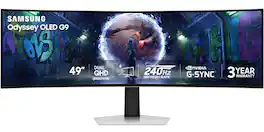
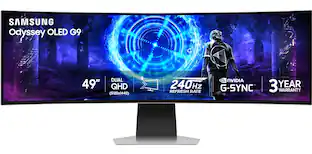
Samsung’s 49" Odyssey OLED G9 Dual QHD Curved Gaming Monitor takes gaming to new heights. Content springs to life with a wider color spectrum and vibrant images on a 5120 x 1440 resolution screen. OLED technology delivers near instant reaction time with 0.03ms (GtG) and a 240Hz refresh rate. G-Sync compatibility keeps the GPU and panel in perfect sync, which reduces choppiness, screen lag, and image tearing. The wide 32:9 screen in Dual QHD resolution and 110 PPI provides an unparalleled level of clarity. OLED Glare Free technology significantly reduces glare from external sources for a distraction-free presentation. OLED Safeguard automatically adjusts brightness, reduces heat, and dims during breaks. Deep Black Levels depict truer black and dark colors on screen for supreme depth in every game. The ergonomic height-adjustable stand with tilting enables the ideal angles during game play. HDMI 2.1, Micro HDMI, DisplayPort, USB-C Upstream and Downstream ports provide increased flexibility and reduce cable clutter. CoreSync & Core Lighting+ add color and enhance the screen’s surroundings for an immersive experience. Picture-in-Picture and Picture-by-Picture makes multitasking easy and efficient. 3-Year Warranty.
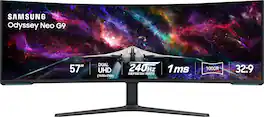
Elevate your game with the world's first Dual UHD Monitor – Samsung's 57" Neo G9 Curved Gaming Monitor. Features 57" screen size, 1000R curve with Quantum Matrix Technology powered by Quantum Mini LEDs for astounding levels of visual accuracy and unparalleled definition. 240Hz Refresh Rate, 1ms GTG response time and FreeSync Premium Pro, for stutter-free, hyper-fast action with all new DisplayPort 2.1. Display HDR 1000 with 1,000 nit peak brightness and 1,000,000:1 contrast ratio for enhanced color expression and depth. Cutting-edge design with CoreSync & Core Lighting+, ergonomic stand, and a multitude of convenient input options provide instant access to the game action.

Samsung’s 49" Odyssey OLED G9 (G95SD) Monitor elevates the gaming experience, with OLED technology for a wider color spectrum and vibrant images. 240Hz refresh rate and 0.03ms response time (GtG) deliver near-instant reaction time, while AMD FreeSync Premium Pro reduces screen-lag and image tears for a competitive edge. The wide 32:9 screen in Dual QHD resolution and 110 pixels per inch provides unparalleled levels of clarity to pick up on all the details across the 49" screen. Glare Free technology significantly reduces glare from external light sources for the perfect black and color experience without distractions. Samsung OLED Safeguard reduces heat and prevents burn-in. 3-Year Warranty.

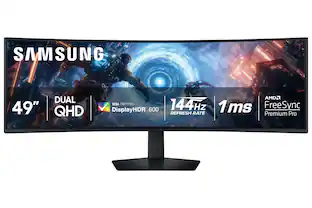
Samsung's 49" Odyssey G9 Curved Gaming Monitor with a 1000R curved display creates an immersive panoramic gaming experience. Curved Dual QHD features an ultra-wide 32:9 screen, equivalent to two side-by-side 16:9 monitors, providing a full view with unsurpassed details. VESA DisplayHDR 600 delivers more contrast with deeper blacks and brighter whites. 144Hz Refresh Rate and near-instant 1ms Response Time (GtG) captures all your moves with reduced lag for ultra-smooth gameplay. AMD FreeSync Premium Pro and VRR (variable refresh rate) reduce choppiness, screen lag, and image tears, even for the most intense fast-action gaming sessions. Picture-by-Picture enables a split screen that can be used to its maximum potential for side-by-side gameplay, while Picture-in-Picture allows seamless multitasking to manage all content on a single screen. Auto Source Switch+ instantly switches to a new source signal when connected devices are turned on, without having to use multiple inputs. The ergonomic stand makes it simple to tilt and adjust the monitor for total gaming comfort.
| Pros for Samsung - 49" Odyssey OLED G9 (G93SD) Dual-QHD 240Hz 0.03ms G-Sync Compatible Curved Glare Free Gaming Monitor - Silver | |||
|---|---|---|---|
| Overall Performance, Screen Size, Refresh Rate, Resolution, OLED Quality | Screen Size, Overall Performance, Refresh Rate, Resolution, Immersion | Picture Quality | Overall Performance, Screen Size, Resolution, Refresh Rate, Immersion |
| Cons for Samsung - 49" Odyssey OLED G9 (G93SD) Dual-QHD 240Hz 0.03ms G-Sync Compatible Curved Glare Free Gaming Monitor - Silver | |||
| Connectivity, Speakers, Glare, Port Selection | Blooming, Dead Pixels, Noise Level, Viewing Angle, Heat Dissipation | There were no cons for this product— | Connectivity, Weight |
Specs
Does this display have a vesa mount compatibility?
Answered by SamsungTom: Yes, the Samsung G93SD monitor is VESA mount compatible, but it requires a VESA adapter bracket because it does not have native VESA mounting holes built directly into the back panel. - Samsung Monitors
Can the monitor be mounted on a wall?
This monitor can be mounted on a wall.
This question and answer was generated by AI based on customer and product data.What are the benefits of the OLED Safeguard feature?
The OLED Safeguard feature automatically adjusts brightness, reduces heat, and dims the screen during breaks.
This question and answer was generated by AI based on customer and product data.Is the monitor compatible with HDR10+?
This monitor supports HDR 10+ technology.
This question and answer was generated by AI based on customer and product data.What is the purpose of the Glare Free technology?
Glare Free technology significantly reduces glare from external sources for a distraction-free presentation.
This question and answer was generated by AI based on customer and product data.

Customers often buy these together
Computer Keyboards
![Sure, here is the corrected and grouped text:
```
ESC F1 F2 F3 F4 F5 F6 F7 F8 F9 F10 F11 F12 1 2 3 logitech - - 1 2 # $ 4 % 5 6 & 7 8 9 0 - - back insert home page up num lock clear / . tab Q W E R T Y U I O P { [ } ] / delete end page down 7 home 8 A 9 P9 up + caps lock A S D F G H J K L : ; a enter 4 5 6 shift Z X C V B N M < > ? shift 1 end 2 3 pg dn enter ctrl fn start alt opt alt crnd x alt cmd x fn ctrl alt opt 0 ins del 1 logitech
```](https://pisces.bbystatic.com/image2/BestBuy_US/images/products/5761/5761911_sd.jpg;maxHeight=232;maxWidth=233?format=webp)
Logitech - MK850 Performance Full-size Wireless Membrane Keyboard and Mouse Combo for PC and Mac - Black
$93.46The price was $99.99
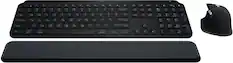
![esc ~ ! 1 tab caps lock shift ctrl F2 Fl # 2 3 Q W A S Z start opt L F3 $ 4 E D X alt cmd3 ) FS F4 A % 5 6 R T F G V C logi 44 HI & F9 FID FB F7 F6 * ) - - & 0 8 9 7 O P U I Y K L H J > < N M 1 B PM + = { [ : I ; ? I alt cmd D 2 4 300 3 1 F12 . * page I insert home up clear backspace 8 9 + 7 page A pg up end down home } I delete ] / 6 4 5 4 enter 2 3 enter 1 dn Pg end shift = 0 del ins etrl fn opt](https://pisces.bbystatic.com/image2/BestBuy_US/images/products/6539/6539505_sd.jpg;maxHeight=232;maxWidth=233?format=webp)
![esc ! i 1 tab caps lock shift F1 2 Q A aas E4 F3 F2 $ % # 4 5 3 E R W F S D X C Z FS A 6 T G V F6 & 7 Y H B 17 * 8 U J N logi HI FI0 P9 FB ) - ( - 9 0 o P I K L > < M I P + = { [ A : I : ? I alt cmd3 2 0 3 10% 1 F12 page home up backspace ins page I delete end down } ] / enter shift ctrl fn opt^= Q I * / clear 8 9 + 7 pg up home 5 6 4 , 4 2 3 enter 1 dn pg end = 0 del ins ctrl start opt alt cmd](https://pisces.bbystatic.com/image2/BestBuy_US/images/products/6571/6571662_sd.jpg;maxHeight=232;maxWidth=233?format=webp)


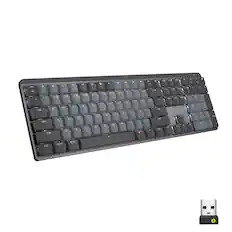
![USC F1 F2 F3 F4 F5 F6 F7 F8 F9 F10 F11 F12 prt SC scr lk pause HH PE PM M5 1 ! 2 @ 3 # 4 $ 5 % 6 ^ 7 & 8 * 9 ( 0 ) - + ins home pg up num / MG tab Q W E R T Y U I O P [ { ] } \ del end pg dn 7 8 9 + EM caps A S D F G H J K L : - enter C 1 2 3 4 5 6 > M2 shift Z X C V B N M - / ? shift 1 2 3 M1 ctri alt alt fn ctrl 0 ins del enter](https://pisces.bbystatic.com/image2/BestBuy_US/images/products/db34a04d-e8cb-4a6c-b0e8-8cb5450ca606.jpg;maxHeight=232;maxWidth=233?format=webp)
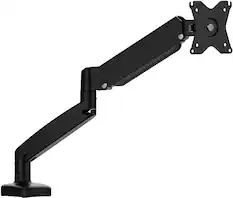
Monitor Stands
More recommended items
 Monitor and Video Cables
 Computer Speakers
 Laptop Docking Stations
 Mice
Mice Web Cameras
 Cables and Adapters
More to consider
 $1,449.99The price was $2,099.99
 $999.99The price was $1,699.99
 Clearance$1,234.99The price was $1,299.99
 $1,699.99The price was $1,999.99
 $1,079.99The price was $1,316.00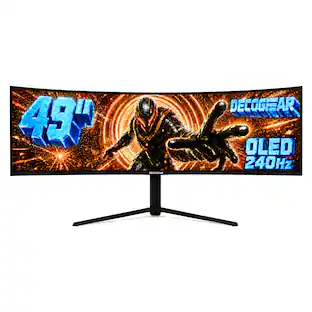
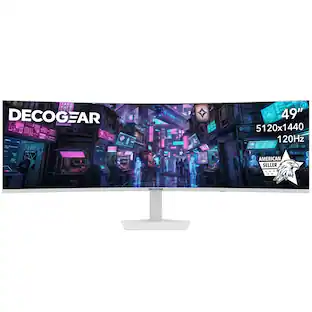
Deco Gear - 49" QD-OLED 240Hz Curved Super Ultrawide Gaming Monitor 5K DQHD 0.03 ms HDR400 90W USB-C
$769.99The price was $1,539.99 Top Deal$699.99The price was $799.99
 Top Deal$1,599.99The price was $1,799.99
 $479.99The price was $549.99
 $1,999.99The price was $2,699.99
 Top Deal$799.99The price was $999.99

Explore tech essentials Sponsored
- Top Deal$699.99The price was $799.99
 $249.99The price was $349.99
 Top Deal$269.99The price was $349.99
 Top Deal$779.99The price was $999.99

Discover related products








Keep exploring
 $189.99The price was $221.49
 $189.99The price was $299.99
- $479.99The price was $549.99
 $179.99The price was $218.99