Black Friday is hereNew Doorbusters added. Ends 11/29.Shop now

Main Content

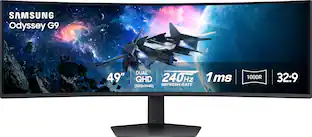
Samsung - 49" Odyssey G9 G91F 1000R Curved Dual QHD 144Hz 1ms AMD FreeSync Premium Pro Gaming Monitor with HDR600 (HDMI x2,DP,USB) - Black

Model: LS49FG910ENXZA
SKU: 6619364
Black Friday Deal
Black Friday Deal
$699.99
Save $300
Comp. Value: $999.99
or
$29.17/mo.
suggested payments with24-Month Financing
Show me how
Finance OptionsView your offers
Special OffersOn related products
Standard Geek Squad Protection
Availability
Fulfillment Options

$99.99 delivery to

Sold by Best Buy

More Buying Options

Highlights

  • Key Specs
    • Refresh Rate: 144Hz (The number of frames per second the device can produce natively without enhancement. Higher rates help produce smooth, seamless pictures.)
    • Maximum Resolution: 5120 x 1440 (Maximum resolution refers to the highest number of pixels that a screen can process and display. Higher resolution signals produce more detailed images.)
    • Response Time: 1 milliseconds (The speed at which pixels can change colors is called response time. It is measured in milliseconds (ms).)
    • Panel Type: VA (Technology that affects response time and image quality.)
    • Synchronization Technology: FreeSync Premium Pro (AMD Adaptive Sync) (Generally, these technologies allow syncing between a computer/console game's frame rate and the device's refresh rate for a smoother display without tearing.)
    • Screen Size: 49 inches (Size of the screen, measured diagonally from corner to corner.)
    • Display Connector(s): 1 x DisplayPort, 2 x HDMI (The number and type of connectors used to connect to an external display.)
  • General
    • Brand: Samsung
    • Model Number: LS49FG910ENXZA
    • Product Name: 49" Odyssey G9 G91F 1000R Curved Dual QHD 144Hz 1ms AMD FreeSync Premium Pro Gaming Monitor with HDR600 (HDMI x2,DP,USB)
    • Color: Black
    • Operating System Compatibility: Windows
  • Display
    • Refresh Rate: 144Hz (The number of frames per second the device can produce natively without enhancement. Higher rates help produce smooth, seamless pictures.)
    • Maximum Resolution: 5120 x 1440 (Maximum resolution refers to the highest number of pixels that a screen can process and display. Higher resolution signals produce more detailed images.)
    • Native Resolution: 5120 x 1440 (Native resolution of a screen refers to its single, fixed resolution. Sometimes screens must scale an image up or down in order to fit the native resolution. This can cause a loss of resolution or detail.)
    • Contrast Ratio: 2500:1 (Measured difference between a displayed image's brightest whites and darkest blacks. The larger the first number, the more detail and color that can be displayed.)
    • Response Time: 1 milliseconds (The speed at which pixels can change colors is called response time. It is measured in milliseconds (ms).)
    • Display Type: LED
    • Panel Type: VA (Technology that affects response time and image quality.)
    • Synchronization Technology: FreeSync Premium Pro (AMD Adaptive Sync) (Generally, these technologies allow syncing between a computer/console game's frame rate and the device's refresh rate for a smoother display without tearing.)
    • Aspect Ratio: 32:9 (The measurement of the width of a screen compared to the height of a screen, expressed as a ratio.)
    • Curved Screen: true
    • Brightness: 350 candela per square meter (A measure of the total light output.)
    • Screen Size: 49 inches (Size of the screen, measured diagonally from corner to corner.)
    • High Dynamic Range (HDR): true (An HDR-compatible 4K TV or other HDR-compatible product displays HDR video content when it's available from sources like 4K Ultra HD Blu-ray Discs and 4K streaming services.)
    • High Dynamic Range Format: HDR 10+, VESA Certified DisplayHDR 600 (There are a few HDR formats that tell the TV or other HDR-compatible product how to best utilize its capabilities to display HDR content. HDR technology can support one or multiple formats, each with various benefits to picture quality.)
    • Horizontal Viewing Angle: 178 degrees (The maximum angle at which the display can be viewed with acceptable visual performance from either side.)
    • Vertical Viewing Angle: 178 degrees (The maximum angle at which the display can be viewed with acceptable visual performance from above or below.)
    • On-Screen Display Languages: English (The available language options for displayed text.)
  • Connectivity
    • Number of DisplayPort Inputs (Total): 1
    • Number of HDMI Inputs (Total): 2
    • Display Connector(s): 1 x DisplayPort, 2 x HDMI (The number and type of connectors used to connect to an external display.)
    • USB Ports: None (The number and type of USB ports the product has.)
    • Headphone Jack: true (The device features an interface that allows for the connection of headphones.)
  • Compatibility
    • Wall Mountable: true (The product is able to be secured to a wall. Some products are designed ready to mount, while others may require additional hardware/accessories for installation.)
    • VESA Wall Mount Standard: 100mm x 100mm (VESA wall mount standards refer to the spacing of screw holes built into a TV in order to fit with standard TV wall mounts. These standards are implemented into most TVs and monitors.)
    • Voice Assistant Built-in: Not Applicable (A digital assistant built into the device that uses voice commands to answer questions and control smart devices.)
  • Features
    • Tiltable: true
    • Adjustable Stand Height: true
    • Anti-Glare: false (Product has features, such as a matte finish, that reduce the likelihood for screen glare.)
    • Built-In Webcam: false
    • Integrated Speaker(s): false
    • Smart Capable: false (Smart, or smart-capable devices are able to connect directly to your home network in order to stream content from the Internet, run Internet-based apps, or connect to other smart devices.)
  • Dimensions
    • Product Height With Stand: 22.4 inches
    • Product Height Without Stand: 14.3 inches
    • Product Width: 45.2 inches (The out of box width of the item. Width is measured as the horizontal distance from one side of the item to the other as it would be primarily used or placed.)
    • Product Depth (With Stand): 16.6 inches
    • Product Depth Without Stand: 11.6 inches
    • Product Weight: 34.4 pounds (The out of box weight of the item.)
    • Stand Included: true
    • Cord Length: 59.05 inches
  • Power
    • Power Consumption: 180 watts
  • Certifications Listings & Approvals
    • ENERGY STAR Certified: false (Devices carrying the ENERGY STAR service mark, such as computer products and peripherals, kitchen appliances, and other products, generally use 20% to 30% less energy than required by federal standards.)
    • EPEAT Qualified: false (The Electronic Product Environmental Assessment Tool (EPEAT) was designed to provide an environmental assessment tool for purchasers. In order to qualify for EPEAT, a product must meet all 23 required criteria.)
  • Warranty
    • Warranty - Parts: 1 year
    • Warranty - Labor: 1 year
  • Other
    • UPC: 887276932514

Samsung's 49" Odyssey G9 Curved Gaming Monitor with a 1000R curved display creates an immersive panoramic gaming experience. Curved Dual QHD features an ultra-wide 32:9 screen, equivalent to two side-by-side 16:9 monitors, providing a full view with unsurpassed details. VESA DisplayHDR 600 delivers more contrast with deeper blacks and brighter whites. 144Hz Refresh Rate and near-instant 1ms Response Time (GtG) captures all your moves with reduced lag for ultra-smooth gameplay. AMD FreeSync Premium Pro and VRR (variable refresh rate) reduce choppiness, screen lag, and image tears, even for the most intense fast-action gaming sessions. Picture-by-Picture enables a split screen that can be used to its maximum potential for side-by-side gameplay, while Picture-in-Picture allows seamless multitasking to manage all content on a single screen. Auto Source Switch+ instantly switches to a new source signal when connected devices are turned on, without having to use multiple inputs. The ergonomic stand makes it simple to tilt and adjust the monitor for total gaming comfort.
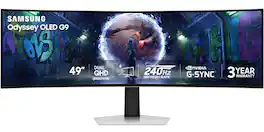
  • Curved Dual QHD: Immerse yourself in a panoramic gaming experience with a 1000R curved display. This ultra-wide 32:9 screen, equivalent to two sideby- side 16:9 monitors, delivers a full view of your enemies so you can stay one step ahead.
  • VESA DisplayHDR 600: Reveal the whole picture. DisplayHDR 600 delivers more contrast, with deeper blacks and brighter whites, so details shine with clarity even in the darkest scenes.
  • 144Hz Refresh Rate & 1ms Response Time: Rank up in fast-paced games with ease. The 144Hz refresh rate and 1ms response time reduce lag and capture your moves, so you can game with ultra-smooth action.¹
  • AMD FreeSync Premium Pro: Keep your fast-action games fluid with variable refresh rate (VRR) and AMD FreeSync Premium Pro. The synced GPU and panel reduce choppiness, screen lag, and image tears, setting you up for even the most intense gaming sessions.
  • Picture-by-Picture: Use your screen to its maximum potential with a split screen that lets you team up with friends in a whole new way. Manage all your content on a single screen. Picture-in-Picture allows you to pull up chats, videos and gaming tips on your main display, without the need for a second monitor.
  • Auto Source Switch+: Get to your game action faster with Auto Source Switch+. Your monitor detects when connected devices are turned on and instantly switches to the new source signal without having to flip through multiple inputs.
  • Ergonomic Stand: Reach the height of winning in total comfort. Simply tilt and adjust your monitor until all enemies are in perfect view.
  • Curved Dual QHD: Immerse yourself in a panoramic gaming experience with a 1000R curved display. This ultra-wide 32:9 screen, equivalent to two sideby- side 16:9 monitors, delivers a full view of your enemies so you can stay one step ahead.
  • VESA DisplayHDR 600: Reveal the whole picture. DisplayHDR 600 delivers more contrast, with deeper blacks and brighter whites, so details shine with clarity even in the darkest scenes.
  • 144Hz Refresh Rate & 1ms Response Time: Rank up in fast-paced games with ease. The 144Hz refresh rate and 1ms response time reduce lag and capture your moves, so you can game with ultra-smooth action.¹
  • AMD FreeSync Premium Pro: Keep your fast-action games fluid with variable refresh rate (VRR) and AMD FreeSync Premium Pro. The synced GPU and panel reduce choppiness, screen lag, and image tears, setting you up for even the most intense gaming sessions.
  • Picture-by-Picture: Use your screen to its maximum potential with a split screen that lets you team up with friends in a whole new way. Manage all your content on a single screen. Picture-in-Picture allows you to pull up chats, videos and gaming tips on your main display, without the need for a second monitor.
  • Auto Source Switch+: Get to your game action faster with Auto Source Switch+. Your monitor detects when connected devices are turned on and instantly switches to the new source signal without having to flip through multiple inputs.
  • Ergonomic Stand: Reach the height of winning in total comfort. Simply tilt and adjust your monitor until all enemies are in perfect view.
Whats Included
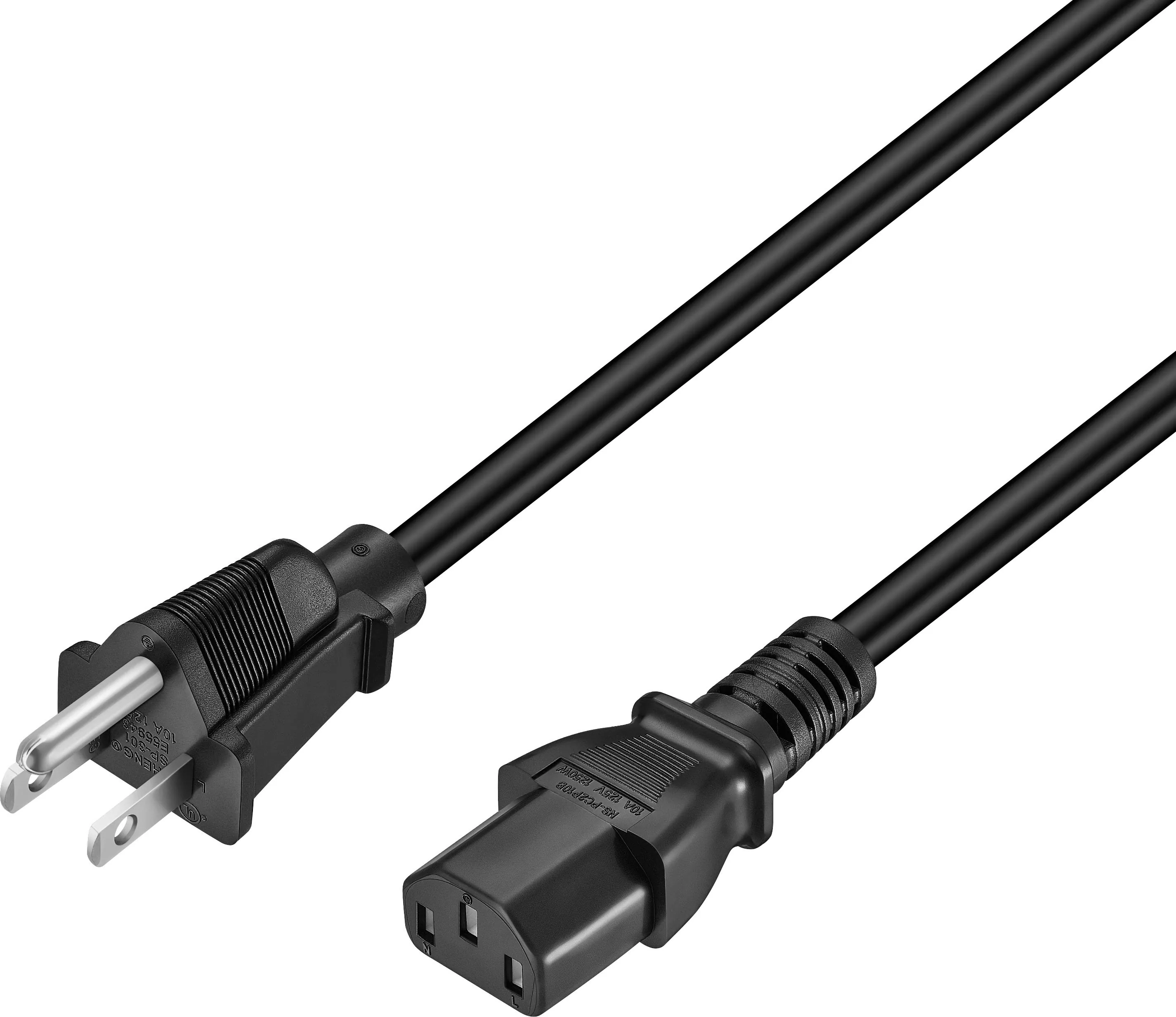
  • Power Cable
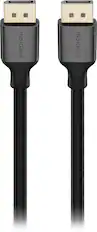
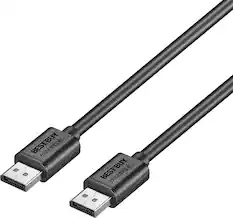
  • DP Cable
  • Power Cable
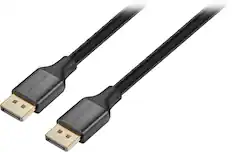
  • DP Cable
Disclaimers
  • ¹Refresh rate and response time may vary based on the performance of the input source. '1ms' means one millisecond, which is the average response time range between 1.00ms and 1.99ms, truncated to a whole number. Based on GtG measured under internal test conditions. Results may vary by content and monitor settings (Requires ‘Extreme mode' setting.) GtG (Gray to Gray) measures the time taken for a monitor pixel to change from one gray value to another.
  • ¹Refresh rate and response time may vary based on the performance of the input source. '1ms' means one millisecond, which is the average response time range between 1.00ms and 1.99ms, truncated to a whole number. Based on GtG measured under internal test conditions. Results may vary by content and monitor settings (Requires ‘Extreme mode' setting.) GtG (Gray to Gray) measures the time taken for a monitor pixel to change from one gray value to another.

Q: What is the response time of this gaming monitor?

A: The response time is 1ms (GtG).

Q: Does this monitor have FreeSync?

A: Yes, it supports AMD FreeSync Premium Pro.

Q: What is the refresh rate of this monitor?

A: The refresh rate is 144Hz.

Q: Is this monitor curved?

A: Yes, it has a 1000R curved display.

Q: What is the display resolution of this monitor?

A: The monitor has a Dual QHD resolution of 5120 x 1440.

Q: Does the monitor have built-in speakers?

A: No, the monitor does not have integrated speakers.

Q: How does the Auto Source Switch+ feature work?

A: Auto Source Switch+ detects when connected devices are turned on and instantly switches to the new source signal without manually changing inputs.

Sponsored

Compare similar products

Samsung - 49" Odyssey G9 G91F 1000R Curved Dual QHD 144Hz 1ms AMD FreeSync Premium Pro Gaming Monitor with HDR600 (HDMI x2,DP,USB) - Black
4.5(47)

Samsung's 49" Odyssey G9 Curved Gaming Monitor with a 1000R curved display creates an immersive panoramic gaming experience. Curved Dual QHD features an ultra-wide 32:9 screen, equivalent to two side-by-side 16:9 monitors, providing a full view with unsurpassed details. VESA DisplayHDR 600 delivers more contrast with deeper blacks and brighter whites. 144Hz Refresh Rate and near-instant 1ms Response Time (GtG) captures all your moves with reduced lag for ultra-smooth gameplay. AMD FreeSync Premium Pro and VRR (variable refresh rate) reduce choppiness, screen lag, and image tears, even for the most intense fast-action gaming sessions. Picture-by-Picture enables a split screen that can be used to its maximum potential for side-by-side gameplay, while Picture-in-Picture allows seamless multitasking to manage all content on a single screen. Auto Source Switch+ instantly switches to a new source signal when connected devices are turned on, without having to use multiple inputs. The ergonomic stand makes it simple to tilt and adjust the monitor for total gaming comfort.

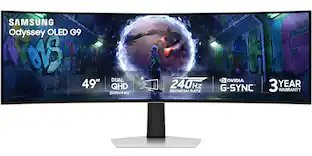
Samsung - 49" Odyssey OLED G950 DQHD 240Hz 0.03ms G-Sync Compatible Curved Smart Gaming Monitor - Silver
4.6(14)

Introducing the world's first 49" OLED monitor, the Odyssey OLED G950SC. The 49" curved monitor with Dual QHD resolution and 110 PPI delivers maximum space to take in all the pin-sharp details. Neo Quantum Processor brings brighter whites, deeper blacks and near infinite color contrast. Its curved screen wraps around your field of view for truly engrossing gameplay in up to 32:9 aspect ratio. With a hair-raising 0.03ms(GtG) on the 240Hz refresh rate screen, you can react to your opponent’s every move quicker than ever before. DisplayHDR True Black 400 allows you to see true black and dark colors on screen without pixel light bleed for supreme color and depth expression in every game. Samsung OLED Safeguard reduces heat and prevents burn-in. G-Sync compatibility keeps the GPU and panel synced up to eliminate choppiness, screen-lag and image tears. Fast action and complex game scenes are stable and stutter-free with AMD FreeSync™ Premium Pro for your competitive edge.

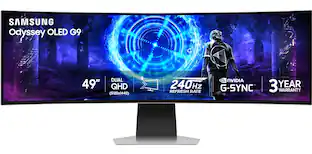
Samsung - 49" Odyssey OLED G9 (G93SD) Dual-QHD 240Hz 0.03ms G-Sync Compatible Curved Glare Free Gaming Monitor - Silver

Samsung’s 49" Odyssey OLED G9 Dual QHD Curved Gaming Monitor takes gaming to new heights. Content springs to life with a wider color spectrum and vibrant images on a 5120 x 1440 resolution screen. OLED technology delivers near instant reaction time with 0.03ms (GtG) and a 240Hz refresh rate. G-Sync compatibility keeps the GPU and panel in perfect sync, which reduces choppiness, screen lag, and image tearing. The wide 32:9 screen in Dual QHD resolution and 110 PPI provides an unparalleled level of clarity. OLED Glare Free technology significantly reduces glare from external sources for a distraction-free presentation. OLED Safeguard automatically adjusts brightness, reduces heat, and dims during breaks. Deep Black Levels depict truer black and dark colors on screen for supreme depth in every game. The ergonomic height-adjustable stand with tilting enables the ideal angles during game play. HDMI 2.1, Micro HDMI, DisplayPort, USB-C Upstream and Downstream ports provide increased flexibility and reduce cable clutter. CoreSync & Core Lighting+ add color and enhance the screen’s surroundings for an immersive experience. Picture-in-Picture and Picture-by-Picture makes multitasking easy and efficient. 3-Year Warranty.

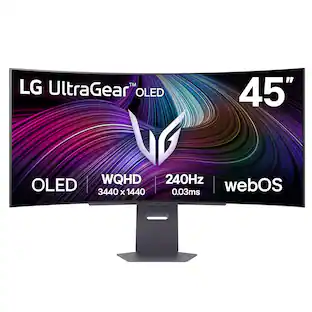
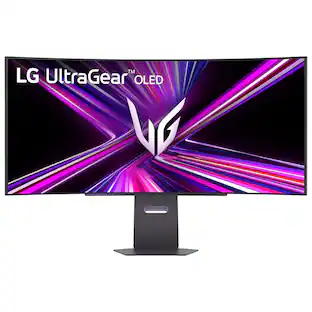
LG - UltraGear 45” Curved QHD 200Hz 1-ms FreeSync Premium Gaming Monitor with HDR (Display Port, HDMI, USB Type-C) - Black
4.6(21)

Bolster your battlestation! Featuring a huge 45” QHD (5120 x 1440) curved screen at a 32:9 aspect ratio, the vast display envelops gamers in play, streaming, work and creative products all on one monitor at the same time. With gaming-focused features such as up to a 200Hz refresh rate, a 1ms response time, AMD FreeSync Premium Pro and built-in KVM, this UltraGear monitor is fast and smooth with virtually tear- and stutter-free gameplay. The gaming monitor also provides deep, rich color and contrast courtesy of up to 95% DCI-P3 color coverage & VESA DisplayHDR 600. This UltraGear display offers a host of connectivity options such as USB Type-C, HDMI 2.1 (x2), DisplayPort, USB (x3) and 4-pole headphone jack. And with a 3-side, virtually borderless design and a screen that is height, tilt and swivel adjustable, this UltraGear monitor is the perfect centerpiece for a desktop battlestation.
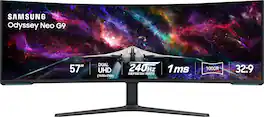
Pros for Samsung - 49" Odyssey G9 G91F 1000R Curved Dual QHD 144Hz 1ms AMD FreeSync Premium Pro Gaming Monitor with HDR600 (HDMI x2,DP,USB) - Black
Screen Size, Overall Performance, Refresh Rate, Resolution, ImmersionQualityScreen Size, Refresh Rate, Overall Performance, OLED Quality, Black LevelsScreen Size
Cons for Samsung - 49" Odyssey G9 G91F 1000R Curved Dual QHD 144Hz 1ms AMD FreeSync Premium Pro Gaming Monitor with HDR600 (HDMI x2,DP,USB) - Black
Connectivity, WeightThere were no cons for this productSpeakersThere were no cons for this product

Specs

Reviews

Customers are saying

Customers are delighted by the expansive screen size and superb picture quality of the 49" Odyssey G9 monitor. The robust build quality and smooth refresh rate are also frequently praised, along with the ergonomic stand's adjustability. However, some users express disappointment over the lack of USB-C connectivity.

This summary was generated by AI based on customer reviews.

Customer Images

The vast majority of our reviews come from verified purchases. Reviews from customers may include My Best Buy members, employees, and Tech Insider Network members (as tagged). Select reviewers may receive discounted products, promotional considerations or entries into drawings for honest, helpful reviews.

  • Rated 5 out of 5 stars

    Big, Curved, and Fantastic Monitor

    The Samsung 49" Odyssey G9 G91F has done well with everything I have thrown at it and looks good. The main requirement is to make sure you have the space for it. I did not use the stand, but it seemed sturdy and clipped into the back of the monitor with no issues. I used a desk mounted holder. The monitor uses VESA 100x100. It requires no special adapters, the area it connects to is flat. I was able to attached it to the mount arm with no issues. Main thing to remember besides space is that it is a heavy monitor at 23.4lbs without the stand. Make sure your mount, wall or desk, can support the weight. The box is 4 feet long, so you’ll need some room for removal. The screen is 49”, but with the curve it is physically only 47” wide. Setup is simple after mounting. You get 2x HDMI 2.1, 1x DisplayPort (DP) 1.4, a 3.5mm headphone jack, power connector, and USB-A and B ports (for upgrades and displaying pictures from a usb stick for instance). There are no speakers. I used a USB-C to DP, and both HDMI ports for various machines. By default, the monitor does not auto switch between devices, you’ll need to turn the function on in the menus. In the center bottom is a control pad to get through all of the options. Menu use and selection is standard and easy to navigate. If you want to do dual screen, you’ll have to select the option in the menu’s too. The display has VESA DisplayHDR 600, and 1000R curve. The panels are LED VA. Max frame rate is 144Hz. With a Resolution of 5120x1440, dual QHD, make sure you have something to push all of the data. I had some problems reaching full resolution at first, but the issue was my HDMI cable couldn’t do it. I got an 8K cable to be sure, and had no issues obtaining 5120x1440 at 144Hz. I used the USB-C to DP cable to run the monitor as a second screen. The iGPU on an AMD 79XX series had no problems running it with various comms programs and chats. I used it via HDMI to a Laptop with a 4080 and it pushed games to it with no issues. Using a regular 4090 also provided a great gaming experience. Modern games support the 5120x1440 natively. I tried the new Doom and it looked fantastic. In a lit room the colors are good and the monitor ran smooth from 60 to 144Hz. Put the screen an arms length away in the dark and it envelops you. Your side field of vision is completely taken up by the monitor immersing you in any game. Colors were vibrant and ran true to me. With the ability to run two inputs at once, you can play on two machines at once with someone else, or run multiple characters in one game. Overall the monitor should be able to meet all of your needs. For non gaming the monitor works fine. Multiple documents at once is not an issue. Having a movie or music on while working office programs is easy with all of the space the screen affords. The only thing missing is a USB-C display connection for this price point they should have one. This monitor is great, if you have the room and money it’s a worthwhile monitor for a variety of uses.

    Posted by grimmace

  • Rated 5 out of 5 stars

    Samsung 49" Odyssey G9 G91F

    The Samsung 49" Odyssey G9 G91F has done well with everything I have thrown at it and looks good. The main requirement is to make sure you have the space for it. I did not use the stand, but it seemed sturdy and clipped into the back of the monitor with no issues. I used a desk mounted holder. The monitor uses VESA 100x100. It requires no special adapters, the area it connects to is flat. I was able to attached it to the mount arm with no issues. Main thing to remember besides space is that it is a heavy monitor at 23.4lbs without the stand. Make sure your mount, wall or desk, can support the weight. The box is 4 feet long, so you’ll need some room for removal. The screen is 49”, but with the curve it is physically only 47” wide. Setup is simple after mounting. You get 2x HDMI 2.1, 1x DisplayPort (DP) 1.4, a 3.5mm headphone jack, power connector, and USB-A and B ports (for upgrades and displaying pictures from a usb stick for instance). There are no speakers. I used a USB-C to DP, and both HDMI ports for various machines. By default, the monitor does not auto switch between devices, you’ll need to turn the function on in the menus. In the center bottom is a control pad to get through all of the options. Menu use and selection is standard and easy to navigate. If you want to do dual screen, you’ll have to select the option in the menu’s too. The display has VESA DisplayHDR 600, and 1000R curve. The panels are LED VA. Max frame rate is 144Hz. With a Resolution of 5120x1440, dual QHD, make sure you have something to push all of the data. I had some problems reaching full resolution at first, but the issue was my HDMI cable couldn’t do it. I got an 8K cable to be sure, and had no issues obtaining 5120x1440 at 144Hz. I used the USB-C to DP cable to run the monitor as a second screen. The iGPU on an AMD 79XX series had no problems running it with various comms programs and chats. I used it via HDMI to a Laptop with a 4080 and it pushed games to it with no issues. Using a regular 4090 also provided a great gaming experience. Modern games support the 5120x1440 natively. I tried the new Doom and it looked fantastic. In a lit room the colors are good and the monitor ran smooth from 60 to 144Hz. Put the screen an arms length away in the dark and it envelops you. Your side field of vision is completely taken up by the monitor immersing you in any game. Colors were vibrant and ran true to me. With the ability to run two inputs at once, you can play on two machines at once with someone else, or run multiple characters in one game. Overall the monitor should be able to meet all of your needs. For non gaming the monitor works fine. Multiple documents at once is not an issue. Having a movie or music on while working office programs is easy with all of the space the screen affords. The only thing missing is a USB-C display connection for this price point they should have one. This monitor is great, if you have the room and money, it’s a worthwhile monitor for a variety of uses.

    Posted by Pedro

  • Rated 5 out of 5 stars

    Samsung Nails Immersive Gaming with the G9

    I’ve been wanting an ultra-wide curved monitor for gaming and productivity. I’m currently using two 32in monitors, which work well for dual screens but not as well for wide screen gaming or when I run different resolutions & frame rates between the two monitors. That’s why I decided to grab the Samsung 49” Odyssey G9 G91F 1000R Curved Gaming Monitor, as it provides two 1440p resolutions worth of screen space that run at 144Hz and can be used by more than one device at the same time! Pros: - Ultra-wide screen that’s fast and colorful. - Simple Software that only focuses on Gaming. - Split-screen options with multiple inputs. Cons: - Monitor is heavy at 23+lbs without stand, may need a new monitor arm to hold it. - No USB-C connection or KVM switch. Setup: A note to consider for Delivery of the Samsung 49” Odyssey G9 G91F, it comes in a huge, labeled box, literally this box was only a head shorter than my girlfriend. There is no real way to hide this box inside or outside, so make sure you either pick it up or are home when it’s delivered to avoid it walking away. To get this monitor out of the box safely, you will want 2 people and a plan to open it. I would recommend opening the box from both sides, then sliding out the Styrofoam packaging with the monitor in it instead of trying to lift it directly out of the box. This will let you position and attach the stand easier without the box being in the way. You will want to make sure to position the monitor so it is facing down inside the Styrofoam packaging, so you can access the back for attaching the stand or monitor arm mount. Don’t lay the monitor directly on the floor or table without the use of the Styrofoam packaging. This is a massive monitor, coming in at 49in diagonally and ~24lbs without the stand, ~35lbs with the stand. I initially attached the stand to see how it would look and feel on my desk without a monitor arm, but quickly realized I would want it mounted. You’ll want to double check your monitor arm weight limits along with making sure your desk is solid before attaching the G9. Like a lot of gamers, I’ve got an Ikea table I used for my main desk that is not solid, so I decided to be extra safe and attach the G9 to a secondary desk that was solid for now until I upgrade my tabletop to make sure I don’t destroy both the monitor and desk. So far, both are working perfectly after some adjustments to the lift arm and angle of the monitor. Specs: The Samsung 49” Odyssey G9 G91F provides a massive 49in screen with a 1000R curve, a true ultra-wide screen immersive experience. Samsung used a VA panel with a resolution of 5120 by 1440, two 1440p monitors, and 144Hz to provide a smooth and detailed picture. The monitor comes with an HDR 600 and HDR10+ Gaming rating, providing a good option for HDR if you have content to take advantage of it. This is supported by the 350cd/m2 brightness, 2500:1 contrast ratio, 1ms (GTG) response time, and 92% Colour Gamut (CIE1976). Viewing angles are also good coming in at 178 for both Horizontal and Vertical viewing. Ports & Split Screen: Samsung provided a good selection of ports on the G9; 2xHDMI V2.1, 1xDisplay Port V1.4, 1xUSB-B upstream port, 2xUSB-A downstream ports, and a headphone Jack. This covers connectivity for multiple devices, while also providing flexibility with USB supported devices. There are two features related to connectivity that are missing that I would have liked to see on the G9 monitor: USB-C with DisplayPort and Power Delivery, and a KVM switch. Though both features are specific use cases, I think it would have benefited the monitor though would also probably have increased the overall cost as well. The USB-C with display Port and Power Delivery would be a great benefit for Laptop Gamers or Productivity Users who mainly use a laptop instead of a desktop. The KVM switch would have been helpful for anyone who plans to use the G9 with multiple devices, as it would have let you switch your input devices while keeping the USB ports connected to your mouse and keyboard. These are the only things I think I would add to this monitor, to make it better. Software: I’ve got to give it to Samsung for listening to Gamers on the G9, going with a simplified software solution instead of the Tizen SmartTV software. THANK YOU! My biggest complaint about other Samsung monitor models was the use of the TV software, on a monitor. It just made adjusting settings a painful process that favored TV settings over PC Gaming settings. This is a huge improvement in my opinion. Navigation is done old school with the buttons on the bottom of the monitor, just 5 buttons: up, down, left, right, and center (enter). The Menu’s are very easy to navigate and find settings, with all the sections clearly label. It’s also very easy to read on the menu, so long as your background isn’t the same color as the menu. One of the great features of this Ultra-Wide screen is the PIP/PBP with the Auto Source Switch+. The Picture-in-Picture allows you to use two input devices and view one of the screens inside the other. Think of a mini map of the sub screen on top of the main screen, it’s great for Streamers who use 2 PC’s to stream, allowing you to see the 2nd screen layered onto the main one. Alternatively, you can do Picture-by-Picture which allows you to split the 5120 by 1440 resolution into 2 separate 2560 by 1440 resolution monitors. Similarly, this is great for Gamers who might use 2 side by side screens while gaming, Destiny 2 + DIM for example, but also for Productivity users who might need 2 separate systems either for work and play or just work on work. There’s a lot of flexibility with the PIP/PBP. Performance & Gaming: The Samsung G9 was made for Gamers, and it performs at the level you’d want as a gamer. The Ultra-Wide resolution looks amazing in games that can take advantage of the larger screen space, providing a fully immersive experience. I was able to fully expand my view in Destiny 2 with the expanded field of view settings all the way up to 105 without feeling the view was squished. The 144Hz refresh rate provided a smooth experience for FPS and fast action games. The higher resolution does have an impact on performance, which will vary by system and game. Color wise, the HDR600 & HDR10+ experience will depend on what you’re viewing in it, I was able to use HDR for Destiny 2 without any issues, but often found HDR in windows would mess up the image on the browser. This is Samsung issue, Microsoft is known for having issues with HDR so take it as a warning that your results may vary based on the specific game or application you use. I’d recommend checking out that game/app to see how it works best with HDR and what settings to adjust. For Destiny 2, I only had to tweak the in-game settings for the monitor to look amazing and everything worked perfectly. Even though this is a VA panel, Samsung has had plenty of practice to get the image quality down to almost perfection. I didn’t find any noticeable ghosting in shooters or fast-moving images, there is a little background glow in extremely dark images/sections of games but that is kind of expected from VA panels. If you’re coming from OLED or Mini-LED do know that your blacks will not be true blacks. Still, again Samsung has had enough practice to get the colors to look amazing regardless of the panel. Productivity: I’m honestly just as excited to use the G9 for Productivity as Gaming, the PBP feature used between my personnel PC and work laptop is going to be a game changer so I can see both devices without having to rotate between desks. It’s amazing and super helpful as I often want my messaging apps (Discord & Whatsapp) and email open on my personnel PC while having my email and Teams open on my work laptop while using the laptop screen to work. The PBP & PIP solves this with just the addition of a cable and switch of settings. Conclusion: If you want the Ultra-wide gaming experience without any compromises, the Samsung 49in Odyssey G9 G91F is the monitor to go with. Samsung is known for its massive, curved monitors and continues to deliver immersive experience with the new G9 while improving over prior monitors with simplified software and improved features like PIP/PBP and HDR 600 & HDR10+. I’ll be adding this monitor to my recommendation for Ultra-Wide monitors and enjoying the immersive gaming experience and added productivity.

    Posted by BradfordBT

No content
Sponsored

Similar products from outside of Best Buy

sponsored

Finance Options

My Best Buy® Credit Card
Choose a benefit:
$29.17/mo.suggested payments with 24-Month Financing
Or
10% back in rewardson your first day of purchases when approved for the My Best Buy® Credit Card.
Buy Now, Pay Later
8 payments starting at $87.50
Lease to own
Apply today with no credit needed and enjoy flexible payment options.

Special Offers

Included with Purchase
Free 6-month security software & 1 more: $29.99 value