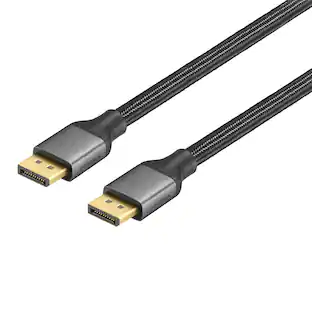
Best Buy essentials™ - 6' DisplayPort Cable - Black
Customers are saying
Customers are impressed with the quality and suitable cable length of the 6' DisplayPort Cable. Users find the cable compatible, easy to use, and appreciate its DisplayPort functionality. The cable also supports high refresh rates and resolutions. A small number of users mentioned the locking mechanism.
Made for DisplayPort-enabled devices
Connects a video source to a display (such as a computer monitor).
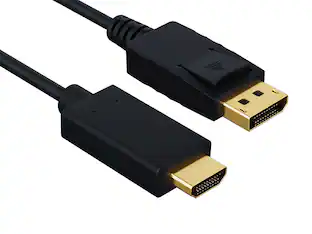
20-pin DisplayPort connection
Ensures reliable signal transfer.
Up to 4K resolution at 60 Hz
Supports up to 3840 × 2160 resolution for true-to-life images.
21.6 Gbps bandwidth
Allows for higher refresh rates, perfect for gaming and graphic design.
Plug-and-play technology
Just plug it into your computer’s HDMI port for a hassle-free connection.
Fully shielded design
Protects against interference for better video quality.
6 ft. cable
Reaches where you need it with a 6 ft. length.
Backed by Best Buy
For quality and reliability that you can trust.
- Cable Length6 feetConnector Type (End 1)DisplayPortGender (End 1)MaleConnector Type (End 2)DisplayPortGender (End 2)Male
Reviews
Rating 4.8 out of 5 stars with 373 reviews
- Quality (111)
- Cable Length (38)
- Compatibility (17)
- Ease of use (15)
- DisplayPort (14)
- Locking Mechanism (3)
Customer Images
The vast majority of our reviews come from verified purchases. Reviews from customers may include My Best Buy members, employees, and Tech Insider Network members (as tagged). Select reviewers may receive discounted products, promotional considerations or entries into drawings for honest, helpful reviews.
Compare similar products

The Best Buy essentials 6' DisplayPort Cable supports resolutions of up to 4K (3840 × 2160) at 60 Hz, granting you high-quality images. Its 6 ft. length gives you flexible placement options, so you can comfortably connect your devices without having to worry about the cable being too short. Backed by Best Buy, our 20-pin DisplayPort connection ensures a reliable signal transfer while a 21.6 Gbps bandwidth grants high refresh rates. Plug-and-play technology makes connections simple. Just connect to a DisplayPort-enabled device and you’ll be ready to work or play.

The Insignia 6' DisplayPort Cable extends and mirrors the screen of your PC or laptop to a projector, monitor or other display. A 6 ft. cable transmits video and audio signals, helping you create a simple all-in-one setup. The 20-pin DisplayPort connection provides a 21.6 Gbps bandwidth for high refresh rates and smooth video. In addition, it supports resolutions of up to 4K, allowing you to watch movies, videos and more with a quality image.

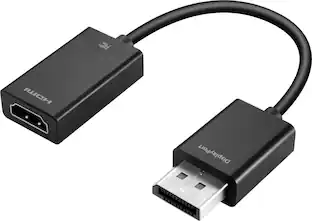
Improve your workstation by connecting your laptop to an external monitor with this Insignia 6 ft. DisplayPort to HDMI Cable. The cable supports 4K Ultra HD to prevent loss in quality when transferring between screens. It features a sleek braided cable jacket for protection, and the plug-and-play design makes setup a breeze.

You have a high-definition TV to game or watch your favorite shows—don’t let your connection cable reduce your video or audio quality. The Insignia 6 ft. 16K DisplayPort Cable supports both audio and video, so you can enjoy your favorite entertainment with one simple connection. It supports up to 16K Ultra HD resolution at 60Hz and up to 80 Gbps data transfer for a smooth, reliable connection. The cable is built to last, featuring a braided, 6 ft. design that easy reaches between devices.
| Pros for Best Buy essentials™ - 6' DisplayPort Cable - Black | |||
|---|---|---|---|
| Quality, Cable Length, Ease of use, DisplayPort, Compatibility | Quality, Cable Length, Ease of use, DisplayPort, Refresh Rate | Overall Performance, Cable Length, Functionality | Overall Performance |
| Cons for Best Buy essentials™ - 6' DisplayPort Cable - Black | |||
| Locking Mechanism | There were no cons for this product— | There were no cons for this product— | There were no cons for this product— |
Specs
Customers often buy these together
 $139.99The price was $209.99
 Top Deal$109.99The price was $179.99
 $99.99The price was $109.99
 Top Deal$199.99The price was $329.99
More to consider




Explore tech essentials Sponsored


Discover related products
 $49.99The price was $69.99





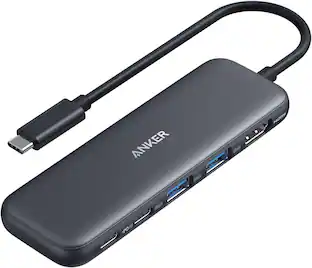
Keep exploring
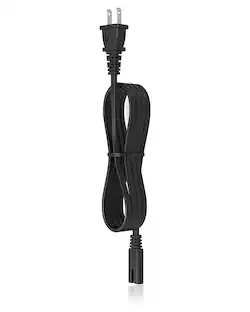 $10.99The price was $12.99
 $12.99The price was $13.99
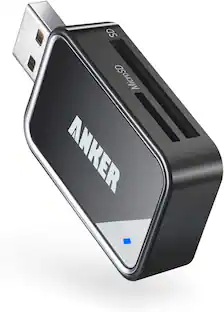 $8.99The price was $12.99