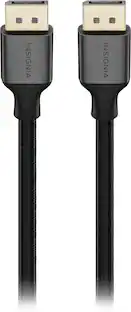
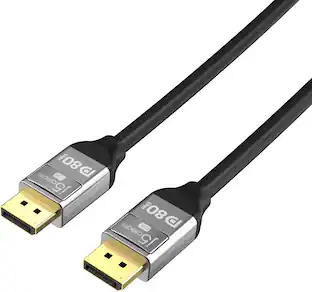
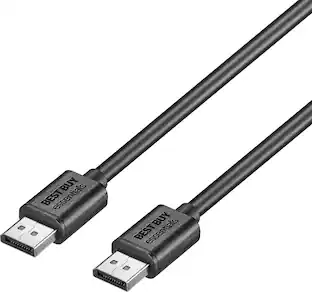
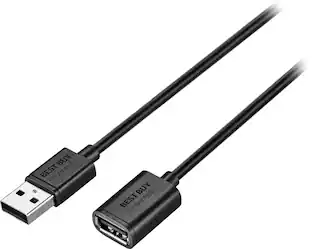
Best Buy essentials™ - 10' DisplayPort Cable - Black
- Key Specs
- Cable Length: 10 feet
- Connector Type (End 1): DisplayPort
- Gender (End 1): Male
- Connector Type (End 2): DisplayPort
- Gender (End 2): Male
- General
- Brand: Best Buy essentials™
- Model Number: BE-PCDPDP10
- Product Name: 10' DisplayPort Cable
- Color: Black
- Quantity: 1
- Compatibility: Most DisplayPort-enabled devices
- Connectivity
- Cable Type: Monitor
- Cable Length: 10 feet
- Product Type: Cable
- Connector Type (End 1): DisplayPort
- Gender (End 1): Male
- Connector Type (End 2): DisplayPort
- Gender (End 2): Male
- Environmental
- Indoor Or Outdoor Use: Indoor (Indicates the appropriate environment product was designed to be used in.)
- Warranty
- Warranty - Parts: 1 year
- Warranty - Labor: 1 year
- Other
- UPC: 600603275722
It’s just another cable—until you need to connect your computer or game console to another display. The Best Buy essentials BE-PCDPDP10 10' DisplayPort Cable supports resolutions of up to 4K (3840 × 2160) at 60 Hz, granting you high-quality images. Its 10 ft. length gives you flexible placement options, so you can comfortably connect your devices without having to worry about the cable being too short. Backed by Best Buy, our 20-pin DisplayPort connection ensures a reliable signal transfer while a 21.6 Gbps bandwidth grants high refresh rates. Plug-and-play technology makes connections simple. Just connect to a DisplayPort-enabled device and you’ll be ready to work or play. When sharing your screen, Best Buy essentials cables go above and beyond your expectations.
- Made for DisplayPort-enabled devices: Connects a video source to a display (such as a computer monitor).
- 20-pin DisplayPort connection: Ensures reliable signal transfer.
- Up to 4K resolution at 60 Hz: Supports up to 3840 × 2160 resolution for true-to-life images.
- 21.6 Gbps bandwidth: Allows for higher refresh rates, perfect for gaming and graphic design.
- Plug-and-play technology: Just plug it into your computer’s HDMI port for a hassle-free connection.
- Fully shielded design: Protects against interference for better video quality.
- 10 ft. cable: Reaches where you need it with a 10 ft. (3 m) length.
- Backed by Best Buy: For quality and reliability that you can trust.
Whats Included
- Best Buy essentials 10' DisplayPort Cable
Product Manuals
Q: How long is this DisplayPort cable?
A: This DisplayPort cable is six feet long.
Q: Is this cable shielded against interference?
A: Yes, the cable has a fully shielded design for better video quality.
Q: What kind of devices is this cable made for?
A: This cable is made for DisplayPort-enabled devices.
Q: Does this cable have plug-and-play technology?
A: Yes, this cable features plug-and-play technology for simple connections.
Q: Does this cable ensure a reliable signal transfer?
A: Yes, the 20-pin DisplayPort connection ensures a reliable signal transfer.
Q: What is the bandwidth of this DisplayPort cable?
A: The DisplayPort cable has a bandwidth of 21.6 Gbps.
Q: What is the resolution supported by this cable?
A: This cable supports resolutions of up to 4K (3840 × 2160) at 60 Hz.
Q: is this cable VESA certified and is the 20th pin disconnected?
A: Yes, this cable is VESA certified and the 20th pin is disconnected.