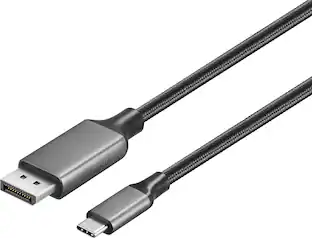
Insignia™ - 8K USB-C to DisplayPort Adapter - Black
Customers are saying
Customers often highlight the product's overall performance, noting that it works perfectly without any issues. Additionally, users appreciate the reliable connectivity, which has proven effective in resolving monitor display problems.
Features
One-way transfer from USB-C to DisplayPort
Mirror or extend your laptop’s display to an external monitor with this cable’s easy plug-and-play design requiring no additional software. (NOTE: USB-C ports must support DP Alt Mode to transmit video.)
Supports 8K Ultra HD
Displays your content at four-times the resolution of 4K UHD, providing incredible graphic quality on your external monitor.
3.94 in. braided cable jacket
Flexes and bends for easy connection, while the braid provides added strength to your adapter’s cable.
USB-IF certified
Officially certified for compatibility across a wide range of devices.
Sustainably focused
The outer package for this product has been manufactured with sustainably sourced paper, certified by the Forest Stewardship Council (FSC). FSC certification ensures that packaging comes from responsibly managed forests to help protect the planet - today and tomorrow.
Brought to you by Best Buy
Insignia brings you affordable, dependable products with all the features you need.
Specifications
- Connector Type (End 1)USB-CGender (End 1)MaleConnector Type (End 2)DisplayPortGender (End 2)FemaleConductor MaterialTinned copper with aluminum braidJacket MaterialPVC
Reviews
Rating 4.7 out of 5 stars with 35 reviews
- Overall Performance (17)
- Connectivity (5)
Customer Images
The vast majority of our reviews come from verified purchases. Reviews from customers may include My Best Buy members, employees, and Tech Insider Network members (as tagged). Select reviewers may receive discounted products, promotional considerations or entries into drawings for honest, helpful reviews.
Compare similar products
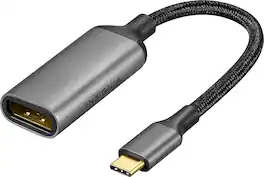
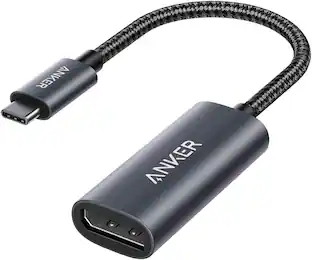
Improve your workstation by connecting your laptop to an external monitor with this Insignia 8K USB-C to DisplayPort Adapter. The adapter supports 8K Ultra HD to prevent loss in quality when transferring between screens. It features a sleek braided cable jacket that flexes and bends to easily connect, and the plug-and-play design makes setup a breeze.
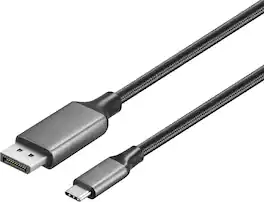
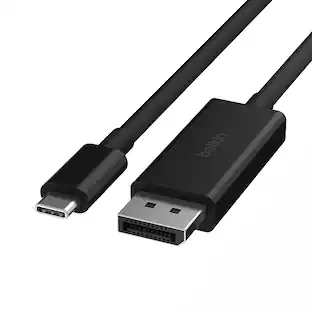
Improve your workstation by connecting your laptop to an external monitor with this Insignia 6 ft. USB-C to DisplayPort Cable. The cable supports 4K Ultra HD to prevent loss in quality when transferring between screens. It features a sleek braided cable jacket for protection, and the plug-and-play design makes setup a breeze.
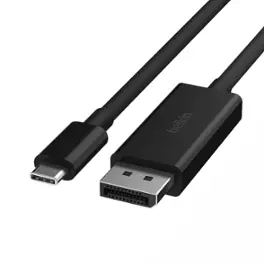
Connect your Chromebook, MacBook, iPad Pro, gaming system, or USB-C device to a DisplayPort-enabled monitor or projector so you can share media in stunningly clear 4K or 8K HDR. It is compatible with the iPhone 17, 17 Pro Max and 17 Pro.

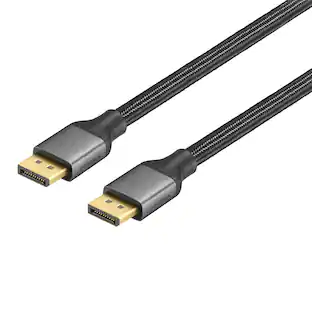
You have a high-definition TV to game or watch your favorite shows—don’t let your connection cable reduce your video or audio quality. The Insignia 6 ft. 16K DisplayPort Cable supports both audio and video, so you can enjoy your favorite entertainment with one simple connection. It supports up to 16K Ultra HD resolution at 60Hz and up to 80 Gbps data transfer for a smooth, reliable connection. The cable is built to last, featuring a braided, 6 ft. design that easy reaches between devices.
| Pros for Insignia™ - 8K USB-C to DisplayPort Adapter - Black | |||
|---|---|---|---|
| Overall Performance, Connectivity | Overall Performance, Functionality, Signal Stability, Cable Length, Refresh Rate | Functionality, DisplayPort, Performance | Overall Performance, Ease of Use |
Specs
Customers often buy these together



More to consider
 $31.18The price was $45.49




Explore tech essentials Sponsored


Discover related products
 $94.56The price was $98.28
 $31.99The price was $32.99
 $29.99The price was $32.82









Keep exploring
 $21.93The price was $25.03