Acer - Predator X27U 27" WQHD QD-OLED 280Hz 0.03ms FreeSync Premium Pro Gaming Monitor with HDR400 (DisplayPort, HDMI) - Black
About this product
Fasten your seatbelt: Infused with the latest eye care technologies and a blisteringly fast 280Hz refresh and up to 0.03ms response time. The Predator X27U delivers you a WQHD (2560 x 1440) QD-OLED. Add AMD FreeSync Premium Pro to the mix and your gaming experience will be unbeatable! This 27-inch (2560 x 1440) monitor combines jaw dropping specs including an QD-OLED panel that supports blazing-fast 280Hz refresh rate. This AMD FreeSync Premium Pro monitor takes gameplay to the next level of smooth, the game’s frame rate is determined by your graphics card, not the fixed refresh rate of the monitor, giving you a serious competitive edge.
Highlights
Features
OLED Makes All The Difference
Ever seen an QD-OLED in action They go above and beyond colors so vivid that you might just question reality. The addition of Image Retention Refresh also works to prevent burn-in. Enjoy longer.
Brilliant Colors
With the DCI-P3 99% color gamut, Delta E<2, and VESA DisplayHDR True Black 400, colors are practically bursting out of the screen. Enjoy the best imagery your games have to offer!
AMD FreeSync Premium Pro Technology
Get in the game with the AMD FreeSync Premium Pro display. Each display is validated by AMD to bring you a smooth, variable refresh rate (VRR) gaming experience that eliminates tearing, stuttering, artifacts, and flicker.
Fast and Furious
If you want seamless gameplay at absolutely ridiculous levels of speed, you’ve come to the right place. With an 280Hz refresh rate and 0.03ms (G to G) response time, your sessions will be fluid, unbroken and unmatched – with little to no ghosting
Center of Vision
At 27-inches, the X27U directly in your field of view. Considered a hallmark of eSports tournaments, this is the perfect size to gain an edge over your opponents. The addition of a ZeroFrame design also removes the bezels – giving you have even more visibly over every match and every movement your rivals make.
Port Haven
Do you have multiple consoles in addition to your PC and want them all plugged in at once. Well, now you can! No more fiddling with cables as the X27U includes two HDMI 2.1 ports and a one display port 1.4
Designed for the Triathlon
The X27U has a bonanza of features that both improve your viewing experience and help reduce eye strain during long, drawn-out gaming sessions. The flicker-less display has blue light filter and glare reduction that significantly improve viewing comfort while enhancing eye protection. Game longer, and in comfort.
Blue Light Shield Pro
True low-blue light panels ensure undistorted colors and shift the display’s blue light peak to a less hazardous range
Be Flexible
The ergonomically-designed ErgoStand design provides freedom to tilt, swivel, pivot and adjust height for maximum adaptability and comfort.
Specifications
- Refresh Rate280HzMaximum Resolution2560 x 1440Response Time0.03 millisecondsSynchronization TechnologyFreeSync Premium Pro (AMD Adaptive Sync)Screen Size27 inches
Reviews
Rating 4.7 out of 5 stars with 133 reviews
Customer Images
The vast majority of our reviews come from verified purchases. Reviews from customers may include My Best Buy members, employees, and Tech Insider Network members (as tagged). Select reviewers may receive discounted products, promotional considerations or entries into drawings for honest, helpful reviews.
Compare similar products

Fasten your seatbelt: Infused with the latest eye care technologies and a blisteringly fast 280Hz refresh and up to 0.03ms response time. The Predator X27U delivers you a WQHD (2560 x 1440) QD-OLED. Add AMD FreeSync Premium Pro to the mix and your gaming experience will be unbeatable! This 27-inch (2560 x 1440) monitor combines jaw dropping specs including an QD-OLED panel that supports blazing-fast 280Hz refresh rate. This AMD FreeSync Premium Pro monitor takes gameplay to the next level of smooth, the game’s frame rate is determined by your graphics card, not the fixed refresh rate of the monitor, giving you a serious competitive edge.
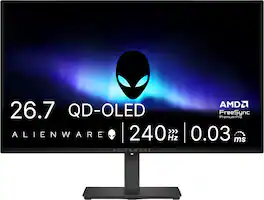
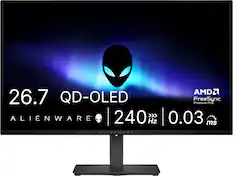
Alienware 27 240Hz QD-OLED Gaming Monitor. Take in superb QD-OLED visuals and fluid gameplay on the 27" flat panel monitor featuring a fast 240Hz refresh rate.
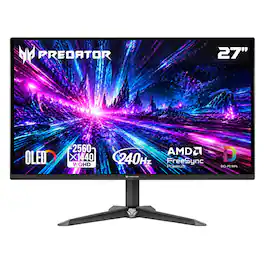
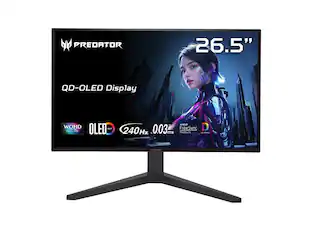
OLED In Full Force: Infused with the latest eye care technologies and a blisteringly fast 240Hz refresh and up to 0.03ms response time. The Predator XB270U delivers you a WQHD (2560 x 1440) QD-OLED. Add AMD FreeSync Premium to the mix and your gaming experience will be unbeatable! This 26.5-inch (2560 x 1440) monitor combines jaw dropping specs including an QD-OLED panel that supports blazing-fast 240Hz refresh rate. This AMD FreeSync Premium monitor takes gameplay to the next level of smooth, the game’s frame rate is determined by your graphics card, not the fixed refresh rate of the monitor, giving you a serious competitive edge.
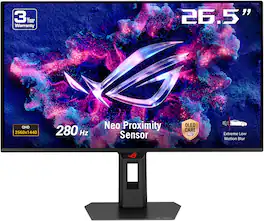
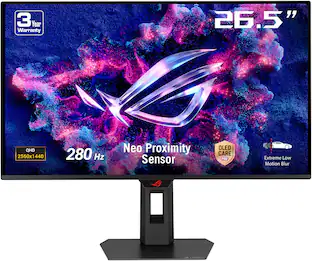
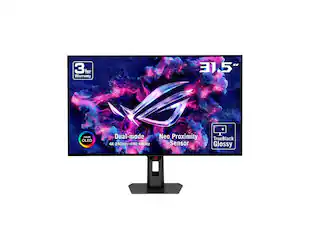
The ROG Strix OLED XG27ACDMS is a 27-inch, 280Hz QHD gaming monitor. With the addition of the Neo Proximity Sensor in the new ROG OLED Care Pro suite, the monitor transitions to a black screen when no user is detected, guarding against burn-in.
| Pros for Acer - Predator X27U 27" WQHD QD-OLED 280Hz 0.03ms FreeSync Premium Pro Gaming Monitor with HDR400 (DisplayPort, HDMI) - Black | |||
|---|---|---|---|
| There were no pros for this product— | OLED Quality, Overall Performance, Refresh Rate, Stand Adjustability | OLED Quality, Refresh Rate, Build Quality, Brightness, Performance | OLED Quality, Overall Performance, Refresh Rate, Design |
| Cons for Acer - Predator X27U 27" WQHD QD-OLED 280Hz 0.03ms FreeSync Premium Pro Gaming Monitor with HDR400 (DisplayPort, HDMI) - Black | |||
| There were no cons for this product— | Brightness, Audio Output, USB Ports | Ergonomics, Connectivity | Text Clarity, Pixel Cleaning |
Specs
Questions & Answers
I want to ensure this has HDMI 2.1? I want full capabilities with Xbox series X
Answered by TeamAcerYes, the connections on this monitor are: one DisplayPort 1.4 and two HDMI 2.1.
How many HDMI ports does this gaming monitor have?
This gaming monitor has two HDMI ports.
This question and answer was generated by AI based on customer and product data.Does this gaming monitor have integrated speakers?
Yes, this gaming monitor has integrated speakers.
This question and answer was generated by AI based on customer and product data.What type of panel does this monitor have?
This monitor has a QLED panel.
This question and answer was generated by AI based on customer and product data.What is the response time of this gaming monitor?
The response time of this gaming monitor is 0.03 milliseconds.
This question and answer was generated by AI based on customer and product data.

Customers often buy these together
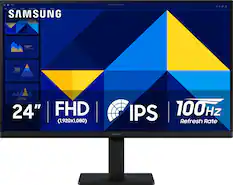
Samsung - 24" S3 (S30GD) IPS LED FHD 100Hz Monitor (HDMI, D-sub) - Black
Techtober Deal$89.99The price was $119.99
Samsung - 32" Odyssey G51F QHD 180Hz 1ms AMD FreeSync Gaming Monitor with HDR10 (DisplayPort, HDMI) - Black
$199.99The price was $329.99


More to consider
 $329.99The price was $379.99
 Techtober Deal$499.99The price was $649.99
 $323.99The price was $410.49
 Techtober Deal$299.99The price was $499.99
 $549.99The price was $699.99
 $399.99The price was $599.99
 Techtober Deal$328.99The price was $499.99
 Techtober Deal$269.99The price was $449.99
 $680.49The price was $755.99
 Techtober Deal$599.99The price was $999.99

Explore tech essentials Sponsored
 $2,224.99The price was $2,774.99
Discover related products
 $249.00The price was $275.00
 Techtober Deal$10.99The price was $13.99
 $1,377.99The price was $1,409.33









Keep exploring
 $899.99The price was $1,299.99
 $1,029.99The price was $1,053.88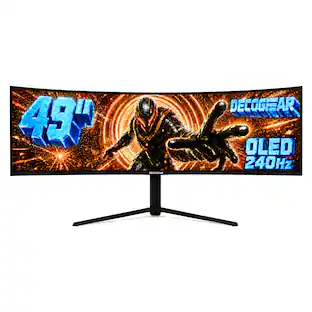
Deco Gear - 49" QD-OLED 240Hz Curved Super Ultrawide Gaming Monitor 5K DQHD 0.03 ms HDR400 90W USB-C
Techtober Deal$739.99The price was $1,539.99