Dell - 34.1" IPS LED Curved 120Hz Monitor (USB, HDMI) - Black/Silver
Dell - 34.1" IPS LED Curved 120Hz Monitor (USB, HDMI) - Black/Silver
FREE shipping to
Related Item

Highlights
- Key Specs
- Refresh Rate: 120Hz (The number of frames per second the device can produce natively without enhancement. Higher rates help produce smooth, seamless pictures.)
- Maximum Resolution: 3440 x 1440 (Maximum resolution refers to the highest number of pixels that a screen can process and display. Higher resolution signals produce more detailed images.)
- Response Time: 5 milliseconds (The speed at which pixels can change colors is called response time. It is measured in milliseconds (ms).)
- Panel Type: IPS (Technology that affects response time and image quality.)
- Synchronization Technology: Not Applicable (Generally, these technologies allow syncing between a computer/console game's frame rate and the device's refresh rate for a smoother display without tearing.)
- Screen Size: 34.1 inches (Size of the screen, measured diagonally from corner to corner.)
- Display Connector(s): 1 x DisplayPort, 1 x HDMI (The number and type of connectors used to connect to an external display.)
- General
- Brand: Dell
- Model Number: DELLU3425WE
- Product Name: 34.1" IPS LED Curved 120Hz Monitor (USB, HDMI)
- Color: Black/Silver
- Operating System Compatibility: Not Applicable
- Display
- Refresh Rate: 120Hz (The number of frames per second the device can produce natively without enhancement. Higher rates help produce smooth, seamless pictures.)
- Maximum Resolution: 3440 x 1440 (Maximum resolution refers to the highest number of pixels that a screen can process and display. Higher resolution signals produce more detailed images.)
- Native Resolution: 3440 x 1440 (Native resolution of a screen refers to its single, fixed resolution. Sometimes screens must scale an image up or down in order to fit the native resolution. This can cause a loss of resolution or detail.)
- Contrast Ratio: 2000:1 (Measured difference between a displayed image's brightest whites and darkest blacks. The larger the first number, the more detail and color that can be displayed.)
- Response Time: 5 milliseconds (The speed at which pixels can change colors is called response time. It is measured in milliseconds (ms).)
- Display Type: LED
- Panel Type: IPS (Technology that affects response time and image quality.)
- Synchronization Technology: Not Applicable (Generally, these technologies allow syncing between a computer/console game's frame rate and the device's refresh rate for a smoother display without tearing.)
- Aspect Ratio: 21:9 (The measurement of the width of a screen compared to the height of a screen, expressed as a ratio.)
- Curved Screen: true
- Brightness: 300 candela per square meter (A measure of the total light output.)
- Screen Size: 34.1 inches (Size of the screen, measured diagonally from corner to corner.)
- High Dynamic Range (HDR): false (An HDR-compatible 4K TV or other HDR-compatible product displays HDR video content when it's available from sources like 4K Ultra HD Blu-ray Discs and 4K streaming services.)
- Horizontal Viewing Angle: 178 degrees (The maximum angle at which the display can be viewed with acceptable visual performance from either side.)
- Vertical Viewing Angle: 178 degrees (The maximum angle at which the display can be viewed with acceptable visual performance from above or below.)
- Touch Screen: false (Touch-screen devices make navigating more intuitive. Using a touch-screen display, you can do things such as tap to select, hold and drag to move items, swipe to scroll, and pinch to zoom.)
- Display Surface: Anti-glare
- Color Gamut (Standard RGB): 98 percent
- Connectivity
- Number of HDMI Inputs (Total): 1
- Display Connector(s): 1 x DisplayPort, 1 x HDMI (The number and type of connectors used to connect to an external display.)
- Number of USB Ports (Total): 8
- Compatibility
- Wall Mountable: true (The product is able to be secured to a wall. Some products are designed ready to mount, while others may require additional hardware/accessories for installation.)
- Voice Assistant Built-in: No (A digital assistant built into the device that uses voice commands to answer questions and control smart devices.)
- Features
- Tiltable: true
- Adjustable Stand Height: true
- Anti-Glare: true (Product has features, such as a matte finish, that reduce the likelihood for screen glare.)
- Eye Relief Features: Anti-glare
- Built-In Webcam: false
- Integrated Speaker(s): true
- Dimensions
- Product Height With Stand: 21 37/100 inches
- Product Height Without Stand: 14 1/10 inches
- Product Width: 32 inches (The out of box width of the item. Width is measured as the horizontal distance from one side of the item to the other as it would be primarily used or placed.)
- Product Depth (With Stand): 9 47/100 inches
- Product Depth Without Stand: 4 1/10 inches
- Product Weight: 17.15 pounds (The out of box weight of the item.)
- Stand Included: true
- Certifications Listings & Approvals
- ENERGY STAR Certified: true (Devices carrying the ENERGY STAR service mark, such as computer products and peripherals, kitchen appliances, and other products, generally use 20% to 30% less energy than required by federal standards.)
- EPEAT Qualified: false (The Electronic Product Environmental Assessment Tool (EPEAT) was designed to provide an environmental assessment tool for purchasers. In order to qualify for EPEAT, a product must meet all 23 required criteria.)
- Warranty
- Warranty - Parts: 3 year limited
- Warranty - Labor: 3 Year Limited
- Other
- UPC: 884116452034
Dell U3425WE UltraSharp 34" Curved Thunderbolt Hub Monitor. This 34.1-in, 1900R curvature, 3440x1440 resolution, hub monitor offers enhanced visual comfort and features a KVM Switch. Environmentally-forward thinking with sustainable materials and elevated standards with packagining innovation and energy conservation. Get a seamless viewing experience and focus on your task with ultra-thin bezel design. Varied and multiple interfaces to ensure that whatever device you need has a connection.
- Immersive experience: Completely immerse yourself with the 34" curved panel which is designed for comfort, productivity and style
- Viewing angle: This stylish LED Monitor offers 178/178 degree viewing angles for some great viewing experience no matter where and how you look at it
- VESA compatible: VESA mount compatibility allows you to mount the display on a wall or with a stand depending on your specific needs
- Brightness: View your content easily in well-lit areas with 300 Nit brightness
- Picture-in-Picture: Picture-in-Picture (PiP) mode enables you to view content from multiple inputs simultaneously
- Thunderbolt: Thunderbolt I/O technology lets you move data between your devices and your computer with unprecedented speed
- Immersive experience: Completely immerse yourself with the 34" curved panel which is designed for comfort, productivity and style
- Viewing angle: This stylish LED Monitor offers 178/178 degree viewing angles for some great viewing experience no matter where and how you look at it
- VESA compatible: VESA mount compatibility allows you to mount the display on a wall or with a stand depending on your specific needs
- Brightness: View your content easily in well-lit areas with 300 Nit brightness
- Picture-in-Picture: Picture-in-Picture (PiP) mode enables you to view content from multiple inputs simultaneously
- Thunderbolt: Thunderbolt I/O technology lets you move data between your devices and your computer with unprecedented speed
Whats Included
- DELLU3425WE
- DELLU3425WE
Product Manuals
Q: Can the monitor be wall mounted?
A: This monitor can be wall mounted.
Q: What is the refresh rate of the monitor?
A: The refresh rate of this monitor is 120Hz.
Q: Is the monitor ENERGY STAR certified?
A: This monitor is ENERGY STAR certified.
Q: Does the monitor have a built-in webcam?
A: This monitor does not have a built-in webcam.
Q: How many USB ports does the monitor have?
A: This monitor has a total of 8 USB ports.
Q: What is the response time of the monitor?
A: The response time of the monitor is 5 milliseconds.
A: Keyboard/Mouse Wake-Up: When you connect your keyboard and mouse to the monitor's USB ports, they are routed through the monitor's built-in KVM. Switching the KVM to the correct input should pass the keyboard and mouse signals to the active system, allowing you to wake it up (if the system supports waking via USB peripherals). Ensure that the USB ports on the monitor are connected to the respective PCs via USB upstream cables (these should be provided or compatible USB cables). System Requirements: Both the PC and Mac need to be configured to allow USB devices to wake them. This is often in the BIOS for PCs and in System Settings > Energy Saver for macOS.
Compare similar products

Dell U3425WE UltraSharp 34" Curved Thunderbolt Hub Monitor. This 34.1-in, 1900R curvature, 3440x1440 resolution, hub monitor offers enhanced visual comfort and features a KVM Switch. Environmentally-forward thinking with sustainable materials and elevated standards with packagining innovation and energy conservation. Get a seamless viewing experience and focus on your task with ultra-thin bezel design. Varied and multiple interfaces to ensure that whatever device you need has a connection.

The Dell Pro Plus series monitors. Enhanced eye comfort display featuring a 100Hz refresh rate, improved ComfortView Plus technology, and vivid colors. With high resolution, consistent colors across wide angles, and improved contrast ratio, your work has never looked this good. A wide variety of ports ensures you can connect all your acccessories and create the perfect work setup to maximize your productivity.

Introducing our first 37.5" WQHD+ monitor with IPS Black panel technology. The curved screen improves field of view while reducing reflection and eye fatigue to give you a comfortable, immersive experience. Admire the extraordinary world of your work through vibrant colours and deep blacks with this monitor that offers IPS Black panel technology with 2000:1 contrast ratio and 100% sRGB, 100% REC.709, 98% DCI-P3 and 98% Display P3 colour coverage. Experience enhanced eye comfort with ComfortView Plus, an always-on, built-in low blue light screen that reduces potentially harmful blue light emissions without compromising colour. Streamline your workflow with a single cable USB-C that transmits data and video signals while delivering up to 90W of power. Connect to a wide variety of devices with super speed USB-A and USB-Cports and expand connectivity with DP 1.4, HDMI 2.1 ports. Get a fast and stable connection with up to 2.5GbE provided by RJ45 with PXE boot, Mac Address pass-thru and Wake on Lan features. RJ45 lock feature gives you the flexibility to lock the wired Ethernet to a chosen PC while continuing to work from dual PC inputs. Conveniently-located USB-C (up to 15W power) and USB-A quick access ports make it easy to plug in external devices, and built-in dual 9W speakers save you the hassle altogether.
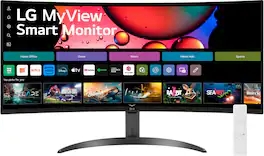
One screen. Endless possibilities. The 21:9 ultra-wide 34” curved Smart monitor offers stunning widescreen visuals and a sleek design that's perfect for work, play, cinematic viewing, and everything in between. Experience vivid color with up to sRGB 99% coverage, HDR10 support and impeccable clarity with the 21:9 WQHD (3440x1440) screen, bringing every detail to life. Thanks to LG’s streaming platform webOS23¹, find your favorites fast with built-in access to Netflix, Prime Video, the Apple TV app, Disney+, HBO Max and instant access to over 300+ free LG Channels with everything from comedy to movies to sports. Apple AirPlay 2 & HomeKit compatibility² allow you to wirelessly control your monitor plus cast and mirror content from iOS or MacOS devices, no Apple TV necessary. Gaming on the monitor’s wide screen with the 100Hz refresh rate assures ultra-smooth action.
| Pros for Dell - 34.1" IPS LED Curved 120Hz Monitor (USB, HDMI) - Black/Silver | |||
|---|---|---|---|
| There were no pros for this product— | There were no pros for this product— | There were no pros for this product— | Screen Size, Overall Performance, Resolution, Refresh Rate, Smart Features |
| Cons for Dell - 34.1" IPS LED Curved 120Hz Monitor (USB, HDMI) - Black/Silver | |||
| There were no cons for this product— | There were no cons for this product— | There were no cons for this product— | Thunderbolt Port |
Specs
Reviews
Customer Images
The vast majority of our reviews come from verified purchases. Reviews from customers may include My Best Buy members, employees, and Tech Insider Network members (as tagged). Select reviewers may receive discounted products, promotional considerations or entries into drawings for honest, helpful reviews.
- Rated 5 out of 5 stars
Nice
Quite good, nice feature set, everything is self explanatory. Well built, worth the price
This review is from Dell - 34.1" IPS LED Curved 120Hz Monitor (USB, HDMI) - Black/Silver
MrLl Posted
- Rated 5 out of 5 stars
Perfect for day-to-day use and mild gaming!
Good quality monitor, the refresh rate is enough for day to day to tasks. Colors looks good!
This review is from Dell - 34.1" IPS LED Curved 120Hz Monitor (USB, HDMI) - Black/Silver
MarkL Posted
- Rated 4 out of 5 stars
Nice with one Mac OS Issue
This is a very nice monitor with one issue, it doesn't work with mac os volume control. You have to control volume through each applications control or find a third party software solution. Otherwise, the screen is the perfect size for my and it displays video well!
This review is from Dell - 34.1" IPS LED Curved 120Hz Monitor (USB, HDMI) - Black/Silver
MikeD Posted