LG - UltraGear 34" WQHD 240Hz 1ms FreeSync Premium Gaming Monitor with DisplayHDR 400 (HDMI, DisplayPort, USB-C) - Black
Customers are saying
Customers are pleased with the overall performance and the phenomenal refresh rate of this product. Users also frequently highlight the excellent IMAX design, the ideal size, and the high-quality resolution. While the display is highly regarded, some users suggest being mindful of the viewing angles.
Highlights
UltraGear: More Screen. More Speed. More Glory.
Outpace the competition with the 34" 21:9 UltraGear WQHD gaming monito. Experience buttery-smooth 240Hz visuals, bold HDR color, and a slim, narrow-bezel design that sharpens focus and kicks distractions to the curb.
21:9 Widescreen Gaming
The 21:9 UltraGear WQHD (3440×1440) screen gives you extra horizontal real estate—perfect for keeping game overlays, chat, and guides in sight without alt-tabbing. Its virtually borderless design keeps your focus on the action, with seamless, distraction‑free immersion—everything you need, in one epic view.
240Hz Refresh Rate for the Win
React faster and play smoother with a blistering 240Hz refresh rate—perfect for high-speed competitive gaming where every millisecond counts¹. Experience fluid motion and razor-sharp clarity, even in the most intense action.
1ms (GtG): Astounding Gaming Speed
Play with a near-instantaneous 1ms response time, which minimizes ghosting for gaming visuals that are sharp, clear and buttery smooth.
Vivid Color and HDR Brilliance
Immerse yourself in lifelike visuals with up to 95% DCI-P3 color gamut and VESA DisplayHDR 400. Enjoy rich hues, bright highlights, and deep dark shadows that make every game more vibrant and every scene more cinematic.
Ultimate Frame Sync: FreeSync Premium & G-SYNC Compatible
Say goodbye to screen tearing and stutter. With AMD FreeSync Premium and NVIDIA G-SYNC² compatibility, this UltraGear monitor delivers ultra-smooth, tear-free visuals, giving you perfect frame sync across PC and next-gen console gaming.
Smooth Connectivity with USB Type-C
Connectivity made easy with with USB Type-C, DisplayPort, and HDMI. USB Type-C supports both display output and data transfer, giving you quick, single-cable access to your laptop and reducing desktop clutter.
With Even More Ports to Support Your Connections
Versatile connectivity hub: USB‑C simplifies setup with power, video, and data in one—while dual HDMI, DisplayPort, and USB‑A ports ensure seamless connections to all your devices, from consoles and peripherals to productivity gear.
Dual Speakers. Deep, Immersive Sound.
Let the action surround you with built-in speakers delivering deeper, fuller sound that enhances cinematic gaming scenes.
Unlock Your Potential with Advanced Gaming Features
Dynamic Action Sync reduces input lag for real-time response. Black Stabilizer brightens dark scenes to see what's hidden. FPS Counter shows your real-time frame rate. Crosshair enhances precision for deadly accuracy.
Picture by Picture: Simplfies Multitasking
Turn one screen into two with Picture‑by‑Picture mode. Split your 21:9 ultra‑wide into separate inputs—perfect for multitasking, monitoring multiple sources, or comparing work—all without clutter or additional monitors.
Space-Saving Stand with Adjustable Viewing
A narrow-bezel scree on the slim stand and with compact base frees up desk space for a tidy setup, while height, tilt and swivel adjustments let you find the perfect viewing position with ease.
Reader Mode Brings Comfort to Reading
Reader Mode adjusts your display to warmer tones and optimized brightness, that’s easier on the eyes—ideal for reading documents or browsing for extended periods.
- Refresh Rate240HzMaximum Resolution3440 x 1440Response Time1 millisecondsPanel TypeVASynchronization TechnologyFreeSync Premium (AMD Adaptive Sync), Not Applicable
Reviews
Rating 4.7 out of 5 stars with 111 reviews
- Overall Performance (39)
- Refresh Rate (17)
- Design (6)
- Size (5)
- Resolution (4)
- Viewing Angle (3)
Customer Images
The vast majority of our reviews come from verified purchases. Reviews from customers may include My Best Buy members, employees, and Tech Insider Network members (as tagged). Select reviewers may receive discounted products, promotional considerations or entries into drawings for honest, helpful reviews.
Compare similar products

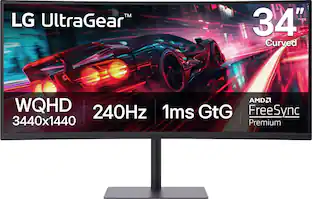
Dominate the game with the 34” UltraGear WQHD (3340x1440) Gaming Monitor, built for speed, precision, and pure visual impact. The 21:9 UltraGear display gives you more room to play and multitask, with a virtually borderless design that keeps you locked into the action. React instantly with a blistering 240Hz refresh rate and 1ms response time—perfect for competitive gamers who live in the milliseconds. Vivid color pops with HDR10, DisplayHDR 400, and up to 95% DCI-P3 color gamut, while AMD FreeSync Premium and NVIDIA G-SYNC compatibility ensure buttery-smooth, tear-free visuals across PC and next-gen consoles. Split your screen with Picture-by-Picture mode, plug in with USB-C, HDMI (x2), DisplayPort, and USB-A (x2), and hear every detail with built-in speakers. Designed for battle and built for comfort—with a slim, adjustable stand that keeps your setup clean and dialed in.
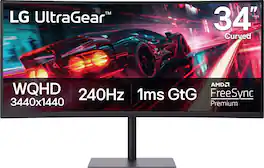
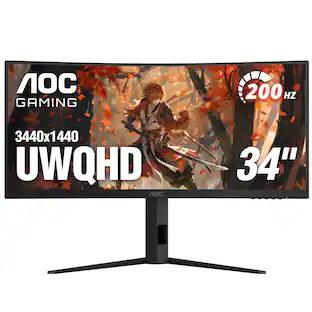
Dominate the game with the 34” UltraGear WQHD (3340x1440) Gaming Monitor, built for speed, precision, and pure visual impact. The 21:9 UltraGear curved (1500R) display gives you more room to play and multitask, with a virtually borderless design that keeps you locked into the action. React instantly with a blistering 240Hz refresh rate and 1ms response time—perfect for competitive gamers who live in the milliseconds. Vivid color pops with HDR10, DisplayHDR 400, and up to 95% DCI-P3 color gamut, while AMD FreeSync Premium ensures buttery-smooth, tear-free visuals across PC and next-gen consoles. Connectivity made easy with USB-C, HDMI (x2), and DisplayPort. Plus, hear every detail with built-in speakers. Designed for battle and built for comfort—with a slim bezel, height, tilt and swivel adjustable stand that keeps your setup clean and dialed in.
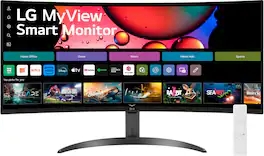
One screen. Endless possibilities. The 21:9 ultra-wide 34” curved Smart monitor offers stunning widescreen visuals and a sleek design that's perfect for work, play, cinematic viewing, and everything in between. Experience vivid color with up to sRGB 99% coverage, HDR10 support and impeccable clarity with the 21:9 WQHD (3440x1440) screen, bringing every detail to life. Thanks to LG’s streaming platform webOS23¹, find your favorites fast with built-in access to Netflix, Prime Video, the Apple TV app, Disney+, HBO Max and instant access to over 300+ free LG Channels with everything from comedy to movies to sports. Apple AirPlay 2 & HomeKit compatibility² allow you to wirelessly control your monitor plus cast and mirror content from iOS or MacOS devices, no Apple TV necessary. Gaming on the monitor’s wide screen with the 100Hz refresh rate assures ultra-smooth action.

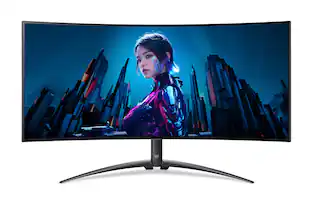
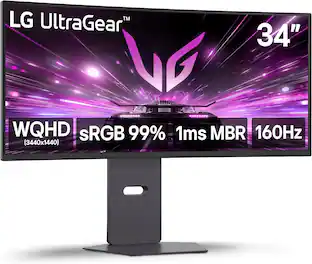
Experience lightning-quick speed with up to a 240Hz refresh rate¹ and 0.03ms response time on a huge 34 Inch WQHD curved OLED monitor. The steep 800R curve surrounds you in the action. And with the 240Hz refresh rate, and 0.03ms response time, the action is fast, the play seamless and precise. Dive into UltraGear OLED’s immaculate visuals with up to 98.5% of DCI-P3 color coverage and a 1,500,000:1 contrast ratio for stunning blacks and vibrant colors. Adaptive sync technologies FreeSync Premium Pro and NVIDIA G-SYNC compatibility ensure tear-free, stutter-free performance, whether you're on PC or next-gen consoles. Plus, the UltraGear's 2-year OLED limited warranty and OLED Care features give you peace of mind, keeping your UltraGear monitor in top shape. Designed for gamers, the virtually borderless design complements any gaming setup, with height, tilt, and swivel adjustments for optimal comfort. The RBG backlighting creates the mood that’ll upgrade any battlestation.
| Pros for LG - UltraGear 34" WQHD 240Hz 1ms FreeSync Premium Gaming Monitor with DisplayHDR 400 (HDMI, DisplayPort, USB-C) - Black | |||
|---|---|---|---|
| Overall Performance, Refresh Rate, Design, Resolution, Size | Overall Performance, Refresh Rate, Screen Size, Connectivity, Stand Adjustability | Screen Size, Overall Performance, Resolution, Refresh Rate, Smart Features | Refresh Rate, Design, Color Quality, Screen Curvature, Contrast |
| Cons for LG - UltraGear 34" WQHD 240Hz 1ms FreeSync Premium Gaming Monitor with DisplayHDR 400 (HDMI, DisplayPort, USB-C) - Black | |||
| Viewing Angle | There were no cons for this product— | Connectivity, Controls | There were no cons for this product— |
Specs
Can you connect an apple TV to it?
Answered by LG Digital Customer CareHello, there! Thank you for reaching out about your LG Monitor (34G630A‑B). We appreciate your question, and we understand how important it is to know what devices you can connect for your setup. Yes — you can connect an Apple TV to the 34G630A‑B. The monitor includes HDMI ports, and Apple TV outputs through HDMI, so they work together without any special adapters. Once connected, the Apple TV will function just like it would on a standard TV display. You can explore the full feature list and support details here: https://www.bestbuy.com/product/lg-ultragear-34-wqhd-240hz-1ms-freesync-premium-gaming-monitor-with-displayhdr-400-hdmi-displayport-usb-c-black/JJ8VPZKPY3. If you’d like help choosing the best settings for your Apple TV or need further assistance, please send us an email at lgdigitalcare@lg.sprinklrsupport.com. - Avril
What is the warranty on this monitor? There is no printed warranty info.
Answered by LG Digital Customer CareThe printed warranty information for the LG - UltraGear™ 34" WQHD 240Hz 1ms FreeSync™ Premium Gaming Monitor with DisplayHDR 400 (HDMI, DisplayPort, USB-C) - Black, Model # 34G630A-B, can be found by clicking on 'Specifications', then scrolling down to 'Warranty' on the page that pops up. The monitor comes with a Limited Manufacturer's Warranty of One (1) year from the date of original retail purchase for Parts and Labor, and the back light and controller...^Ivan.
Is this monitor a good buy if using a regular PC and also a ps5? Want to upgrade our monitor and I'm considering this one for purchase
Answered by LG Digital Customer CareHello there. Thank you for your interest in the 34G630A-B. We understand your inquiry regarding the suitability of this monitor for both PC and PS5 usage. This monitor features HDMI 2.1 ports, VRR (Variable Refresh Rate), and a high refresh rate of 240Hz, which supports current-generation console and PC gaming standards. Additionally, it includes PBP (Picture by Picture) and PIP (Picture in Picture) modes for multitasking. https://www.bestbuy.com/product/lg-ultragear-34-wqhd-240hz-1ms-freesync-premium-gaming-monitor-with-displayhdr-400-hdmi-displayport-usb-c-black/JJ8VPZKPY3 If you have any further questions about its features, please contact us on lgdigitalcare@lg.sprinklrsupport.com, and our team will be more than happy to assist you. —Renzo
Is the monitor compatible with VESA wall mounts?
Yes, the monitor is compatible with VESA wall mounts.
This question and answer was generated by AI based on customer and product data.Is the screen curved on this monitor?
No, the screen is not curved.
This question and answer was generated by AI based on customer and product data.

More to consider
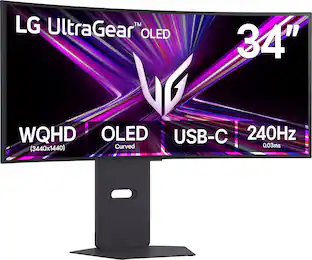 Top Deal$799.99The price was $999.99
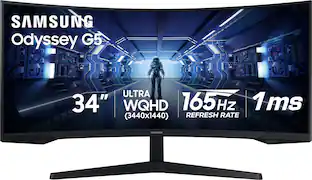 Top Deal$249.99The price was $399.99
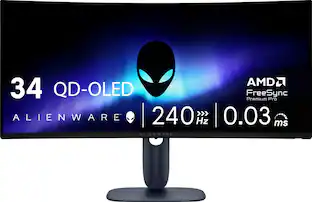 Top Deal$699.99The price was $799.99
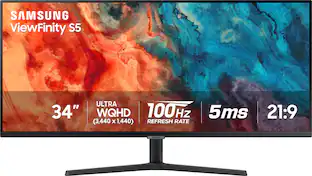 Top Deal$209.99The price was $329.99
 Top Deal$269.99The price was $349.99
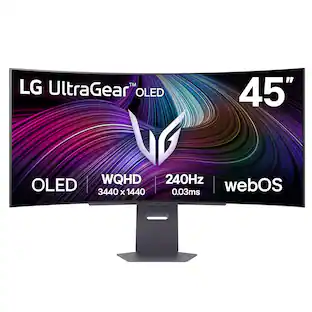 $999.99The price was $1,699.99
 $699.99The price was $1,199.99
 Top Deal$269.99The price was $349.99

Explore tech essentials Sponsored
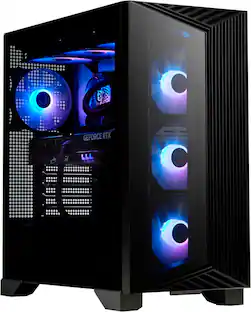 $2,222.99The price was $2,999.99
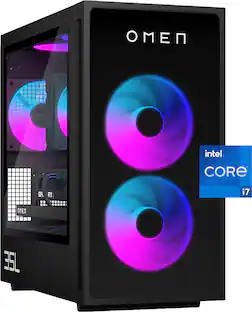 Top Deal$1,869.99The price was $2,079.99
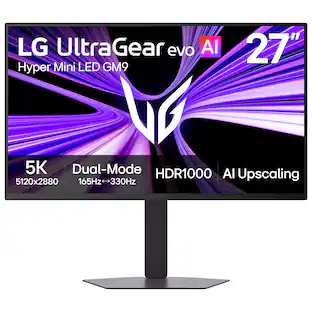 Top Deal$799.99The price was $1,199.99

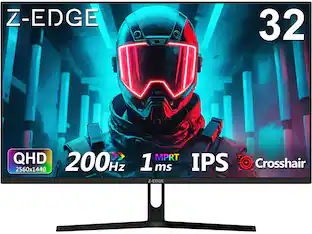
Discover related products
 $7.99The price was $14.99









Keep exploring
 $1,499.99The price was $2,101.91
 $120.99The price was $129.99
 $199.99The price was $218.99
 $204.99The price was $221.49
 $479.99The price was $549.99
 $824.99The price was $979.32