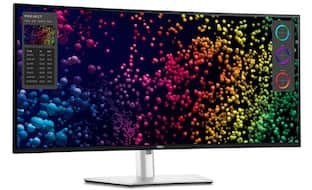
Dell - 34.1" IPS LED Curved 120Hz Monitor (USB, HDMI) - Black/Silver
Customers are saying
Customers appreciate the overall performance of this product, noting that every feature functions exactly as expected. Users have expressed satisfaction with how well the device operates during their daily use.
Highlights
Immersive experience
Completely immerse yourself with the 34" curved panel which is designed for comfort, productivity and style
Viewing angle
This stylish LED Monitor offers 178/178 degree viewing angles for some great viewing experience no matter where and how you look at it
VESA compatible
VESA mount compatibility allows you to mount the display on a wall or with a stand depending on your specific needs
Brightness
View your content easily in well-lit areas with 300 Nit brightness
Picture-in-Picture
Picture-in-Picture (PiP) mode enables you to view content from multiple inputs simultaneously
Thunderbolt
Thunderbolt I/O technology lets you move data between your devices and your computer with unprecedented speed
- Refresh Rate120HzMaximum Resolution3440 x 1440Response Time5 millisecondsPanel TypeIPSSynchronization TechnologyNot Applicable
Reviews
Rating 4.8 out of 5 stars with 6 reviews
- Overall Performance (3)
Customer Images
The vast majority of our reviews come from verified purchases. Reviews from customers may include My Best Buy members, employees, and Tech Insider Network members (as tagged). Select reviewers may receive discounted products, promotional considerations or entries into drawings for honest, helpful reviews.
Compare similar products

Dell U3425WE UltraSharp 34" Curved Thunderbolt Hub Monitor. This 34.1-in, 1900R curvature, 3440x1440 resolution, hub monitor offers enhanced visual comfort and features a KVM Switch. Environmentally-forward thinking with sustainable materials and elevated standards with packagining innovation and energy conservation. Get a seamless viewing experience and focus on your task with ultra-thin bezel design. Varied and multiple interfaces to ensure that whatever device you need has a connection.

The Dell Pro Plus series monitors. Enhanced eye comfort display featuring a 100Hz refresh rate, improved ComfortView Plus technology, and vivid colors. With high resolution, consistent colors across wide angles, and improved contrast ratio, your work has never looked this good. A wide variety of ports ensures you can connect all your acccessories and create the perfect work setup to maximize your productivity.
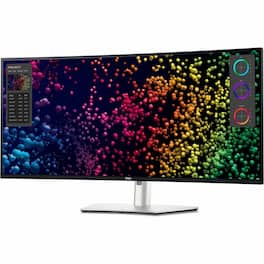
Transform the way you work with the Dell UltraSharp 40 Curved Thunderbolt Hub Monitor. This impressive 40" 5K curved monitor features a 120Hz refresh rate for an expansive field of view with smooth and responsive visuals. See true-to-life color with 99% DCI-P3/Display P3 color coverage and get a wide viewing angle with IPS Black panel technology that delivers deeper blacks with 2000:1 contrast ratio. Experience fast connectivity and image transmission with this Thunderbolt 4 hub monitor that delivers up to 140W power delivery (PD) through a single cable. Multitask effortlessly with Internal multistream transport (iMST). Partition your display as if there were two 2560x2160 physical monitors instead of one. No external software or DisplayPort splitter needed. New Network KVM feature on Dell Display Manager allows you to work across two PCs for improved productivity.
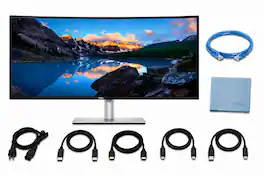
Dell U3425WE UltraSharp 34.1-inch curved monitor with 3440 x 1440 QHD resolution and 1900R curvature, delivering an immersive, wide workspace ideal for multitasking and creative work. The monitor features a Thunderbolt hub with multiple connectivity options and a built-in KVM switch for controlling two PCs with one keyboard and mouse. Ultra-thin bezels provide a seamless appearance and reduce distractions. The package includes two DisplayPort cables, two HDMI cables, one USB-A to USB-B cable, one Cat6E Ethernet cable, and a microfiber cleaning cloth. Environmentally conscious design incorporates sustainable materials, innovative packaging, and energy-saving features.
| Pros for Dell - 34.1" IPS LED Curved 120Hz Monitor (USB, HDMI) - Black/Silver | |||
|---|---|---|---|
| Overall Performance | Display Quality | Color Accuracy, Connectivity, Resolution, Refresh Rate | There were no pros for this product— |
Specs
Using the hub with 1 keyboard and mouse will it wake pc Mac setup and how does built in kvm switch know what pc you are using?
Answered by YourDellTeamKeyboard/Mouse Wake-Up: When you connect your keyboard and mouse to the monitor's USB ports, they are routed through the monitor's built-in KVM. Switching the KVM to the correct input should pass the keyboard and mouse signals to the active system, allowing you to wake it up (if the system supports waking via USB peripherals). Ensure that the USB ports on the monitor are connected to the respective PCs via USB upstream cables (these should be provided or compatible USB cables). System Requirements: Both the PC and Mac need to be configured to allow USB devices to wake them. This is often in the BIOS for PCs and in System Settings > Energy Saver for macOS.

what is the ETA on Best Buy selling this model rather than the MarketPlace vendors?
Answered by YourDellTeamWe recommend you to contact sales team and provide the postal code if not the address so that they would assist you with an approximate ETA for shipping and delivery,
Can the monitor be wall mounted?
This monitor can be wall mounted.
This question and answer was generated by AI based on customer and product data.What is the refresh rate of the monitor?
The refresh rate of this monitor is 120Hz.
This question and answer was generated by AI based on customer and product data.Is the monitor ENERGY STAR certified?
This monitor is ENERGY STAR certified.
This question and answer was generated by AI based on customer and product data.

Customers often buy these together
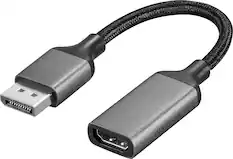
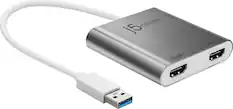
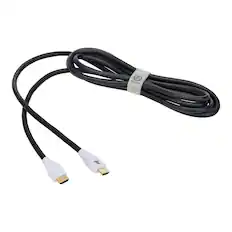
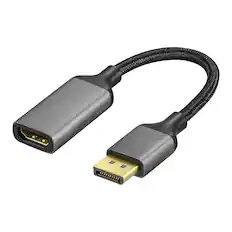
Monitor and Video Cables

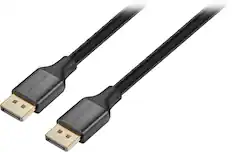
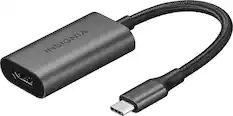
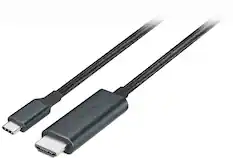
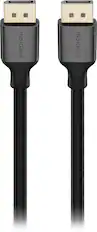

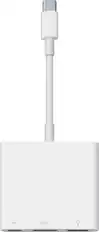
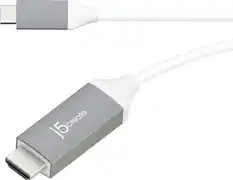
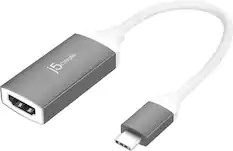


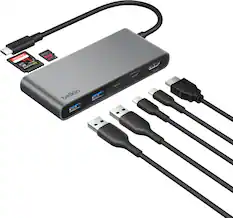
Customers ultimately bought
 Top Deal$299.99The price was $369.99
 Flash Deal$649.99The price was $799.99
 $1,499.00The price was $2,389.99
 $567.99The price was $609.99
 Flash Deal$219.99The price was $269.99

Explore tech essentials Sponsored
- Top Deal$299.99The price was $369.99
 $189.99The price was $299.99



Discover related products
 $1,249.99The price was $1,629.00
 $764.99The price was $1,299.99
 $169.99The price was $269.99
 $529.99The price was $1,399.99
 $1,824.99The price was $2,499.00




Keep exploring
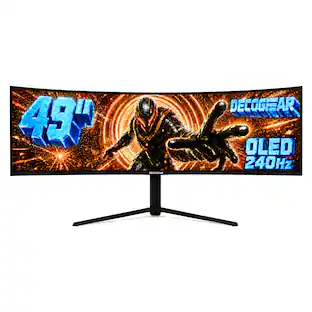
Deco Gear - 49" QD-OLED 240Hz Curved Super Ultrawide Gaming Monitor 5K DQHD 0.03 ms HDR400 90W USB-C
$739.99The price was $1,539.99 $878.67The price was $971.99
 $824.99The price was $979.32
 $204.99The price was $221.49
 $431.99The price was $453.31