Deals Worth GiftingShop now

Main Content

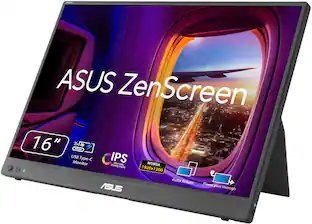
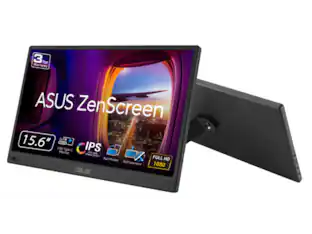
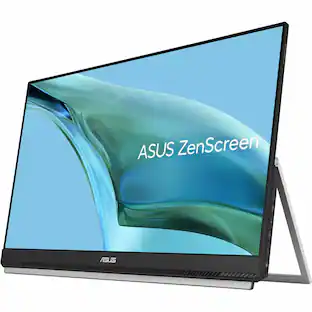
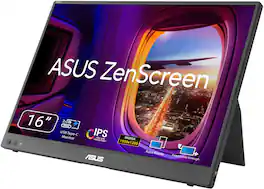
ASUS - ZenScreen 15.6" FHD IPS Portable Monitor with Foldable Smart Case (USB-C) - Dark Gray

Model: MB16ACE
SKU: 6403999
Deal ends in 23:39:49
$174.99
Save $40
Comp. Value: $214.99
or
Finance OptionsView your offers
Special OffersOn related products
Standard Geek Squad Protection
Availability
Fulfillment Options
Pickup at
Sold by Best Buy

More Buying Options

Highlights

  • Key Specs
    • Refresh Rate: 60Hz (The number of frames per second the device can produce natively without enhancement. Higher rates help produce smooth, seamless pictures.)
    • Maximum Resolution: 1920 x 1080 (Maximum resolution refers to the highest number of pixels that a screen can process and display. Higher resolution signals produce more detailed images.)
    • Response Time: 5 milliseconds (The speed at which pixels can change colors is called response time. It is measured in milliseconds (ms).)
    • Panel Type: IPS (Technology that affects response time and image quality.)
    • Synchronization Technology: Not Applicable (Generally, these technologies allow syncing between a computer/console game's frame rate and the device's refresh rate for a smoother display without tearing.)
    • Screen Size: 15.6 inches (Size of the screen, measured diagonally from corner to corner.)
    • Display Connector(s): Display connection via USB port (The number and type of connectors used to connect to an external display.)
  • General
    • Product Name: ZenScreen 15.6" FHD IPS Portable Monitor with Foldable Smart Case (USB-C)
    • Brand: ASUS
    • Operating System Compatibility: Windows, Chrome, Mac, Linux, Android
    • Model Number: MB16ACE
    • Color: Dark Gray
  • Display
    • Refresh Rate: 60Hz (The number of frames per second the device can produce natively without enhancement. Higher rates help produce smooth, seamless pictures.)
    • Maximum Resolution: 1920 x 1080 (Maximum resolution refers to the highest number of pixels that a screen can process and display. Higher resolution signals produce more detailed images.)
    • Native Resolution: 1920 x 1080 (Native resolution of a screen refers to its single, fixed resolution. Sometimes screens must scale an image up or down in order to fit the native resolution. This can cause a loss of resolution or detail.)
    • Contrast Ratio: 800:1 (Measured difference between a displayed image's brightest whites and darkest blacks. The larger the first number, the more detail and color that can be displayed.)
    • Response Time: 5 milliseconds (The speed at which pixels can change colors is called response time. It is measured in milliseconds (ms).)
    • Display Type: LED
    • Panel Type: IPS (Technology that affects response time and image quality.)
    • Synchronization Technology: Not Applicable (Generally, these technologies allow syncing between a computer/console game's frame rate and the device's refresh rate for a smoother display without tearing.)
    • Aspect Ratio: 16:9 (The measurement of the width of a screen compared to the height of a screen, expressed as a ratio.)
    • Curved Screen: false
    • Brightness: 220 candela per square meter (A measure of the total light output.)
    • Screen Size: 15.6 inches (Size of the screen, measured diagonally from corner to corner.)
    • High Dynamic Range (HDR): false (An HDR-compatible 4K TV or other HDR-compatible product displays HDR video content when it's available from sources like 4K Ultra HD Blu-ray Discs and 4K streaming services.)
    • Horizontal Viewing Angle: 178 degrees (The maximum angle at which the display can be viewed with acceptable visual performance from either side.)
    • Vertical Viewing Angle: 178 degrees (The maximum angle at which the display can be viewed with acceptable visual performance from above or below.)
    • Touch Screen: false (Touch-screen devices make navigating more intuitive. Using a touch-screen display, you can do things such as tap to select, hold and drag to move items, swipe to scroll, and pinch to zoom.)
    • On-Screen Display Languages: English (The available language options for displayed text.)
    • Display Surface: Anti-glare
  • Connectivity
    • Number of HDMI Inputs (Total): 0
    • Display Connector(s): Display connection via USB port (The number and type of connectors used to connect to an external display.)
    • DisplayPort Over USB-C: DisplayPort 1.4 (The version of DisplayPort that leverages the Alternate Mode Functional Extension of the USB-C interface. This connector allows for higher resolution, broader color space, multichannel audio support, and greater backwards compatibility with display adapters. Also known as DisplayPort Alt Mode.)
    • Number of USB Ports (Total): 1
    • USB Ports: 1 x USB-C 3.2 (The number and type of USB ports the product has.)
    • Headphone Jack: false (The device features an interface that allows for the connection of headphones.)
  • Compatibility
    • Wall Mountable: false (The product is able to be secured to a wall. Some products are designed ready to mount, while others may require additional hardware/accessories for installation.)
  • Features
    • Eye Relief Features: Anti-glare, Flicker free, Low blue light
    • Anti-Glare: true (Product has features, such as a matte finish, that reduce the likelihood for screen glare.)
    • Built-In Webcam: false
    • Integrated Speaker(s): false
  • Dimensions
    • Product Height Without Stand: 8.91 inches
    • Product Width: 14.16 inches (The out of box width of the item. Width is measured as the horizontal distance from one side of the item to the other as it would be primarily used or placed.)
    • Product Depth Without Stand: 0.31 inches
    • Product Weight: 1.6 pounds (The out of box weight of the item.)
    • Stand Included: false
  • Power
    • Power Consumption: 8 watts
    • Power Saving/Off Mode: 0.5 watts (This mode will turn the display and/or the device off, or into a standby mode, after a preset length of time with no activity to conserve power.)
  • Certifications Listings & Approvals
    • ENERGY STAR Certified: true (Devices carrying the ENERGY STAR service mark, such as computer products and peripherals, kitchen appliances, and other products, generally use 20% to 30% less energy than required by federal standards.)
    • EPEAT Qualified: false (The Electronic Product Environmental Assessment Tool (EPEAT) was designed to provide an environmental assessment tool for purchasers. In order to qualify for EPEAT, a product must meet all 23 required criteria.)
  • Warranty
    • Warranty - Parts: 3 years
    • Warranty - Labor: 3 years
  • Other
    • UPC: 192876500378

Boost your productivity with this ASUS 15.6-inch ZenScreen portable monitor. The 178-degree viewing angle provides consistent picture quality, while the anti-glare coating helps reduce eye strain and increase visibility. This flicker-free ASUS 15.6-inch ZenScreen portable monitor features a USB-C port that can connect to various devices, and the Full HD panel produces stunning visuals.
Monitor Buying Guide

  • Full HD 1920x1080 Resolution: High resolutions that deliver a solid gaming or video experience without undue strain on your graphics card
  • 5ms Response Time: Delivers solid performance for precise gaming and video work
  • 60Hz Refresh Rate: Provides smooth video and good refresh rates for everyday use
  • 15.6" Antiglare LCD Monitor: Uses cold cathode fluorescent lamps to provide even backlighting across the entire screen
  • Hybrid-Signal Input: Quick connectivity with any laptop with a USB-C or USB-A port
  • 800:1 Contrast Ratio: Ensures images are crisp and clear with deep blacks and bright highlights
  • 220 cd/m² Brightness: Ensures images are clear and can be seen across the room
  • ASUS Eye Care: Ensures a comfortable viewing experience
  • Portable: Ultra-slim and thin design for on-the-go client meetings
  • Foldable Smart Case: Can be turned into a stand to prop the monitor up in either portrait or landscape mode
  • Auto-Rotation Display: Allows your screen to automatically sense its orientation and switch the monitor between portrait and landscape modes
  • Full HD 1920x1080 Resolution: High resolutions that deliver a solid gaming or video experience without undue strain on your graphics card
  • 5ms Response Time: Delivers solid performance for precise gaming and video work
  • 60Hz Refresh Rate: Provides smooth video and good refresh rates for everyday use
  • 15.6" Antiglare LCD Monitor: Uses cold cathode fluorescent lamps to provide even backlighting across the entire screen
  • Hybrid-Signal Input: Quick connectivity with any laptop with a USB-C or USB-A port
  • 800:1 Contrast Ratio: Ensures images are crisp and clear with deep blacks and bright highlights
  • 220 cd/m² Brightness: Ensures images are clear and can be seen across the room
  • ASUS Eye Care: Ensures a comfortable viewing experience
  • Portable: Ultra-slim and thin design for on-the-go client meetings
  • Foldable Smart Case: Can be turned into a stand to prop the monitor up in either portrait or landscape mode
  • Auto-Rotation Display: Allows your screen to automatically sense its orientation and switch the monitor between portrait and landscape modes
Whats Included
  • MB16ACE Monitor
  • ASUS Smart Case
  • USB-C to USB-A Adapter
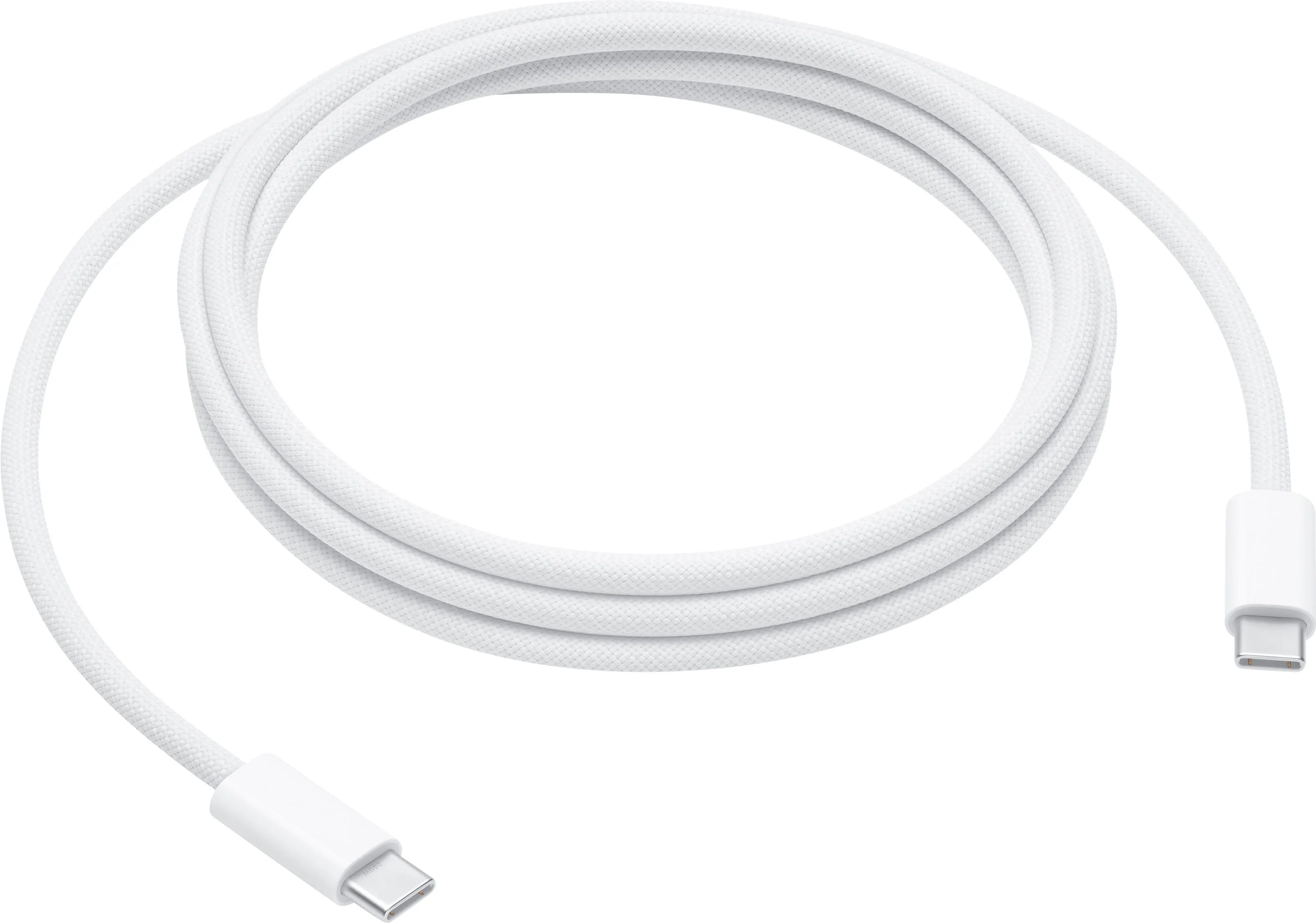
  • USB-C Cable
  • Quick Start Guide
  • Warranty Card
  • MB16ACE Monitor
  • ASUS Smart Case
  • USB-C to USB-A Adapter
  • USB-C Cable
  • Quick Start Guide
  • Warranty Card
Product Manuals

Q: What is the resolution of this ASUS monitor?

A: This ASUS monitor has a Full HD 1920 x 1080 resolution.

Q: What is the response time of this ASUS monitor?

A: This monitor has a response time of 5ms.

Q: Can I mount this ASUS monitor on the wall?

A: No, this monitor is not wall mountable.

Q: What is the contrast ratio for the ASUS ZenScreen monitor?

A: The contrast ratio for this monitor is 800:1.

Q: Does this ASUS ZenScreen monitor have a built-in speaker?

A: No, the ASUS ZenScreen monitor does not have a built-in speaker.

Q: How bright is this ASUS monitor?

A: The ASUS ZenScreen monitor has a brightness of 250 cd/m².

Q: How does this connect to macbook pro?

A: We plugged this external monitor into a USB-C port using the USB-C to USB 3 adapter on a MacBook Air. It was recognized immediately and worked without any problem. If your MacBook Pro has a USB 3.0 port you should have no issues, you can confirm whether you have USB 3.0 by going to "About This Mac", "System Report", "Hardware", "USB" and then if necessary, scroll down in the "USB Device Tree" window to see which ports are available. "USB 2.0 Bus" is likely shown first, with "USB 3.0 Bus" at the bottom, depending on the age of your computer. This display is excellent for our application!

Q: Will this connect to my MacBook Air (2017). It apparently has a Thunderbolt 2 port and two USB ports. When I look under "About this mac" it says I have a USB 3.o bus and below that it says I have a USB 2.0 hub. Is hub the same as a port?

A: My wife has the 2015 MacBook Air, they're pretty much the same. The portable monitor comes with an adapter so you'll be able to plug it in to either of your USB ports (Preferably USB 3 since it has a higher transfer rate, although I think the 17 model has two USB 3 ports). You will have to download a driver on your Mac to use the monitor. Its pretty quick and easy. Just go to the Asus site and search for you monitors model number. You should find the driver there. I have a Mac book pro and the monitor works without the driver. Hope this helps :)

Sponsored

Compare similar products

ASUS - ZenScreen 15.6" FHD IPS Portable Monitor with Foldable Smart Case (USB-C) - Dark Gray

Boost your productivity with this ASUS 15.6-inch ZenScreen portable monitor. The 178-degree viewing angle provides consistent picture quality, while the anti-glare coating helps reduce eye strain and increase visibility. This flicker-free ASUS 15.6-inch ZenScreen portable monitor features a USB-C port that can connect to various devices, and the Full HD panel produces stunning visuals.

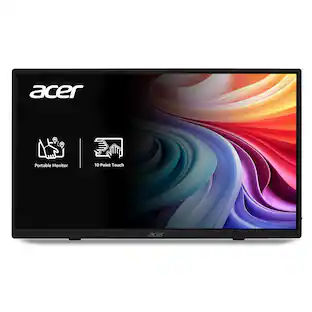
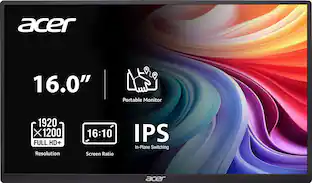
Acer - PM161W 16.0" WUXGA 60Hz FreeSync Compatible IPS Portable Monitor (2 x USB 3.1 Type-C, Mini HDMI, Audio Out) - Black

In meetings, in the classroom and anywhere in between, Acer’s PM Series portable monitor is the go-to choice for people on the move! Just fire it up and enjoy High-Definition entertainment—anywhere! Its accurate, vivid colors come to life from any viewing angle on the 16.0” IPS display that features WUXGA (1920x1200) resolution and 16:10 aspect ratio. Its slim design (0.52") and ultra-light weight (1.43 lbs.) allows it to easily fit in your laptop bag! Perfect for use as a secondary monitor for dual-monitor presentations, it’s powered by a single USB Type C cable, giving you the freedom to connect it to your laptop, smartphone or tablet—quickly and easily! Get fast refresh rates thanks to the Adaptive-Sync Support product that matches the refresh rate of your monitor with your graphics card.

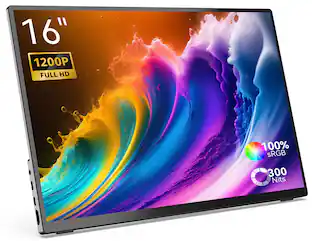
MINIX - 16" Portable Monitor, 1200P FHD IPS Screen, 100% sRGB, HDMI, Laptop Monitor Compatible with PC, Mac, Phone, Xbox, Switch - SF16T (Touch Edition)
4.4(7)

Introducing the MINIX SF16/SF16T, the ultimate solution for a portable monitor that effortlessly extends your content from laptops and mobile devices. This impressive 16" HD touch screen monitor comes equipped with a host of outstanding features, offering a one-cable solution for seamless audio, visual, power, and touch signal transmission through USB-C. Experience the flexibility to work from any angle, thanks to the adaptable foldable display stand. Enjoy the advantages of its compact, lightweight, and highly portable design. With a robust and long-lasting aluminum alloy case, you can rely on its durability. Additionally, this remarkable monitor is exceptionally lightweight, weighing in at just 750 grams. Say goodbye to the inconvenience of mini-HDMI or micro-HDMI ports. We offer a full-size HDMI port with a significantly reduced defect rate. Whether you're using macOS, Windows 10/11, Android, or Linux OS, the MINIX SF16/SF16T supports multi-touch and gesture controls. It's time to liberate yourself from the constraints of a single screen and embrace the future with our innovative and lightweight portable monitor.

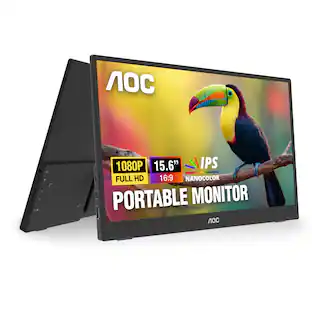
AOC - 16T15 15.6" IPS Portable Monitor, FHD, 1920x1080, 60Hz, 5Ms, USB-C,Carry Case / Stand - Black

AOC 16T15 16'' Class USB-C Ultra-Slim Portable Monitor with IPS Panel, Full HD 1920x1080 Resolution, 60Hz, 5ms,Carry Case acts as sand for Portrait/Landscape View, PC/MacBook, VESA Mount, Two 1watt built-in speakers

Pros for ASUS - ZenScreen 15.6" FHD IPS Portable Monitor with Foldable Smart Case (USB-C) - Dark Gray
Portability, Resolution, Screen Size, Weight, QualityPortability, Image Quality, Connectivity, Viewing Angle, SizeThere were no pros for this productPortability, Resolution, Overall Performance, Setup, USB-C
Cons for ASUS - ZenScreen 15.6" FHD IPS Portable Monitor with Foldable Smart Case (USB-C) - Dark Gray
Stand, Compatibility, Battery LifeAccessories, Button Design, Port PlacementThere were no cons for this productBrightness, Connectivity, Signal, Speakers

Specs

Reviews

Customers are saying

Customers praise the ZenScreen 15.6" portable monitor's portability, screen size, and lightweight design, highlighting its ease of use and excellent picture quality. Many appreciate the USB-C connectivity and crisp resolution. However, some users express concerns about the sturdiness of the stand and its compatibility with certain devices, while others note that it may impact laptop battery life.

This summary was generated by AI based on customer reviews.

Customer Images

The vast majority of our reviews come from verified purchases. Reviews from customers may include My Best Buy members, employees, and Tech Insider Network members (as tagged). Select reviewers may receive discounted products, promotional considerations or entries into drawings for honest, helpful reviews.

  • Rated 5 out of 5 stars

    Great for Travel

    At first I was going to give this 4 stars becasue I thought the cover that turns into a stand only made the monitor very angled back and awkward as many others mentioned. However, after using it for a couple days I realized I wans't using the stand correctly and after one adjustment the angle is correct! See photo. That said the cover doesn't protect the whole thing but does protect the screen side well. I am using this with a Dell XPS 15 (2020) laptop. All I did was plug the monitor into my USB C port and BOOM connected. I did have to change from mirroring to extension in the settings but that was it. This fit perfectly in my laptop sleeve I already have because it is so thin and about the same LxW as my laptop. Frankly, with the work I do not having this laptop plugged in all the time is not possible so I can't speak to battery drain. Overall, with the early black Friday sale this was a steal I'll use a lot!

    Posted by ltm6032

  • Rated 5 out of 5 stars

    Just what I needed

    This is exactly what I needed and at a reasonable price. I needed an extra screen for my work laptop for traveling and this extra screen came in handy. It’s light weight, nice size, and with it being portable (also thin), allow for quick setup and easy packing. Only downside is the screen, is the stand (also doubles as a cover), needs to be more sturdier or just make another.

    Posted by Whataboutme

  • Rated 5 out of 5 stars

    Great Resolution, very lightweight

    I couldn’t be happie with puchase. I bought this so I can have a similar two-monitor setup that I have at home when I’m traveling. The monitor has great resolution and various brightness and blue light blocking settings. I was pleasantly surprised by the adapter that lets me connect it to my laptop via the USB 3.0 port because i use the one USB-C port on my laptop for power. It fits perfectly in my laptop backpack and it’s so leightweignt I barely notice the difference. Because of the smaller size compared to my 27” secondary monitor, I now use it as a third monitor at home too. It sits directly beside my laptop and I use it to keep my frequently used Teams chat visible throughout the day.

    Posted by NJGadgetGuy

No content
Sponsored

Similar products from outside of Best Buy

sponsored

Finance Options

My Best Buy® Credit Card
10% back in rewardson your first day of purchases when approved for the My Best Buy® Credit Card.
Buy Now, Pay Later
4 payments starting at $43.75

Special Offers

Included with Purchase
Free 6-month security software: $29.99 value