ASUS - ZenScreen 16" FHD+ IPS Portable Monitor with Ergo Kickstand (Mini-HDMI, USB-C) - Black
Customers are saying
Customers are pleased with the exceptional portability of this device, as it fits easily into a standard backpack for travel. Users also frequently highlight the high-quality display and crisp resolution, which provide a clear visual experience. Additionally, the straightforward connectivity and the inclusion of necessary cords make the product convenient and low-maintenance to set up.
Highlights
Features
ZenScreen MB16FC
ASUS ZenScreen MB16FC is a 16-inch portable IPS monitor featuring a WUXGA (1920 x 1200) resolution. This 16:10 display provides more viewing area, making it the ideal secondary display to extend workspace for hybrid workers. With an autorotation feature, it gives ZenScreen the versatility to be used in either landscape or portrait orientation. Also, with a power pass-through feature and USB-C ports, you can have two-way power delivery function that offers flexibility on the go
More Immersive
Brings you a stunning 16:10 display that’s both wider and more vibrant, supporting up to 1920x1200 resolution and an impressive 84% screen-to-body ratio. Enjoy an expansive, vivid view all packed into a sleek, lightweight extended portable monitor
Power Pass-Through
There is a two-way power delivery function built in. The MB16FC portable monitor can be powered by a laptop, or deliver power to a laptop via pass-through charging when plugged into a USB-C power bank or AC adapter and outlet*
One Cable is All You Need
MB16FC features rich connectivity with dual USB-C and mini-HDMI ports. A single USB-C cable* is all you need to duplicate or extend your laptop screen. USB-C handles both power and video signal transmission, so it’s simply a matter of plug-and-play when it’s time to level up your work efficiency
Automatic Screen Orientation
When connected to a Windows PC, the ASUS DisplayWidget Center tool* enables MB16FC to sense its orientation and automatically switches the display between landscape and portrait modes
ASUS Blue Light Filter
The ASUS Blue Light Filter protects viewers from harmful blue light. This feature offers a range of filter settings that are easy to access via the intuitive OSD menu
ASUS Flicker Free
TÜV Rheinland-certified ASUS Flicker Free technology eliminates flicker, ensuring comfortable viewing experiences. This technology helps minimize eyestrain and other ailments typically associated with extended hours of viewing
Environmental Certification
ASUS ZenScreen MB16FC is stringently tested to meet the requirements of world-leading sustainability certifications. These tests include a comprehensive database of up-to-date criteria, independent verification, and a structured system for continuous improvement
Eco-Friendly Packaging
The sustainable packaging of ZenScreen MB16FC is FSC Mix-certified. The lightweight, eco-friendly cardboard box that it’s packed in is designed to keep overall volume to a minimum, for more efficient shipping
Specifications
- Refresh Rate75HzMaximum Resolution1920 x 1200Response Time5 millisecondsPanel TypeIPSSynchronization TechnologyNot Applicable
Reviews
Rating 4.8 out of 5 stars with 128 reviews
- Portability (67)
- Display Quality (61)
- Connectivity (17)
- Included Accessories (11)
- Resolution (7)
Customer Images
The vast majority of our reviews come from verified purchases. Reviews from customers may include My Best Buy members, employees, and Tech Insider Network members (as tagged). Select reviewers may receive discounted products, promotional considerations or entries into drawings for honest, helpful reviews.

Compare similar products
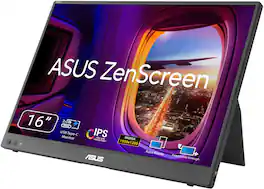
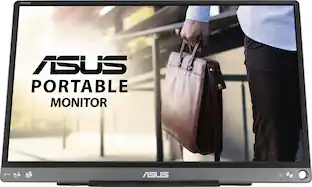
ASUS ZenScreen MB16FC is a 16-inch portable IPS monitor with a 16:10 WUXGA resolution that expands your workspace anywhere. Featuring dual USB‑C with power pass-through, mini-HDMI, auto-rotation support, and TÜV-certified eye care, it’s a lightweight, versatile second screen for hybrid work and travel, with sleek design and simple one-cable connectivity

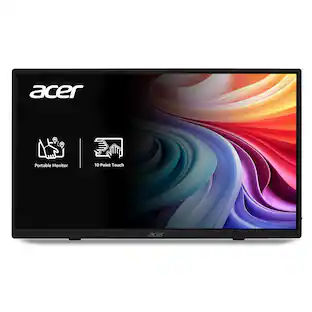
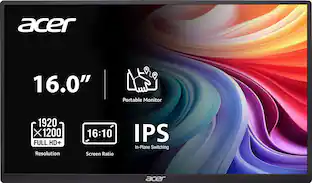
In meetings, in the classroom and anywhere in between, Acer’s PM Series portable monitor is the go-to choice for people on the move! Just fire it up and enjoy High-Definition entertainment—anywhere! Its accurate, vivid colors come to life from any viewing angle on the 16.0” IPS display that features WUXGA (1920x1200) resolution and 16:10 aspect ratio. Its slim design (0.52") and ultra-light weight (1.43 lbs.) allows it to easily fit in your laptop bag! Perfect for use as a secondary monitor for dual-monitor presentations, it’s powered by a single USB Type C cable, giving you the freedom to connect it to your laptop, smartphone or tablet—quickly and easily! Get fast refresh rates thanks to the Adaptive-Sync Support product that matches the refresh rate of your monitor with your graphics card.
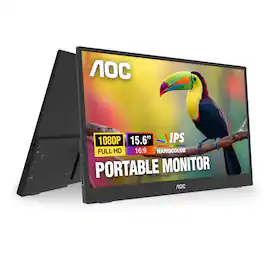
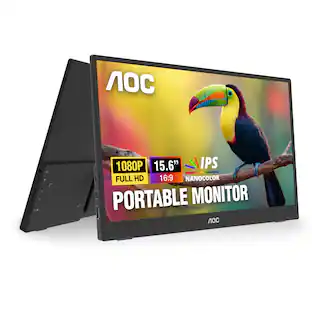
AOC 16T35 15.6” Portable Monitor with FHD 1920 x 1080 resolution delivers crisp, clear visuals in a slim and lightweight design, featuring an IPS panel for wide viewing angles and consistent color performance. Designed for productivity on the go, it includes a versatile built-in kickstand, dual USB-C connectivity, and a mini-HDMI port for flexible device support. In addition, this portable monitor features built-in dual 1W speakers, VESA mount compatibility, and a compact form factor that makes it easy to transport and set up anywhere.
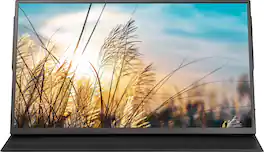
Take a second screen on the go with this Insignia 15.6" LED FHD Portable Monitor (MINI HDMI, USB-C). The included magnetic folio cover protects the screen while its built-in folding stand props up the monitor to a 45° or 60° viewing angle. The plug-and-play monitor provides a simple solution for work trips, watching videos, or enjoying your favorite games that can easily be tucked away in a drawer when not in use.
| Pros for ASUS - ZenScreen 16" FHD+ IPS Portable Monitor with Ergo Kickstand (Mini-HDMI, USB-C) - Black | |||
|---|---|---|---|
| Portability, Display Quality, Connectivity, Included Accessories, Resolution | Portability, Connectivity, Weight, Image Quality, Viewing Angle | Portability, Connectivity, Weight, Overall Performance, Display Resolution | Display Quality, Portability, Connectivity |
| Cons for ASUS - ZenScreen 16" FHD+ IPS Portable Monitor with Ergo Kickstand (Mini-HDMI, USB-C) - Black | |||
| There were no cons for this product— | Accessories, Button Design, Port Placement | There were no cons for this product— | There were no cons for this product— |
Specs
Questions & Answers
Hello! Is this compatible with MacBook Pro?
Answered by ASUS AnswersYes, the ASUS ZenScreen MB16FC is compatible with a MacBook Pro. The monitor supports video over USB-C with DisplayPort Alt Mode, which is available on modern MacBook Pro models. It can also connect via HDMI (Mini) if needed. https://www.asus.com/displays-desktops/monitors/zenscreen/zenscreen-mb16fc/techspec/
Does this have a speaker or Bluetooth?
Answered by ASUS AnswersThis ZenScreen (MB16FC) portable monitor does not have built-in speakers or Bluetooth capability.
Thanks for the previous answer, I now see the spec. Since there are (2) USB-C ports, and since old desktop only has USB-A, could I transmit video only via USB-A to USB-C cable into one USB-C port, and power using transformer into second USB-C port? Thanks
Answered by ASUS AnswersUnfortunately no, USB-A cannot transmit video, you would need either a USB-C cable or mini HDMI cable to transmit video with this monitor.
I want to use this with an old desktop that has only USB-A out. Will this work with a USB-A to USB-C cable?
Answered by ASUS AnswersThe ASUS ZenScreen MB16FC cannot be used with a USB‑A to USB‑C cable. It requires a USB‑C connection with DisplayPort Alt Mode to deliver both video and power.
My laptop only has a regular HDMI port for video output. Is this ok?
Answered by ASUS AnswersYes, it is okay to use this ZenScreen (MB16C) monitor with a regular HDMI laptop port. You must use a Mini-HDMI to HDMI cable for the display signal and a separate USB-C power adapter plugged into the monitor's second USB-C port for power since regular HDMI ports transmit video only and cannot supply power.


Customers often buy these together
Computer Keyboards
![logi esc 1 F1 2 F2 3 F3 F4 F5 F6 F7 F8 x F9 NI F10 x F11 F12 ins del ~ ! 1 2 # 3 $ 4 % 5 ^ 6 & 7 8 ( 9 ) 0 e - + = backspace tab Q W E R T Y U I O P { [ } ] I / caps lock A S D F G H J - K L : ; " enter shift Z X C V B N M < > ? / shift ctrl fn L start opt H alt cmd alt cmd ctrl opt](https://pisces.bbystatic.com/image2/BestBuy_US/images/products/6478/6478163_sd.jpg;maxHeight=232;maxWidth=233?format=webp)
![esc ~ ! 1 tab caps lock shift ctrl F2 Fl # 2 3 Q W A S Z start opt L F3 $ 4 E D X alt cmd3 ) FS F4 A % 5 6 R T F G V C logi 44 HI & F9 FID FB F7 F6 * ) - - & 0 8 9 7 O P U I Y K L H J > < N M 1 B PM + = { [ : I ; ? I alt cmd D 2 4 300 3 1 F12 . * page I insert home up clear backspace 8 9 + 7 page A pg up end down home } I delete ] / 6 4 5 4 enter 2 3 enter 1 dn Pg end shift = 0 del ins etrl fn opt](https://pisces.bbystatic.com/image2/BestBuy_US/images/products/6539/6539505_sd.jpg;maxHeight=232;maxWidth=233?format=webp)
![Sure, here is the corrected and grouped text:
```
ESC F1 F2 F3 F4 F5 F6 F7 F8 F9 F10 F11 F12 1 2 3 logitech - - 1 2 # $ 4 % 5 6 & 7 8 9 0 - - back insert home page up num lock clear / . tab Q W E R T Y U I O P { [ } ] / delete end page down 7 home 8 A 9 P9 up + caps lock A S D F G H J K L : ; a enter 4 5 6 shift Z X C V B N M < > ? shift 1 end 2 3 pg dn enter ctrl fn start alt opt alt crnd x alt cmd x fn ctrl alt opt 0 ins del 1 logitech
```](https://pisces.bbystatic.com/image2/BestBuy_US/images/products/5761/5761911_sd.jpg;maxHeight=232;maxWidth=233?format=webp)

![esc ! i 1 tab caps lock shift F1 2 Q A aas E4 F3 F2 $ % # 4 5 3 E R W F S D X C Z FS A 6 T G V F6 & 7 Y H B 17 * 8 U J N logi HI FI0 P9 FB ) - ( - 9 0 o P I K L > < M I P + = { [ A : I : ? I alt cmd3 2 0 3 10% 1 F12 page home up backspace ins page I delete end down } ] / enter shift ctrl fn opt^= Q I * / clear 8 9 + 7 pg up home 5 6 4 , 4 2 3 enter 1 dn pg end = 0 del ins ctrl start opt alt cmd](https://pisces.bbystatic.com/image2/BestBuy_US/images/products/6571/6571662_sd.jpg;maxHeight=232;maxWidth=233?format=webp)
Monitor Stands
More recommended items
 Monitor and Video Cables
 Laptop Docking Stations
 Mice
Mice Cables and Adapters
Customers ultimately bought
 $179.00The price was $277.49
 Top Deal$74.99The price was $89.99
 $129.99The price was $169.99
 Top Deal$79.99The price was $119.99
 $119.99The price was $159.99
 Top Deal$109.99The price was $169.99

Explore tech essentials Sponsored
- $179.00The price was $277.49
 Top Deal$89.99The price was $119.99
 $149.99The price was $199.99
Discover related products
 $12.99The price was $13.99






Keep exploring
 $249.99The price was $323.99
 $700.99The price was $979.32
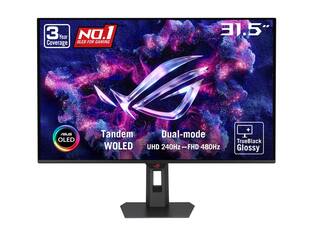 $755.99The price was $971.99
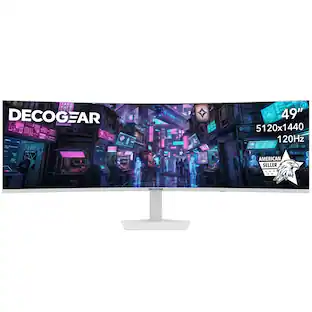 $479.99The price was $549.99
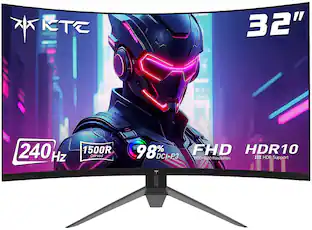 $189.99The price was $199.99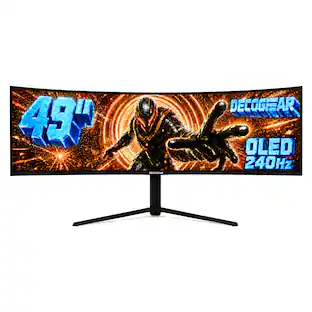
Deco Gear - 49" QD-OLED 240Hz Curved Super Ultrawide Gaming Monitor 5K DQHD 0.03 ms HDR400 90W USB-C
$799.99The price was $1,539.99