Everything for Back to School — and then someShop now

Skip to contentGo to Product Search
Main Content

Dell - S3225QS 31.5" VA LED 4K UHD 120Hz 8ms FreeSync Premium Monitor with HDR (HDMI, DisplayPort) - Ash White

Model: S3225QS
SKU: 6619489
Sold byBest Buy

Customers are saying

Customers love the S3225QS monitor for its impressive sound quality, smooth 120Hz refresh rate, and crisp 4K resolution, making text exceptionally readable. The built-in speakers perform well, and the monitor includes both DisplayPort and HDMI ports. Some customers have expressed concerns about the viewing angles, while others appreciate the ergonomic features and eye comfort. The connectivity options are limited to HDMI and DisplayPort.

Generated by AI based on customer reviews.

Highlights

Features
  • Improved ComfortView Plus

    Reduces harmful blue light emissions to ≤35%, for all-day comfort without sacrificing color accuracy.

  • Refresh rate

    A smooth, tear-free experience with AMD FreeSync Premium (refresh rate up to 120Hz) and an ultra-low 0.03ms response time create a captivating experience for work and play*.

  • Vivid colors

    Immerse yourself in 4K visuals with a VA panel. Enjoy true-to-life colors with 99% sRGB and 95% DCI-P3 coverage. The 1500:1 contrast ratio and HDR readiness deliver excellent depth and detail.

  • Re-engineered sound quality

    Enjoy more detailed sound with spacious audio featuring greater output power, deeper frequency response and more decibel range than the previous generation.

  • Ultra-thin bezel

    Designed with a sleek, modern aesthetic and an ash white finish, this display features ultra-thin bezels for a refined, minimalist design.

See all features
Specifications
  • Refresh Rate
    120Hz
    Maximum Resolution
    3840 x 2160
    Response Time
    8 milliseconds
    Panel Type
    VA
    Synchronization Technology
    FreeSync Premium (AMD Adaptive Sync)
Sponsored

Reviews

Customers are sayingCustomers love the S3225QS monitor for its impressive sound quality, smooth 120Hz refresh rate, and crisp 4K resolution, making text exceptionally readable. The built-in speakers perform well, and the monitor includes both DisplayPort and HDMI ports. Some customers have expressed concerns about the viewing angles, while others appreciate the ergonomic features and eye comfort. The connectivity options are limited to HDMI and DisplayPort.
This summary was generated by AI based on customer reviews.
  • Sound Quality (36)
  • Refresh Rate (18)
  • Screen Size (8)
  • Port Count (6)
  • Resolution (6)
  • Viewing Angle (4)
  • Black Levels (3)
  • Connectivity (3)

Customer Images

The vast majority of our reviews come from verified purchases. Reviews from customers may include My Best Buy members, employees, and Tech Insider Network members (as tagged). Select reviewers may receive discounted products, promotional considerations or entries into drawings for honest, helpful reviews.

  • Rated 5 out of 5 stars

    Graphics, sound

    Utilizing it for my Xbox Series X was solely aimed at enabling me to fully utilize my Xbox at its maximum potential. Given its price and the features it offers, I do not anticipate any significant improvements in the future. While you may find alternatives from Alienware or other brands at a lower cost or with additional features, the Xbox will not be able to exceed 120Hz or surpass 4K resolution. Currently, I have not encountered any drawbacks. I have only been using it for approximately one month and two weeks, and I have been thoroughly impressed with its exceptional sound quality, picture clarity, and overall performance.

    Posted by Akumii

  • Rated 4 out of 5 stars

    As expected

    I bought this to replace a 17-year-old Dell with a backlight starting to fail. So I bought another Dell! The picture is as clear and crisp as you would expect on a 4k monitor. One minor drawback is that it seems the backlight fades slightly at the very bottom of the screen; you can see the fading in the white browser window in the attached image. It has the 2 HDMI connections I wanted, in order to be able to swap between a personal and work laptop. The input switch is via a combined button/joystick on the lower back of the monitor. Different from what I have used, but I am getting used to it.

    Posted by JosephD

  • Rated 3 out of 5 stars

    I Recommend this for Budgets!

    Review: The product’s size is as the dimensions say, and it of course comes with an hdmi cable and the monitor’s power cable. Its sleek, thin, modern, and seems as if cleaning it is simple. Its not as sturdy as I wish, but then again the product is well-priced. The quality of the screen is thorough, but I wish it was better. It’s like the colors don’t want to project. Maybe I can tweak it, but maybe LED can’t compete with OLED and QLED being everywhere. Its easy to hide cords as you plug them in vertically, and it fits any white/black/grey room. Assembly was incredibly strsight forward and had like 2 steps. Definitely worth the price and I will not be replacing it until issues arise. Score reasoning: 3 star inquiries that expectations were met with ignorable, unmentioned cons, 4 star is slightly succeeding expectations, while 5 star is perfection.

    Posted by Mikey

  • Rated 5 out of 5 stars

    Love, Love, Love

    The Dell S3225QS 32” monitor is a very impressive monitor. Easy to set up. I love the sleek bezels and the solid build with a sturdy stand that offers tilt, swivel, and height adjustments, ensuring ergonomic comfort. The monitor also features a VESA-compatible mount, allowing users to opt for wall mounting or alternative stands to suit their workspace preferences. Display Performance- Love the 4K UHD resolution (3840 x 2160 pixels). This monitor has stunning clarity and detail, making it ideal for tasks that require precision, such as graphic design, video editing, and data analysis. Color accuracy is another highlight of this monitor. It supports 99% sRGB color gamut, which delivers vibrant and true-to-life colors, essential for creative professionals. The monitor's contrast ratio of 3000:1 ensures deep blacks and bright whites, providing a rich visual experience. Viewing angles are also commendable, with minimal color shift when viewed from different positions. Performance in Gaming and Multimedia- For gaming enthusiasts, the Dell S3225QS offers a range of features that enhance gameplay. The monitor has a refresh rate of up to 120Hz and supports AMD FreeSync technology, which minimizes screen tearing and stuttering during fast-paced gaming sessions. The response time of 4ms ensures that motion blur is kept to a minimum, providing smooth visuals during action-packed scenes. For multimedia consumption, the monitor's HDR capability enhances the viewing experience by providing greater dynamic range and richer colors. Connectivity and Additional Features- The Dell S3225QS includes two HDMI off the bottom and one off the side. There is a nice cord organizer clip that holds on to the back arm magnetically. The monitor also includes pretty impressive built-in speakers. The best I have experienced for a monitor. This is more like a TV experience. Usability and Ergonomics- Dell has paid attention to usability and ergonomics in the S3225QS monitor. The intuitive on-screen display menu is easy to navigate, allowing users to quickly adjust settings to their preference. Features such as ComfortView reduce blue light emission, helping to minimize eye strain during prolonged use. Dell also offers a software package called ‘Dell Display and Peripheral Manager. It allows you to pre-set partitions, similar to what windows 11 offers, but with more options. It also allows you to automate your brightness and contrast based on your schedule and more. I personally haven’t used this yet, but nice to feature to have. Pros • 4K UHD resolution provides exceptional clarity and detail • 99% sRGB color gamut ensures vibrant and accurate colors. • Adjustable stand for ergonomic comfort. • 120hz refresh rate • AMD FreeSync technology for smoother gameplay. • Built-in speakers for convenient audio. Cons • None that I found Conclusion- Overall, I am super happy with this monitor for its excellent display quality, ergonomic design and audio experience. It is a worthwhile investment for those seeking a reliable and visually stunning monitor for various applications.

    Posted by Mukman

  • Rated 4 out of 5 stars

    Great for Work & Play

    Back in 2020 when my employer sent us to work from home, I purchased a 34-inch monitor so that I would have plenty of screen space to be productive in my home office. The screen real estate was excellent for getting work done, but when I later purchased a gaming laptop (excited to play on my new anamorphic wide screen) I discovered the monitor absolutely could not handle any level of gaming - which was extremely disappointing. Here we are 5 years later...and I swapped out the 34-inch wide screen for this awesome Dell 4K LED monitor. To be honest, I'm very impressed with just how balanced and versatile it is. Not only does the refresh rate allow for smoother gameplay, but the 4k screen looks impressively vivid (even though I'm told that my eyes should not be able to tell the difference of 4K at this size). There is still plenty of real estate for getting work done as the screen has almost no bezel at all. And, I appreciate that the monitor has built in speakers which is huge in versatility - as I can now use the monitor anywhere in the house for work, gaming, movies, etc. The two 10-watt speakers aren't as loud as a full-sized TV would be, but they are perfectly adequate (especially for use on a desk). I also appreciate that the menu interface is incredibly easy to use. Not only are the controls easy to find (on the lower back corner), but they are very easy to manipulate and control via the little joystick style button. Very well thought out. My only minor frustrations are that there are no USB inputs (meaning that the lights & webcam I use for conference calls must be plugged into a different source. Also, the screen cannot pivot left or right (only tilt forwards/backwards). I did make the mistake of initially attaching my OLED laptop to the screen - which just pointed out that even 4K LED doesn't hold a candle to the phenomenal deep blacks OLED can produce (shown in the attached pictures). It's not a fair comparison, as OLED costs a great deal more, but just be aware that if you have OLED screens in your house, you will notice that this monitor cannot produce such rich black levels. Overall, I absolutely recommend this monitor. Nobody should be using smaller screens with how affordable and feature rich this Dell monitor is. It's time to step up your game and upgrade.

    Posted by TheDuke

From the Manufacturer

Compare similar products

Dell - S3225QS 31.5" VA LED 4K UHD 120Hz 8ms FreeSync Premium Monitor with HDR (HDMI, DisplayPort) - Ash White
4.6(79)

Dell 32 Plus 4K Monitor - S3225QS. Whether you're watching movies or playing games, enjoy an immersive viewing experience with improved eye comfort on a 4-star certified monitor.

Samsung - 32" M80F 4K UHD Smart Monitor with SamsungVision AI, Built In Speakers, USB-C, Ergonomic Stand and SlimFit Camera - Warm White
4.3(31)

Samsung’s 32" M8 Smart Monitor, with the NQM AI Processor and featuring 4K UHD resolution, delivers an AI-powered experience. Smart TV Apps provide instant access to your favorite content. The processor upscales lower-resolution content to 4K, while the AI Picture Optimizer adapts visuals for optimal quality whether you're working, gaming, or watching videos. Knox Security protects your data and enhances the safety of your IoT connections through tightly controlled access. Click-to-Search provides instant content details. Gaming Hub gives access to the biggest games from top streaming partners with no PC or console required. Active Voice Amplifier Pro uses advanced audio processing to ensure dialogue comes through clearly. SmartThings enables control of connected devices, turning your monitor into a central IoT hub. The SlimFit Camera attaches to the monitor and provides clear picture quality. The ergonomically designed stand supports comfortable viewing with height adjustment, tilt, and pivot capabilities. Multiple ports, including USB-C, HDMI, and USB-A, make connectivity simple.

Dell - S2725QC 27" IPS LED 4K UHD 120Hz 8ms FreeSync Premium Monitor with HDR (HDMI, DisplayPort, USB) - Ash White

Dell 27 Plus 4K USB-C Monitor - S2725QC. Whether you're watching movies or playing games, enjoy an immersive viewing experience with improved eye comfort on a 4-star certified monitor*.

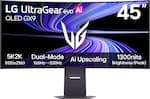
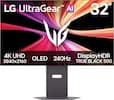
LG - UltraGear 27" IPS Dual Mode (4K UHD 180Hz, FHD 360Hz), 1ms, NVIDIA G-SYNC, AMD Freesync Gaming Monitor (HDMI, DP, USB-C) - Black

It's time to upgrade your setup with the 27 Inch 4K UHD IPS UltraGear gaming monitor, delivering crisp ultra high (3840 x 2160) resolution, vibrant color with up to 95% DCI-P3 coverage, and striking contrast through VESA DisplayHDR 400. Every detail is vivid, sharp, and designed to elevate your gaming and streaming experience. Stay ahead with a 144Hz refresh rate and lightning-fast 1ms (GtG) response time, ensuring smooth, responsive gameplay. Adaptive sync technologies—NVIDIA G-SYNC compatibility and AMD FreeSync Premium—keep every frame fluid and tear-free. Dual Mode lets you take control of your gaming experience. Enjoy graphically stunning story-driven adventures in 4K UHD at up to180Hz immersing yourself in epic visuals and rich detail. Or game in Full HD at an electrifying 360Hz for ultra-responsive gameplay¹. Stay battle-ready with dual HDMI, DisplayPort 1.4, USB upstream and two downstream ports, plus a 4-pole headphone jack. A slim bezel, fully adjustable stand bring both performance and style to your ultimate gaming setup.

Pros for Dell - S3225QS 31.5" VA LED 4K UHD 120Hz 8ms FreeSync Premium Monitor with HDR (HDMI, DisplayPort) - Ash White
Refresh Rate, Port Count, Resolution, Sound Quality, Screen SizePicture Quality, Design, SetupRefresh Rate, Port Count, Image Quality, Connectivity, AdjustabilityRefresh Rate, Resolution, Color Quality, Setup Ease, HDR Performance
Cons for Dell - S3225QS 31.5" VA LED 4K UHD 120Hz 8ms FreeSync Premium Monitor with HDR (HDMI, DisplayPort) - Ash White
Viewing Angle, Black Levels, ConnectivityThere were no cons for this productVolume ControlThere were no cons for this product

Specs

Questions & Answers
  • Will this work good on the Xbox series X?

    Yes, it will work well with the Xbox Series X, and it’s actually a solid choice. The monitor supports 4K (3840×2160) at up to 120Hz. It also has HDMI 2.1 ports, which are required for true 4K@120 gaming.

    Answered by YourDellTeam
    YourDellTeam response
  • Are there USB C port(s)?

    No, this monitor does NOT have any USB‑C ports. Available ports on Dell S3225QS 2 × HDMI (HDMI 2.1) and 1 × DisplayPort 1.4.

    Answered by YourDellTeam
    YourDellTeam response
  • Does the monitor have a headphone jack?

    No, the monitor does not have a headphone jack.

    This question and answer was generated by AI based on customer and product data.
  • Is this monitor HDR ready?

    Yes, this monitor is HDR ready.

    This question and answer was generated by AI based on customer and product data.
  • What is the response time of the S3225QS monitor?

    The response time is 8 milliseconds.

    This question and answer was generated by AI based on customer and product data.
Ask a question
No content

Customers often buy these together

Sponsored

Finance Options

My Best Buy® Credit Card
Choose a benefit:Or
Buy Now, Pay Later
Lease to own

Finance Options

My Best Buy® Credit Card
Choose a benefit:Or
Buy Now, Pay Later
Lease to own

Special Offers

Top Offers
Included with Purchase

Special Offers

Top Offers
Included with Purchase