A:AnswerMy house is facing west. My ring video doorbell worked great when I bought it earlier this year but now I cannot make out an image during the day. It looks like a completely overexposed image.. pure white in the center.
A:AnswerYou can connect as many devices as you’d like. You can invite people to join using their email address. But only the people that are logged on with the original email address that the Ring pro has installed with will have full access. By this I mean anyone who joined because they were invited through their email will NOT have access to delete and videos. They basically can view all the videos but cannot delete any of them. Only the account owner or any device logged in with the account owners loggin can delete videos.
A:AnswerAgree with above answers. The set up video is super easy and walks you through it once you download app and it also comes with a small paper manual that has written instructions. All you do though is pop the cover where the chime is inside your house off and disconnect the wires and reconnect the ring wires. Make sure you have flipped the circuit breaker off beforehand though. After that you can replace the cover and go outside to the doorbell on outside of house. You take old button off and replace with new button. Connect to your wi-fi and it should be good to go.
A:AnswerIf you want video storage there is a $3.00 per month fee. You get a free trial for 30 days initially. You need wifi and the app. If you want to have your video and be able to see it after it happens that will be the monthly fee. If you don't want the fee you will still see what is at your door but only live. Can't go back and see it an hour later. Hope this helps.
No fee for the app.
A:AnswerIf the camera can see it it will pretty much take a video and save it if you want.
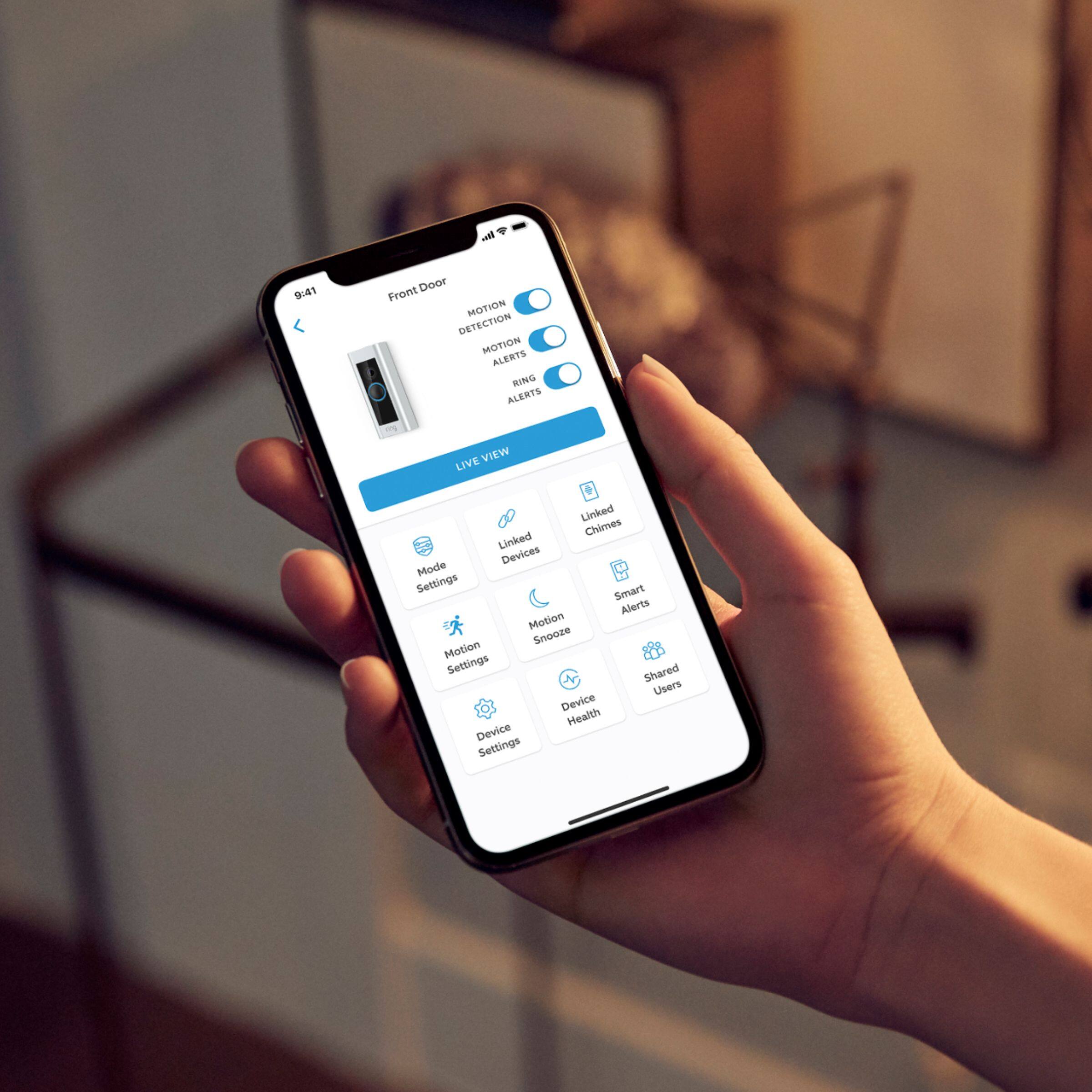
You open the app and set the zone/area you want to take a video. You can set up a zone just to notify you if someone steps into the square zone you set. You can also put it to notify you or just record and you can check later. You can set notify on any and all movement, only if the door bell rings or both.
A:AnswerIt will record motion and you can set your motion zones. However, you will need a subscription plan to view recorded video. There is a free 30-day trial when you purchase the doorbell.
A:AnswerI think so. I'm using an android and it works very well. The manuals talked about both android and iphones without a problem.
Downside - They don't tell you this anywhere in their ads until you buy their Ring product, but they only offer you 30 days of free
"cloud service" and then they want $3 more a month ($30p/yr) from you for Ring video storage. I've asked for a software update so
that a Ring customer could use their own "cloud storage" without any more $$$ charges. Very good product overall tho.
A:AnswerYes and No... the Ring Pro requires a low voltage transformer and the necessary wiring to power the device. However you can go with the standard Ring video doorbell and that would allow you to be 100% wireless without the need for any existing chime/transformer/wiring.
A:AnswerI have the ring doorbell pro and stick up cam about 2 weeks. It has gotten down to about 20 degrees Fahrenheit and they work fine. My only complaint at the moment is when my motion light come on it will send me a motion alert. Other than that I like it. If you get the ring bookbell pro remember you need between 16 and 24 volts for the doorbell pro to work. I didn't know this so I had to buy a new doorbell transformer.
A:AnswerIt draws power from the 2 wires that power your doorbell. You actually have a power conditioner that you attach to the inside wires where the actual door chimes are located.
A:AnswerYes you still can, but with the cloud service you can back up images or video, plus you get a protection plan if someone steals your doorbell , you get a new one with police report.
A:AnswerHello,
Yes you can. You can get a direct wire kit from ring to hook to a transformer without a doorbell. You can also get a plug in transformer. Ring now sells a plug in transformer.
A:AnswerYes you can set a schedule that will turn it off for a certain amount of time. That is all directly from the app on your phone. You can set a window of of any time you choose to shut it off for a one-time-use or every day of the week or just a single day of the week. It can be a one-time setting or reoccuring. To be specific the Ring doorbell will still sound your chime but it will not record or send you an alert on your phone.