Save up to 50% on 3-Day Sale deals.Ends 12/7.Shop now

Skip to content
Gift Ideas
Main Content

Mouse For Macpro

No content

Best Buy customers often prefer the following products when searching for Mouse For Macpro.

If you're a Mac user, you know that your mouse is one of the most important tools in your arsenal. A good mouse can make a big difference in how you interact with your computer. Browse the top-ranked list of mice for Mac Pro below along with associated reviews and opinions.

Main Results
  1. Best Buy essentials™ - Lightweight Bluetooth Optical Standard Ambidextrous Mouse with 6-Button - Wireless - Black - Front_Zoom
    Top comment

    "great mouse for a very decent price...very easy to instal, connects fast to the bluetooth in my apple mac pro...Decent bluetooth mouse for MacBooks....Very satisfied, using this bluetooth mouse with my M1Pro MacBook Pro. Pro: stays connected in use, reconnects quickly after laptop awakens from sleep mode. "

    See all customer reviews

    Product Description

    Eliminate the most common computer mouse issue—the cord. With the Best Buy Essentials Bluetooth Optical 6-Button Mouse, you can navigate the web without the limitations of a cable. Compatible with both Windows and Mac computers, simply pair the mouse using wireless Bluetooth 5.1 connection. It has 6 buttons that grant you total control, including left, right, scroll, DPI adjustment, forward and back. An ambidextrous design allows you to use your left or right hand. Optical technology detects when the mouse moves to deliver an accurate 1600 DPI response. We also included two (2) AAA batteries, so you’re ready to go right out of the box. Let us improve your computer navigation by going wireless with this Best Buy-backed mouse.
    See all Mice
    Top comment

    "great mouse for a very decent price...very easy to instal, connects fast to the bluetooth in my apple mac pro...Decent bluetooth mouse for MacBooks....Very satisfied, using this bluetooth mouse with my M1Pro MacBook Pro. Pro: stays connected in use, reconnects quickly after laptop awakens from sleep mode. "

    See all customer reviews

    Product Description

    Eliminate the most common computer mouse issue—the cord. With the Best Buy Essentials Bluetooth Optical 6-Button Mouse, you can navigate the web without the limitations of a cable. Compatible with both Windows and Mac computers, simply pair the mouse using wireless Bluetooth 5.1 connection. It has 6 buttons that grant you total control, including left, right, scroll, DPI adjustment, forward and back. An ambidextrous design allows you to use your left or right hand. Optical technology detects when the mouse moves to deliver an accurate 1600 DPI response. We also included two (2) AAA batteries, so you’re ready to go right out of the box. Let us improve your computer navigation by going wireless with this Best Buy-backed mouse.
    See all Mice
    See all Mice
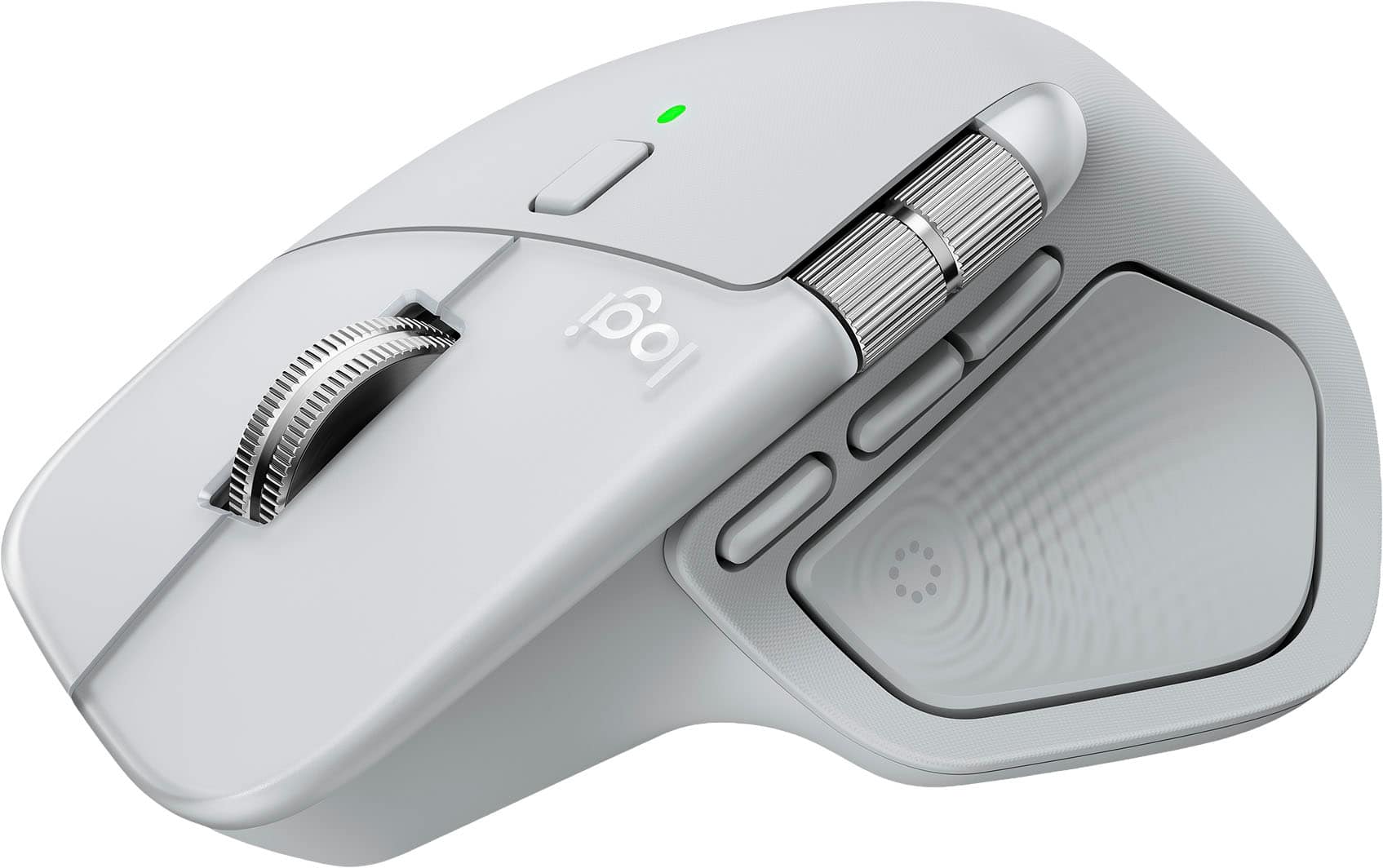
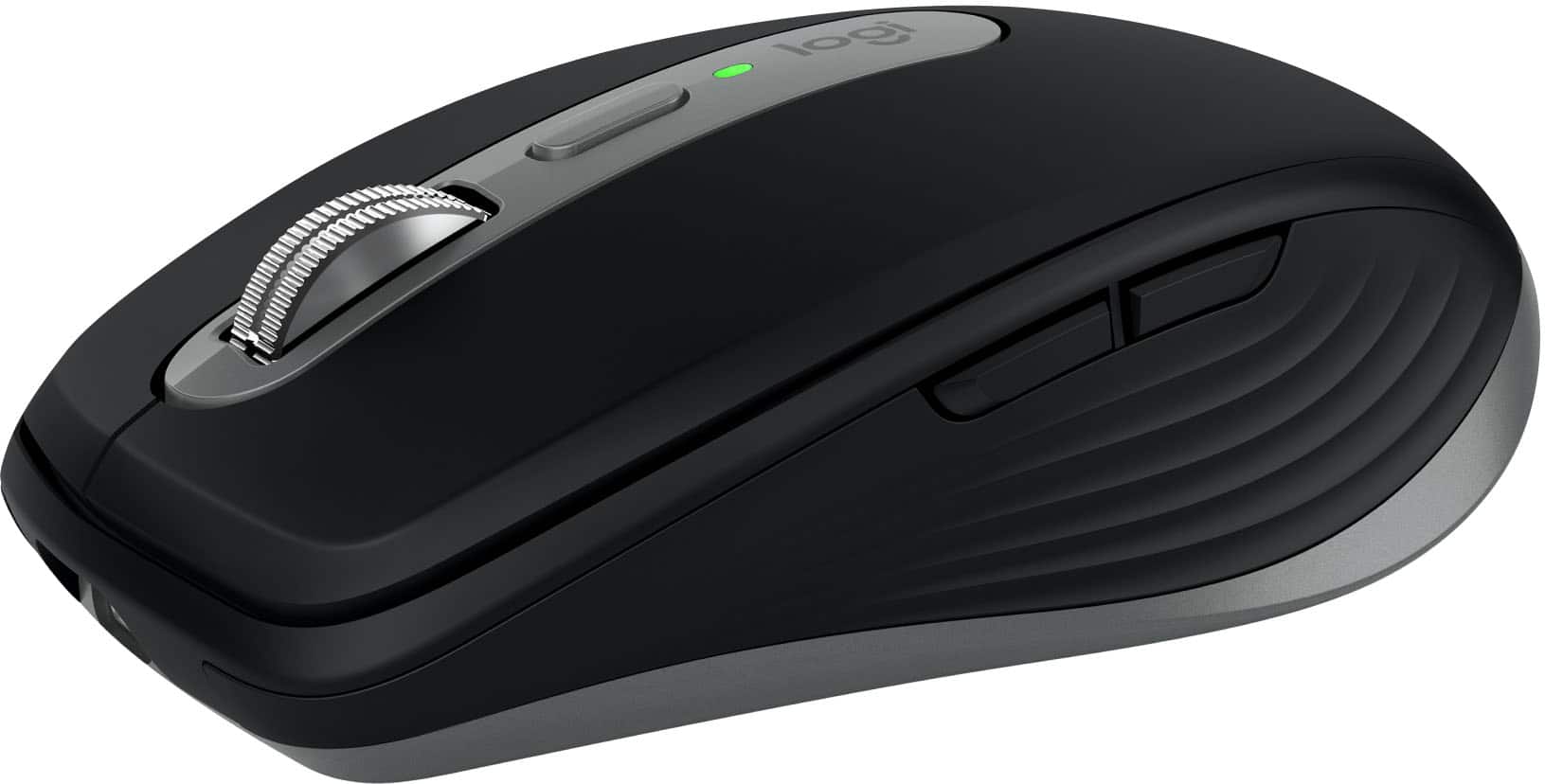
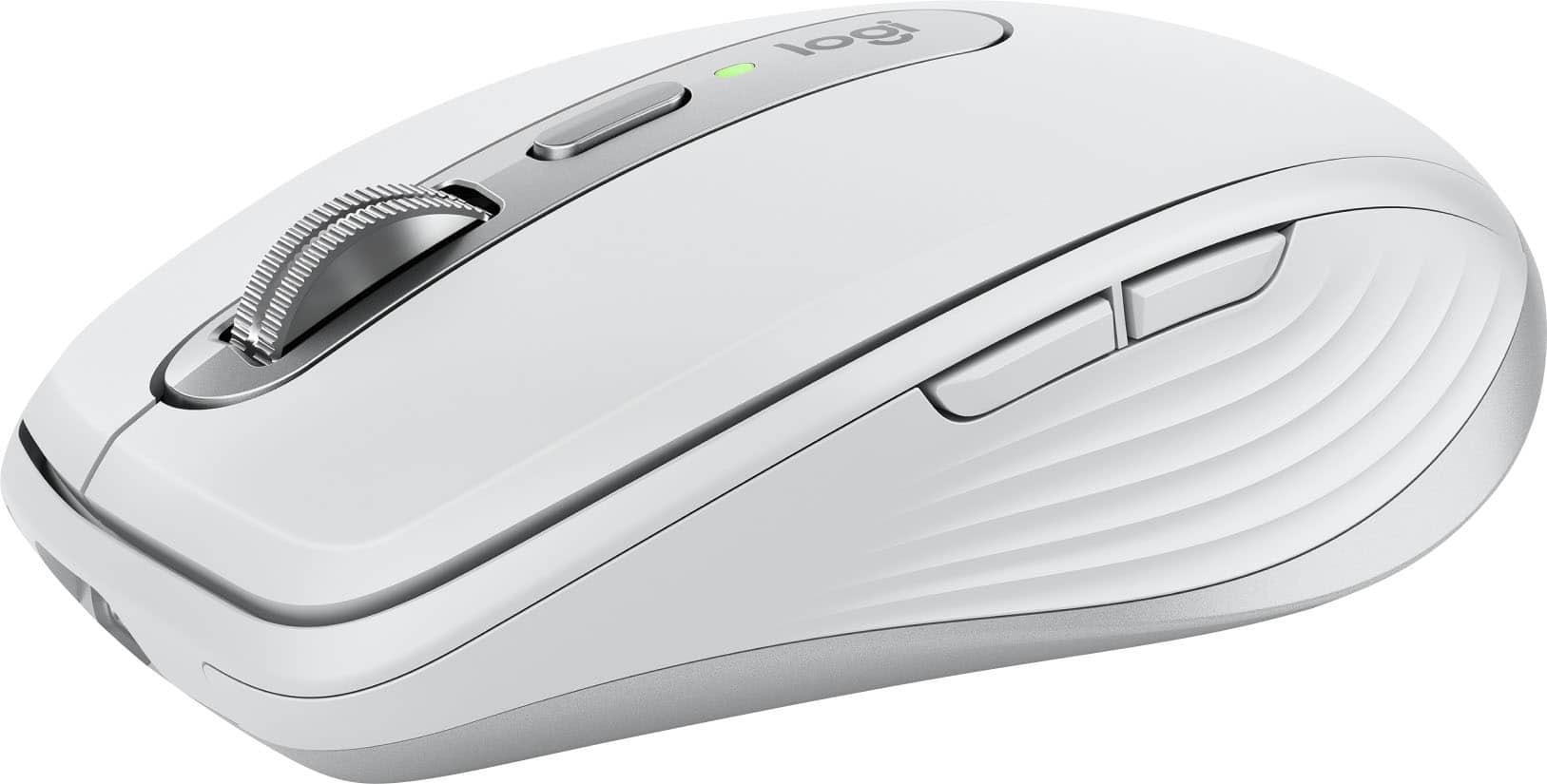
  2. Logitech - MX Anywhere 3S for Mac Wireless Bluetooth Optical Fast Scrolling Mouse with Programmable Buttons - Wireless - Space Gray - Front_Zoom
    Top comment

    "Mac owner...Easy setup with MacBook Pro. Compact and comfortable. Holds charge....Mac Mouse...This mouse is comfortable and flawlessly serup via Bluetooth to MacBook Pro. "

    See all customer reviews

    Product Description

    Introducing Logitech MX Anywhere 3S for Mac – a compact mouse optimized for macOS & iPadOS, with matching Apple finishes and a design that blends into your Apple setup. It’s upgraded for ultimate performance with quiet clicks and 8K DPI any-surface tracking. Logi Options+ enables flow to work simultaneously on multiple Apple computers.
    See all Mice
    Top comment

    "Mac owner...Easy setup with MacBook Pro. Compact and comfortable. Holds charge....Mac Mouse...This mouse is comfortable and flawlessly serup via Bluetooth to MacBook Pro. "

    See all customer reviews

    Product Description

    Introducing Logitech MX Anywhere 3S for Mac – a compact mouse optimized for macOS & iPadOS, with matching Apple finishes and a design that blends into your Apple setup. It’s upgraded for ultimate performance with quiet clicks and 8K DPI any-surface tracking. Logi Options+ enables flow to work simultaneously on multiple Apple computers.
    See all Mice
    See all Mice
  3. Apple - Magic Trackpad - Multi-Touch Surface (USB-C) - Wireless - Black Multi-Touch Surface - Front_Zoom
    Top comment

    "Same quality as trackpads on recent Macbooks...Same quality as the trackpad on recent MacBooks....Love it and it may be the best mouse/track pad cre...Excellent trackpad, if you have d used a MacBook Pro, it’s very similar. Love jt"

    See all customer reviews

    Product Description

    Magic Trackpad is wireless and rechargeable, and it includes the full range of Multi-Touch gestures and Force Touch technology. Sensors underneath the trackpad surface detect subtle differences in the amount of pressure you apply, bringing more functionality to your fingertips and enabling a deeper connection to your content. It features a large edge-to-edge glass surface area, making scrolling and swiping through your favorite content more productive and comfortable than ever. Magic Trackpad pairs automatically with your Mac, so you can get to work right away. The rechargeable battery will power it for about a month or more between charges. It includes a woven USB‑C Charge Cable that lets you pair and charge by connecting to a USB‑C port on your Mac. Magic Trackpad works seamlessly with Apple Vision Pro for activities like arranging apps in 3D space or navigating complex spreadsheets.
    See all Mice
    Top comment

    "Same quality as trackpads on recent Macbooks...Same quality as the trackpad on recent MacBooks....Love it and it may be the best mouse/track pad cre...Excellent trackpad, if you have d used a MacBook Pro, it’s very similar. Love jt"

    See all customer reviews

    Product Description

    Magic Trackpad is wireless and rechargeable, and it includes the full range of Multi-Touch gestures and Force Touch technology. Sensors underneath the trackpad surface detect subtle differences in the amount of pressure you apply, bringing more functionality to your fingertips and enabling a deeper connection to your content. It features a large edge-to-edge glass surface area, making scrolling and swiping through your favorite content more productive and comfortable than ever. Magic Trackpad pairs automatically with your Mac, so you can get to work right away. The rechargeable battery will power it for about a month or more between charges. It includes a woven USB‑C Charge Cable that lets you pair and charge by connecting to a USB‑C port on your Mac. Magic Trackpad works seamlessly with Apple Vision Pro for activities like arranging apps in 3D space or navigating complex spreadsheets.
    See all Mice
    See all Mice
  4. Apple - Magic Trackpad - Multi-Touch Surface (USB-C) - Wireless - White Multi-Touch Surface - Front_Zoom
    Top comment

    "A great upgrade from a mouse...Apple's wireless Magic Trackpad is an intuitive upgrade from the mouse. Between Macbooks and older iMac with wired trackpad, I've become reliant on this interface. ...Works exactly like my MacBook Pro trackpad. Connects very quickly as well."

    See all customer reviews

    Product Description

    Magic Trackpad is wireless and rechargeable, and it includes the full range of Multi-Touch gestures and Force Touch technology. Sensors underneath the trackpad surface detect subtle differences in the amount of pressure you apply, bringing more functionality to your fingertips and enabling a deeper connection to your content. It features a large edge-to-edge glass surface area, making scrolling and swiping through your favorite content more productive and comfortable than ever. Magic Trackpad pairs automatically with your Mac, so you can get to work right away. The rechargeable battery will power it for about a month or more between charges. It includes a woven USB‑C Charge Cable that lets you pair and charge by connecting to a USB‑C port on your Mac. Magic Trackpad works seamlessly with Apple Vision Pro for activities like arranging apps in 3D space or navigating complex spreadsheets.
    See all Mice
    Top comment

    "A great upgrade from a mouse...Apple's wireless Magic Trackpad is an intuitive upgrade from the mouse. Between Macbooks and older iMac with wired trackpad, I've become reliant on this interface. ...Works exactly like my MacBook Pro trackpad. Connects very quickly as well."

    See all customer reviews

    Product Description

    Magic Trackpad is wireless and rechargeable, and it includes the full range of Multi-Touch gestures and Force Touch technology. Sensors underneath the trackpad surface detect subtle differences in the amount of pressure you apply, bringing more functionality to your fingertips and enabling a deeper connection to your content. It features a large edge-to-edge glass surface area, making scrolling and swiping through your favorite content more productive and comfortable than ever. Magic Trackpad pairs automatically with your Mac, so you can get to work right away. The rechargeable battery will power it for about a month or more between charges. It includes a woven USB‑C Charge Cable that lets you pair and charge by connecting to a USB‑C port on your Mac. Magic Trackpad works seamlessly with Apple Vision Pro for activities like arranging apps in 3D space or navigating complex spreadsheets.
    See all Mice
    See all Mice
  5. Razer - DeathAdder V4 Pro Lightweight Optical Gaming Mouse with 150 Hour Battery - Wireless - White - Front_Zoom
    Top comment

    "A definite step up from the V3 Pro....I barely notice I am moving a mouse at all. The sole negative to this product is how... cheap it feels compared to it's predecessors and other Pro mice (see Naga V2 pro). ...Great mouse but not worth the cost over the v3 pro...Really great mouse. Downsides are cost and size. If you like larger size ergo mice then this is the best one."

    See all customer reviews

    Product Description

    Become the deadliest version of yourself with the Razer DeathAdder V4 Pro—an ultra-lightweight wireless ergonomic mouse that’s the perfect esports specimen. Upgraded on all fronts with our most cutting-edge tech, feel the immediate impact as every advantage you have comes into play.
    See all Gaming Mice
    Top comment

    "A definite step up from the V3 Pro....I barely notice I am moving a mouse at all. The sole negative to this product is how... cheap it feels compared to it's predecessors and other Pro mice (see Naga V2 pro). ...Great mouse but not worth the cost over the v3 pro...Really great mouse. Downsides are cost and size. If you like larger size ergo mice then this is the best one."

    See all customer reviews

    Product Description

    Become the deadliest version of yourself with the Razer DeathAdder V4 Pro—an ultra-lightweight wireless ergonomic mouse that’s the perfect esports specimen. Upgraded on all fronts with our most cutting-edge tech, feel the immediate impact as every advantage you have comes into play.
    See all Gaming Mice
    See all Gaming Mice
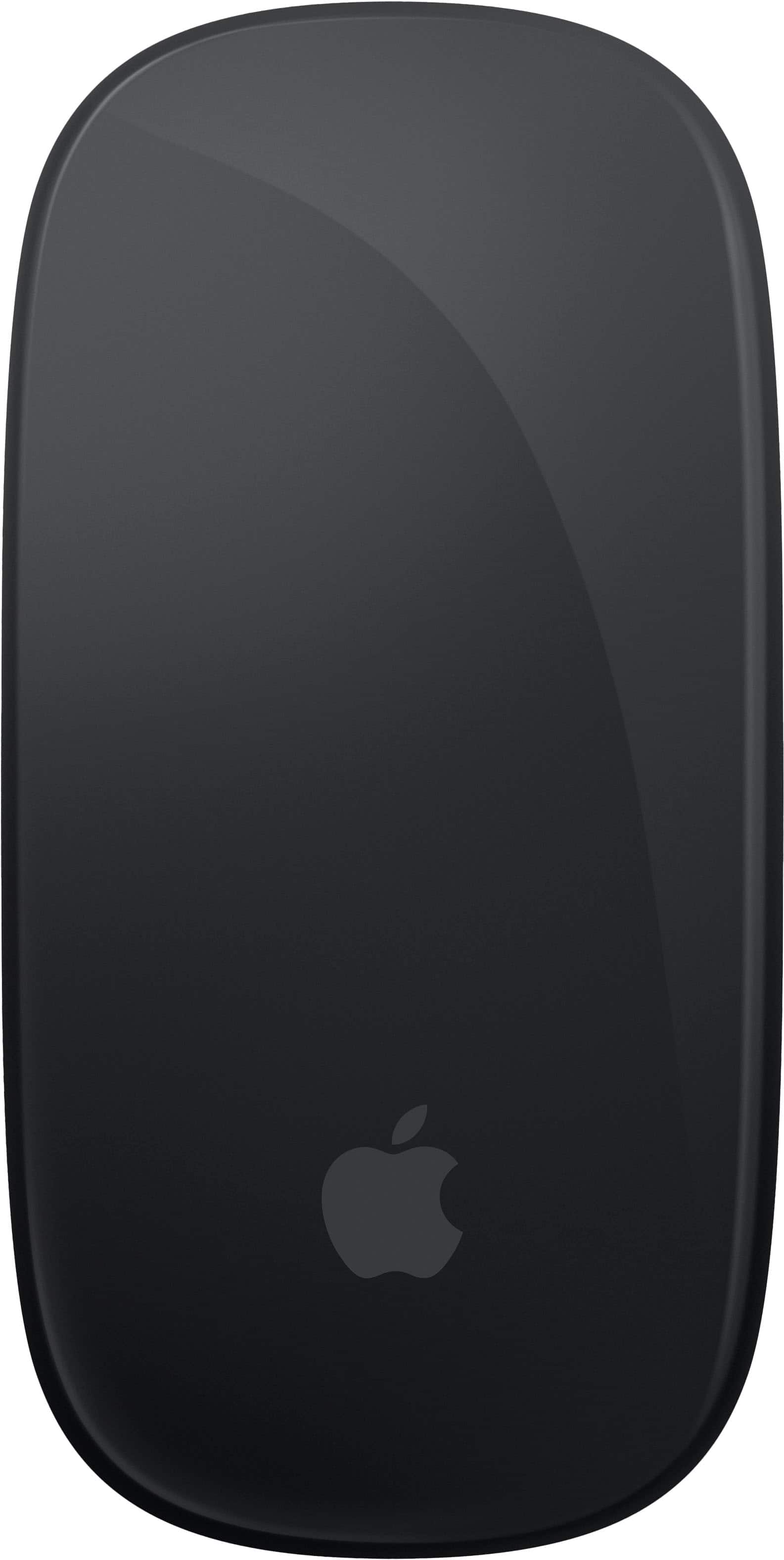
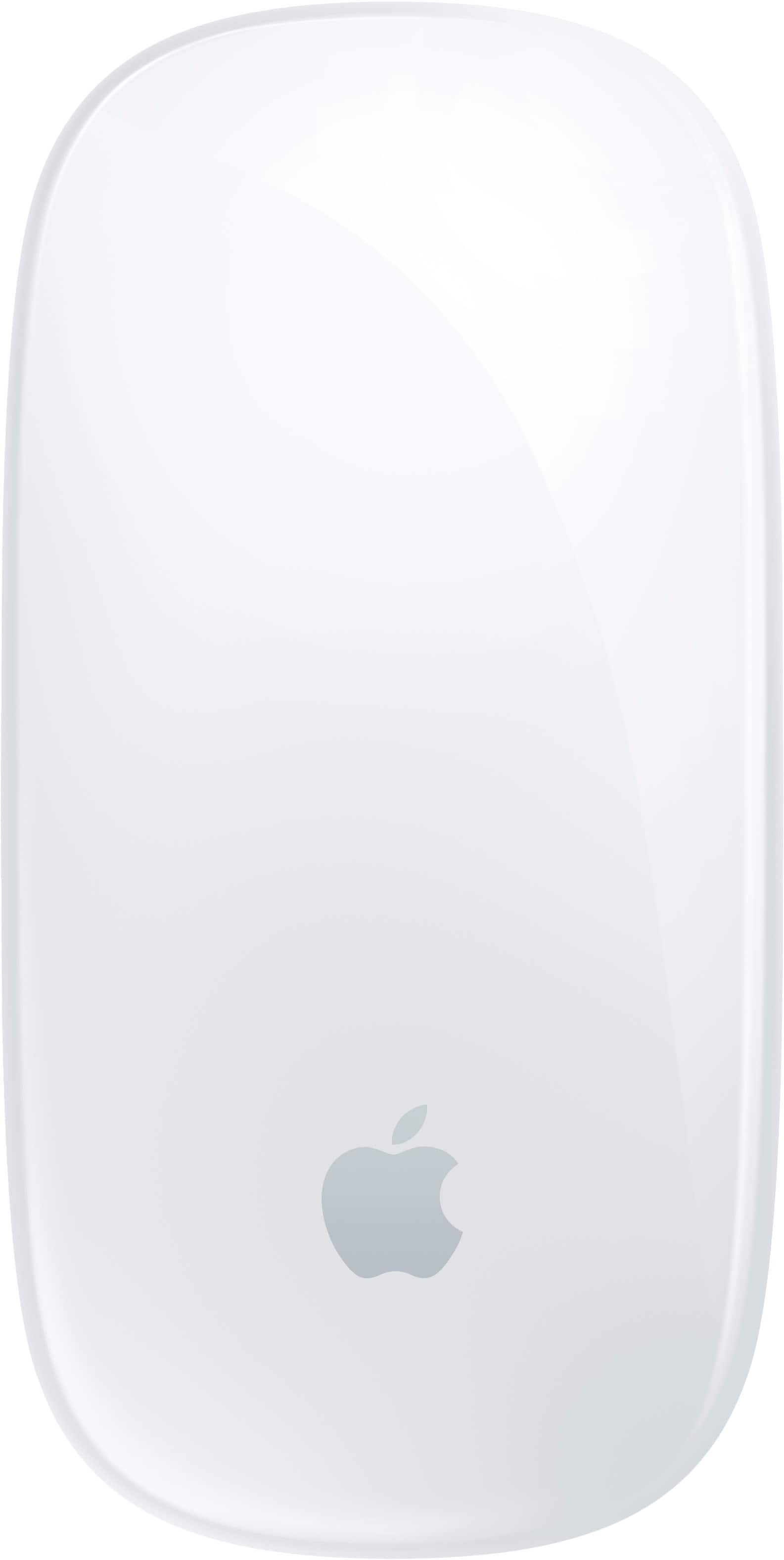
  6. Apple - Magic Mouse - Multi-Touch Surface (USB-C) - Wireless - Black Multi-Touch Surface - Front_Zoom
    Top comment

    "awesome mouse and works perfect with iPad Pro and MacBook Pro...I love the Magic Mouse for my MacBook....I like having a mouse for my MacBook Pro that works with bluetooth and I don't have to waste a port to do it. "

    See all customer reviews

    Product Description

    Magic Mouse is wireless and rechargeable, with an optimized foot design that lets it glide smoothly across your desk. The Multi-Touch surface allows you to perform simple gestures such as swiping between web pages and scrolling through documents. The rechargeable battery will power your Magic Mouse for about a month or more between charges.* It’s ready to go right out of the box and pairs automatically with your Mac. It features a USB-C port and includes a woven USB-C Charge Cable that lets you pair and charge by connecting to a USB-C port on your Mac, so you can charge all of your favorite devices with just a single cable.
    See all Mice
    Top comment

    "awesome mouse and works perfect with iPad Pro and MacBook Pro...I love the Magic Mouse for my MacBook....I like having a mouse for my MacBook Pro that works with bluetooth and I don't have to waste a port to do it. "

    See all customer reviews

    Product Description

    Magic Mouse is wireless and rechargeable, with an optimized foot design that lets it glide smoothly across your desk. The Multi-Touch surface allows you to perform simple gestures such as swiping between web pages and scrolling through documents. The rechargeable battery will power your Magic Mouse for about a month or more between charges.* It’s ready to go right out of the box and pairs automatically with your Mac. It features a USB-C port and includes a woven USB-C Charge Cable that lets you pair and charge by connecting to a USB-C port on your Mac, so you can charge all of your favorite devices with just a single cable.
    See all Mice
    See all Mice
  7. Apple - Magic Mouse - Multi-Touch Surface (USB-C) - Wireless - White Multi-Touch Surface - Front_Zoom
    Top comment

    "MAC Mouse...Apple mouse is a great addition to my Mac Pro and recently purchased MacBook 13” laptop. ...Apple mouse...Works great. It is used with a MacBook Pro."

    See all customer reviews

    Product Description

    Magic Mouse is wireless and rechargeable, with an optimized foot design that lets it glide smoothly across your desk. The Multi-Touch surface allows you to perform simple gestures such as swiping between web pages and scrolling through documents. The rechargeable battery will power your Magic Mouse for about a month or more between charges.* It’s ready to go right out of the box and pairs automatically with your Mac. It features a USB-C port and includes a woven USB-C Charge Cable that lets you pair and charge by connecting to a USB-C port on your Mac, so you can charge all of your favorite devices with just a single cable.
    See all Mice
    Top comment

    "MAC Mouse...Apple mouse is a great addition to my Mac Pro and recently purchased MacBook 13” laptop. ...Apple mouse...Works great. It is used with a MacBook Pro."

    See all customer reviews

    Product Description

    Magic Mouse is wireless and rechargeable, with an optimized foot design that lets it glide smoothly across your desk. The Multi-Touch surface allows you to perform simple gestures such as swiping between web pages and scrolling through documents. The rechargeable battery will power your Magic Mouse for about a month or more between charges.* It’s ready to go right out of the box and pairs automatically with your Mac. It features a USB-C port and includes a woven USB-C Charge Cable that lets you pair and charge by connecting to a USB-C port on your Mac, so you can charge all of your favorite devices with just a single cable.
    See all Mice
    See all Mice
  8. HyperX - Pulsefire Saga Pro Lightweight Wireless Optical Gaming Mouse with 4K Polling Rate - Wireless - Black - Front_Zoom
    Top comment

    "Fantastic gaming mouse...The Verdict - 4/5I freakin love this mouse. The HyperX Pulsefire Saga Pro shows that the company is well aware of its success with the Haste lineup over the years and isr". afraid to try out new, unique things. ...The Creme De La Creme of Mice...If you need a mouse to end all gaming mice, then this is your mouse. "

    See all customer reviews

    Product Description

    Say hello to HyperX’s most customizable gaming mouse: the Pulsefire Saga Pro. This mouse uses ergonomically designed interchangeable components to adapt to different grip styles with up to 16 comfortable combinations. Simply swap out the magnetically mounted components to find your perfect fit completely tool-free. Whatever configuration you choose, this mouse weighs in at only 72 grams, so you will never have to sacrifice agility for comfort. This mouse is equipped with pro-grade 4k wireless polling so you can game with confidence knowing every click is captured. Long gaming sessions? No problem! With Pulsefire Saga Pro you can game for up to 90 hours1 on a single charge in 1kHz polling mode. The upgrades don’t stop there. Pulsefire Saga Pro is also equipped with HyperX Optical Switches that balance laser-accurate actuation with a tactile click. Unlike traditional switches that require a mechanical contact, optical switches utilize a light-triggered mechanism that translates clicks to immediate actions. No debounce, no delays. Pulsefire Saga Pro also offers dual wireless connectivity, utilizing a high-speed 2.4GHz wireless dongle or Bluetooth with compatible devices. Or ditch the dongle with Instant Pair, connecting to enabled OMEN gaming laptops without any additional components. The customization goes beyond the surface level. Connect to HyperX NGENUITY software to set motion tracking up to 26k DPI, remap buttons, adjust polling rate, set custom RGB effects, and monitor battery life.
    See all Gaming Mice
    Top comment

    "Fantastic gaming mouse...The Verdict - 4/5I freakin love this mouse. The HyperX Pulsefire Saga Pro shows that the company is well aware of its success with the Haste lineup over the years and isr". afraid to try out new, unique things. ...The Creme De La Creme of Mice...If you need a mouse to end all gaming mice, then this is your mouse. "

    See all customer reviews

    Product Description

    Say hello to HyperX’s most customizable gaming mouse: the Pulsefire Saga Pro. This mouse uses ergonomically designed interchangeable components to adapt to different grip styles with up to 16 comfortable combinations. Simply swap out the magnetically mounted components to find your perfect fit completely tool-free. Whatever configuration you choose, this mouse weighs in at only 72 grams, so you will never have to sacrifice agility for comfort. This mouse is equipped with pro-grade 4k wireless polling so you can game with confidence knowing every click is captured. Long gaming sessions? No problem! With Pulsefire Saga Pro you can game for up to 90 hours1 on a single charge in 1kHz polling mode. The upgrades don’t stop there. Pulsefire Saga Pro is also equipped with HyperX Optical Switches that balance laser-accurate actuation with a tactile click. Unlike traditional switches that require a mechanical contact, optical switches utilize a light-triggered mechanism that translates clicks to immediate actions. No debounce, no delays. Pulsefire Saga Pro also offers dual wireless connectivity, utilizing a high-speed 2.4GHz wireless dongle or Bluetooth with compatible devices. Or ditch the dongle with Instant Pair, connecting to enabled OMEN gaming laptops without any additional components. The customization goes beyond the surface level. Connect to HyperX NGENUITY software to set motion tracking up to 26k DPI, remap buttons, adjust polling rate, set custom RGB effects, and monitor battery life.
    See all Gaming Mice
    See all Gaming Mice
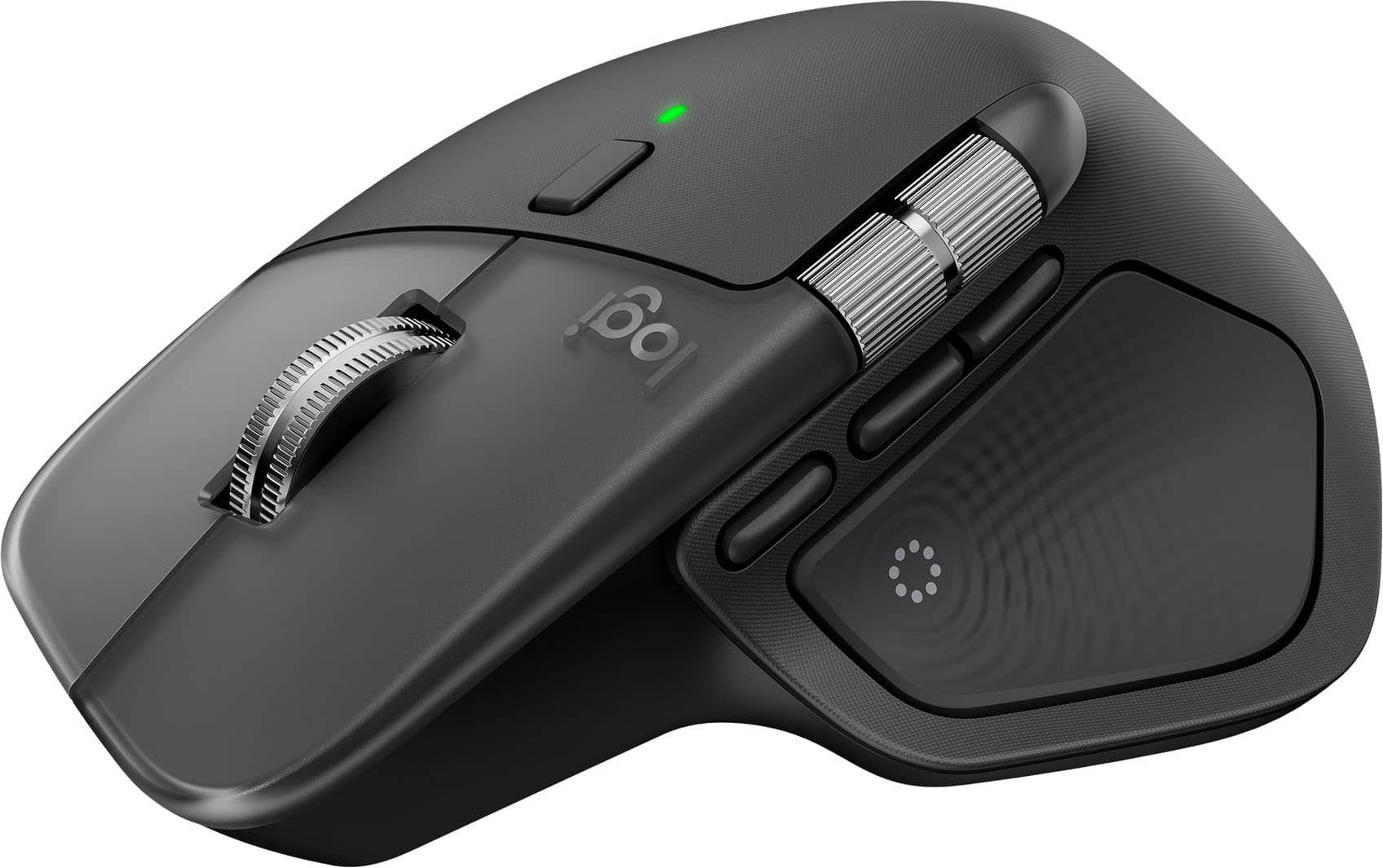
  9. Logitech - MX ERGO S PLUS Wireless Ergonomic Trackball Mouse with 6 Programmable Buttons - Wireless - Graphite - Front_Zoom
    Top comment

    "Great with iPad Pro...Most importantly this thing works great with my iPad Pro!...One of the best ergo mouse...Pros: classy , soundless clicks , detachable anugular base , usb chargelable..........Cons: little pricier , may sound bulky for few uses."

    See all customer reviews

    Product Description

    The MX Ergo S Plus is Logitech’s most advanced ergonomic trackball mouse yet, with a 20-degree tilt angle and a 10-degree detachable wedge, and precise thumb control - user-tested and certified by United States Ergonomics. The MX Ergo S wireless ergonomic mouse is sculpted to fit the palm of your hand while keeping it relaxed, and it tilts 20 to 30 degrees for 27% less muscle activity in the forearm, providing elevated comfort throughout your day. Work faster with 6 customizable buttons and a DPI button to effortlessly switch between speed and high-precision tracking. Now with 80% quieter clicks. For even more control that's tailored to your needs, assign time-saving shortcuts and Smart Actions using the Logi Options+ App. Connect your wireless mouse to 2 devices via Bluetooth or the included Logi Bolt receiver and switch between devices with a click of the Easy-Switch button.
    See all Mice
    Top comment

    "Great with iPad Pro...Most importantly this thing works great with my iPad Pro!...One of the best ergo mouse...Pros: classy , soundless clicks , detachable anugular base , usb chargelable..........Cons: little pricier , may sound bulky for few uses."

    See all customer reviews

    Product Description

    The MX Ergo S Plus is Logitech’s most advanced ergonomic trackball mouse yet, with a 20-degree tilt angle and a 10-degree detachable wedge, and precise thumb control - user-tested and certified by United States Ergonomics. The MX Ergo S wireless ergonomic mouse is sculpted to fit the palm of your hand while keeping it relaxed, and it tilts 20 to 30 degrees for 27% less muscle activity in the forearm, providing elevated comfort throughout your day. Work faster with 6 customizable buttons and a DPI button to effortlessly switch between speed and high-precision tracking. Now with 80% quieter clicks. For even more control that's tailored to your needs, assign time-saving shortcuts and Smart Actions using the Logi Options+ App. Connect your wireless mouse to 2 devices via Bluetooth or the included Logi Bolt receiver and switch between devices with a click of the Easy-Switch button.
    See all Mice
    See all Mice
  10. CORSAIR - M55 Wireless Optical Gaming Ambidextrous Mouse with Slipstream Technology - Wireless - Black - Front_Zoom
    Top comment

    "Macbook Air M4...I got this for my new MacBook Air M4. It works so much better than a Magic Mouse. ...Excellent mouse for both Windows and Mac...The USB dongle, cleverly stashed at the base of the mouse, made it easy for me to move the mouse between my Windows and Mac setups. "

    See all customer reviews

    Product Description

    Become a truly unstoppable force. The CORSAIR M55 WIRELESS gaming mouse has the compact symmetrical shape to fit your hand size and grip style. The sleek M55 WIRELESS dashes across your desktop with ease, and quick snaps and flicks are a cinch to control thanks to ergonomic textured side grips. Its wireless connection is just as fast, transmitting inputs with near-zero lag via SLIPSTREAM WIRELESS v1.5. The optical sensor supports up to 24,000 DPI to track every sweep and stop with pinpoint precision. With prime performance so close at hand, M55 WIRELESS puts you in position to make your best gaming moves.
    See all Gaming Mice
    Top comment

    "Macbook Air M4...I got this for my new MacBook Air M4. It works so much better than a Magic Mouse. ...Excellent mouse for both Windows and Mac...The USB dongle, cleverly stashed at the base of the mouse, made it easy for me to move the mouse between my Windows and Mac setups. "

    See all customer reviews

    Product Description

    Become a truly unstoppable force. The CORSAIR M55 WIRELESS gaming mouse has the compact symmetrical shape to fit your hand size and grip style. The sleek M55 WIRELESS dashes across your desktop with ease, and quick snaps and flicks are a cinch to control thanks to ergonomic textured side grips. Its wireless connection is just as fast, transmitting inputs with near-zero lag via SLIPSTREAM WIRELESS v1.5. The optical sensor supports up to 24,000 DPI to track every sweep and stop with pinpoint precision. With prime performance so close at hand, M55 WIRELESS puts you in position to make your best gaming moves.
    See all Gaming Mice
    See all Gaming Mice
No content
No content