Keychron - M6 Ergonomic Wired & Wireless Laser Mouse w/ Macro Button & Fast-Scrolling Metal Wheel, For Windows PC & Mac - Wired - Black
Customers are saying
Customers are positive about the ergonomic design and lightweight feel of this mouse, which users find incredibly comfortable for extended use. Many reviewers also appreciate its reliable performance with Mac systems and the versatility provided by its multiple connectivity options. Additionally, users frequently highlight the long-lasting battery life, silent click action, and the convenience of the customizable buttons.
Features
Dual Wired & Wireless Connectivity
Use seamlessly in wired mode via USB-C or go wireless with 2.4 GHz and Bluetooth for flexible setups and devices.
Premium Sensor & Performance
Equipped with a PixArt 3395 sensor (up to 26,000 DPI and 650 IPS) for accurate tracking whether gaming or working.
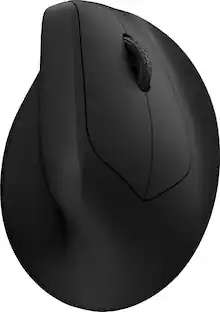
Ergonomic Design with Thumb Wheel & Dual Scroll Modes
Designed for right-hand ergonomics, it features a side thumb-wheel for horizontal scrolling, and a top wheel that toggles between notched and infinite scroll.
Fully Programmable Macro Button & Software Support
Customize buttons, DPI, profiles and macros with comp-pat software on both Windows and macOS.
Lightweight yet Durable Build
At ~78 g and featuring Huano micro-switches rated for tens of millions of clicks, it’s built for extended use in both work and play.
Specifications
- Lighting TypeNoneConnection TypeWired, Wireless
Reviews
Rating 4.4 out of 5 stars with 40 reviews
- Ergonomics (9)
- Weight (9)
- Connectivity (7)
- Overall Performance (7)
- Battery Life (5)
The vast majority of our reviews come from verified purchases. Reviews from customers may include My Best Buy members, employees, and Tech Insider Network members (as tagged). Select reviewers may receive discounted products, promotional considerations or entries into drawings for honest, helpful reviews.
Compare similar products

The Keychron M6 Ergonomic Wireless Mouse offers a high-performance, dual-mode pointing solution that blends wired precision with wireless freedom. Whether you prefer the rock-solid stability of USB-C tethering or the flexibility of 2.4 GHz or Bluetooth connection, the M6 delivers seamless switching to suit your setup. Its PixArt 3395 sensor provides exceptional tracking with high DPI and IPS values, while the ergonomic design—including a thumb-wheel and dual scroll modes—ensures comfort and productivity over long sessions. Fully programmable via companion software, you can tailor buttons, DPI settings and macros to your workflow or gameplay. Lightweight yet robust, the M6 is crafted for those who demand both performance and versatility from their mouse.

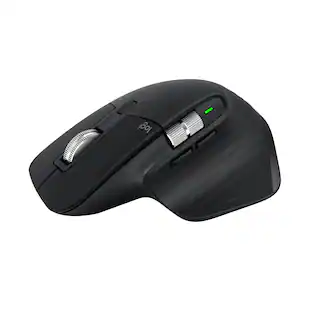
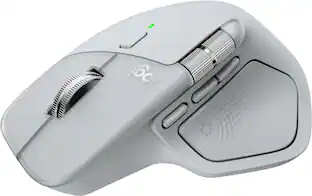
Logitech MX Master 3S Bluetooth Edition – productivity and precision mouse. With Quiet Clicks and 8K DPI any-surface tracking for more feel and performance.

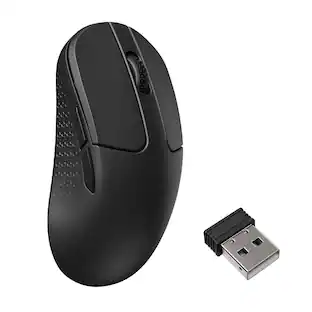
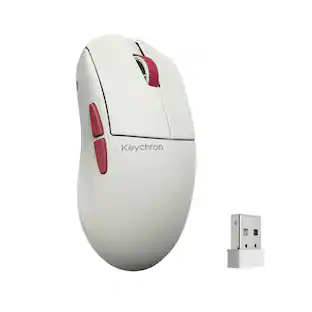
Keychron M3 has all the best features in a lightweight body that supports wireless 2.4 GHz and Bluetooth connection. It is ideal for any scenario, whether at work, gaming, or even on the go. It offers you the best performance and maximizes your productivity.

The Logitech MX Master 4 brings immersive control and precision you can feel with haptic feedback. Experience haptic feedback on specific actions, shortcuts, notifications like switching desktops, slider adjustments and more. Customize vibration intensity in Logi Options+. With Actions Ring shortcuts and MX Master 4, save up to 33% of your time by accessing tools and filters at your cursor, reducing repetitive movements by up to 63%. Experience uninterrupted performance with 2X more powerful connectivity, powered by an advanced radio chip, optimized antenna placement, and a new USB-C dongle.
| Pros for Keychron - M6 Ergonomic Wired & Wireless Laser Mouse w/ Macro Button & Fast-Scrolling Metal Wheel, For Windows PC & Mac - Wired - Black | |||
|---|---|---|---|
| Ergonomics, Weight, Connectivity, Overall Performance, Battery Life | There were no pros for this product— | Weight, Connectivity, Battery Life, Ergonomics, Performance | Ergonomics, Overall Performance, Battery Life, Haptic Feedback, Button Functionality |
| Cons for Keychron - M6 Ergonomic Wired & Wireless Laser Mouse w/ Macro Button & Fast-Scrolling Metal Wheel, For Windows PC & Mac - Wired - Black | |||
| There were no cons for this product— | There were no cons for this product— | There were no cons for this product— | Weight, Size |
Specs
Customers often buy these together
Computer Keyboards
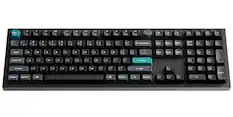
Keychron - B6 Pro 100% Custom Wireless Keyboard with Progrmmable ZMK Support - Space Gray
$38.24The price was $44.99![esc F1 F2 F3 F4 F5 F6 F7 F8 F9 F10 F11 F12
Num Caps Mac Win
1 2 3 4 5 6 7 8 9 0 - = backspace
tab Q W E R T Y U I O P [ ] \
caps lock A S D F G H J K L ; '
shift Z X C V B N M , . /
control option fn control
del home pgup num clear / * -
end pgdn 7 8 9 +
enter 4 5 6
shift 1 2 3 enter
control option 28
option fn control
> o](https://pisces.bbystatic.com/image2/BestBuy_US/images/products/71a1417b-3d5f-45c1-99f0-24ab3c6d41b9.png;maxHeight=232;maxWidth=233?format=webp)
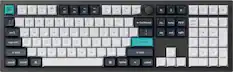
Keychron - K10 HE 100% Custom Hall Effect Mechanical Gaming Keyboard with Programmable QMK Launcher Software - Black
Techtober Deal$115.99The price was $144.99![esc F1 F2 F3 F4 F5 F6 F7 F8 F9 F10 F11 F12 del - . ! 1 2 3 4 5 6 7 8 9 0 I - + = backspace pgup tab Q W E R T Y U I O P { [ ] } | pgdn caps lock A S D F G H J K L : ; - enter home shift Z X C V B N M ? / shift control option gg ag fn ctrl](https://pisces.bbystatic.com/image2/BestBuy_US/images/products/1148d3cf-e648-420a-8a2f-d2b30b24656b.png;maxHeight=232;maxWidth=233?format=webp)
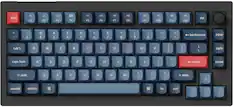
Keychron - V1 Ultra 8k 75% Custom Red Switch Mechanical Gaming Keyboard with Programmable ZMK Launcher Software - Black
Techtober Deal$103.49The price was $114.99
![esc F1 F2 F3 F4 F5 F6 F7 F8 F9 F10 F11 F12 X - I 1 2 3 4 5 6 7 8 9 0 o I - + backspace ins home pgup num clear / * - tab Q W E R T Y U I O P { : } ] I I del end pgdn 7 8 9 + caps lock A S D F G H J K L : . . enter JAC 4 5 6 shift Z X C V B N M - V ? / shift 1 2 3 enter ctrl option 9 9 option fn ctrl < > 0](https://pisces.bbystatic.com/image2/BestBuy_US/images/products/6338813c-537a-4d69-93c3-0a1433ef276c.jpg;maxHeight=232;maxWidth=233?format=webp)
![esc F1 F2 F3 F4 F5 F6 F7 F8 F9 F10 F11 F12 del home end : . ! 1 2 3 4 # 5 % 6 7 8 9 0 ( ) - + backspace num clear / . C tab Q W E R T Y U I O P [ ] { } | 7 8 9 + caps lock A S D F G H J K L : : enter 4 5 6 shift Z X C V B N M V A ? / shift 1 2 3 enter control option H 3 fn ctrl](https://pisces.bbystatic.com/image2/BestBuy_US/images/products/61f531ca-28ab-4a34-b282-be3152e835cd.jpg;maxHeight=232;maxWidth=233?format=webp)
![The text on the image is a list of keys on a keyboard, including function keys and other special keys. Here's the corrected list:
1. F1
2. F2
3. F3
4. F4
5. F5
6. F6
7. F7
8. F8
9. F9
10. F10
11. F11
12. F12
13. Del
14. Home
15. End
16. Page Up
17. Page Down
18. 1!
19. 2!
20. 3!
21. 4!
22. 5!
23. 6!
24. 7!
25. 8!
26. 9!
27. 0
28. =
29. +
30. -
31. Tab
32. Q
33. W
34. E
35. R
36. T
37. Y
38. U
39. I
40. O
41. P
42. [
43. ]
44. VI
45. I
46. 7
47. 8
48. 9
49. +
50. caps lock
51. A
52. S
53. D
54. F
55. G
56. H
57. J
58. K
59. L
60. Z
61. X
62. C
63. V
64. B
65. N
66. M
67. <
68. >
69. /
70. *
71. -
72. tab
73. ctrl
74. option
75. 9
76. H
77. fn
78. ctrl
79. <
80. >
This list includes the function keys, as well as other special keys such as the arrow keys, the number pad keys, and the control and option keys.](https://pisces.bbystatic.com/image2/BestBuy_US/images/products/24e86685-9323-4a6c-bbd9-21a58de7ab54.jpg;maxHeight=232;maxWidth=233?format=webp)
Mouse Pads

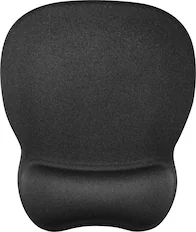
Insignia™ - Mouse Pad - Black
Our 365-day lowest price$3.99The price was $7.99
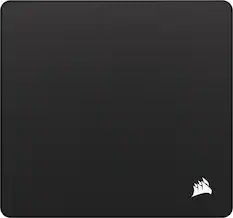
CORSAIR - MM350 PRO Premium Spill-Proof Cloth Gaming Mouse Pad – Extended XL - Black
Techtober Deal$29.99The price was $39.99






More to consider
 $44.99The price was $69.99
 $84.99The price was $99.99



Explore tech essentials Sponsored
 $189.99The price was $229.99
 $69.99The price was $99.99


Discover related products
 Techtober Deal$27.99The price was $35.99
 $54.40The price was $62.53
 $91.49The price was $107.49




Keep exploring
 Techtober Deal$24.99The price was $32.99
 $79.95The price was $119.95
 $149.95The price was $215.95
 Techtober Deal$13.99The price was $17.99