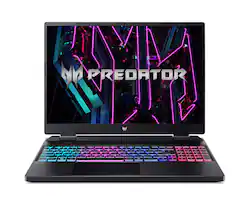
Acer - Predator Helios Neo 16" WQXGA 165Hz IPS Gaming Laptop - Intel i7-13700HX – GeForce RTX 4060 with 16GB DDR5 – 1TB SSD - Steel Gray
- Key Specs
- Screen Type: IPS
- Screen Size: 16 inches (Size of the screen, measured diagonally from corner to corner.)
- Screen Resolution: 2560 x 1600 (Screens come in a range of resolutions (measured in pixels, horizontal x vertical). The higher the resolution, the greater the picture quality.)
- Touch Screen: false (Touch-screen devices make navigating more intuitive. Using a touch-screen display, you can do things such as tap to select, hold and drag to move items, swipe to scroll, and pinch to zoom.)
- Refresh Rate: 165Hz (The number of frames per second the device can produce natively without enhancement. Higher rates help produce smooth, seamless pictures.)
- Brightness: 500 nits (A measure of the total light output.)
- Processor Model: Intel 13th Generation Core i7 (Your computer's processor is like its brain. Working in combination with system memory, the power of the processor determines the complexity of software you can run, how many programs you can have open at the same time, and how fast those programs will run. Most computers feature an AMD, Intel or Snapdragon processor.)
- CPU Base Clock Frequency: 5 gigahertz (Actual central processing unit (CPU) speed may vary by device configuration and design. The average rate at which the processor is able to execute tasks under normal operating conditions as asserted by the manufacturer.)
- Storage Type: SSD
- Total Storage Capacity: 1000 gigabytes
- System Memory (RAM): 16 gigabytes (Random-access memory (RAM) is a computing device's short-term data storage, which allows active information to be accessed quickly. The size and type of RAM determines how efficiently the device can handle large amounts of information at one time. For example, gaming or video editing requires more RAM for optimal performance.)
- Graphics: NVIDIA GeForce RTX 4060 (Often referred to as a "graphics processing unit" (GPU), this device is responsible for displaying image content and decoding/encoding video content in programs and games.)
- Display Connector(s): 2 x Thunderbolt 4, 1 x HDMI 2.1 (The number and type of connectors used to connect to an external display.)
- Backlit Keyboard: true (Integrated lights allow for visibility of the keys in low-light conditions.)
- General
- Product Name: Predator Helios Neo 16" WQXGA 165Hz IPS Gaming Laptop - Intel i7-13700HX – GeForce RTX 4060 with 16GB DDR5 – 1TB SSD
- Brand: Acer
- Model Number: PHN16-71-73LT
- Year of Release: 2023
- Color: Steel Gray
- Display
- Display Type: LCD
- Screen Type: IPS
- Screen Size: 16 inches (Size of the screen, measured diagonally from corner to corner.)
- Screen Resolution: 2560 x 1600 (Screens come in a range of resolutions (measured in pixels, horizontal x vertical). The higher the resolution, the greater the picture quality.)
- Touch Screen: false (Touch-screen devices make navigating more intuitive. Using a touch-screen display, you can do things such as tap to select, hold and drag to move items, swipe to scroll, and pinch to zoom.)
- Refresh Rate: 165Hz (The number of frames per second the device can produce natively without enhancement. Higher rates help produce smooth, seamless pictures.)
- Brightness: 500 nits (A measure of the total light output.)
- Color Gamut (Standard RGB): 100 percent
- Processor
- Processor Brand: Intel
- Processor Model: Intel 13th Generation Core i7 (Your computer's processor is like its brain. Working in combination with system memory, the power of the processor determines the complexity of software you can run, how many programs you can have open at the same time, and how fast those programs will run. Most computers feature an AMD, Intel or Snapdragon processor.)
- Processor Model Number: 13700HX
- CPU Base Clock Frequency: 5 gigahertz (Actual central processing unit (CPU) speed may vary by device configuration and design. The average rate at which the processor is able to execute tasks under normal operating conditions as asserted by the manufacturer.)
- Number of CPU Cores: 16-core (A core, or "brain" of a CPU, allows it to receive and execute instructions. Each core can work independently or together to perform parallel operations.)
- Storage
- Storage Type: SSD
- Total Storage Capacity: 1000 gigabytes
- Solid State Drive Capacity: 1000 gigabytes (The amount of data that can be stored on the device's solid state drive (SSD). SSD is a flash-based storage with faster speeds than a hard disk drive (HDD).)
- Memory
- System Memory (RAM): 16 gigabytes (Random-access memory (RAM) is a computing device's short-term data storage, which allows active information to be accessed quickly. The size and type of RAM determines how efficiently the device can handle large amounts of information at one time. For example, gaming or video editing requires more RAM for optimal performance.)
- Type of Memory (RAM): DDR5 (Each type of RAM delivers a different level of speed, bandwidth, energy efficiency and performance.)
- Number Of Memory Slots: 2
- System Memory RAM Expandable To: 32 gigabytes (Adding more random-access memory (RAM) to a computer speeds up performance and improves efficiency. Upgrades to memory are limited by the number of expansion slots for additional RAM and existing RAM installed on the device.)
- Graphics
- Graphics Type: Dedicated (Dedicated graphics uses a separate graphics card for processing video images. Because it does not use memory from the system's RAM, there is no extra burden on the CPU and graphics are processed more efficiently. Integrated graphics shares system RAM to process video images.)
- GPU Brand: NVIDIA
- Graphics: NVIDIA GeForce RTX 4060 (Often referred to as a "graphics processing unit" (GPU), this device is responsible for displaying image content and decoding/encoding video content in programs and games.)
- Advanced Graphics Rendering Technique(s): DLSS 3 (Deep Learning Super Sampling), Ray tracing (Imaging technology designed to improve graphics rendering.)
- GPU Video Memory (RAM): 8 gigabytes (Random-access memory (RAM) is a GPU’s, or graphics cards, short-term data storage, which allows active information to be accessed quickly. The size and type of RAM determines how efficiently the GPU can handle large amounts of information at one time. For example, larger amounts of RAM for gaming or video editing increases performance.)
- Compatibility
- Operating System: Windows 11 Home (The operating system manages all software and hardware, including files, memory and connected devices. Most importantly, it lets you interact with your device and your programs in a visual way; otherwise, you'd be typing computer code to get anything done.)
- Connectivity
- Display Connector(s): 2 x Thunderbolt 4, 1 x HDMI 2.1 (The number and type of connectors used to connect to an external display.)
- Number of HDMI Outputs (Total): 1
- Number of Thunderbolt Ports (Total): 2
- USB Ports: 3 x USB-A 3.2 (The number and type of USB ports the product has.)
- Number of USB Ports (Total): 5
- Headphone Jack: true (The device features an interface that allows for the connection of headphones.)
- Microphone Input: true (The device features an input for connecting an external microphone.)
- Wireless Connectivity: Bluetooth, Wi-Fi (The manner in which a device sends data to another device over a short distance without the use of wires or cables.)
- Wireless Standard: AX (The wireless networking protocol used by the device. Each iteration of the protocol is based on the 802.11 standard developed by the Institute of Electrical and Electronics Engineers (IEEE) Standards Association. Denoted by letters following 802.11 (802.11a, 802.11ac, etc.), each version, published in alphabetical order, encompasses all previous versions.)
- Wireless Networking Standard: Wi-Fi 6 (The wireless networking standard used by the device. Each iteration of the standard developed by the Wi-Fi Alliance corresponds to an existing IEEE 802.11 protocol; for example, standard 802.11ac (or AC) is termed Wi-Fi 5. Refers specifically to the standard the device is designed to use, but ultimately determines product interoperability and backward compatibility including previous versions.)
- Ethernet Card: 10/100/1000 (Also known as an Ethernet adapter, this card plugs into a computer's motherboard and enables it to access an Ethernet network. Ethernet data transmission speeds are measured in Mbps (megabits per second) and Gbps (gigabits per second). For example, a 10/100 Ethernet port transmits 10 and 100 Mbps, while a 10/100/1000 Ethernet port transmits 10 and 100 Mbps and has a maximum speed of 1000 Mbps (1 Gbps).)
- Number Of Ethernet Ports: 1
- Cooling
- CPU Cooling System: Air
- Expansion
- Number of M.2 Slots: 2 (This interface is most commonly used for high-speed solid state drives (SSDs), and is often used in laptops due to its small size.)
- Camera
- Front-Facing Camera: true
- Front Facing Camera Video Resolution: 1080p (Refers to the number of pixels, both horizontally and vertically, used by the camera facing the user to capture video. The higher the resolution the finer the video detail that can be seen.)
- Built-In Microphone: true
- Features
- Backlit Keyboard: true (Integrated lights allow for visibility of the keys in low-light conditions.)
- Customizable Keyboard Lighting: RGB
- GPS Enabled: false
- Touchpad Type: Precision
- Audio Technology: DTS® X:Ultra
- Security Features: Cable lock slot
- Cable Lock Slot: Kensington Security Slot (K-Slot)
- Dimensions
- Product Height: 1.11 inches (The out of box height of the item. Height is measured as the vertical distance from the bottom of the item to the top as it would be primarily used or placed.)
- Product Width: 14.18 inches (The out of box width of the item. Width is measured as the horizontal distance from one side of the item to the other as it would be primarily used or placed.)
- Product Depth: 11.02 inches (The out of box depth of the item. Depth is measured as the distance from the front of the item to the back as it would be primarily used or placed.)
- Product Weight: 5.73 pounds (The out of box weight of the item.)
- Certifications Listings & Approvals
- ENERGY STAR Certified: false (Devices carrying the ENERGY STAR service mark, such as computer products and peripherals, kitchen appliances, and other products, generally use 20% to 30% less energy than required by federal standards.)
- EPEAT Qualified: false (The Electronic Product Environmental Assessment Tool (EPEAT) was designed to provide an environmental assessment tool for purchasers. In order to qualify for EPEAT, a product must meet all 23 required criteria.)
- Included
- Optical Drive Type: None (An optical disk drive (ODD) uses a laser light to read data from or write data to an optical disc. These discs include CDs, DVDs, and Blu-ray Discs. This allows you to play music or watch movies using prerecorded discs.)
- Numeric Keypad: true
- Other
- UPC: 195133181136
When you brandish this Predator Helios Neo gaming laptop, you’re holding the key to unlocking your ambitions – your curiosities – and endless possibilities. Suit up, strap in – and let Helios Neo pave the way. Equipped with superior cooling technology and a trove of performance like NVIDIA GeForce RTX 4060 laptop graphics and the latest 13th Gen Intel Core i7 processor with new performance hybrid architecture– this gaming laptop will be your guide to gaming bliss. With the 16" 2560 x 1600 IPS panel, 165Hz Refresh, NVIDIA Advanced Optimus, NVIDIA G-SYNC technology and 3ms Overdrive response time you can say farewell to blur and hello clear, crisp, high-octane gameplay.
- Windows 11 Operating System: Windows 11 was designed with you at the center - to make life easier, more creative, secure, connected and fun! It's also faster with new features to help you get more done.
- 16" WQXGA Display with 165Hz Refresh Rate: At 16” with a 16:10 aspect ratio, the pristine WQXGA (2560 x 1600) IPS panel has a fast 165Hz refresh rate, NVIDIA G-SYNC technology, 3ms Overdrive response time, 500nit Brightness and is 100% sRGB.
- 13th Gen Intel Core i7-13700HX: This CPU goes beyond performance to let your PC do even more at once. With a 1st-of-its-kind design, you get the performance you need to play, record and stream games with high FPS & effortlessly switch to heavy multitasking workloads like video, music & photo editing.
- NVIDIA GeForce RTX 4060 Graphics: NVIDIA GeForce RTX 4060 Laptop GPU is beyond fast for gamers and creators. They're powered by the ultra-efficient NVIDIA Ada Lovelace architecture which delivers a quantum leap in both performance and AI-powered graphics.
- Blazing Fast 16GB DDR5 Memory: Smoothly run your graphics-heavy PC games, numerous programs, video-editing, and browser tabs at the same time. You can even upgrade to 32GB of DDR5 memory, and you can have yourself a gaming titan.
- 1TB PCIe Gen 4 SSD Storage: Load faster and play sooner! With PCIe Gen 4 SSDs– you can quickly load apps with ease and are great for major gaming applications. (1 Slot Available for future upgradeability)
- Start Your Engines: This Predator Helios Neo 16 laptop will take your game library, place it in front of you, and dare you to give it a challenge. This RTX-empowered machine is fully optimized for maximum 140W MGP usage, so you always have two things: Full Power.
- Backlit 4-Zone RGB Keyboard: The customized keyboard uses our own Predator typeface, has see-through concave-shaped keycaps for WASD and features two integral keys to take note of: Turbo and PredatorSense.
- Personalize With PredatorSense: Pop open PredatorSense and mix and match colors to your hearts content. Whether you want to adjust your RGB via Pulsar Lighting for a particular theme, manage overclocking, or max out fan speeds – you can do it all from one easily accessible app.
- Killer Connectivity: Get an edge online by taking control of your network and prioritizing your gameplay with Killer Ethernet E2600 and Killer Wi-Fi 6 AX1650.
- DTS X: Ultra: Turn any pair of headphones or speakers into a high-end 360° surround sound system – enabling you to experience your favorite movies, music, and games with real-world spatial sound. Enhance and empower what you hear!
- Cooling Perfected: The Helios Neo 16, as a high-performance gaming laptop, includes only the best state-of-the-art cooling: custom-engineered 5th Gen AeroBlade 3D metal fan, vector heat pipes, and the chilling effects of liquid metal thermal grease on an already industry-leading 13th Gen Intel CPU.
- Ports: 2 - USB Type-C Ports USB 3.2 Gen 2 (up to 10 Gbps) DisplayPort over USB Type-C, Thunderbolt 4 & USB Charging, 1 - USB 3.2 Gen 2 Port (Featuring Power-off Charging), 1 - USB 3.2 Gen 2 Port, 1 - USB 3.2 Gen 1 Port, 1 - HDMI Port 2.1 with HDCP Support and 1 - Ethernet (RJ-45) port
- SSD Upgradability: The PHN16-71-73LT is configured with 1TB of SSD. The Helios Neo has 2 x PCIe M.2 Slots leaving 1 slot available for future upgradeability.
A: Yes, absolutely the RAM and SSD are upgradable. They are NOT soldered in place... they pop in/out like a normal PC/Laptop. The laptop has two physical sockets for the RAM, both of which are populated with 8GB Samsung M425R1GB4BB0-CQKOL RAM sticks. (At least that's what came in mine.) I replaced them with two Corsair Vengeance DDR5 16GB 4,800 MHZ sticks (Best Buy SKU: 6516932) and it's been running just fine. Be advised that one of the RAM sticks has an adhesive wrap on it, which I assume is a thermal pad and thin heat sink... I simply moved it over to the new piece of RAM and snapped it into place. There are two M.2 slots inside, one of which is already populated with the 1TB drive. The 2nd slot is over by the RAM and already has a screw ready to mount your next NVMe drive. I just installed a WD Black SN850 4TB drive (Best Buy SKU: 6512129) and it's working like a champ! There are eleven screws that you will need to remove to get into the bottom of the laptop. Once removed, flip the laptop over and remove the rear cover piece by the screen/hinges. Use some small pry tools to gently pop them loose. Once that is done, flip it back over and start using the pry tools to get a gap started in the front area, then just gently work the tools around the sides and towards the back of the laptop. I've added some photos... hopefully they help paint the entire picture.
A: The laptop comes with an Acer AP21A5T battery. It's a 15.4 VDC Li-ion battery - TYP 5850mAh, 90Wh, Rated 5690mAh, 87.6Wh. It has a MUX switch. The 4060 is about the same as the 3070-Ti. Lighting, Gravity, and Reflection effects are about 5%, 10% and 15% better respectively, but the 4060 has a 21% lead on multi rendering. Overall, that's about a 2% lead by the 3070-Ti based on average scores. The 3070-Ti will also OC a bit better, pushing that whopping 2% gap to 4%. Will you ever notice it gaming? Probably not.
A: There is not a lot of room , I don’t know if heat sinks vary in size , I bought the 4tb WD black sn850x and. The heatsink that I got did not fit without exactly perfect , it literally was right against the bottom panel when I put it on you could feel where it was so I removed it and have not had any issues with heat or anything. The ssd has its own software to monitor all that and I do check it out regularly when using the computer longer and when gaming , haven’t had any issues with it heating up yet
A: This laptop supports dual channel, has two slots each supporting up to 32GB, for total of 64GB DDR5 memory.
Q: Is this laptop good for video editing? Either high definition or 4K video?
A: Very good. I own and use this for content creation. I have a Video Editing desktop with a RTX4080 but I don't feel like I'm disadvantaged when I'm doing work on the Acer Predator.
A: I recommend getting an adapter for this laptop. I have family in the Philippines and outlets can be sketchy. On the plus side, if you have a USB-C adapter, it has Thunderbolt so charging it isn't difficult. Hope this helps!
Q: Can the bestbuy location upgrade the ram?
A: If they have Geek Squad there, probably... depends on the location and all of that, obviously. I just upgraded mine to some Corsair Vengeance 4,800 MHZ DDR5 16GB (x2) for 32 GB total... works great! There's also a 2nd M.2 slot if you want/need to add another NVMe drive.
Q: Is the RGB on the keyboard per-key?
A: No... it has four 'zones' that you can change individually, or all at the same time.