A:AnswerI've had that problem as well. I received an email from bestbuy asking me to do a review which I just did. Thanks for this question becuz I forgot to include your very same problem. Every now and then it happens. I use this for my TV and a few times I turned on TV and no audio. Turn the selector box off. No need to unplug. Turn back on and switch ports until you you get to the port you want. Wait a few seconds .... audio should work then. Rather unhappy with this expensive little box. Remote never worked for me. I was at store and just picked up this device at the recommendation of sales person. I didn't think I'd have to check reviews for a product that should have been simplistic. Hope this helps.
A:AnswerCaution: Do not connect the switch box OUTPUT to a video recorder. Doing so will automatically lock up the audio transmission as required by HDCP (High Definition Content Protection).
Make sure your TV and/or A/V receivers are set to the proper input.
Make sure the TV and the sources are set for HDMI and not DVI.
Make sure that the HDMI cables are not broken and are securely connected.
Press and hold Power/Select for 3 seconds to turn the switcher off and then turn it back on.
Make sure that the audio and video formats of the content being used (i.e., Blu-ray disc) are supported by all connected devices.
If you are connected to an A/V receiver, try changing the ports the cables are plugged into.
Make sure that you are using high-speed HDMI cables for all connections.
Source: Rocketfish Online FAQ
http://community.rocketfishproducts.com/t5/Home-Theater-FAQs/Rocketfish-4-Port-HDMI-Switcher-RF-G1185-FAQ/m-p/6557/highlight/true#M158
A:AnswerNo, you cannot send the audio out to another device and expect it to work. The HDMI cable must be the only cable carrying both video and audio.
-Greg
A:AnswerYES and many of the problems that people are having with TV signals and connections are firmware not the switches or cables. Update the firmware on the TV, DVD Players, and the other devices first before switching out everything else. Cheap commercial quality HDMI cables work just as well or better than the big expensive cables in my opinion. I have had both and have had the more expensive fail before the cheap commercial quality cables. Usually, the failure is at the connection or tips of the HDMI Cables and not the cable itself.
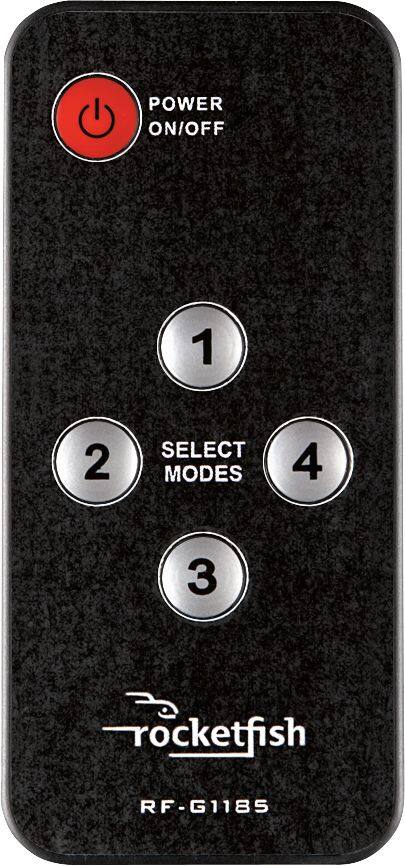
A:AnswerPlug all 3 into the 4-port switcher, the output HDMI directly to tv's hdmi port. Use the tv's optical audio output and run the toslink cable to A/V receiver or soundbar. Anything you hook up to hdmi, the tv's digital audio outputs transmit device audio.Use the remote that came with the switch box for best results.
A:AnswerThe computer would have to have a video card that had a HDMI and run that cable to port 2,then you could switch between port 1 for sat. tv and port 2 for computer either by manual or remote control.If you don't have a HDMI on your computer's video card you will need to replace it with one that does
A:AnswerYou can run Roku,gaming unit,computer etc,but not a soundbar.it is designed to run units that display video that has audio by HDMI through you tv speakers.if you have a optical or coaxial output on your tv, you can run that to soundbar
A:AnswerYour Apple tv is intended to be connected to the tv.Try plugging the output of 4-port switcher to a hdmi on your tv,then use your optical audio output {toslink cable} or coaxial audio output { rca type cable,the component cable thickness type not the spagettii size wires} whichever audio output your tv has and run that to your optical or coaxial input on your receiver,then whatever you select on the 4-port switcher goes to the tv ,out the audio output of tv to the audio input on your reciever and that will solve the problem.will work for WIIU as well.
A:AnswerIn my past life I working in the operation division of the engineering department of what is now the ABC Family Channel. The quick off the top of the head answer to your question is that you are loosing sync when you are switching from one camera to another. To accomplish that kind of switching you need to have a video switch with a sync generator. That is the only way that I know of to switch from one camera to another seamlessly. There are no inexpensive solutions for this problem.
A:AnswerMake sure the speakers on your tv are not on mute,next try running your tv's optical audio output to a A/V receiver or soundbar, next return the Rocketfish to the store and tell them it is defective ang get a new one,mine works great so you might have gotten a bad one.By process of elimination,you will figure it out.Hope this helps
A:AnswerDidn't attempt to connect any of the above (other than cable). Tried the ole stand-bys: Blue Ray, Apple TV, etc. therefore I can't comment other than to say that if the more simple items didn't work...be advised. Good luck.