Rating 4.3 out of 5 stars with 235 reviews
4.3- Print Quality (60)
- Ease of use (35)
- Price (31)
- Size (9)
- Scanning (5)
- Wireless (11)
The vast majority of our reviews come from verified purchases. Reviews from customers may include My Best Buy members, employees, and Tech Insider Network members (as tagged). Select reviewers may receive discounted products, promotional considerations or entries into drawings for honest, helpful reviews.
- Rated 5 out of 5 stars
Dude, the party is BYOU (Bring Your Own USB Cable)
Printer/Copier/Scanner. NO FAX. Works flawlessly via USB. USB CABLE IS NOT INCLUDED which almost caused me to knock it down a star and not a very cool move by Canon since THIS IS A USB PRINTER and all. Fortunately, I had a USB A-B cable lying around which I haven't used for years but came with a Canon scanner I purchased in 1998. Scanner is long gone, but the cable lives on! Included Ink will get you through several copies. Only worth it if you already have the USB A-B cable in my opinion. If you don't have one get the wireless version of this ($14 more). The difference in price is what it would cost for you to get a USB A-B cable anyway. Lol. Oh Canon...
Posted by Stallion
- Rated 5 out of 5 stars
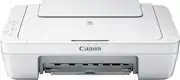
Canon - PIXMA MG2522 All-In-One Printer
I HAD A BIGGER BULKY HP 4630 ALL IN ONE THAT COPIED, SCANNED AND FAXED. it went thru alot of ink..sold it (i never used the fax option any way) and bought this on sale.love it !:).easy set up easy on ink quiet,,crisp sharp photo's and copies.i'm very pleased.just know if you do buy this cannon pixma you will need a printer to usb port cable,thats the only 2 cons i found,,didnt come with a cable too connect,,and i'd rather have this printer in black not white.other than that buy it,,use it great deal from cannon and best buy! ty :)
Posted by indianpony
- Rated 5 out of 5 stars
Very nice printer!
5 out of 5 stars. I love this printer. I use it to print simple things. Mostly things I type up. Recipes, calanders, to-do lists, etc. Everything always comes out great. I have printed a few pictures with it and they’re nice! I’m sure a printer specializing in printing pictures would print much better looking photos, but I really cannot complain on how this printer printed them. Not bad at all. Really nice printer if you’re printing out simple stuff! You really can’t beat it for the price. I also like how the ink for this printer is really really cheap. So when I do need to get more I’m not spending an arm and a leg. Extremely happy with my purchase!
Posted by Rachel
- Rated 5 out of 5 stars
Works great
I needed an all in one printer that could be easily carried from room to room. Wi-Fi was not an issue so I decided to give it a try. I was surprised and pleased to find it also came with the cord that was needed (the cord isn't very long so keep that in mind). The software for the printer was easy enough to install however I did have issues with one of the extra software that came with it (could have just been my pc) Prints great, scans well and best of all it isn't loud. I can use it late nights with no worries of waking the family. Ink is no higher for this printer than it is for any of the others. Best purchase I have made from Best Buy in 5yrs. Fast shipping had it in 3 days
Posted by NanaBanana
- Rated 5 out of 5 stars
Great little printer/scanner
I haven't had a printer since college. They are like a check book in my mind, just not necessary anymore. With my son now in middle school, homework is digitally sent to kids/parents and needs to be printed from time to time. Knowing I would not need to print often, I went for the cheapest I could find. I am pleasantly surprised by this printer. Clear quick prints. Great quality scans. Even printed well on cardstock paper. Would totally recommend for someone who just "needs a printer". You will get well more than what you should for so cheap.
Posted by mrcutz