Laptop Backups
-
Acronis - True Image 2025 3 PC/Mac - Android, Apple iOS, Mac OS, Windows [Digital]
SKU: J3GW3VPSCRSee all Internet Security SoftwareProduct Description
A comprehensive digital backup solution offering fast recovery, disk cloning, and flexible scheduling across multiple operating systems.Your price for this item is $86.99Save $23The previous price was $109.99 -
Acronis - True Image 2025 1 PC/Mac - Android, Apple iOS, Mac OS, Windows [Digital]
SKU: J3GW3VPSCGSee all Internet Security SoftwareProduct Description
A comprehensive digital backup solution offering fast recovery, disk cloning, and flexible scheduling across major operating systems.Your price for this item is $64.99Save $15The previous price was $79.99 -
Acronis - True Image 2025 5 PC/Mac - Android, Apple iOS, Mac OS, Windows [Digital]
SKU: J3GW3VPSC4See all Internet Security SoftwareProduct Description
A comprehensive digital backup solution offering fast recovery, disk cloning, and flexible scheduling across multiple operating systems.Your price for this item is $104.99Save $35The previous price was $139.99
![Acronis - True Image 2025 3 PC/Mac - Android, Apple iOS, Mac OS, Windows [Digital]](https://pisces.bbystatic.com/image2/BestBuy_US/images/products/fe5bd621-39b2-41a5-95af-98da753e738f.jpg)
![Acronis - True Image 2025 1 PC/Mac - Android, Apple iOS, Mac OS, Windows [Digital]](https://pisces.bbystatic.com/image2/BestBuy_US/images/products/89584ac2-5c86-471f-aaa1-9fe53a7e26e0.jpg)
![Acronis - True Image 2025 5 PC/Mac - Android, Apple iOS, Mac OS, Windows [Digital]](https://pisces.bbystatic.com/image2/BestBuy_US/images/products/ca7c8e40-d0c1-4286-85c1-b916e4ab4652.jpg)
Best Sellers
![NordVPN - VPN Software (1-Year Subscription) - Android, Apple iOS, Linux, Mac OS, Windows [Digital]](https://pisces.bbystatic.com/image2/BestBuy_US/images/products/6540/6540971_sd.jpg;maxHeight=144;maxWidth=200?format=webp)


![ESET - Home Security Premium (3-Device) (1-Year Subscription) - Windows, Mac OS, Android [Digital]](https://pisces.bbystatic.com/image2/BestBuy_US/images/products/30323dad-1a23-448e-8748-6f6734207721.jpg;maxHeight=144;maxWidth=200?format=webp)
![ESET - Home Security Essential (3-Device) (1-Year Subscription) - Windows, Mac OS, Android [Digital]](https://pisces.bbystatic.com/image2/BestBuy_US/images/products/3a26b8b8-74fa-4afb-a1ad-62ebc46327a3.jpg;maxHeight=144;maxWidth=200?format=webp)
![ESET - Home Security Premium (5-Device) (1-Year Subscription) - Windows, Mac OS, Android [Digital]](https://pisces.bbystatic.com/image2/BestBuy_US/images/products/b84e09e7-ff8d-44b4-a6a7-31042ae2466e.jpg;maxHeight=144;maxWidth=200?format=webp)
![Acronis - True Image 2025 3 PC/Mac - Android, Apple iOS, Mac OS, Windows [Digital]](https://pisces.bbystatic.com/image2/BestBuy_US/images/products/fe5bd621-39b2-41a5-95af-98da753e738f.jpg;maxHeight=144;maxWidth=200?format=webp)
Related Pages







FAQ
A laptop backup is a copy of your important files, documents, photos, and system settings stored separately from your device. Backing up your laptop protects your data from loss due to hardware failure, accidental deletion, theft, or malware, ensuring you can easily recover your information if something goes wrong.
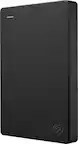
You can use a variety of devices for laptop backups, including external hard drives, portable SSDs, USB flash drives, and network-attached storage (NAS) systems. Cloud-based backup solutions are also popular, allowing you to store your data securely online.
Yes, many backup devices and software solutions support automatic backups. You can schedule regular backups to occur daily, weekly, or at intervals of your choice, ensuring your data is always up to date without manual intervention.
Most modern backup devices are compatible with both Windows and Mac laptops. Some may require you to reformat the device or install specific software for optimal performance. Always check the product specifications for compatibility details.
Restoring data from a backup device typically involves connecting the device to your laptop and using backup software or your operating system’s built-in restore feature. You can select specific files or restore your entire system, depending on your needs and the backup method used.