Nintendo Switch Family Membership
-
Nintendo - Switch Online 12-Month Family Membership [Digital]
SKU: JCQ6HSWPJRGreat deal. Family membership and a micro sd card. Love best buy deals....Best gift ever. My children love the online options available....Great Gaming option...Great deal
See all Gaming SubscriptionsProduct Description
A digital family membership offering online multiplayer, GameChat, cloud saves, and 150+ classic Nintendo games.Your price for this item is $34.99 -
Nintendo - Switch Online + Expansion Pack Family Membership [Digital]
SKU: JCQ6HT7FLRGreat value for classics!...Best value for this product, and it's still expanding it's offerings!...Great familiar membership...This is the best Nintendo membership to share with your family or even friends!...
See all Gaming SubscriptionsProduct Description
A digital family membership offering online play, GameChat, and access to classic Nintendo and SEGA games.Your price for this item is $79.99 -
1 mo Nintendo Switch Online Individual - Nintendo Switch – OLED Model, Nintendo Switch, Nintendo Switch Lite [Digital]
SKU: JCQ6HKLRV9Great...Best deal couple you can get its also very convenient...Best Buys Best Customer here...I checked my email and saw that Best Buy sent me a month free of Nintendo online i’m already a Best Buy...+...
See all Game DownloadsProduct Description
A digital membership offering online play, classic game libraries, cloud saves, and exclusive music app access.Your price for this item is $3.99 -
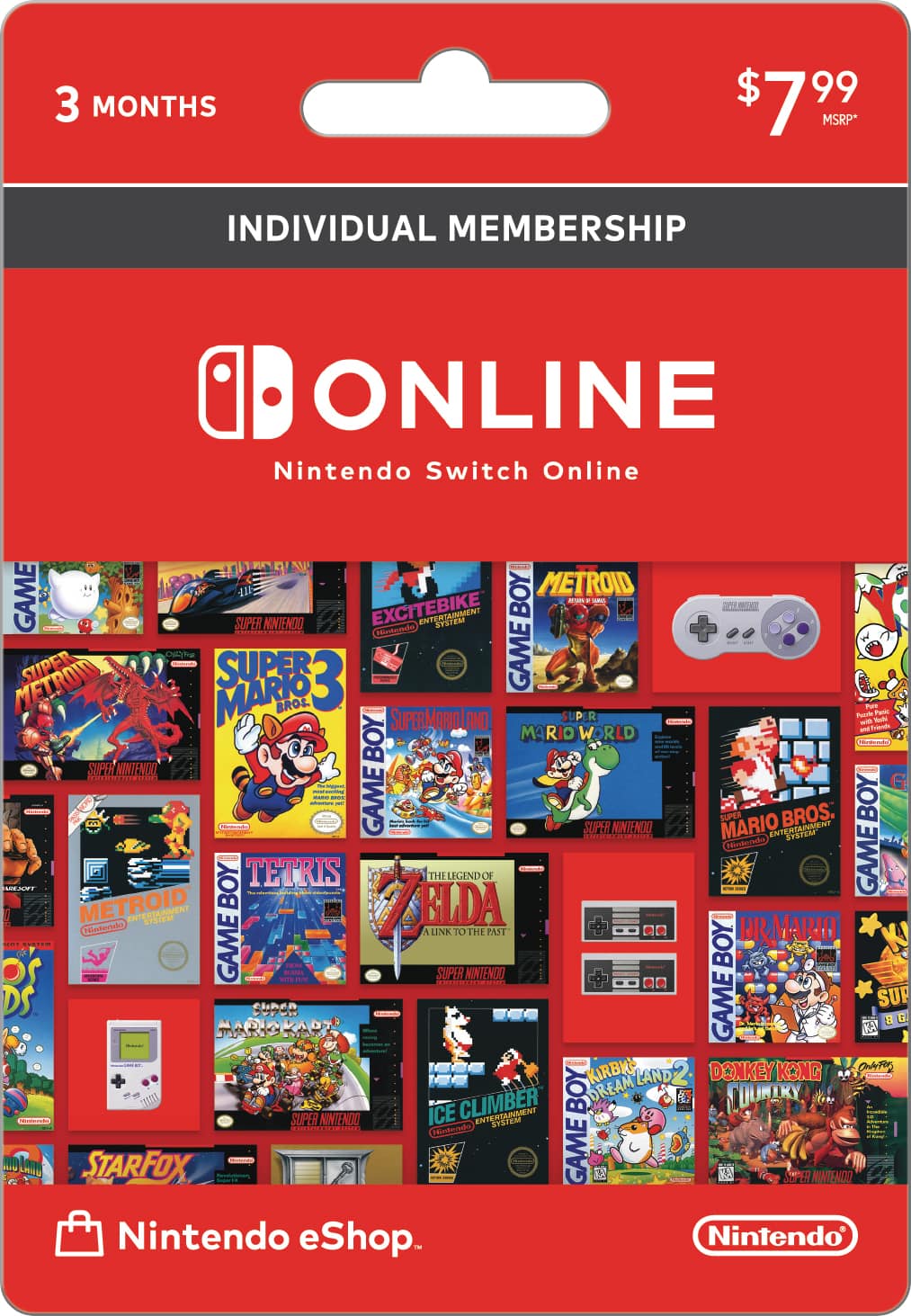
Nintendo - Switch Online 3 Month Individual Membership Card
SKU: JJG34YK665See all Gaming SubscriptionsProduct Description
A three-month membership card unlocking online play and classic NES games for Nintendo Switch users.Your price for this item is $7.99
![Nintendo - Switch Online 12-Month Family Membership [Digital]](https://pisces.bbystatic.com/image2/BestBuy_US/images/products/befc1c18-e5e3-4dfe-acb4-29e0b6882acf.jpg)
![Nintendo - Switch Online + Expansion Pack Family Membership [Digital]](https://pisces.bbystatic.com/image2/BestBuy_US/images/products/f0239dd4-70c2-415d-b5e3-3735789f3faa.png)
![1 mo Nintendo Switch Online Individual - Nintendo Switch – OLED Model, Nintendo Switch, Nintendo Switch Lite [Digital]](https://pisces.bbystatic.com/image2/BestBuy_US/images/products/b24838ec-b479-4545-a103-5cf6b45b5181.png)
Best Sellers
![Nintendo - Switch Online 3-Month Individual Membership [Digital]](https://pisces.bbystatic.com/image2/BestBuy_US/images/products/6df6756d-5872-42cc-a11f-e0d0634117ff.jpg;maxHeight=144;maxWidth=200?format=webp)
![Nintendo - Switch Online 12-Month Individual Membership [Digital]](https://pisces.bbystatic.com/image2/BestBuy_US/images/products/abe9a9a8-91a8-4331-896f-f34164230d56.jpg;maxHeight=144;maxWidth=200?format=webp)
![Nintendo - Switch Online 12-Month Family Membership [Digital]](https://pisces.bbystatic.com/image2/BestBuy_US/images/products/befc1c18-e5e3-4dfe-acb4-29e0b6882acf.jpg;maxHeight=144;maxWidth=200?format=webp)
![Microsoft - XBOX Game Pass Essential 12-Month Membership [Digital]](https://pisces.bbystatic.com/image2/BestBuy_US/images/products/d0fc8bd2-1dbe-4ed1-9a1c-a0ee8501f070.jpg;maxHeight=144;maxWidth=200?format=webp)
![Nintendo - Switch Online + Expansion Pack Individual Membership [Digital]](https://pisces.bbystatic.com/image2/BestBuy_US/images/products/5f099afe-96cd-463b-aef0-030f0de8d20a.png;maxHeight=144;maxWidth=200?format=webp)
![Nintendo - Switch Online + Expansion Pack Family Membership [Digital]](https://pisces.bbystatic.com/image2/BestBuy_US/images/products/f0239dd4-70c2-415d-b5e3-3735789f3faa.png;maxHeight=144;maxWidth=200?format=webp)
Related Pages



FAQ
A Nintendo Switch Family Membership allows up to eight Nintendo Account holders to enjoy Nintendo Switch Online services, including online multiplayer, access to a library of classic NES and Super NES games, cloud save backup, and special offers.
To add family members, log in to your Nintendo Account, create or join a Family Group, and invite up to seven additional Nintendo Account holders. Once they accept the invitation, they will have access to Nintendo Switch Online benefits.
Yes, each member of the Family Membership can use their own Nintendo Switch console. As long as their Nintendo Account is part of the Family Group, they can access Nintendo Switch Online features on any compatible device.
Yes, parental controls can be set up for each Nintendo Account within the Family Group. This allows parents or guardians to manage play time, restrict content, and monitor activity for child accounts.
With a Family Membership, you get access to a growing library of classic NES and Super NES titles, including favorites like Super Mario Bros., The Legend of Zelda, Donkey Kong, and more. New games are added regularly to the collection.