Explore the latest Back to School techShop now

Main Content

Explore the latest Back to School techShop now

Main Content

Graphics Card Fan

Enhance your gaming and computing experience with top-quality graphics card fans designed to keep your system running smoothly and efficiently. Whether you're a hardcore gamer, a creative professional, or simply someone who demands the best from their PC, having a reliable cooling solution is essential for maintaining optimal performance. Graphics card fans play a crucial role in dissipating heat, ensuring that your GPU stays cool even during intense sessions. Explore our selection of graphics card fans to find the perfect match for your setup, offering compatibility, efficiency, and quiet operation to elevate your tech experience to new heights.

Read More
Results
Main Results
  1. XFX - Swift AMD Radeon RX 9070GRE Triple Fan Gaming Graphics Card with 12GB GDDR6 PCI Express 5.0 HDMI 3xDP, AMD RDNA 4 - Black

    SKU: J39HPQ83YJ

    Best 2k GPU

    Product Description

    A black triple-fan graphics card with 12GB GDDR6, RDNA 4 architecture, and 8K maximum resolution.
    See all GPUs / Video Graphics Cards
    Your price for this item is $549.99
  2. XFX - Swift AMD Radeon RX 9070GRE Triple Fan Gaming Graphics Card with 12GB GDDR6 PCI Express 5.0 HDMI 3xDP, AMD RDNA 4 - White

    SKU: J39HPQ8852

    Product Description

    A white triple-fan graphics card with 12GB GDDR6, PCIe 5.0, and AMD RDNA 4 architecture for 4K gaming.
    See all GPUs / Video Graphics Cards
    Your price for this item is $569.99
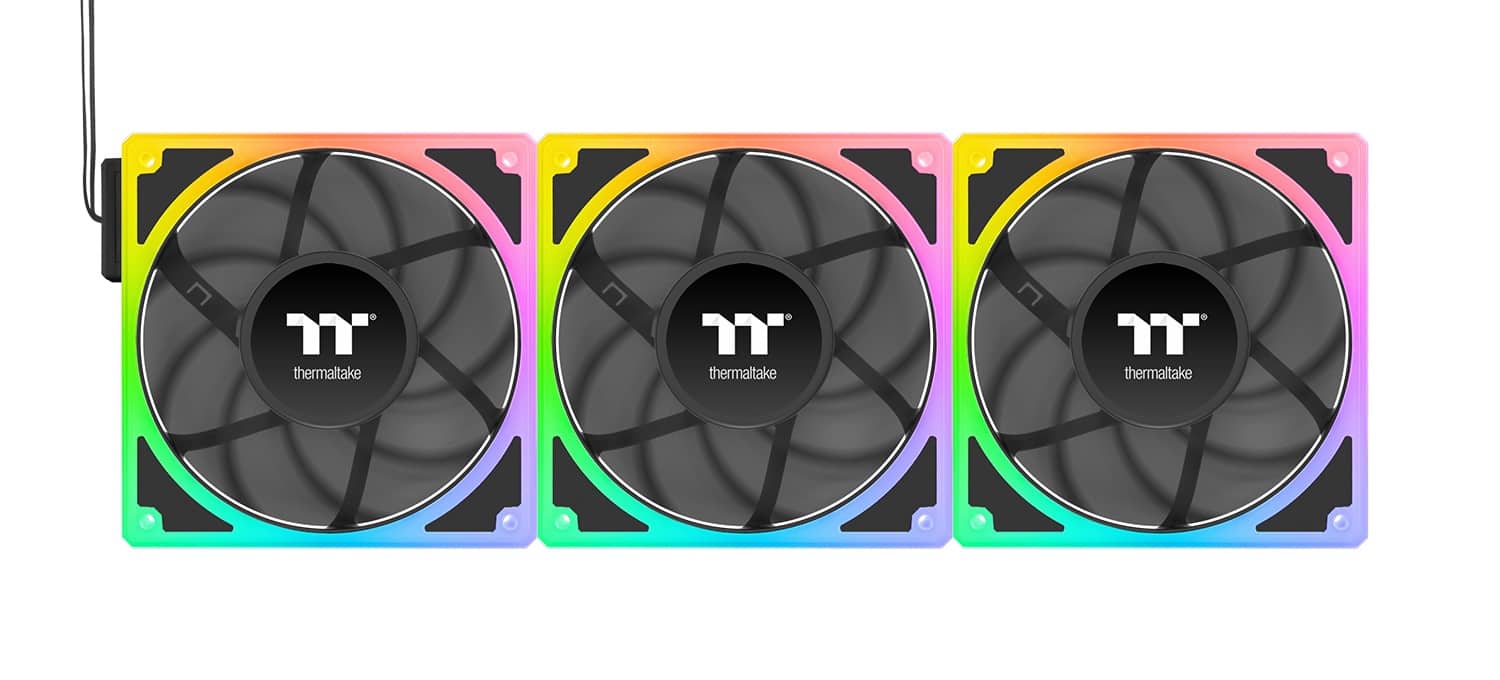
  3. Thermaltake - SWAFAN EX12 ARGB Sync 120mm Computer Case Cooling Fan TT Premium Edition (3-Pack) - Snow

    SKU: J39ZPC9W7P

    Product Description

    A white ARGB case fan 3-pack featuring magnetic daisy-chaining, swappable blades, and motherboard lighting control.
    See all Case Fans
    Your price for this item is $84.10
  4. Thermaltake - SWAFAN EX12 ARGB Sync 120mm Computer Case Cooling Fan TT Premium Edition (3-Pack) - Black

    SKU: J39ZPC9TVS

    Great daisy chain fans

    Product Description

    A black ARGB case fan 3-pack with magnetic daisy-chaining and swappable blades for easy PC builds.
    See all Case Fans
    Your price for this item is $82.92
  5. Thermaltake - CT120 EX ARGB Sync 120mm Computer Case Cooling Fan (3-Pack) - Gravel Sand

    SKU: J39ZPC6YXQ

    Product Description

    A three-pack of gravel sand-colored 120mm ARGB fans with magnetic connection and customizable lighting effects.
    See all Case Fans
    Your price for this item is $59.99
  6. Thermaltake - CT120 EX ARGB Sync 120mm Computer Case Cooling Fan (3-Pack) - Bumblebee

    SKU: J39ZPC6YXL

    Product Description

    A three-pack of bumblebee-colored 120mm ARGB case fans with MagForce 2.0 magnetic connection and RGB lighting.
    See all Case Fans
    Your price for this item is $51.99
    Save $8
    The previous price was $59.99
  7. Thermaltake - CT120 EX ARGB Sync 120mm Computer Case Cooling Fan (3-Pack) - White

    SKU: J39ZPC6JYV

    My only wish is that Best Buy would carry the reversible fan for this model....All in all, one of the most enjoyable builds that I have done and love the Thermaltake fans and the RGB...Absolutely love...

    Product Description

    A white 3-pack of 120mm ARGB case fans with magnetic connection and customizable RGB lighting.
    See all Case Fans
    Your price for this item is $53.99
    Save $6
    The previous price was $59.99
  8. Montech - GF120 ARGB PWM Hydraulic Bearing Fan 800-1600RPM, Low Noise 25.5dBA, High Airflow 66.3CFM, 4-Pin - 120mm - White

    SKU: C34KSQQQWT

    Product Description

    A white ARGB PWM case fan offering high airflow, low noise, and durable hydraulic bearing performance.
    See all Case Fans
    Your price for this item is $12.90

FAQ

A graphics card fan helps cool the GPU by dissipating heat generated during intense tasks like gaming or video editing, ensuring optimal performance and preventing overheating.

Graphics card fans are designed for specific GPU models or series. It's important to check the compatibility details in the product description to ensure a proper fit with your graphics card.

To install a new graphics card fan, power off your PC, remove the graphics card, and carefully detach the old fan. Attach the new fan according to the manufacturer’s instructions, reconnect all cables, and reassemble your PC.

While replacing a faulty or inefficient fan won't increase performance directly, it helps maintain lower temperatures, which can prevent thermal throttling and ensure your GPU runs at its best.

Yes, it's recommended to periodically clean your graphics card fan to remove dust and debris. This helps maintain efficient cooling and prolongs the lifespan of both the fan and the graphics card.