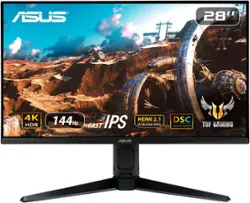
ASUS - TUF 28” Fast IPS 4K 144Hz HDMI 2.1 1ms G-SYNC/FreeSync Gaming Monitor with HDR (DisplayPort,USB) - Black
- Key Specs
- Refresh Rate: 144Hz (The number of frames per second the device can produce natively without enhancement. Higher rates help produce smooth, seamless pictures.)
- Maximum Resolution: 3840 x 2160 (Maximum resolution refers to the highest number of pixels that a screen can process and display. Higher resolution signals produce more detailed images.)
- Response Time: 1 milliseconds (The speed at which pixels can change colors is called response time. It is measured in milliseconds (ms).)
- Panel Type: IPS (Technology that affects response time and image quality.)
- Synchronization Technology: G-SYNC (NVIDIA Adaptive Sync), FreeSync Premium (AMD Adaptive Sync) (Generally, these technologies allow syncing between a computer/console game's frame rate and the device's refresh rate for a smoother display without tearing.)
- Screen Size: 28 inches (Size of the screen, measured diagonally from corner to corner.)
- Display Connector(s): 4 x HDMI (The number and type of connectors used to connect to an external display.)
- General
- Brand: ASUS
- Model Number: VG28UQL1A
- Product Name: TUF 28” Fast IPS 4K 144Hz HDMI 2.1 1ms G-SYNC/FreeSync Gaming Monitor with HDR (DisplayPort,USB)
- Color: Black
- Operating System Compatibility: Windows
- Display
- Refresh Rate: 144Hz (The number of frames per second the device can produce natively without enhancement. Higher rates help produce smooth, seamless pictures.)
- Maximum Resolution: 3840 x 2160 (Maximum resolution refers to the highest number of pixels that a screen can process and display. Higher resolution signals produce more detailed images.)
- Contrast Ratio: 1000:1 (Measured difference between a displayed image's brightest whites and darkest blacks. The larger the first number, the more detail and color that can be displayed.)
- Response Time: 1 milliseconds (The speed at which pixels can change colors is called response time. It is measured in milliseconds (ms).)
- Display Type: LED
- Panel Type: IPS (Technology that affects response time and image quality.)
- Synchronization Technology: G-SYNC (NVIDIA Adaptive Sync), FreeSync Premium (AMD Adaptive Sync) (Generally, these technologies allow syncing between a computer/console game's frame rate and the device's refresh rate for a smoother display without tearing.)
- Aspect Ratio: 16:9 (The measurement of the width of a screen compared to the height of a screen, expressed as a ratio.)
- Curved Screen: false
- Brightness: 300 candela per square meter (A measure of the total light output.)
- Screen Size: 28 inches (Size of the screen, measured diagonally from corner to corner.)
- High Dynamic Range (HDR): true (An HDR-compatible 4K TV or other HDR-compatible product displays HDR video content when it's available from sources like 4K Ultra HD Blu-ray Discs and 4K streaming services.)
- Connectivity
- Number of HDMI Inputs (Total): 4
- Display Connector(s): 4 x HDMI (The number and type of connectors used to connect to an external display.)
- Compatibility
- Wall Mountable: true (The product is able to be secured to a wall. Some products are designed ready to mount, while others may require additional hardware/accessories for installation.)
- Features
- Adjustable Stand Height: true
- Eye Relief Features: Low blue light, Flicker free
- Built-In Webcam: false
- Integrated Speaker(s): true
- Dimensions
- Product Height With Stand: 21.25 inches
- Product Height Without Stand: 14.54 inches
- Product Width: 25.2 inches (The out of box width of the item. Width is measured as the horizontal distance from one side of the item to the other as it would be primarily used or placed.)
- Product Weight: 15.21 pounds (The out of box weight of the item.)
- Stand Included: true
- Certifications Listings & Approvals
- ENERGY STAR Certified: true (Devices carrying the ENERGY STAR service mark, such as computer products and peripherals, kitchen appliances, and other products, generally use 20% to 30% less energy than required by federal standards.)
- EPEAT Qualified: true (The Electronic Product Environmental Assessment Tool (EPEAT) was designed to provide an environmental assessment tool for purchasers. In order to qualify for EPEAT, a product must meet all 23 required criteria.)
- EPEAT Level: Silver (The Electronic Product Environmental Assessment Tool (EPEAT) was designed to provide an environmental assessment tool for purchasers. In order to qualify for EPEAT, a product must meet all 23 required criteria. Products are rated Bronze, Silver or Gold based on how many of 28 optional criteria they meet (below 50%, 50%, 75%).)
- Warranty
- Warranty - Parts: 3 years
- Warranty - Labor: 3 years
- Other
- UPC: 195553043359
The 28-inch TUF Gaming VG28UQL1A 4K UHD gaming monitor featuring a Fast IPS panel and NVIDIA G-SYNC compatibility for blistering-fast 144 Hz gaming. Its clever combination of Display Stream Compression (DSC), ASUS Extreme Low Motion Blur Sync (ELMB Sync) and AMD FreeSync Premium technologies enables buttery-smooth gaming on PCs.
- 144Hz Rapid Refresh Rate: Features 144Hz refresh rate for ultra fast and smooth gameplay
- 4K HDR: 3840x2160 crystal image quality with HDR effect
- NVIDIA G-SYNC: G-SYNC Compatible, delivering a seamless, tear- free gaming experience by enabling VRR by default
- HDMI 2.1 Ultra High Speed: HDMI 2.1 supports native 4K 120 Hz gaming without chroma subsampling (4:4:4) on PlayStation 5 and Xbox Series X
- Fast IPS: Enables a 1ms response time for sharp gaming visuals with high frame rates
- ELMB SYNC: Enables ELMB together with VRR, eliminating ghosting and tearing for sharp gaming visuals
- Display Stream Compression: Supports Display Stream Compression technology for transporting ultra-high definition video streams
- ASUS AURA SYNC: Synchronizing up lighting effects between all Aura- capable peripherals
- AMD FreeSync Premium: With low input lag, you can hit that target just in time
- Viewing Angle: 178°(H)/178°(V)
- Brightness: 300 cd/㎡
- Contrast Ratio: 1000:1
- Response Time: 1ms
- Inputs/Connections: 2 x HDMI (v2.1) , 2 x HDMI (v2.0), 1 x DisplayPort (v1.4) DSC, 3.5 mini-jack, USB hub x2
Whats Included
- TUF 28” Fast IPS 4K 144Hz HDMI 2.1 1ms G-SYNC/FreeSync Gaming Monitor with HDR (DisplayPort,USB)
Q: What HDMI Ports Are HDMI 2.1 and HDMI 2.0?
A: There labeled on the back and in the monitor menu. Hdmi 1 and 2 are both 2.1. The rest are 2.0
Q: Which hdr rating is this monitor is it hdr 400 or Hdr 600?
A: It'll be DisplayHDR 400.
A: This model comes with DisplayPort 1.4 DSC(Display Stream Compression).
Q: Bought for my son. He is having trouble figuring out how to turn volume up and down. TIA
A: So looking at the back of the monitor at the bottom left theres a set of buttons . These buttons will allow you to bring up the menu and turn the volume up. But hear me out, if your son wants the best quality sound buy him a headphone set and mute the monitor. This is how i play and i own this monitor i use the turtle beach gen 2 headset that i bought from best buy its a perfect gaming set up
Q: Hi bestbuy, are you guys going to have more in stock? now its sold out. thank you
A: Inventory replenishes on a weekly basis, try periodically checking in to increase your chances.
A: I have had this monitor for a few months now and normally play long sessions and I have not noticed any of the issues above.
A: Have you tested your electrical socket? More common then you think. Can fry your electronics if your plugs are wired incorrectly. Worth checking. Cheap testers out there. • Wired Correctly • Reversed • Open Ground Hot/Ground • Open Neutral • Reversed • Open Hot Hot/Neutral • Dual Open Also are your inputs into the monitor pushed all the way in? If not it will cause buzzing.
Q: Does this monitor have picture-in-picture?
A: Yes, if you connect a notebook/desktop, you should be able to use PIP mode.
People also viewed
 $377.99The price was $379.99
 $1,099.99The price was $1,199.99
 $199.99The price was $459.99
Today's top picks
- $199.99The price was $459.99
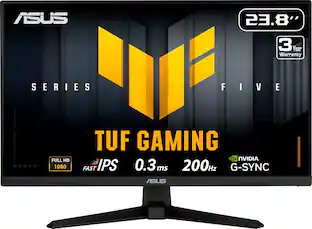 $109.99The price was $169.99
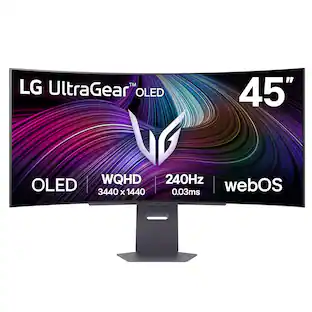 $1,099.99The price was $1,699.99
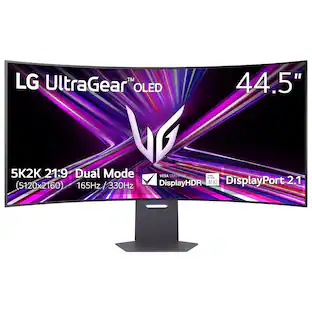 $1,599.99The price was $1,999.99
 $229.99The price was $329.99
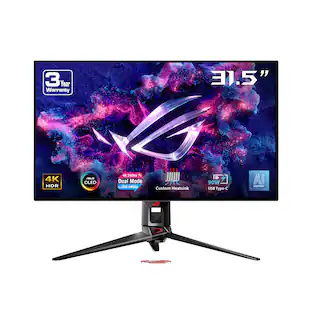 $1,199.99The price was $1,299.99
 $199.99The price was $249.99