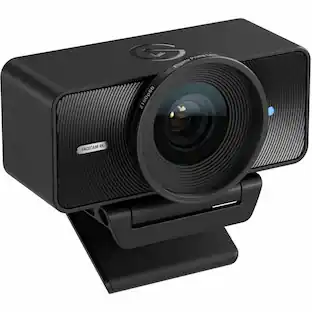
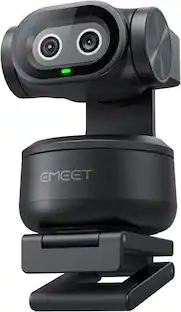
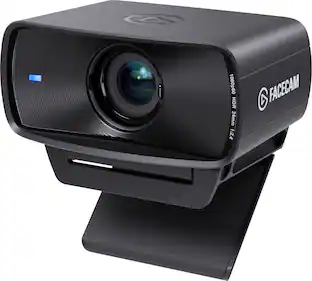
Elgato - Facecam Neo 1080p60 Full HD Webcam for Video Conferencing, Gaming, and Streaming - White
Customers are saying
Customers enjoy the exceptional image quality provided by this product, with users noting that it looks amazing on their monitors. However, some users have expressed concerns regarding the accuracy of the autofocus feature. Overall, the feedback highlights a clear divide between the high visual performance and the inconsistent focus capabilities.
True HD image
Capture more detail in ultra-sharp 1080p video.
Smoother motion
Move naturally with less motion blur in 60 fps.
Plug-’n-play
It’s ready out of the box, no software setup needed.
Ultra versatile
Works on laptop and shares to the apps you love.
Sleek Design
Looks stylish and sits low for better eye contact.
HDR Enabled
Make colors vibrant and look clear in harsh lighting.
Seamless mounting
Sits comfy on monitors and laptop screens.
Built-in privacy
Secure peace of mind with an easy-slide shutter.
Field of view (77°)
Puts your face in focus, not your background.
Camera Hub
Includes optional app to customize your image.
Stream Deck
Turn on your camera or zoom in with a key press.
Neo for nature
Made and packaged with less plastic waste.
- Video ResolutionFull HD (1080p)
Reviews
Rating 4.2 out of 5 stars with 21 reviews
- Image Quality (9)
- Autofocus (4)
Customer Images
The vast majority of our reviews come from verified purchases. Reviews from customers may include My Best Buy members, employees, and Tech Insider Network members (as tagged). Select reviewers may receive discounted products, promotional considerations or entries into drawings for honest, helpful reviews.
Compare similar products

Great video made easy. Meet Facecam Neo, a plug-‘n-play cam with all the clarity and capabilities of premium video. It captures everyday meetings and livestreams in true 1080p60 HD, a dream compared to your laptop’s built-in camera. Getting started is as easy as a single USB connection, but to viewers you’ll look silky-smooth and oh-so-sharp. Facecam Neo mounts seamlessly to almost any monitor or laptop screen, sitting low profile to improve eye contact. It comes with Camera Hub app too, so you can customize your video using pro DSLR-like settings—if you want extra control. So you can switch on your cam with newfound confidence.

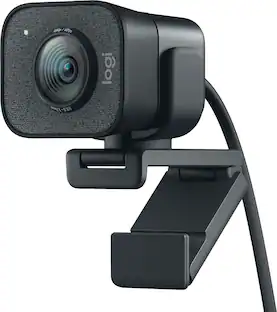
We think webcams should do more. With Facecam, you get not only 1080p 60fps capture, but also uncompressed, low-latency video in lifelike detail and color. Adept in low-light conditions, Facecam even overcomes tricky high-contrast lighting—like bright office windows—thanks to HDR capability. Its software, Camera Hub, offers not just superficial settings, but instead deep DSLR-style control such as ISO and shutter speed to customize your image. What’s more, your settings won’t disappear when you reboot or change computers. Loaded with features like cinematic FX and Stream Deck compatibility, Facecam does what other webcams don’t—because “good enough“ is no longer good enough.

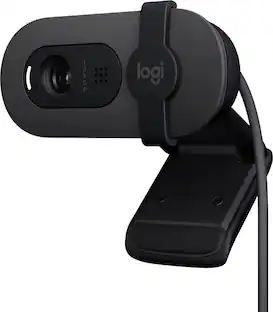
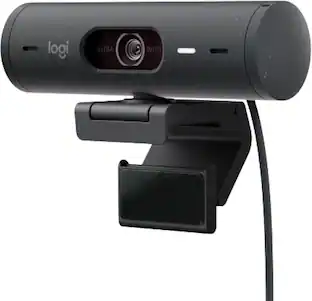
Look, sound, and meet better with Brio 100—a simple and affordable webcam that lets you show your best self in video calls. Full HD 1080p resolution and auto-light balance bring clarity and brightness to your calls, so you look your best. Sound better with a built-in microphone, and get total privacy with an integrated shutter.

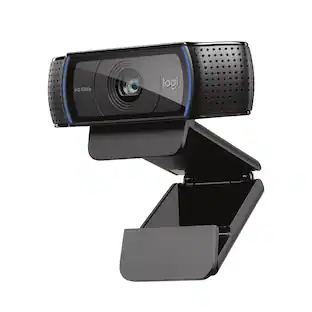
Logitech C920s is a budget-friendly, work-from-anywhere webcam that delivers a professional video meeting experience. It includes features designed to make you look and sound great in your next meeting. A 78º diagonal field of view perfectly frames you and your space, while autofocus adjusts smoothly and precisely. RightLight 2 technology automatically adjusts to your lighting situation even in low-light or backlit conditions. And dual integrated mics accurately capture your voice from multiple angles for greater nuance. If you’re streaming or recording, use Logitech’s Capture app to edit and customize. Flip down the lens cover at any point to protect your privacy.
| Pros for Elgato - Facecam Neo 1080p60 Full HD Webcam for Video Conferencing, Gaming, and Streaming - White | |||
|---|---|---|---|
| Image Quality | Image Quality, Setup, Ease of Use, Low Light Performance, Frame Rate | Image Quality, Ease of Use, Setup | Setup, Ease of Use, Video Quality, Overall Performance, Privacy Feature |
| Cons for Elgato - Facecam Neo 1080p60 Full HD Webcam for Video Conferencing, Gaming, and Streaming - White | |||
| Autofocus | Connectivity | Focus, Field of View, Connectivity, Mounting, Adjustability | Focus, Autofocus, Field of View, Compatibility, Cable Length |
Specs
Customers often buy these together
Microphones
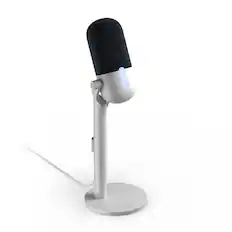
Elgato - Wave Neo Wired Cardioid Condenser USB Microphone - White
$63.99The price was $89.99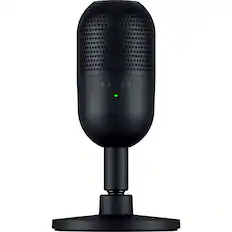
Razer - Seiren V3 Mini Wired Ultra-compact Condenser USB Microphone - Black
$53.99The price was $59.99
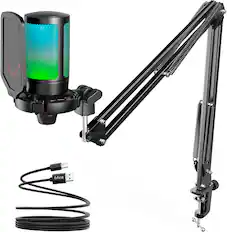
Photo and Video Lights


Customers ultimately bought
 Top Deal$109.99The price was $139.99
 $150.97The price was $169.99
Explore tech essentials Sponsored
- Top Deal$109.99The price was $139.99
 Top Deal$379.99The price was $579.99

Discover related products
 $17.95The price was $21.45
 $189.99The price was $249.99





Keep exploring
 $57.99The price was $76.48
 $269.00The price was $299.00
 $1,360.07The price was $1,427.99