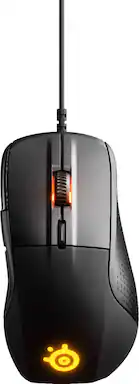
Rating 4.4 out of 5 stars with 58 reviews
4.4- Ergonomics (5)
- Responsiveness (5)
- Ease of use (4)
- Weight (14)
- Price (5)
- Size (5)
- Button Placement (3)
Customer Images
The vast majority of our reviews come from verified purchases. Reviews from customers may include My Best Buy members, employees, and Tech Insider Network members (as tagged). Select reviewers may receive discounted products, promotional considerations or entries into drawings for honest, helpful reviews.
- Rated 5 out of 5 stars
My favorite mouse hands down
Best mouse I’ve ever used, great weight, smooth, and the led screen is a nice touch! My only issue is they don’t make them anymore :)
Posted by JeremyS
- Rated 4 out of 5 stars
Accurate tracking, decent mouse
This mouse works accurately and is ergonomic. The third side "thumb" button is a plus. It would help if it were slightly closer but I have smaller hands.
Posted by Reichsmarschall
- Rated 5 out of 5 stars
Solved a long-running problem!
Long story short: I've used Logitech USB mice for years, and always set the thumb buttons to copy and paste. This functionality would work system-wide, both in Windows and Mac OS, in applications, on the web, in File Explorer, in the Finder. Doesn't sound like a big deal, but this was a great boost for my workflow. My job has been remote for the past 16 months and will likely remain that way indefinitely. I log into a Windows 10 environment from my Mac. My thumb button functionality worked through Remote Desktop, until for some unknown reason it just abruptly stopped last December, and I was back to hitting ctrl-C and ctrl-V. (Remote Desktop only, the functionality still worked on my Mac.) I finally reached my fill of the bugginess of Logitech's software, with the last straw being yesterday when it suddenly told me that it didn't detect a Logitech mouse. I plugged in 4 different mice and got the same message each time. Thumb buttons no longer worked. I did some research for a USB mouse with programmable buttons that is Mac OS compatible, and that brought me here. The mouse arrived today, I installed the SteelSeries software, assigned the buttons, checked it out in various Mac apps, then remoted into work, and was thrilled to discover that my thumb buttons work again via Remote Desktop. I'm not a gamer, and doubt that I ever will be. Additionally, this mouse is not a budget item; it's pretty expensive. However, it does exactly what I hoped it would do, and that's worth 5 stars to me!
Posted by Random
- Rated 5 out of 5 stars
Great if prefer heavier and larger mice
Not a fan of the trend toward lighter and smaller mice. Having previously owned a Sensei was going to pick up the newer version of it. Saw this one on clearance in store so decided to try it instead. It was a good decision as it’s been probably second favorite all time behind a Logitech G5 with added weights. The OLED is gimmicky as it’s incredibly more difficult to see than even the keyboard OLED. Would prefer to have seen an easier to find connector for the USB cable. As a problem with other Steelseries products, the new software is getting bloated. Engine works well enough and not any issues so far.
Posted by Likethestonk
- Rated 4 out of 5 stars
High tech and innovative, but too heavy
This is a really high-end mouse, gimmicks or no gimmicks. This mouse has a built-in & customizable vibration motor which can enhance in-game immersion similar to how rumble in a console controller enhances gameplay. The ergonomics are pretty good on here too but not as good as the rival 600. The build and material quality, as you would expect from Steelseries, is top-notch. The side-screen is kind of neat too and can even be customized to display various computer usage stats or GIFs. What I don't like about this mouse is how heavy it is; this mouse feels very dense and can be disadvantageous for competitive gaming (where again I would recommend the Rival 600 over this mouse for).
Posted by Monty