Early Black Friday DealsNew Doorbusters through SundayShop now

Main Content

Questions & Answers

Your price for this item is $52.99
Clearance
The comparable value price is $129.99
Page Showing 101-120 of 691 questions
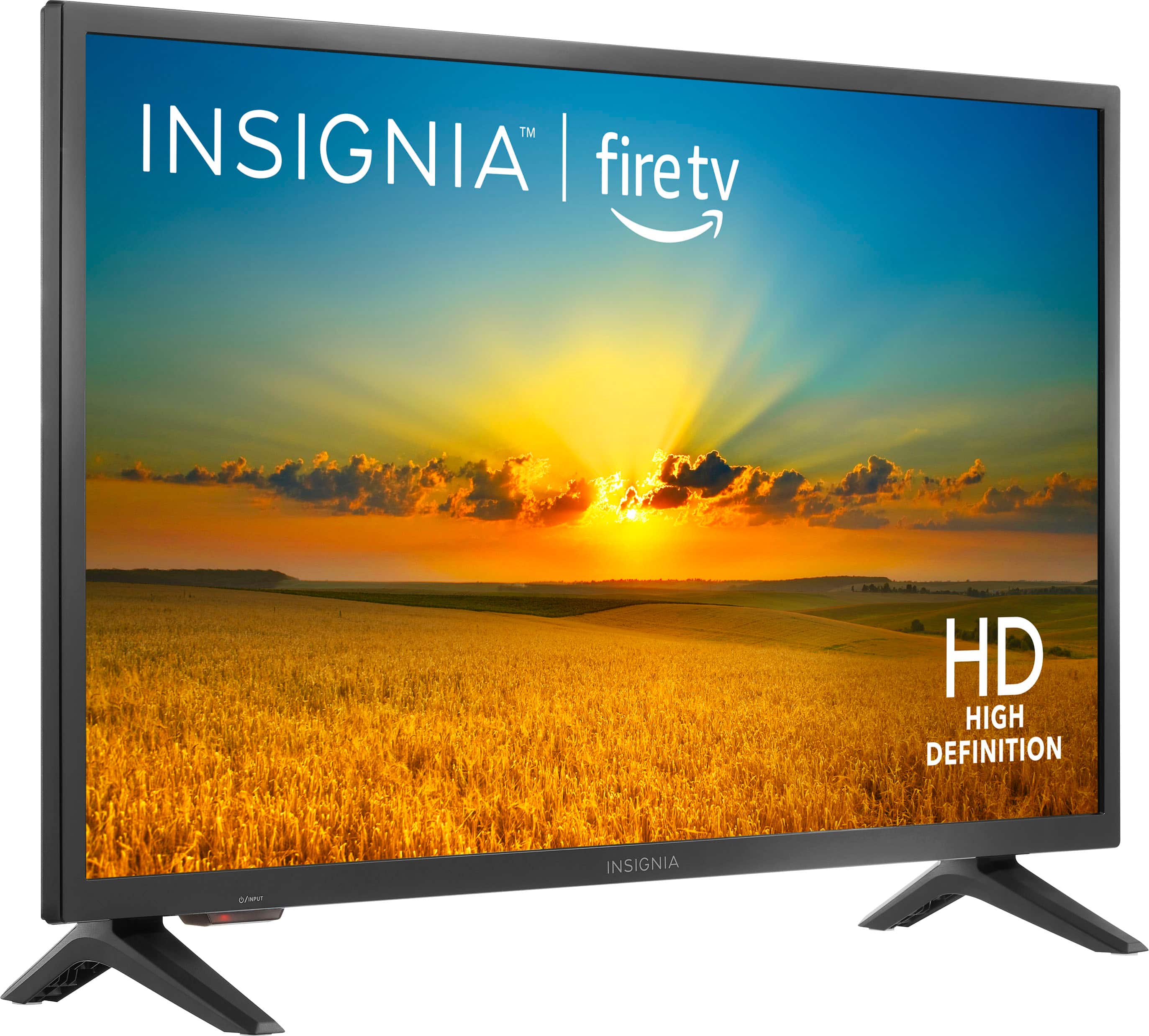
  • QuestionHow many HDMI ports does it have

    Asked by Anonymous.

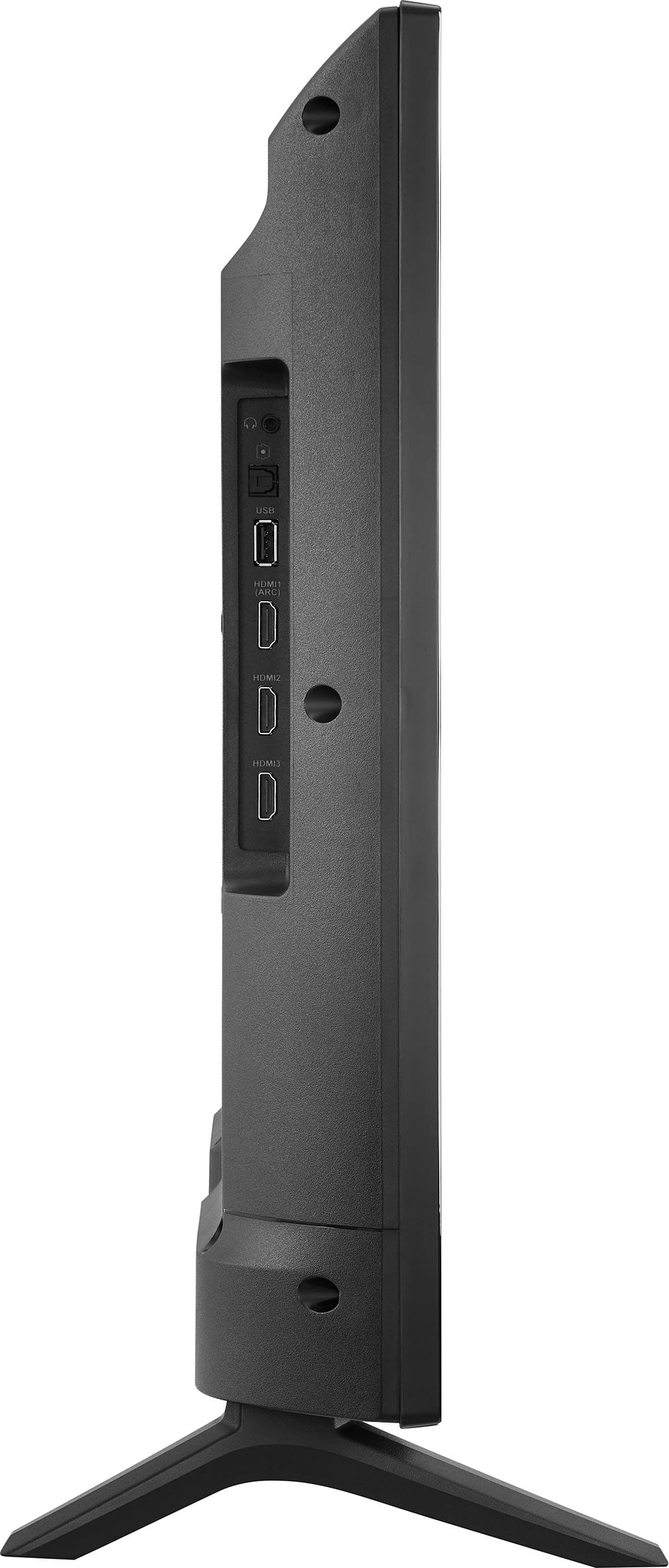
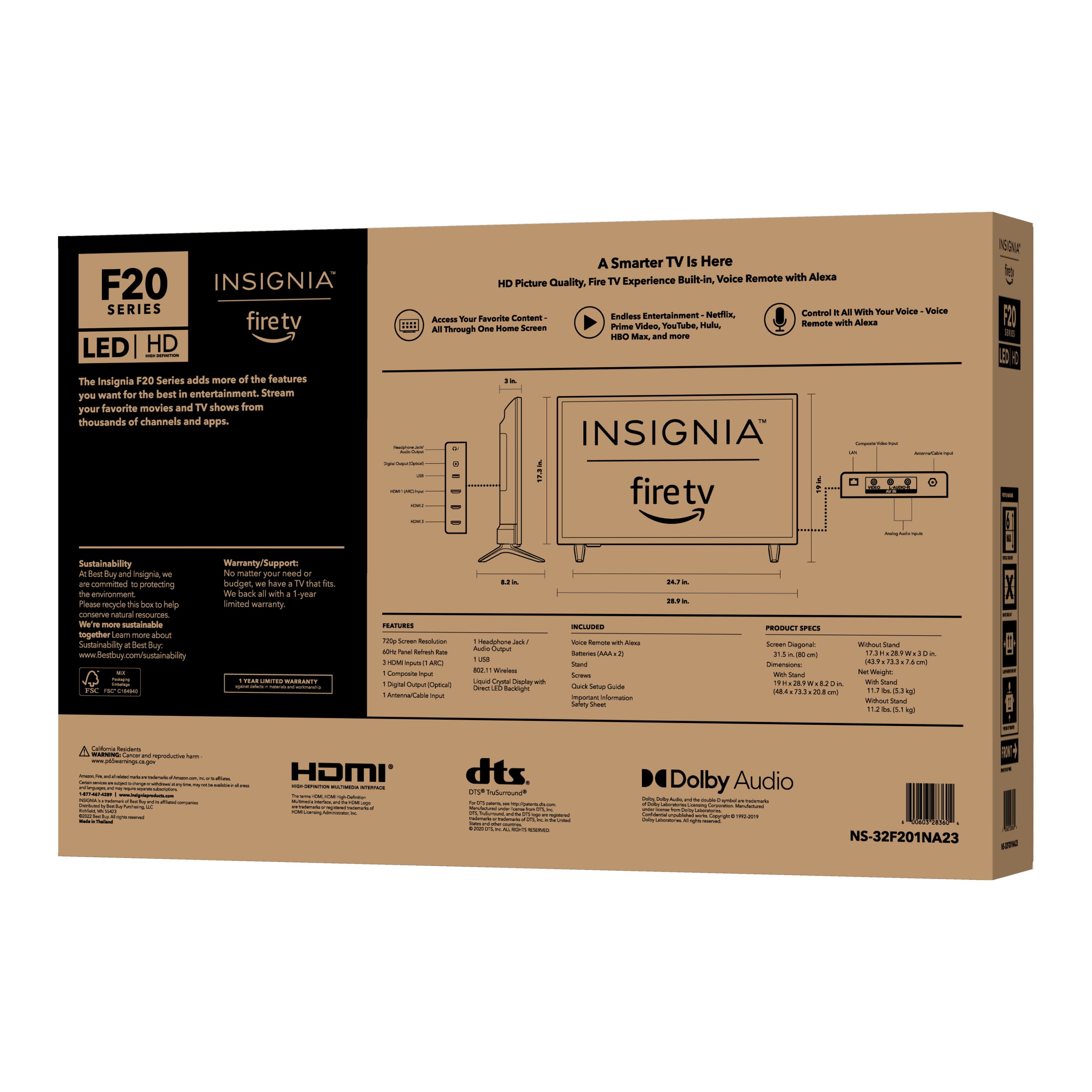
    • Answer Hi there! To answer your question, it has 3 HDMI port and 1 is an HDMI 1 Arc. For more product information, please visit the link below, and if needed further assistance, feel free to reach us out. |Angelica| Insignia Support| https://www.bestbuy.com/site/insignia-32-class-f20-series-led-hd-smart-fire-tv/6482022.p?skuId=6482022
      Answered by InsigniaCustomerSupport

  • QuestionHow can I add additional channels that Auto search did not find?

    Asked by rick.

    • Answer Hi rick, if your TV still can’t reach your preferred channel after doing the channel scan, it means that the antenna cannot receive the channel’s signal properly. - Carl | Insignia Support

      Answered by InsigniaCustomerSupport

  • Questionhow tall is this tv with its stand

    Asked by Anonymous.

    • Answer Hi there, thank you for your inquiry! The Insignia - 32" Class F20 Series LED HD Smart Fire TV (Model: NS-32F201NA23) is approximately 19 inches tall with its stand and 17.05 inches tall without its stand. For more information about this product, you may click this link: https://www.bestbuy.com/site/insignia-32-class-f20-series-led-hd-smart-fire-tv/6482022.p?skuId=6482022. Carlo | Insignia Products

      Answered by InsigniaCustomerSupport

  • Questioncan this unit play DVD are show me one that will

    Asked by James.

    • Answer If you have a dvd player sure…. It has the connections to plug in

      Answered by Tomboyent

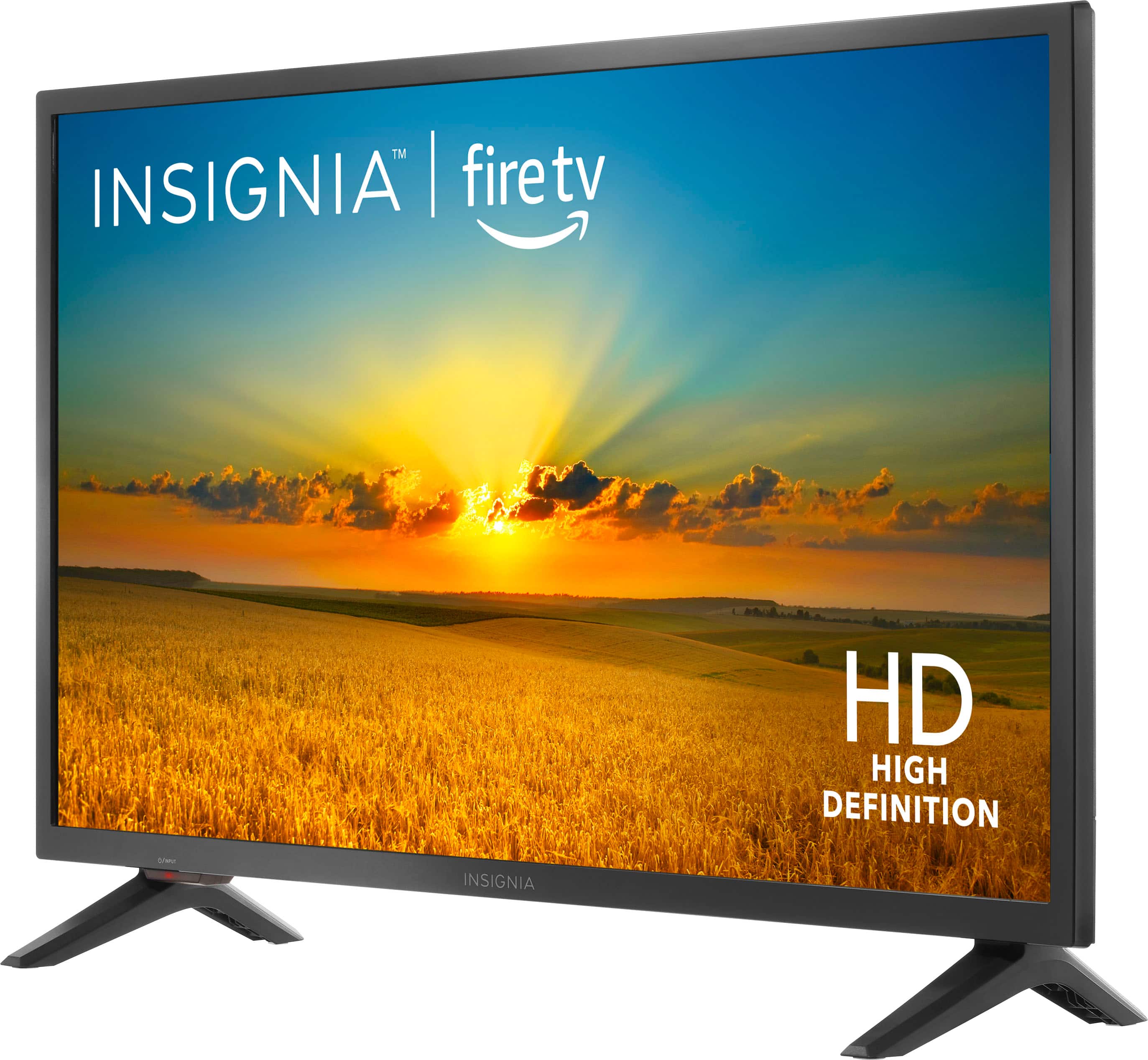
  • QuestionHow much does tv weigh

    Asked by Anonymous.

    • Answer Hi, thank you for showing interest in our product. The weight of this Insignia™ - 32" Class F20 Series LED HD Smart Fire TV with the stand is 11.7 pounds and without the stand is 11.2 pounds. If you need further question or assistance, do not hesitate to reach us. Patricia | Insignia Support https://www.bestbuy.com/site/insignia-32-class-f20-series-led-hd-smart-fire-tv/6482022.p?skuId=6482022
      Answered by InsigniaCustomerSupport

  • QuestionHOW THICK IS IT

    Asked by FRANK.

    • Answer Thank you for your inquiry! The Insignia 32" Class F20 Series LED HD Smart Fire TV is approximately 3.2 inches thick. Keith | Insignia Support https://www.bestbuy.com/site/insignia-32-class-f20-series-led-hd-smart-fire-tv/6482022.p?skuId=6482022
      Answered by InsigniaCustomerSupport

  • QuestionCan I plug in a wired, external speaker, into the headphone jack and what size male plug is it? Thanks

    Asked by TechnologicallyChallenged.

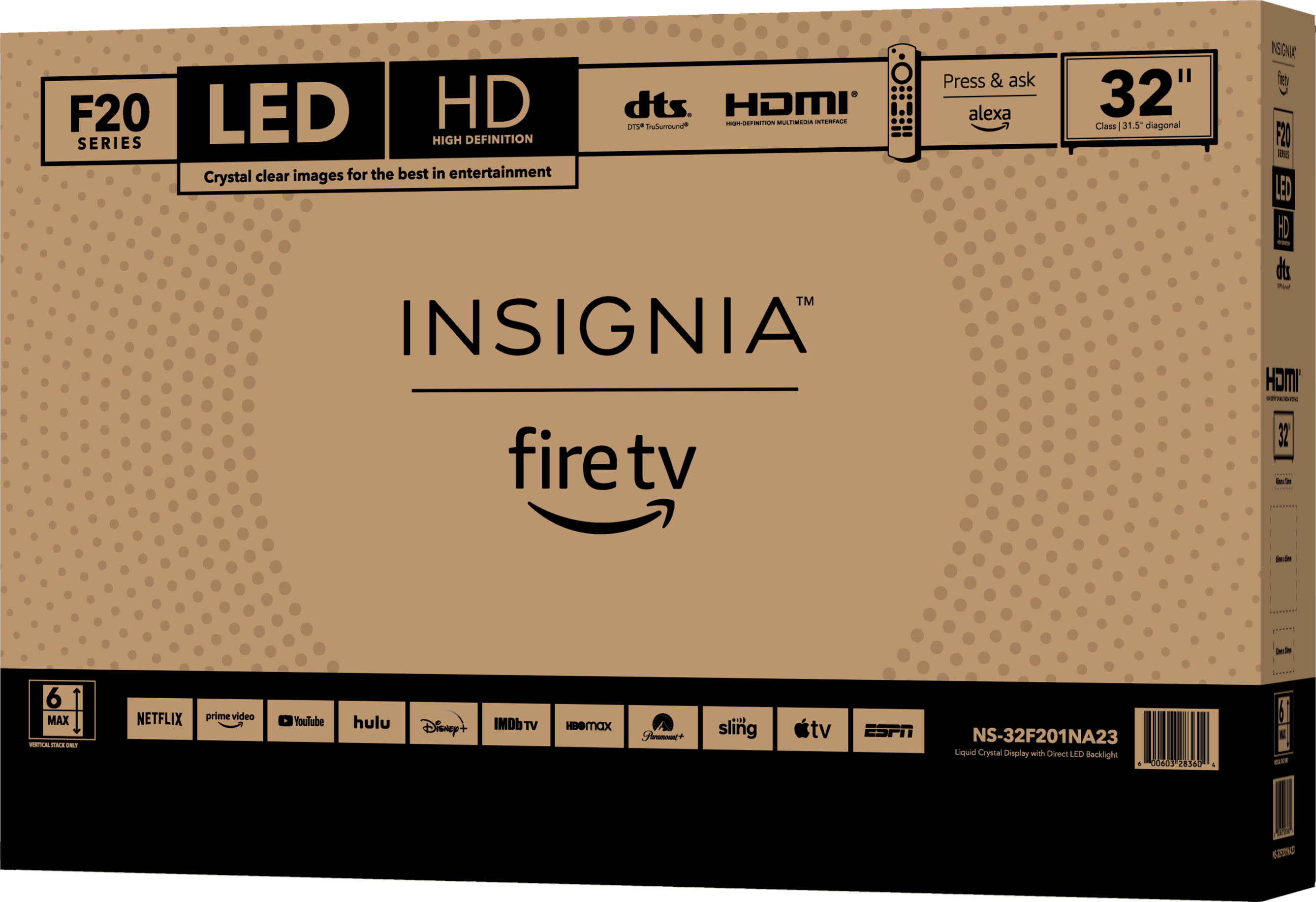
    • Answer Thank you for your interest! Yes, you can plug in a wired external speaker into the headphone jack of the Insignia™ - 32" Class F20 Series LED HD Smart Fire TV. The headphone jack on this TV uses a standard 3.5mm male plug. This setup will allow you to enjoy audio from your TV through your external speaker. Keith | Insignia Support https://www.bestbuy.com/site/insignia-32-class-f20-series-led-hd-smart-fire-tv/6482022.p?skuId=6482022
      Answered by InsigniaCustomerSupport

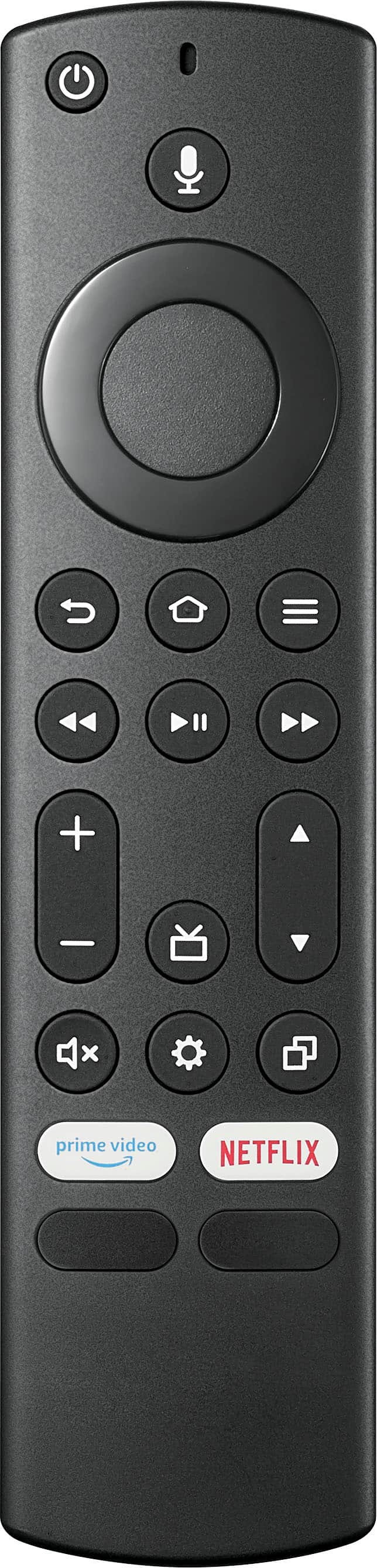
  • QuestionCan I wirelessly display from my Dell laptop (Latitude 3540) to this TV? Looking to use this for meetings in an office.

    Asked by Gus.

    • Answer Hi Gus! Yes, you can wirelessly display from your Dell laptop to the Insignia™ 32" Class F20 Series LED HD Smart Fire TV by using a wireless display adapter such as Chromecast, Miracast, or AirPlay. These adapters allow you to mirror your laptop's screen to the TV wirelessly, making it easy for you to use the TV for meetings in an office. Just make sure that both your laptop and the TV are connected to the same Wi-Fi network for seamless connectivity. JC | Insignia Support https://www.bestbuy.com/site/insignia-32-class-f20-series-led-hd-smart-fire-tv/6482022.p?skuId=6482022
      Answered by InsigniaCustomerSupport

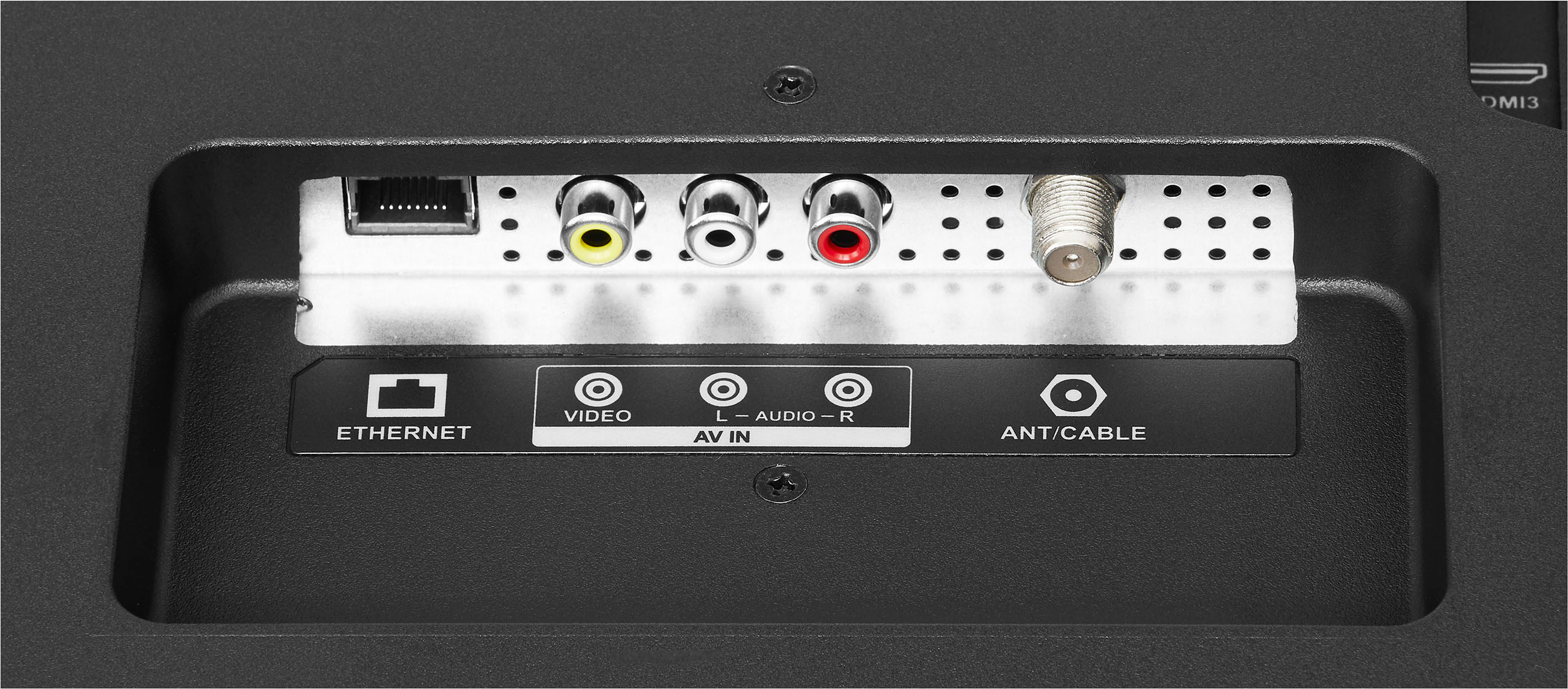
  • QuestionHow do change the inputs to the different HDMI ports?

    Asked by RickInGilbert.

    • Answer Hi RickInGilbert, thank you for letting us know your concern. To change the inputs on your Insignia™ - 32" Class F20 Series LED HD Smart Fire TV, simply navigate to the "Home" menu, then select "Settings" followed by "Inputs." From there, you can customize and select the desired input options. Let us know if there is anything we can do to help. Patricia | Insignia Support https://www.bestbuy.com/site/insignia-32-class-f20-series-led-hd-smart-fire-tv/6482022.p?skuId=6482022
      Answered by InsigniaCustomerSupport

  • QuestionCan you use ear plugs with this TV

    Asked by Dmva.

    • Answer Yes

      Answered by LashondaW

  • QuestionCan you hook a dvd player up to this?

    Asked by Oldschool.

    • Answer I hooked my combo player to it. I haven’t used it yet, but I’m confident it’ll work the same.

      Answered by Traitor29

  • QuestionWhere can I get an Insignia replacement remote for a tv that is not a smart fire tv?

    Asked by MissC.

    • Answer You can try Amazon or Walmart

      Answered by TanieshaP

  • QuestionIs there a way to put a center stand on this Tv instead of using those 2 legs ?

    Asked by Wackman.

    • Answer you can do a wall mount or an add on center mount.

      Answered by EdwardO

  • QuestionDoes this tv model have the hardware in the back for tilt straps to be attached.

    Asked by Play2Sleep.

  • QuestionDoes this tv have YouTube app?

    Asked by Dee.

    • Answer Yes it does

      Answered by Pattie

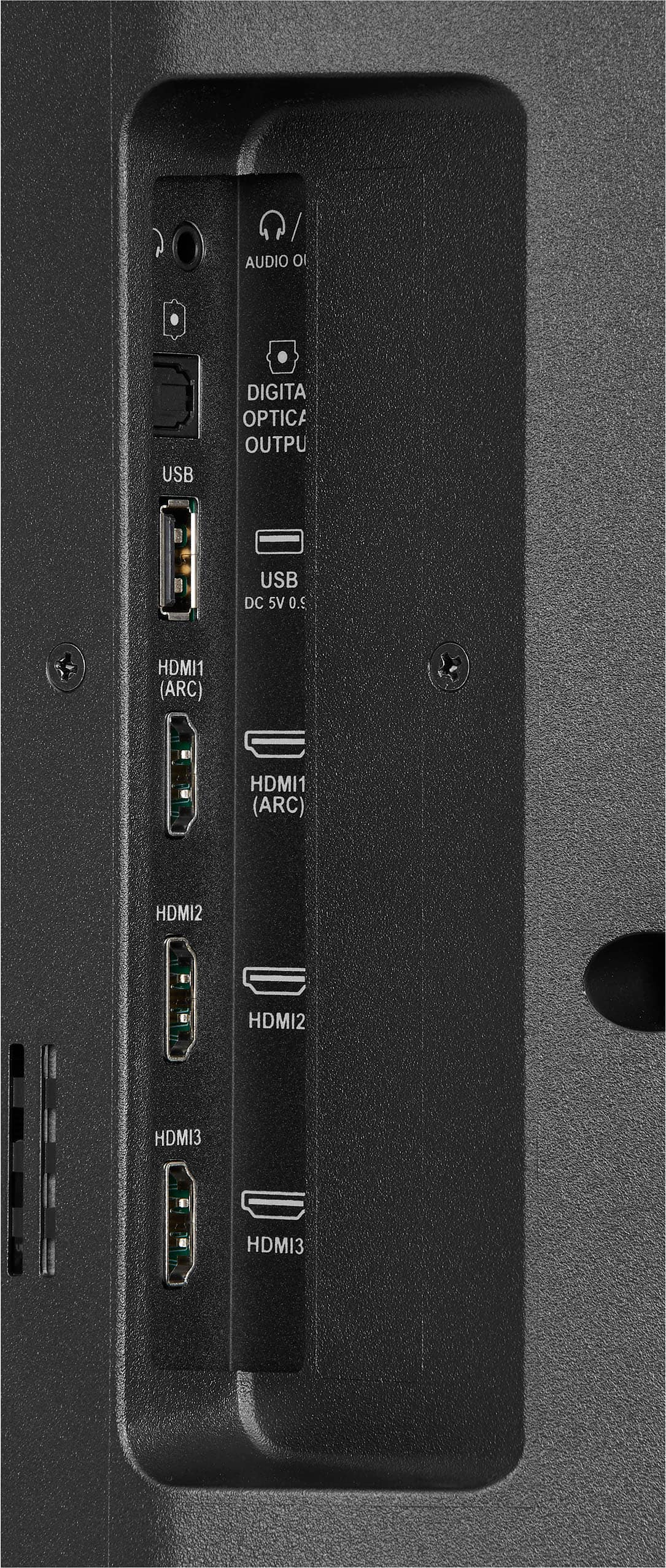
  • QuestionWhere is the headphone jack located? I do not see it in any of the photos.

    Asked by shopperr.

    • Answer Hi shopperr, the audio out/headphone jack is conveniently located at the back of the TV, on the left side. This allows for easy access while ensuring a tidy setup. If you have any further questions about its location or functionality, feel free to reach out. We're here to assist you! Jeth | Insignia™ Support. https://www.bestbuy.com/site/insignia-32-class-f20-series-led-hd-smart-fire-tv/6482022.p?skuId=6482022
      Answered by InsigniaCustomerSupport

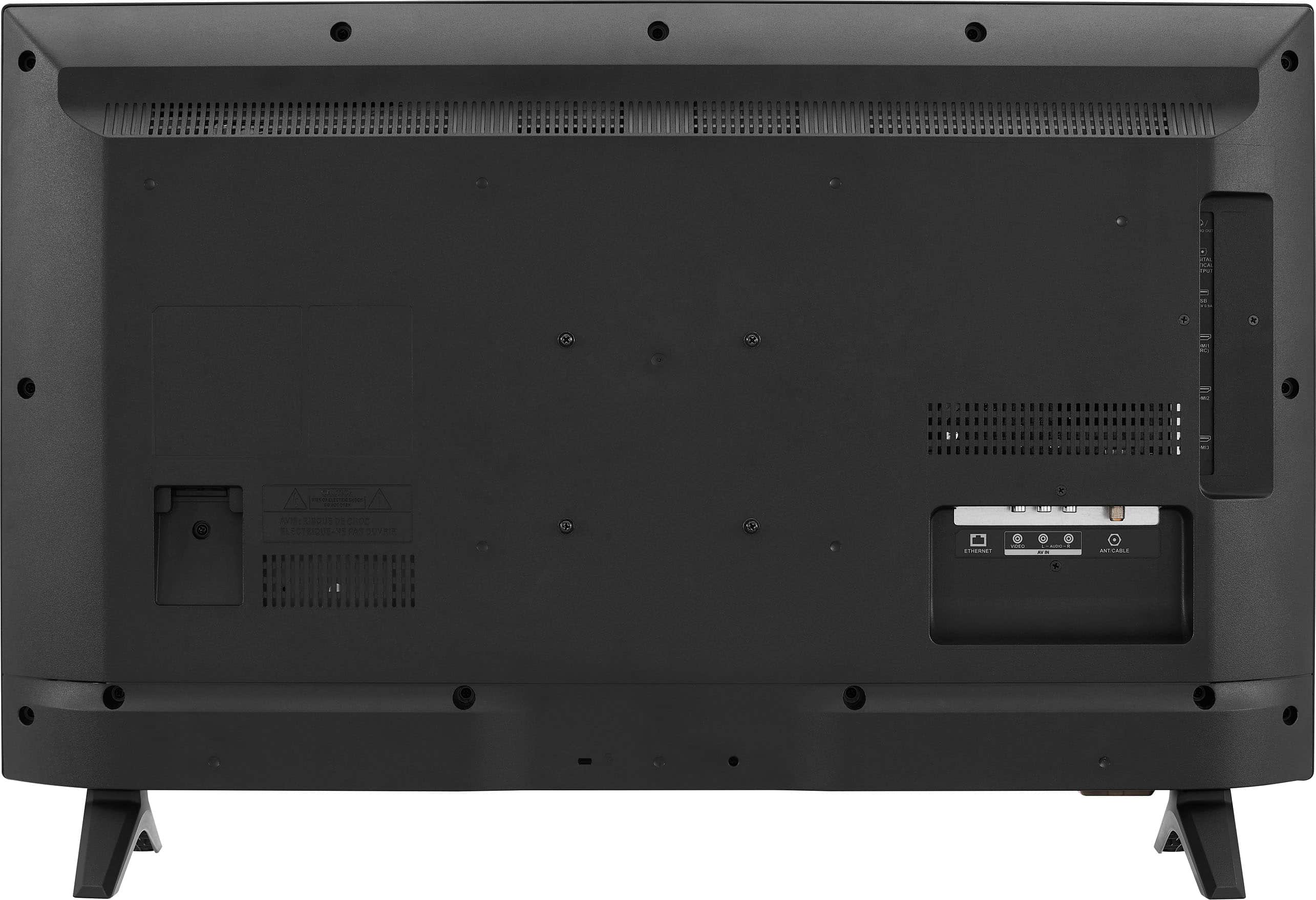
  • QuestionCan I plug my HDMI cable into this TV to use with my cable box like older TV's?

    Asked by Mike.

    • Answer Hi, Mike. Thank you for your interest! Yes, you can connect your cable box to the Insignia™ - 32" Class F20 Series LED HD Smart Fire TV using an HDMI cable. This TV has HDMI ports that allow you to connect external devices such as cable boxes, gaming consoles, Blu-ray players, and more. Simply plug one end of the HDMI cable into the HDMI port on your cable box and the other end into one of the HDMI ports on the TV. Once connected, you can switch to the corresponding HDMI input on the TV to view content from your cable box. Keith | Insignia Support https://www.bestbuy.com/site/insignia-32-class-f20-series-led-hd-smart-fire-tv/6482022.p?skuId=6482022
      Answered by InsigniaCustomerSupport

  • Questioncan this tv hang from wall?

    Asked by Anonymous.

    • Answer Yes, it can hang from a wall, but be certain you get the correct bracket for support.

      Answered by QuietMouth

  • QuestionDo I have to use smart? Can I still use my cable?

    Asked by Jronn.

    • Answer Of course! There inputs on the back.

      Answered by ChrisD

  • QuestionCan it be used as monitor for macbook pro air

    Asked by Anonymous.

    • Answer Hi Insignia Customer! Thank you for inquiring about our Insignia™ - 32" Class F20 Series LED HD Smart Fire TV. Yes, you can use this as a monitor for your MacBook. This TV has three HDMI ports at the back where you can hook up the cable connecting to your MacBook. I hope this helps. Have a nice day! - James | Insignia Support | https://www.bestbuy.com/site/brands/best-buy-brands/pcmcat1596746025285.c?id=pcmcat1596746025285

      Answered by InsigniaCustomerSupport