“how do you program it!?!?! I got this thinking it would be basic like all other universal remotes i have used... no instructions and cant get it to work!!”
Answer This Question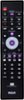
1-5 of 5 Answers
Using the instruction sheet, I turned on my DVD player, aimed the remote at the machine, pressed the DVD button on the remote and the power button together, the power button blinked a few times and then stayed solid, once it was solid, let go and I pressed down on the play button for 5 seconds, let go, pressed again, until the machine turned off. Once it turned off press reverse repeatedly until it turns back on, then press the stop button to set it. Hope this works for you. This way the remote will find the machine's code on it's own.
Sorry, there was a problem. Please try again later.Enter programming mode and then hit power until your TV turns on and off then hit them programming button again and Wawa
Sorry, there was a problem. Please try again later.My remote came with instructions. Have you researched programming instructions online? Most of this type of info is free online. If not, call RCA and have them send instructions to you. Good luck.
Sorry, there was a problem. Please try again later.Carefully read through the direction and you will find the section for auto programing. it can be tricky you have to use the buttons to lock in the frequency.
Sorry, there was a problem. Please try again later.Mine had instructions and was easy to program. Check online with RCA for instructions if yours didn't have them, or return it for another.
Sorry, there was a problem. Please try again later.