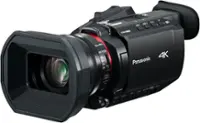
A:AnswerHello there! You know I exchanged it for a Panasonic instead I’m sorry but I would not know didn’t get to explore it or open it but read great reviews about it it’s just that I wanted a Panasonic because that was my first camera ever and was great! good luck
A:AnswerHi ssiebel, Sony's commitment to customer satisfaction is our top priority. The camcorder cannot play clips continuously. It will play a full length of each clip then stop. You would need to use the play button to play each clip individually. Thank you so much for your question. And thank you for choosing Sony.
A:AnswerHi, the camcorder does not come with a remote. However, the camcorder is compatible with this remote : RM-VPR1. You can record the video while having the HDMI connected to the TV.
A:AnswerHi MamaBear, the camcorder is not able to connect to iPad to display or load videos. You would need to connect it to the PC or Mac using PlayMemories Home software. https://helpguide.sony.net/cam/1440/v1/en/contents/TP0000557781.html
A:AnswerHi MelissaR, here is the link on how to transfer video files to your computer : https://helpguide.sony.net/cam/1440/v1/en/contents/TP0000557781.html
A:AnswerHi Mike, yes you can hook the camcorder to your TV. Please visit this link to see how to connect : https://helpguide.sony.net/cam/1440/v1/en/contents/TP0000557775.html