A:AnswerHi JohnnyF, unfortunately this model does not have nightshot(infrared) feature. It would not work well in a pitch black shooting environment. However, you can still using Night scene setting option (with tripod). Please follow the link for more info: https://helpguide.sony.net/cam/1440/v1/en/contents/TP0000557822.html?search=night
A:AnswerHi Newaux, this model does not support video stream via USB connection. Please follow this link for supported models : https://support.d-imaging.sony.co.jp/app/webcam/en/download/
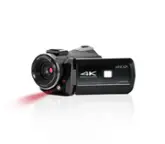
A:AnswerHi GrandmaP, please look at these models for the projector features : PJ410/PJ440 (please see the following link that details the projector feature : https://helpguide.sony.net/cam/1440/v1/en/contents/TP0000557773.html?search=projector)
A:AnswerHi Jay, it is not possible to turn off the microphone while capturing video in camera. This will only be possible in the post production using the video editing software.
A:AnswerGood question! To be honest I’m not sure . I know the usb let you hookup into the computer and HDMI cord as well so I assume you can use it both ways . I hope this helps .
A:AnswerThe camera gets its power through the USB plug. It includes an AC adapter for this purpose. If you need a second adapter you should be able to use a phone charger and USB A extension cord to do the job. I believe Best Buy carries these items.
A:AnswerThe battery pack is not charged, even when the AC Adaptor is connected to this product, as long as the power is on. The battery pack must be inserted into this product. Otherwise power will not be supplied. Even when connecting the AC Adaptor to this product, this product may subsidiarily use power from the battery pack depending on the environment in which you use this product.