A:AnswerHi ella, please follow the link to the guide on how to transfer the video on the camcorder to your laptop https://helpguide.sony.net/cam/1440/v1/en/contents/TP0000557783.html
A:AnswerHi Meg, for streaming we would recommend using the AX series of camcorder with a video capture device that supports HDMI input to connect the camcorder to the computer.
A:AnswerHi, Santababy! This camcorder uses a memory card to store the recorded videos. You can connect the camcorder to a TV (HD) using the supplied HDMI cable to watch the recorded videos. The recorded footage can be burned to a disc by connecting to a computer or a disc recorder. To know more, please visit this link: https://helpguide.sony.net/cam/1440/v1/en/index.html. -Vincent
A:AnswerHi, Tifford! This camcorder can still be used while connected to the wall outlet (charging): https://helpguide.sony.net/cam/1440/v1/en/contents/TP0000557741.html. -Vincent
A:AnswerWe have the camera in our sanctuary about 25 feet and it is very clear to move it back another 15 I believe you will still have a good picture. Hope this helps
A:AnswerHi JohnBoy, If you are asking if you can use this Handycam to transfer your 8mm and super8 films to a computer, no it cannot. This camcorder uses a memory card instead of a film. Visit this link for more details: https://helpguide.sony.net/cam/1440/v1/en/contents/TP0000557747.html
Regards,
Vincent
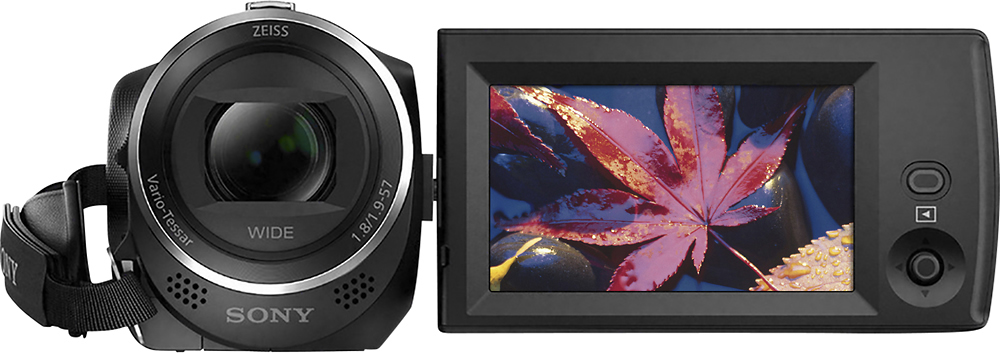
A:AnswerHi bubbles, This camcorder comes with an AC adaptor, an HDMI cable, a USB connection support cable, and a rechargeable battery pack (NP-BX1): https://helpguide.sony.net/cam/1440/v1/en/contents/TP0000557734.html
Regards,
Vincent
A:AnswerHi don, The approximate recording time (continuous) with NP-BX1 battery is 115 min: https://helpguide.sony.net/cam/1440/v1/en/contents/TP0000557908.html
Regards,
Vincent
A:AnswerHi MyaC, yes, this camera is great for traveling, clear, compact, with straight forward usage. Additionally, this camera is also great for home/indoor use. Best regards,
Mark
A:AnswerI haven’t used yet for my grand daughter’s b-ball games, but from what I’ve tried with the Sony HandyCam CX405, the video quality is great with very little jitters & sharp image. I got it @ a decent price on Cyber Monday. It’s very compact but easy to use. I haven’t used in low light yet, but I think it does has auto features for that & focus.
A:AnswerHi IMovie, We recommend using the PlayMemories Home software to edit videos from this camcorder: http://support.d-imaging.sony.co.jp/www/disoft/int/playmemories-home/en/index.html
Regards,
Vincent