Customer Ratings & Reviews
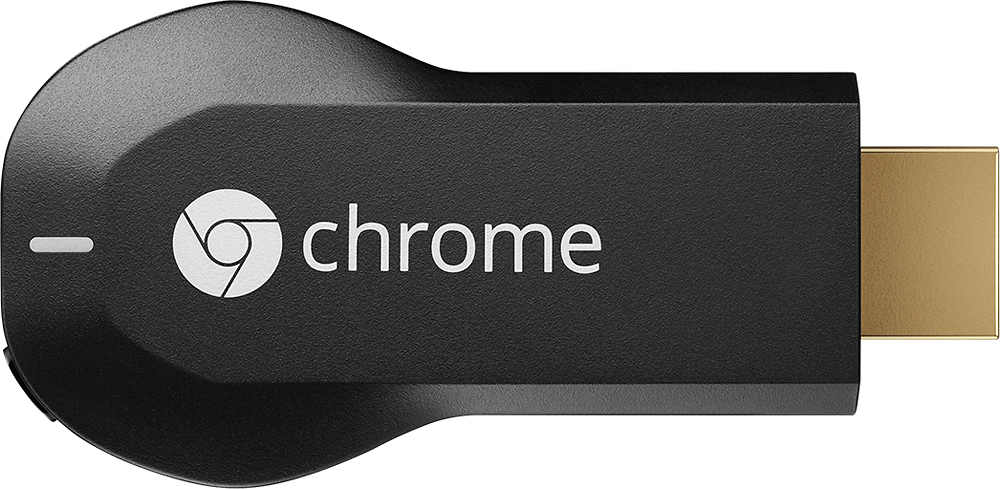
- Model:
- H2G2-42
- |
- SKU:
- 9071056
Customer reviews
Rating 4.4 out of 5 stars with 18768 reviews
(18,768 customer reviews)Rating by feature
- Value4.7
Rating 4.7 out of 5 stars
- Quality4.8
Rating 4.8 out of 5 stars
- Ease of Use4.6
Rating 4.6 out of 5 stars
Customers are saying
Customers consistently note the Chromecast's ease of use, excellent streaming capabilities, and reasonable price as significant advantages. Many also appreciate its simple setup and compact size. However, some users mention challenges with compatibility and connectivity issues. A few also point out limitations in app support and occasional lag.
This summary was generated by AI based on customer reviews.
Rated 2 out of 5 stars
Chromecast is very limited
||Posted .This reviewer received promo considerations or sweepstakes entry for writing a review.Very disappointed. I spent about two hours on the phone with Chromecast support because the stream video quality from my Android was poor only to find out that all I can stream is YouTube and Netflix. Big deal, I can already stream those. Returned it the next morning.
No, I would not recommend this to a friendRated 3 out of 5 stars
Great product
||Posted .This reviewer received promo considerations or sweepstakes entry for writing a review.This is very usefull to move from one tv to another.
I would recommend this to a friendRated 3 out of 5 stars
Not as user friendly as it should be
||Posted .This reviewer received promo considerations or sweepstakes entry for writing a review.For the money, I'd suggest the Roku - simpler to use.
No, I would not recommend this to a friendRated 3 out of 5 stars
Great ítem for tv
||Posted .This reviewer received promo considerations or sweepstakes entry for writing a review.The item overall is great, has a lot for what it is.
I would recommend this to a friendRated 3 out of 5 stars
Nice link for tv to phone
||Posted .This reviewer received promo considerations or sweepstakes entry for writing a review.Great link of phone to tv.Not as good as Apple tv.
I would recommend this to a friendRated 2 out of 5 stars
Disappointed
||Posted .This reviewer received promo considerations or sweepstakes entry for writing a review.I was disappointed because I thought you could broadcast anything via Chromecast to the tv! And use it while traveling. I was not able to use it in hotel rooms because not on the same wifi network!
No, I would not recommend this to a friendRated 3 out of 5 stars
Moderate product
||Posted .This reviewer received promo considerations or sweepstakes entry for writing a review.I expected this product to have more capabilities.
No, I would not recommend this to a friendRated 3 out of 5 stars
Overall, positive product
||Posted .This reviewer received promo considerations or sweepstakes entry for writing a review.Overall,,useful product...........................
I would recommend this to a friendRated 2 out of 5 stars
Not worth it right now
||Posted .This reviewer received promo considerations or sweepstakes entry for writing a review.The chromecast doesn't work as advertised. It doesn't work with iPhone 5, is difficult to use with samsung galaxy s4 and did nothing that a roku box couldn't do. This device will be great once google gets it working across all platforms. Until then I'd wait
No, I would not recommend this to a friend- Pros mentioned:Ease of use, Streaming
Rated 5 out of 5 stars
The Connection of Pure Genius
Posted .This reviewer received promo considerations or sweepstakes entry for writing a review.The engineers behind the Google Chromecast should be exclaimed with high reverence. In layman's terms, the Google Chromecast is a small computer that streams Youtube, Netflix, Pandora, Hulu Plus, and a few other programs directly to your television by direct order of one's smartphone or computer. The smartphone or computer simply work as remote controls, telling the Chromecast where to access information, and what to access through your wireless home network. The Chromecast then does everything else by itself, so you can browse Facebook, or read an article on your personal devices, and watch Netflix simultaneously on your television. It works like a dream; a gorilla could set it up with enough time. Im streaming Pandora through it right now, while writing this review on my S5 - hold on, I just changed the song, and I'm back. Video quality was a worry, but that quickly dissipated after seeing what it can do. Excellent stick; so much so that I bought one for everyone in my family. On christmas we spent about two hours switching Youtube videos from each phone in the house, showing the best of what we have individually found entertaining on the internet. It was a blast, and everyone loved them. Can't say enough good things about it. Buy one. You'll love it.
I would recommend this to a friend Rated 2 out of 5 stars
works only on youtube
||Posted .This reviewer received promo considerations or sweepstakes entry for writing a review.I didnt like this product much, as it only works to stream you tube videos only. It does not even work on to stream videos from other google products, eg - one cannot stream videos from google drive, forget about streaming from your local drive... :|
No, I would not recommend this to a friendRated 2 out of 5 stars
You get what you pay for
||Posted .This reviewer received promo considerations or sweepstakes entry for writing a review.Set up is easy but not smooth, however a SEPERATE plugin is needed for it to work. It does not give you a great out of box experience. I have mainly tried this device for viewing photos but not yet streaming On line services like Netflix and others.
I would recommend this to a friend- Cons mentioned:Compatibility
Rated 1 out of 5 stars
Not useful
||Posted .This reviewer received promo considerations or sweepstakes entry for writing a review.The chromecast works only with specific models of routers. Please check before you buy to avoid all hassle.
No, I would not recommend this to a friend - Pros mentioned:Ease of use, Streaming
Rated 4 out of 5 stars
Very Good Streaming Media Player for a Low Price!
Posted .This reviewer received promo considerations or sweepstakes entry for writing a review.Pros: - Small, lightweight Wireless b/g/n Streaming Media Player - Very good Video HD 1080P quality on my TV - Very good Audio quality including surround sound on my Home Theater - Easy to setup on Home network - Works well with apps (Netflix, YouTube, Localcast, etc.) on Android phones & tablets, & Windows with the Google Cast extension for Chrome browser (I haven't tested it with iPhone IOS or Mac OS X). - Can turn any basic HDTV into a Smart TV by streaming A/V from apps on your device. Cons: If your home network is not configured properly then your Device apps might keep losing connection to the Chromecast every 10 min. or so. See the resolution to this that should work for most home networks in the comments below. Comments: There seems to be a lot of misinformation out there on sites & reviews about this device. Some say it is a DLNA Certified device, while others say it does not use DLNA at all. I posted this question to Chromecast Support Forum and the only answer I got was “Chromecast is not a DLNA Renderer”, but they were not a Google employee. They also included a blog link (http://blog.squeed.com/tag/chromecast) that had a lot of good information from a 3rd party app developer about how they implemented casting from Local media, SMB network shares, & UPnP. I'm an IT guy and it is important that my reviews be as accurate as possible based on the best available information. If I find more detailed information from the Chromecast development team then I'll be happy to correct any information in my review. This was easy to setup with the Chromecast app installed on my Samsung Galaxy Tab Pro. However, like many other users I experienced the problem where the apps on my phone and tablet would lose the connection to the Chromecast after about 10 min. It would continue to play the video on my TV, but I could no longer control it from the app. On your Internet provider's Wireless router (and any other wireless router you may have), login in to the Router Configuration IP in your browser (mine is http://192.168.1.1 but could be different depending on brand. Verify this by opening a Command Prompt and entering ipconfig. Look for the Default Gateway IP. Make sure you know the Password for the Admin account.) and do the following: 1. Verify the AP Isolation mode is Disabled. This can be found under the Wireless Advanced or Professional settings (the location depends on the make & model of your router/s). Normally this is Disabled by default on home routers, but you should check this setting. If Enabled it prevents Wireless clients from talking to each other on the same network. 2. Verify the IGMP Proxy is Disabled. Some Chromecast apps use UPnP and that uses Multicast packets to communicate on the network. IGMP Proxy is supposed to filter out Multicast packets from going to every client on the network except for the clients that specifically requested them. My Verizon FIOS Actiontec MI424WR (Rev. I) Wireless-N router has this Enabled by default. There is a bug in their IGMP Proxy and it filters all Multicast packets even for clients that requested them. On the FIOS router this option used to be in Router Config Advanced options, but Verizon pushed a firmware update that hid the IGMP Proxy and UPNP settings because they don't want customers changing them. IMHO – IGMP Proxy is not that important on a small home network. This can be accessed after logging into the Router Config with the Admin account and changing the active_page parameter in the URL to 6059 (e.g. http://192.168.1.1/index.cgi?active_page=6059). 3. Now you are ready to follow the instructions for setting up Chromecast. Initially the Chromecast setup app wants the device (phone, tablet, or PC) its on to be on the same 2.4Ghz Wireless network as the Chromecast device. Follow the setup instructions on your TV and it may ask you to update the firmware. Follow all setup steps carefully. After the setup completed and I verified it was working from my Galaxy Tab Pro, then I was able to change my tablet to use my faster 5Ghz Wireless-AC network and it was still able to connect to the Chromecast on my 2.4Ghz Wireless-N network. This works for me because my Asus RT-AC68U Dual Band AC router is setup in Access Point Mode. All DHCP & NAT is being done on my FIOS router and all Wired/Wireless clients are on the same Subnet 192.168.1.1. You probably won't be able to do this if you have multiple routers with different Subnets (eg. Main router 192.168.1.1, 2nd router 192.168.2.1, etc.) and DHCP enabled on each. If you are not sure, then its just best to leave your Device and Chromecast on the same Wireless network. Overall I am very happy with this device and would definitely recommend it to others looking for a cheaper alternative (under $40) to Apple TV, Roku, Amazon Fire TV, Google Nexus TV, or any other Internet streaming media player. This does everything I want with my Phone & Tablet. Hopefully you find the information above helpful if you ran into the same problem where your device keeps losing its connection to Chromecast.
I would recommend this to a friend - Cons mentioned:Compatibility
Rated 1 out of 5 stars
Complete disapointment
||Posted .This reviewer received promo considerations or sweepstakes entry for writing a review.This product did not work well with the Macs in my home. Every time I tried to stream a movie from my internet movie streaming service, it just showed the main web page and not the movie.
No, I would not recommend this to a friend - Cons mentioned:Lag
Rated 1 out of 5 stars
Not as advertised.
||Posted .This reviewer received promo considerations or sweepstakes entry for writing a review.We bought this to stream CBS from our computer to the TV. Too much lag and the system keeps stopping
No, I would not recommend this to a friend Rated 2 out of 5 stars
Not a good product
||Posted .This reviewer received promo considerations or sweepstakes entry for writing a review.I bought it over Christmas and thought we got a good product because of the many good reviews. However we were disappointed with the product. Roku is still a better product.
No, I would not recommend this to a friendRated 2 out of 5 stars
OK except for live video streaming
||Posted .This reviewer received promo considerations or sweepstakes entry for writing a review.Works great for just about every type of wireless streaming except for live video. If Google fixes this flaw, it would be fantastic. Returned because I really wanted it for video streaming. Very choppy and therefore not acceptable.
No, I would not recommend this to a friendRated 2 out of 5 stars
Had this since Christmas and have yet to use it on
||Posted .This reviewer received promo considerations or sweepstakes entry for writing a review.I dont get this item....I have yet found it useful. I have a windows tablet that its not compatible with and I currently have a phone that syncs to my T.V. so the device for me it pointless ill probably sell it on ebay or something.
No, I would not recommend this to a friendRated 2 out of 5 stars
Hard to use
||Posted .This reviewer received promo considerations or sweepstakes entry for writing a review.I tried to connect to my Samsung TV. Took a long time to set up and works intermittently. It also streams very slow. Do not know if this has to do with my computer. Initially bought 2. Ended return the other one.
No, I would not recommend this to a friend