Customer Ratings & Reviews
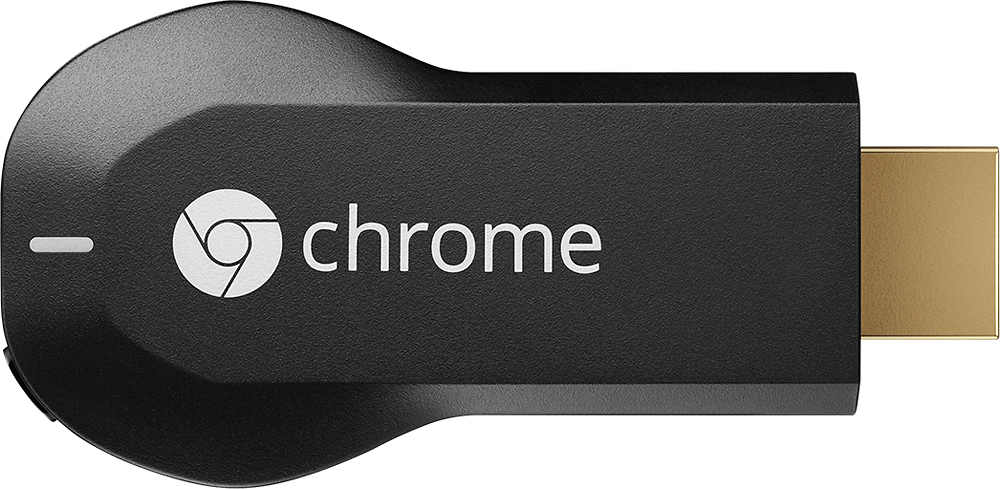
- Model:
- H2G2-42
- |
- SKU:
- 9071056
Customer reviews
Rating 4.4 out of 5 stars with 18768 reviews
(18,768 customer reviews)Rating by feature
- Value4.7
Rating 4.7 out of 5 stars
- Quality4.8
Rating 4.8 out of 5 stars
- Ease of Use4.6
Rating 4.6 out of 5 stars
Customers are saying
Customers consistently note the Chromecast's ease of use, excellent streaming capabilities, and reasonable price as significant advantages. Many also appreciate its simple setup and compact size. However, some users mention challenges with compatibility and connectivity issues. A few also point out limitations in app support and occasional lag.
This summary was generated by AI based on customer reviews.
- Pros mentioned:Ease of use
Rated 4 out of 5 stars
Great Device for the Price & Can Work in Hotels
Posted .This reviewer received promo considerations or sweepstakes entry for writing a review.+Portable but with Limitations One of the reasons I got this months ago is similar to many travelers stories about why they got the Chromecast. And that is, I needed it to work in a hotel during my travels. First I had bought a Roku device and that didn't work in a hotel. It wasn't until I bought the Chromecast that I realized why the Roku wouldn't connect. Both the Chromecast or Roku initially will not connect in a hotel because the devices cannot reach the hotel's internet log page directly. So it was disappointing. I thought like many others that I would be portable even for traveling and in hotels, but it is portable however just with limitations. Like others, I did not read Google's site about it not working in hotels. So I can't say that the Chromecast doesn't work. It works exactly as it is designed to do. It was not designed to work in a hotel that requires an login page to get on their internet. So just ran into a bid of bad luck. Oh well. +Now Works in a Hotel I ended up giving it to a family member. But later found out (just recently actually) about a workaround solution to get it working in a hotel. I told my family about the manual I found on Google Play and she actually seen it on Amazon, too. It actually is the very thing I needed before I gave up my Chromecast. :| So WITH the manual, it turns the Chromecast's portability with limits to be WITHOUT limits. If you don't have the manual then you're limited to where it can be used, unless you find another solution to eliminate that issue (e.g. for hotels). Make sense? Anyway, I went to her hotel room and she showed me that the Chromecast now works in a hotel with the help of that manual. I was amazed. Casting was no problem after that point. I was a little envious because I had given up the device and now there's a solution. Smh. The manual is called "Chromecast Finally Works in Hotels" -- easy to find on Google Play since not many books are in there about the chromecast and the title pulls up on Amazon, too. As a matter matter of fact, it's the only book I see that talks about a chromecast solution in hotels. +Nice Presentation/Packaging I know some may not comment on the packaging. But I actually liked the way it was packaged. It was nice looking box. So I want to give Google kudos on presentation/packaging, as well. +Easy Setup Basically, just plug in, download the app, and set up the device following the onscreen instructions. I was able to cast in less than 5 minutes at home. Offers two ways to power the device: 1.) USB connection to the TV or 2.) Connect to the wall outlet. +Casts With Ease You can cast from your tablet or phone, whichever device you put the Chromecast app on. And you can cast from your computer's browser using the Chromecast's Chrome browser extension. I didn't get it because of that feature. I wanted to be able to cast from my tablet. So testing it at home, I noticed it works exactly as it was designed to as stated. +Very Inexpensive Device Now Offers Awesome Mirroring Feature The devices are so low in cost, so I may just buy it again for myself (since I'm not going to ask my family member to give it back to me; I'm not that kind of person). The device works like it was designed to. The latest update allows you to mirror what's on your tablet/phone to the TV using Chromecast so long as your device meets the requirements, which Google lists on their site. So I think that's pretty cool and a feature I feel is way more worth the cost of the device. I'd love to have the mirror feature because then it allows me to open up any app in the Google Play store and mirror it to my TV screen. Without the mirroring feature, you'd be limited to only Chromecast-compatible apps. And I strongly doubt all the developers of the several hundreds of apps that already exist are going to make a Chromecast-version of their app. I just don't see that happening and I think Google knows that. So it was a smart move on Google's part to offer a mirror feature because it opens that up to use any app in existence and mirror it to your TV without needing to worry about if the app is compatible with Chromecast or not. The mirror feature is THE solution for non-chromecast compatible apps. +Would Buy Again So now that I'm talking about it. I'm for sure going to buy it again. Probably locally or on Amazon. My last buying experience on Best Buy's site was terrible. So don't want to run into that issue again. I think I've covered everything.
I would recommend this to a friend - Pros mentioned:Ease of use
Rated 5 out of 5 stars
Great Product!
Posted .This reviewer received promo considerations or sweepstakes entry for writing a review.I've had this one for about 6 months now, and it's actually the second one i've bought for the house...purely, so i can have one in the bedroom and one in the living room and not have to constantly take it back and forth. I can easily operate this with my iphone, Macbook, and Nook HD+. Set-up was so quick and easy! I almost never watch cable anymore...thinking of getting rid of cable actually, now that I have access to so many different sites, and can cast them onto my tv's.
I would recommend this to a friend - Pros mentioned:StreamingCons mentioned:App compatibility
Rated 5 out of 5 stars
Great gadget that it still getting better!!
Posted .This reviewer received promo considerations or sweepstakes entry for writing a review.I had never even heard of this thing, then on Black Friday I saw it in the ad, and I looked it up. It didn't really sound all that impressive, but I got one because of the price and decided that I'd just give it a whirl. Now I think it's one of the coolest things I own! "Casting" HBO Go to my tv rather that watching it on my tablet was very cool, same with watching YouTube videos on a bigger screen! But really that's all the chromecast was go for... At first. There still aren't very many apps that are compatible, and I don't use all the ones that are, but many more are currently in the works, which is exciting. I've now made it possible to cast downloaded videos that are saved on my computer/or phone, like movies or home videos, to my tv, and in surprisingly good quality on my big screen... Use the Avia media player app on you phone. It takes doing some homework to get it just right (converting the videos to the right format), but once you've gotten the hang of it, it's pretty freaking cool to be able to download movies from online, and stream them to a big screen tv rather that just on a computer monitor/phone/ tablet.
I would recommend this to a friend - Pros mentioned:Ease of use, Price
Rated 4 out of 5 stars
Great for on the go or on a budget
Posted .This reviewer received promo considerations or sweepstakes entry for writing a review.So far I have an Amazon Fire TV, a Chromecast, a Roku 3, and a PS3 that I stream with. I also have the Amazon Fire TV stick coming soon. Out of all these devices my top choice would have to be the Roku 3. Its interface is user friendly and the speed is great. I also like the fact that you can connect it via Ethernet. The Amazon Fire TV is very fast and the voice search works superbly but, I do not like how the menu is laid out. Out of all the streaming devices I cannot get HBO Go on any of them except Chromecast because of my cable provider and because Fire TV doesn’t have that app yet. I have owned the Chromecast for some time now and feel it is an excellent product, especially if you are on the go or on a budget. All of these products are satisfying in their own way but if I had to choose only one for all my streaming needs it would have to be the Roku 3 without a doubt; at least for now anyway.
I would recommend this to a friend - Pros mentioned:Streaming
Rated 5 out of 5 stars
Works very well!
Posted .This reviewer received promo considerations or sweepstakes entry for writing a review.Installation was very easy. We tested streaming to the device pretty thoroughly last night with great results. We streamed from two different Android phones, a laptop and a desktop PC. We tried every supported app (YouTube, Netflix, Google Play Movies, Google Play Music) and streaming from the Chrome browser on the laptop and desktop. We streamed Vudu and HBOGO from a tab in the Chrome Browser with very good quality. I also briefly viewed some other websites (eBay, Facebook) also with good results. I watched video on Facebook, etc. Everything worked well. Great product! Great price!
I would recommend this to a friend - Pros mentioned:Ease of use
Rated 4 out of 5 stars
It is a nice tool, easy to set up
Posted .This reviewer received promo considerations or sweepstakes entry for writing a review.We were able to setup on our TV in less than 5 minutes. It is nice to be able to cast video from certain apps. We were able to cast YouTube on our TV with no issue. Also able to get another app that would allow us to cast more videos on TV. The only thing we would like to see is to be able to clone/duplicate our iPad screen on the TV. Hopefully the feature will be available in the future.
I would recommend this to a friend Rated 4 out of 5 stars
Cool gadget
Posted .This reviewer received promo considerations or sweepstakes entry for writing a review.Picked this up today. It works great on Netflix/ YouTube app on my iPhone 4S. I can till use other apps on my iPhone while Netflix streams a movie to my tv. My older Sony rear projection tv will power the device from USB port. Picture quality is very good. Now the cast feature from the chrome browser on my 2007 HP media center pc does not work well, I attribute that to my pc/video card that causes stuttering of the video mirroring on Hulu.com. This feature is still in beta so it will improve but I think a newer more powerful pc this will work much better. I got my discount on Netflix as advertised. I like it and it is worth the $35.
I would recommend this to a friend- Pros mentioned:Streaming
Rated 4 out of 5 stars
Great, so far!
Posted .This reviewer received promo considerations or sweepstakes entry for writing a review.I own an Apple TV and wanted something to broadcast You Tube videos from my MacBook, which doesn't play well with Apple TV. So now I have both hooked up to my main monitor. It's great to be able to use the Chromecast with pretty much all the same features; Netflix and others, plus more apps available. Only been using it for a few weeks, but as for now, it does everything it said it would.
I would recommend this to a friend - Pros mentioned:Ease of use
Rated 4 out of 5 stars
Quick and Easy
Posted .This reviewer received promo considerations or sweepstakes entry for writing a review.The Chromecast was quick and easy to setup. Currently only Netflix, Google Music and Movies, and YouTube work with it but more developers are working on integrating it within there apps. You can cast an entire Chrome browser from your PC or Mac but this does not work as well as the native apps who have integrated the API into it. Whats nice is I never loose my remote as my phones always with me. Whats not nice is the lack of support but it is coming. Would I recommend this over a Roku or Apple TV? Yes and no. I would recommend the Apple TV to those who are Apple fan boys and have invested heavily into that exo system. I would recommend this over the Roku once you start seeing more apps come out for it. If you already have an Xbox, Roku, PS3, or anything else that streams content from the web to your tv you could probably pass on this. It is nice for travel with its easy setup and small size.
I would recommend this to a friend - Pros mentioned:Ease of use
Rated 4 out of 5 stars
Great value, nice to have.
Posted .This reviewer received promo considerations or sweepstakes entry for writing a review.This little stuff has amazing design. It is really easy to setup and stable. I was really surprised how easy to transfer the video screen from mobile devices to TV, and the image quality is pretty good. The only star missed in my rating was the app running on iPhone is not as good as the hardware itself. It lost connection sometimes. After I reset my iPhone, the connection was back.
I would recommend this to a friend - Pros mentioned:Price
Rated 4 out of 5 stars
Gets the job done
Posted .This reviewer received promo considerations or sweepstakes entry for writing a review.I can't compare this with other media streaming devices as the only other one I have is a PS3. This thing gets the job done, though, and Google always stands firmly behind their products and is a great company I'm happy to support. Caught it on sale at Best Buy, and it's far cheaper than putting playstations on every TV in the house just to stream some good lazy-man entertainment.
I would recommend this to a friend - Pros mentioned:Ease of use
Rated 5 out of 5 stars
Best Buy for the Price
Posted .This reviewer received promo considerations or sweepstakes entry for writing a review.There are many things that the ChromeCast doesn't do that folks might like it to, but what it does do, it does exceptionally well with very little fuss. It's easy to set up, if you can follow the on-screen and in-box instructions and have a modern Android tablet or phone (or a desktop computer with Chrome). It really is simply the easiest way to stream content from Android to the big screen, and definitely the cheapest option out there as well.
I would recommend this to a friend - Pros mentioned:Ease of use
Rated 5 out of 5 stars
love the chromecast
Posted .This reviewer received promo considerations or sweepstakes entry for writing a review.I have the appletv, firestick and the chromecast, I find that I use the chromecast the most. Of the three its may be the longest to set up, but once you get what makes this gadget different, you know its so easier. No remote needed. I easily use the apps from my iphone and ipad to use this. This is what makes it awesome. And I can use other online movie stores like Vudu and Play store to find cheaper movies. I am not stuck to just using itunes.
I would recommend this to a friend - Pros mentioned:Streaming
Rated 4 out of 5 stars
Simple!
Posted .This reviewer received promo considerations or sweepstakes entry for writing a review.I know Google just came out with a new version of the Chromecast, but you can get the original for basically a steal. This is the easiest way to stream your mobile content to the big screen - no $99.99 set-top device required. Used mine everyday, but eventually traded it in for a Nexus Player (liked the idea of having an actual remote and not having to rely on my phone).
I would recommend this to a friend - Pros mentioned:Setup, Streaming
Rated 5 out of 5 stars
Easy expansion of non-smart tvs
Posted .This reviewer received promo considerations or sweepstakes entry for writing a review.Setup it easy and done in less than 10 minutes. I got this device to use on an older TV that would not typically have warranted paying for a device to stream netflix and other apps. It works great with all of the advertised apps and there is only more potential as the android community will start getting the casting api's into more apps. I used a $20 RWZ cert and got the three months of netflix free so I actually ended up making money on the purchase. Even at $35 to get netflix onto a tv that could not before is worth it
I would recommend this to a friend - Pros mentioned:SetupCons mentioned:Compatibility
Rated 5 out of 5 stars
Easy to use and inexpensive
Posted .This reviewer received promo considerations or sweepstakes entry for writing a review.I purchased two of these for my parents who hate hooking up electronics and using them. We setup one in their office and one in the bedroom. It took less then 10 minutes to show them how to hook it up, install everything and use it. They are using it almost exclusively for an iPad and iPhone to interface with Netflix. The only limitation (at least for now) is that it is only compatible with Netflix, Hulu Plus, Pandora and YouTube on Apple products for now.
I would recommend this to a friend - Pros mentioned:Streaming
Rated 4 out of 5 stars
Niche Product
Posted .This reviewer received promo considerations or sweepstakes entry for writing a review.I had two things in mind when I bought this item. 1. Use it to stream apps (netflix, hulu, amazon music, etc) and 2. stream content in google chrome. the first part worked flawlessly and would recommend but the second have is a no go. There were frequent lags transferring streaming video and moving being played. Would recommend only for number 1 and not for #2.
I would recommend this to a friend - Pros mentioned:Ease of useCons mentioned:App compatibility
Rated 5 out of 5 stars
Works perfectly
Posted .This reviewer received promo considerations or sweepstakes entry for writing a review.I've been using this for two weeks now and works perfectly. Easy to set up and very comfortable size. Great for Netflix movies, only complain it's that there are not many apps yet.
I would recommend this to a friend - Pros mentioned:Ease of use
Rated 5 out of 5 stars
Wonderful Wifi device.
Posted .This reviewer received promo considerations or sweepstakes entry for writing a review.I was browsing the site one day at work, and came across this device. I decided to look into it more and thought this sounds like a wonderful product. As you can tell by the rating, I fully agree. I purchased this device, and although the setup instructions where not as detailed as i would suggest for those who are not as tech savy (like my wife) was not as easy as everyone said, it was still faily simple to setup. I purchased this device, as we had a blueray player that had appliacations like Youtbue, netflix, pandora that we liked to use. . However The device was not wifi. After purchasing our home a few months back, our router then become in a spot located in a different room from the TV's. Rather then run a Ethernet cord accross my home, or pay to have someone install a line, I decided to pick this up. This device has practily replaced all uses that we had for the player, other then the use of playing a blue ray video we borrowed from my in laws. I use this device to share photos, videos, as well as watch netflix in our back bedroom with my wife. Its easy to move around and only requires 1 setup, and a wifi connection. From there, everything works wonderfuly! I would highly recommend this to people who have a HDMI tv, and any mobile electronic device. (tablet, Smartphone, laptop). Only problem I have had with this device, is that the device does become very warm to the touch when in use. Other then that, no problems. :)
I would recommend this to a friend - Pros mentioned:Streaming
Rated 5 out of 5 stars
Still Going Strong
Posted .This reviewer received promo considerations or sweepstakes entry for writing a review.Purchase the Gen 1 Chromecast to save some money over the gen2. There are no real differences in functionality between the two that you will notice. Streaming has been flawless with mine and with all the Google offers for free trials, credits and movies that are associated with chromecasts, they pay for themselves rather quickly! I have one for each TV and have purchased multiple for friends and family.
I would recommend this to a friend