Customer Ratings & Reviews
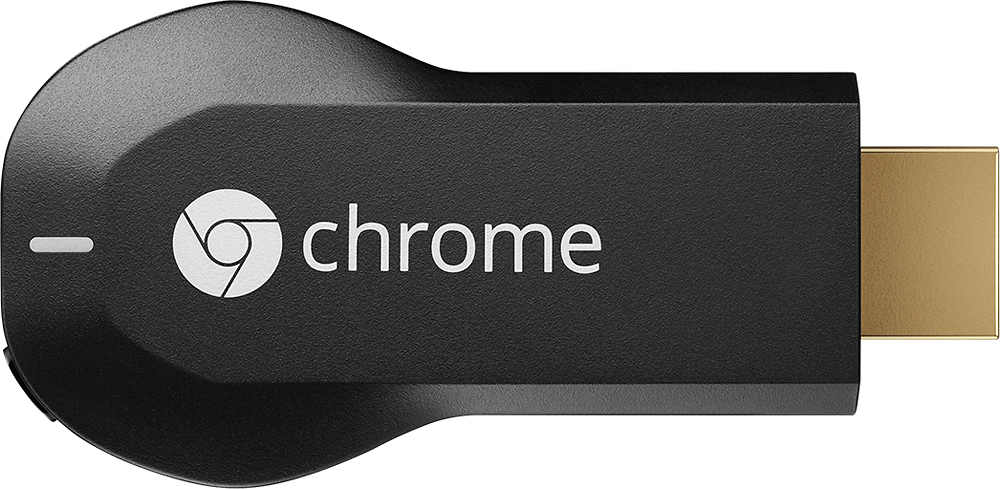
- Model:
- H2G2-42
- |
- SKU:
- 9071056
Customer reviews
Rating 4.4 out of 5 stars with 18768 reviews
(18,768 customer reviews)Rating by feature
- Value4.7
Rating 4.7 out of 5 stars
- Quality4.8
Rating 4.8 out of 5 stars
- Ease of Use4.6
Rating 4.6 out of 5 stars
Customers are saying
Customers consistently note the Chromecast's ease of use, excellent streaming capabilities, and reasonable price as significant advantages. Many also appreciate its simple setup and compact size. However, some users mention challenges with compatibility and connectivity issues. A few also point out limitations in app support and occasional lag.
This summary was generated by AI based on customer reviews.
- Pros mentioned:Ease of use
Rated 5 out of 5 stars
Best tech release of 2013!!!
Posted .This reviewer received promo considerations or sweepstakes entry for writing a review.If you were one of the lucky ones to get your hands on this at launch, then you already understand the phenomenal value of the Google ChromeCast. If you are still waiting to get your hands on one, keep waiting, it is worth it! If you can still find a ChromeCast with the extra three-months free of Netflix tossed in to boot, the value proposition is unsurpassed. Netflix and Youtube wireless HD sharing comes pre-installed, and the setup is a breeze, regardless of whether you are using a tablet, Apple product, or Android (though Android support is the most robust). What is more impressive, however, is that you can share ANYTHING that you can put into a tab on your Google Chrome browser directly to the screen in HD, wirelessly. This gives you myriad streaming options and makes the value of this device simply unbeatable. The two dedicated add-ons that Google needs to update are Amazon Instant and HBO GO. Having dedicated apps for that (since Chrome is not flash-enabled) would really complete its offerings and make this even more of the "Must-Have Device of 2013." Phenomenal product!
I would recommend this to a friend Rated 5 out of 5 stars
Works well, easy setup and operation
Posted .This reviewer received promo considerations or sweepstakes entry for writing a review.Was looking for an alternative to an HDMI cable strung across the room. I am very happy with this! You need - - An available HDMI input on your TV - this is where you plug in the Chromecast device - An AC outlet (wall plug, power strip) to power the Chromecast device - WiFi - a simple home router is fine. No networking required. - Smartphone, tablet, laptop, Chromebook, or PC (don't know about Mac) Setup is dead easy - plug the Chromecast into any open HDMI port on the TV. You do not need a Smart TV - the Chromecast takes care of the WiFi. Go through the setup protocol which runs automatically. It's that simple. You can use any of the apps for services listed above which natively support Chromecast. You can also send anything from Chrome browser using the Google Cast extension. Even though they say it's still beta, it has worked without a glitch for me. I use it successfully with various devices running Android, Chrome OS and Windows 8.1. Should work with anything that will run Chrome browser with the extension. Works great with Chromebook (no surprise) since everything in Chrome OS is browser-based. Some have noted that it doesn't have a separate remote. Well, the device you are casting from (phone, tablet, whatever) is the remote. You simply use whatever controls the service or webpage has for the media you are casting. Couldn't be a lot simpler, works very well. Highly recommend.
I would recommend this to a friendRated 5 out of 5 stars
Inexpensive and AWESOME
Posted .This reviewer received promo considerations or sweepstakes entry for writing a review.Takes any TV and makes it "smart" but in an actually SMART way. It doesn't force those lame "smart tv" apps down your throat, you know - the ones that come loaded on the TV and take forever to open or close, and when they work they look bad because they aren't optimized? Yea..... no go. Chromecast is smart because it gives you what you want: Netflix (the must have), Youtube, and the other key apps for you to pick and choose. But ALSO the great ability to share whatever is on your phone to the TV. Vacation films you made on your phone? Cast it to the TV :). Awesome hiking pictures from the weekend? Cast it to the TV :). It doesn't sound like much, but my grandparents were so happy that I could show them vacation pictures on their TV instead of forcing them to squint and stare at a 5 inch phone. Speaking of grandparents, this thing is very user friendly and only takes a few seconds to setup and start using - perfect for those technologically confused folks (like my grandparents). Nothing bad to say about it, other than sometimes it seems like its wifi connection is spotty and the streaming quality takes a dive for a minute or two.... so it would be ideal to keep this thing close to the router. Really hoping that the second gen comes out sporting improved specs and the ability to support 4k streams (netflix is already getting ready to push 4k, and TONS of phones already record in 4k).
I would recommend this to a friend- Pros mentioned:Setup, Streaming
Rated 5 out of 5 stars
Excellent streaming option from laptop
Posted .This reviewer received promo considerations or sweepstakes entry for writing a review.Easy setup and excellent streaming from laptop. High quality and easy streaming.
I would recommend this to a friend - Pros mentioned:Hdmi
Rated 5 out of 5 stars
It's like WiDi, only cheaper!
Posted .This reviewer received promo considerations or sweepstakes entry for writing a review.We've been using this bad boy since yesterday, and it's been an excellent alternative to running 12' of HDMI cable from my TV to my Macbook. The best I can say is, look at Google's promo for it, and buy this thing, if only for the three months of Netflix. Also, in case you're wondering, it does include an HDMI extender, so if your Chromecast won't fit in your TV's HDMI port by itself (HDMI port surrounded by TV bezel that sticks out, etc), you can use this short cable to get it plugged in.
I would recommend this to a friend - Pros mentioned:Price, Streaming
Rated 4 out of 5 stars
Chromecast - good price, few features
Posted .This reviewer received promo considerations or sweepstakes entry for writing a review.This product has great potential and price. Currently it's only good for YouTube and Netflix. It can also receive a single tab from a computer running the Chrome browser but I haven't found that to useful yet. I don't typically use Chrome and you can only send one tab at a time. Netflix and YouTube work as expected. Netflix on my Roku runs better though. YouTube worked well with the occasional hiccup and pause. It will become a more useful device once some more developers get their apps on it, like Hulu, Amazon and Pandora etc. Right now I find the Roku a better device for streaming content. The Roku lacks native YouTube support but can do it using Plex. But the Roku costs more. Herein lies the Chromecasts attraction especially once more apps hit it.
I would recommend this to a friend - Pros mentioned:Price
Rated 5 out of 5 stars
Great gift
Posted .This reviewer received promo considerations or sweepstakes entry for writing a review.Gave this to my little cousin as a gift. A real bargain and improves any TV!
I would recommend this to a friend - Pros mentioned:Ease of use
Rated 4 out of 5 stars
Kinda Simple
Posted .This reviewer received promo considerations or sweepstakes entry for writing a review.Very simple and easy to use. You have to download the app and download other apps that are compatible to the Chromecast, for example Netflix. Then on your phone or tablet, go to Netflix and mirror it to your TV. I like it, I would rather just go straight to the source without having to use an extra device to control it.
I would recommend this to a friend - Pros mentioned:Ease of use, Streaming
Rated 5 out of 5 stars
One of the Best Purchases I've Ever Made
Posted .This reviewer received promo considerations or sweepstakes entry for writing a review.This thing is great. Setup took literally 3 minutes. Everything is wireless. Streams my netflix to my TV flawlessly. The only downside is trying to watch videos directly off webpages...it doesn't catch fullscreen mode and is a little glitchy.
I would recommend this to a friend - Pros mentioned:Hdmi
Rated 4 out of 5 stars
Limited, but awesome
Posted .This reviewer received promo considerations or sweepstakes entry for writing a review.Anything that you can watch on a chrome browser, you can watch on TV. This thing connects to your network, not really to the internet. It can't stream directly from sites like Hulu or Netflix. It can receive a signal from a tablet, phone, or computer that's on your WIFI though. The dongle plugs directly into an HDMI input on your TV, and it's really small, but it also needs to be plugged into USB for power, either via a USB wall wart or a port on the TV, so it's not quite as aesthetically pleasing. On the other hand, the backside of any TV is not it's best feature. I've streamed pandora to and Netflix to it with my phone, and streamed Hulu and Spotify from a computer in another room (via chrome).
I would recommend this to a friend - Pros mentioned:Ease of use
Rated 5 out of 5 stars
Chromecast is a MUST!
Posted .This reviewer received promo considerations or sweepstakes entry for writing a review.Anyone who owns a smartphone/tablet and likes streaming should buy the chromecast. It works across all platforms, its very inexpensive (less than Apple's device and Amazons's), is easy to setup, easy to travel with, and easy to use. I use it all the time for Netflix, Flixster, HBOgo, Showtime Anytime, Hulu Plus, and many other apps to stream on my tv super easily.
I would recommend this to a friend - Pros mentioned:Hdmi
Rated 5 out of 5 stars
Easy to Cast onto tv
Posted .This reviewer received promo considerations or sweepstakes entry for writing a review.So this uses your wireless network to stream your HULU or Netflix and other contents right to your tv. You need to turn your TV on and wait about 5 seconds before your smartphone app can find the Chromecast if you plugged it in to HDMI and the USB on the tv, since it needs some power supply. Other than that I had no problems with it, great for quick streaming.
I would recommend this to a friend - Pros mentioned:Streaming
Rated 5 out of 5 stars
Awesome and inexpensive way to stream to HD TV
Posted .This reviewer received promo considerations or sweepstakes entry for writing a review.I purchased the Chromecast the day after it was released and within minutes of of getting it to my office it was setup ad ready to use. I first tried out all of the supported apps ,i.e. Netflix, YouTube and Google Play on my Samsung Galaxy S III and worked extremely well. I then moved on to my favorite feature: "Cast a Tab" on Google Chrome, and while it is still being beta tested it works like it was engineered specifically for that feature. I have "casted" regular websites, Pandora, Hulu plus, and my favorite HBO Go. I was extremely pleased with the quality of both the picture and streaming quality since none of the actual apps are currently supported. The product is so good I plan on buying more when they're available, especially considering it is only around $12.00 when you factor in the three free months of Netflix!! Can't wait to see what Google develops next!!
I would recommend this to a friend - Pros mentioned:Ease of use
Rated 4 out of 5 stars
Works like a charm, but.......
Posted .This reviewer received promo considerations or sweepstakes entry for writing a review.1. I didn't realize I was going to have to use my phone or tablet as a remote. 2. there is no easy way to fast forward Netflix a few seconds. You have to use the progress slider so no matter how little you try to move it, it jumps fwd a couple of minutes. For the money, it works and was fairly easy to set up.
I would recommend this to a friend - Pros mentioned:Ease of use
Rated 5 out of 5 stars
Good, but not what I expected
Posted .This reviewer received promo considerations or sweepstakes entry for writing a review.I didn't do any research on this, so I expected it to work like Apple TV and FireTV Stick, that is, with built-in apps. But no, it uses some selected apps from your phone/tablet and displays them on your TV. So far I've only used it for Netflix and Vimeo, and it seems to work great. Just make sure the apps you want to use are available to "cast".
I would recommend this to a friend - Pros mentioned:Streaming
Rated 5 out of 5 stars
Nice little product to stream anything to your TV
Posted .This reviewer received promo considerations or sweepstakes entry for writing a review.It is a nice little product to stream literally anything that is playable on a Google Chrome browser in your laptop or computer on to a TV. Works best with YouTube so you don't need to keep the Laptop or Computer turned on. You can just start the streaming and the Chromecast takes care of the rest. It's not the same for other types of playback though.
I would recommend this to a friend - Pros mentioned:Ease of use
Rated 4 out of 5 stars
Awesome device
Posted .This reviewer received promo considerations or sweepstakes entry for writing a review.Its so simple. You just plug it into the HDMI port on your TV and download the app to either your smartphone or tablet and you then you just cast the video wirelessly to the TV . I much prefer watching them on my big screen TV . The youtube video quality need a bit of work but its still great.
I would recommend this to a friend - Pros mentioned:Ease of use, Price
Rated 5 out of 5 stars
Super Cool!
Posted .This reviewer received promo considerations or sweepstakes entry for writing a review.I purchased this yesterday on recommendation of co worker. I really am impressed. It is compatible with my iPad/iPhone. It was very easy to set up and use. We were previously streaming through our Wii and this is much easier. I have already used it with Netflix, YouTube, Pandora and Vevo. You can't beat the price for what this does! I am certain google will add more apps over time. I read it works with Hulu and HBO if you are subscribers to that as well
I would recommend this to a friend - Pros mentioned:Price
Rated 4 out of 5 stars
Like it
Posted .This reviewer received promo considerations or sweepstakes entry for writing a review.Have two such Chromecasts and has worked so far. Lot of apps have started adding Chromecasts usage. Can't beat the price and things you can get it displayed on bigger screens easily and conveniently is what I liked the most.
I would recommend this to a friend - Pros mentioned:Ease of use, Price
Rated 5 out of 5 stars
Nothing comes close to this device for the price
Posted .This reviewer received promo considerations or sweepstakes entry for writing a review.There are lots of devices that let you connect your devices up to a TV and stream netflix and things like that. The chromecast is amazing because it gives you the ability for only $35. The ease of setup and control is amazing and the casting of chrome tabs makes it so much better. There may be better products out there but your looking at a whole new price range. I would say it would be nice to have the ability to cast a desktop rather than a tab so you can watch basically anything on your screen, and hulu capability would be nice, but who knows maybe in future updates or versions those will come. For now it's still worth $35.
I would recommend this to a friend