Customer Ratings & Reviews
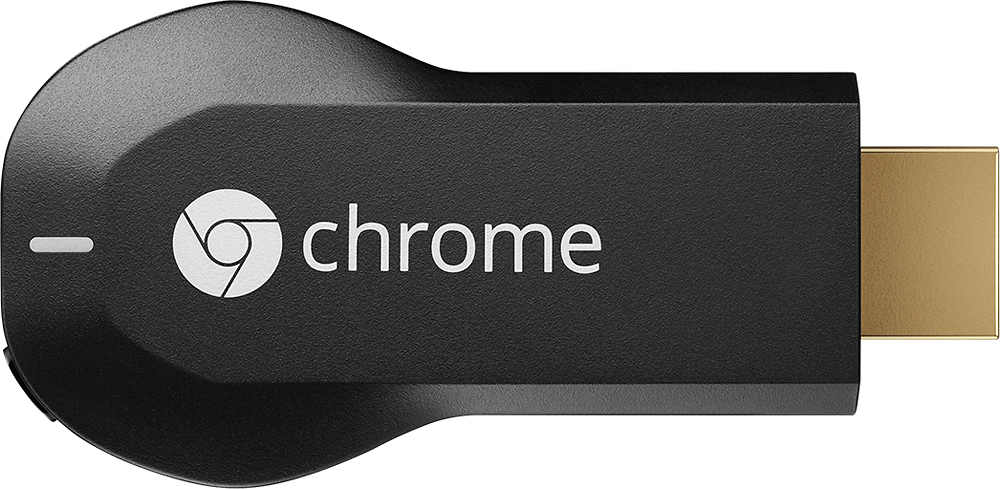
- Model:
- H2G2-42
- |
- SKU:
- 9071056
Customer reviews
Rating 4.4 out of 5 stars with 18768 reviews
(18,768 customer reviews)Rating by feature
- Value4.7
Rating 4.7 out of 5 stars
- Quality4.8
Rating 4.8 out of 5 stars
- Ease of Use4.6
Rating 4.6 out of 5 stars
Customers are saying
Customers consistently note the Chromecast's ease of use, excellent streaming capabilities, and reasonable price as significant advantages. Many also appreciate its simple setup and compact size. However, some users mention challenges with compatibility and connectivity issues. A few also point out limitations in app support and occasional lag.
This summary was generated by AI based on customer reviews.
- Pros mentioned:Streaming
Rated 5 out of 5 stars
Best Portable TV Streaming Device
Posted .This reviewer received promo considerations or sweepstakes entry for writing a review.As someone who has used the Chrome browser for years now, this came as an easy choice. Nearly unlimited streaming capability through chrome cast extensions in phone apps is only amplified by the streaming directly through the chrome browser. If Step 1 of Cord Cutting is actually cutting the cord, purchasing a Chrome cast is Step 2.
I would recommend this to a friend - Pros mentioned:Hdmi
Rated 5 out of 5 stars
Perfect for the spare room!
Posted .This reviewer received promo considerations or sweepstakes entry for writing a review.Needed something to play Netflix in our bedroom but didn't want to spend much and didn't need multiple options, apps, etc. When a Best Buy associate recommended this I was blown away. Connects directly to HDMI port on a very low end 32inch LCD. I'm a mac user and this was setup was a breeze. My kids can watch their Netflix programs in the bedroom and control it with my phone while I watch Netflix in our living room. I expected there to be picture quality, streaming issues, etc but they both worked simultaneously perfectly! whats better is that I can make calls, text, take pics and video and be on the other side of the house and it causes no issues with the chromecast. I highly recommend this to someone who needs something simple. Best 35 bucks Ive ever spent!
I would recommend this to a friend - Pros mentioned:Price, Streaming
Rated 3 out of 5 stars
Good But Could Be Better!!!
Posted .This reviewer received promo considerations or sweepstakes entry for writing a review.I saw the ad and had to get one. The add nor any marketing says that it is USB powered so I was super excited to plug it in my downstairs TV but then found out it needed USB power. I have an older plasma down there so it does not have USB...I was extremely disappointed in that fact. However it is a cool device...I have a few in my other rooms and its cool to pretty much stream my Netflix or YouTube anywhere. The cast from Google chrome is cool but sometimes there is a lag or intermittent freezing when watching movies and I know its not my Wi-Fi because I have a Roku 3 in the adjacent room and it works perfectly. Its still in the beta version so I'm sure they will work out those kinks eventually. Only thing I think could be better or improved upon is the movie streaming functionality. Like with Apple TV...all the movies stored to your ITunes play seamlessly. With the Cast I have to paste the movie address from my hard drive into Google chrome and play it that way. Google needs to develop some sort of interface to system that allows that same functionality that Apple TV has. Also for some reason videos that I save as QuickTime won't play on my TV when I paste the address in Google Chrome and cast it. It will play on my computer but won't show on the screen. I'm guessing because QuickTime is Apple related and there are some interface issues. But overall for the price...this is a great product and I'm sure as time progress, it will interface with more apps and develop more functionality. If the advertising was 100% truthful it would have gotten at least 4 stars.
I would recommend this to a friend - Pros mentioned:Ease of use, Streaming
Rated 4 out of 5 stars
Not necessary....yet, but still a great tool
Posted .This reviewer received promo considerations or sweepstakes entry for writing a review.I purchased my Chromecast in November so I have been using it for quite a while now. I use primarily to watch Netflix and YouTube videos that I push from either my laptop or usually my phone to the TV. It may sound like an unneeded tool or something that you would not use but I find myself using it frequently. Watch any videos on YouTube on your phone or desktop? Looks way better (and sounds better) on your TV. Hate the remote to find videos on Netflix? You your phone or tablet and it is much easier. My only complaint is I would like to see more apps that support casting. Google Hangouts would be brilliant to see on your TV.
I would recommend this to a friend - Pros mentioned:Ease of use, Streaming
Rated 5 out of 5 stars
Awesome
Posted .This reviewer received promo considerations or sweepstakes entry for writing a review.I received my chrome cast last night and had it set up in less than 5 minutes. I set the device up with my iPad, and was able to stream Netflix right away. My youngest son wanted to use my iPad, so I shut down the app, fired it up on my Galaxy S3 and was able to show Netflix right back on the TV. Love this thing. Hoping to get more app support (Hulu, HBO go, Showtime GO, etc...)
I would recommend this to a friend - Pros mentioned:Ease of use
Rated 5 out of 5 stars
Streaming made easy.
Posted .This reviewer received promo considerations or sweepstakes entry for writing a review.Easy is an understatement. You simply plug it into a HDMI slot, Hook it up to your wifi Download the app. That's pretty much it. The app will suggests all of the compatible apps so finding content is a breeze. And now with Android 5.0, your capable of casting any screen on your phone. The options are now limitless.
I would recommend this to a friend - Pros mentioned:Ease of use, Hdmi
Rated 5 out of 5 stars
LOVE my Chormecast!!!
Posted .This reviewer received promo considerations or sweepstakes entry for writing a review.I have to say the Chromecast is amazing!!! When more apps further implement the casting feature in the feature (e.g. Amazon Instant Video, etc.) it will make viewing everything so much easier and user friendly! The ability to cast Netflix and still use your phone (LG Nexus 5 here) is great along with the ability to cast the entire screen on your TV is great for those programs which have yet to integrate. This a cheaper & more efficient alternative to getting an Apple TV, as well as being more integrated with your home system with HDMI connections and powered by your TV's USB making it electricity use friendly by shutting off when your TV shuts off! Hands down an understated gadget by far!
I would recommend this to a friend - Pros mentioned:Ease of use
Rated 5 out of 5 stars
Great inexpensive way to stream to your tv
Posted .This reviewer received promo considerations or sweepstakes entry for writing a review.I also have a Roku but I use the Chromecast to stream HBO Go to my tv. As a Comcast subscriber, I am not allowed to do this via Rolu. (Stupid). I also use it when the Roku starts to sketch out. I like being able to use it to mirror my computer too via Chrime internet browser. It's well worth the low price.
I would recommend this to a friend - Pros mentioned:Ease of use
Rated 5 out of 5 stars
Make any tv a smart tv.
Posted .This reviewer received promo considerations or sweepstakes entry for writing a review.I bought this as a gift and she has told me so many good things about it that I am going to buy one for myself. Essentially it makes any tv a smart tv. download apps like hulu and Netflix. and she told me it was very easy to install.
I would recommend this to a friend - Cons mentioned:App compatibility
Rated 2 out of 5 stars
It Never Seems To Work Right
Posted .This reviewer received promo considerations or sweepstakes entry for writing a review.I will start off this review by saying that this is just my experience. I have read online that a lot of people have a very easy time using chromecast, but I am not one of them. I have had chromecast for about a year and so far I have had a lot of issues. It seems like when one issue gets fixed another one shows up not long after. When I first got it I almost immediately had problems with it staying connected to the internet. My wifi was always working when it wouldn't connect. I then would have to do a factory reset and start from scratch just to get the internet to come back on it. I had that problem for a few months but then it just seemed to correct itself. It then worked fine for a little while but now I am having a different problem. I used to just use my computer for chromecast but I recently got a nexus phone connected to it. The first time I used the phone with it, it worked alright. Then the second time I tried to use it, it would not be able to ever connect right and I couldn't get any video to play for more than a few seconds. I then decided to go back to the computer, but both of my computers would not be able to connect to it anymore. The google cast app would either not be able to find my device, or it would not be able to cast any page to it. I finally had to do a factory reset again and get rid of the chromecast app on my phone to get my computers to work with it. Now today I made the mistake again of trying to use my phone. The same thing happened and it took over an hour to get my computers to work with it again. Overall when it works for me it doesn't work that bad. The chrome mirroring feature seems to be working better than it used to on the websites I use it for. I don't use it for youtube or netflix anymore, but those always worked fairly well to. I have noticed some apps on the phone and on the computer don't work very well which is a shame because there are a few website I would really like to cast from (comedy centrals-phone app and red bull tvs-app and website.) Overall I am very disappointed with chromecast simply for the fact that it seems like everytime I try to use it there is a problem. Sometime it's a small fix but most of the time it seems to take me an hour or so to fix it and then I still can't watch what I was going to watch because the app or website does not work. Overall I would not recommend it because of my experience. I will say again that I have heard very good things about chromecast but my experience has not been the same.
No, I would not recommend this to a friend - Pros mentioned:Price, Streaming
Rated 5 out of 5 stars
Gangster
Posted .This reviewer received promo considerations or sweepstakes entry for writing a review.This is a huge step in changing our dependence on cable or dish. Sure you're still going to need internet, but now you can basically broadcast anything from your mobile device or computer onto your tv, and you can do it for $35. This could have been $99 and it would have sold out.
I would recommend this to a friend - Pros mentioned:Ease of useCons mentioned:App compatibility
Rated 4 out of 5 stars
Good Product
Posted .This reviewer received promo considerations or sweepstakes entry for writing a review.I bought this device assuming there's a rechargeable battery inside or the HDMI will charge the device but you need the USB wire to run it but its not really a problem because my TV hides the wire. All in all, its a great portable product it basically turns your regular tv into a smart TV. It doesn't have a lot of apps as the Roku or WD streaming box but it's good enough.
I would recommend this to a friend Rated 5 out of 5 stars
Great little Streaming Device With more potential
Posted .This reviewer received promo considerations or sweepstakes entry for writing a review.Most people will use this for Streaming Netflix. Though you are missing out on a number of other items. You can use this for a business in your conference room. Connect this and when you have sales people bring in their Laptop or Tablet they can put their presentation right up on your screen with little effort even if they have a tablet or iphone. If your doing Iphone/android etc training you can use this to bring up the screen. If you do a search you can also find that there is a mode that you can use to display your entire Laptop screen not just the web browser to the TV. You can use this as a wireless link to perform full screen sharing. There is a "Beta" Mode you can use. My only draw back is every so often the device needs to be disconnected and reconnected because it either locks up or just acts odd. Outside of that there are a number of ways to use this device that is not just for streaming netflix. I have two of these now. And they are cool.
I would recommend this to a friend- Pros mentioned:Ease of use
Rated 5 out of 5 stars
Awesome
Posted .This reviewer received promo considerations or sweepstakes entry for writing a review.I purchased the Google Chromecast even though I didn't fully understand its potential. I have a Netflix and Hulu account and the Chromecast makes it so easy to watch my shows. I love this item. My whole family shares it by just simply plugging it into any HDMI compatible device!
I would recommend this to a friend - Pros mentioned:Ease of use
Rated 5 out of 5 stars
Great & Convenient Entertainment
Posted .This reviewer received promo considerations or sweepstakes entry for writing a review.Im an apple fan and all my electronics are Apple branded; however, I took a chance on this device and I must say that I am pleasantly surprised! It functions great, easy to use and very conveniently can be moved from the bedroom to the living room to the hotel when on vacation.
I would recommend this to a friend - Pros mentioned:StreamingCons mentioned:App compatibility
Rated 4 out of 5 stars
Youtube on TV and through my phone
Posted .This reviewer received promo considerations or sweepstakes entry for writing a review.I wanted to be able to watch videos and play music on my TV. Now I can. With this device I can watch things like YouTube and Netflix. I can also play music with google play. I am disappointed that some apps are not available on it. Other big apps are hulu plus and HBO.
I would recommend this to a friend Rated 4 out of 5 stars
Works great!
Posted .This reviewer received promo considerations or sweepstakes entry for writing a review.My set up is a 4 year old Mitsubishi 60" on the wall, Nexus 7 2 (2013) and a Cisco Linksys E2500 wireless router. I agree with all the people that say there is not much printed help in the box but you really don't need it. Once you plug in the dongle and power it up, the on screen instructions tell you exactly what you need to do - just slow down and follow them. I did have some trouble getting the unit to access my network but the help provided told me to turn off my "guest" Wi-Fi. If your not familiar with configuring your router, this might be tough. But, once I did that, the unit came online and updated itself. After setting up the unit, you can turn your "guest" WiFi back on and it will work fine. After I set it up, I downloaded the HBO Go and the Netflix apps to my Nexus. Started them up and logged into both. They worked just fine and the picture looked as good as watching a DVD. Yes, it takes a few seconds to buffer the video and the picture is a bit fuzzy when it starts, but after a few seconds of playing it clears up and is very sharp. I mainly bought this so I could use HBO Go since neither my TiVo, my TV nor my Blu-ray player have that app available. Using Netflix, You Tube and others is just a bonus for me. I am not interested in using this to "mirror" my tablet, so I haven't tried that. That said, when you use HBO Go or Netflix (or other video sources) essentially you do "mirror" your tablet. When you start a movie, there is an icon on the tablet screen that is square with what looks like radar beams going to it. Tap that and tell it to "cast" to your unit, and your movie is now on the big screen. Very easy to use. All in all, a great investment in my movie watching experience. Although, since my TV is on the wall, the power cord is almost too short to hide it within the wall but I got it to work. There is the option of using the USB power on the back of my TV but that is being used to power the wireless sender for my sub woofer. Being able to have this unit hidden behind the TV sure makes it better than having to set a Roku box or Apple TV box on the table below my TV - looks much cleaner without another dang "box" to have to use. Hope this was helpful and hope you enjoy yours as much as I do!
I would recommend this to a friendRated 4 out of 5 stars
An affordable and easy way to make an HDTV smarter
Posted .This reviewer received promo considerations or sweepstakes entry for writing a review.This little device is one of the simplest and most straightforward ways to get streaming content on your TV, and at such a low price point, it's hard to beat. If you already have a smartphone or computer that runs Chrome, you know how to use the Chromecast. Just browse to what you want to watch, hit the "cast" button, and go. If your TV supports HDMI-CEC, it even turns on and changes the input source for you. This is the easiest way to make a "dumb" TV smart, and even if you have built-in streaming or another device, the Chromecast can likely fill in at least a few gaps in apps/services you don't already have.
I would recommend this to a friend- Pros mentioned:Streaming
Rated 5 out of 5 stars
Easy way to add streaming to most any TV
Posted .This reviewer received promo considerations or sweepstakes entry for writing a review.Use for streaming Netflix and HBO on Demand to a non-Smart TV without a cable connection (but have a cable subscription that includes HBO on Demand). Works well and it is convenient to control using smartphone.
I would recommend this to a friend - Pros mentioned:Hdmi, Price
Rated 5 out of 5 stars
Great, simple, tv sidekick
Posted .This reviewer received promo considerations or sweepstakes entry for writing a review.Thing plugs into every newer tv, hdmi needed. You then launch chrome via windows, mac, android, ipad, ect. you might need to download a plugin or something. You then type in the code displayed on your tv, into your browser. Then its paired. Anything you have in chrome will display on tv if you hit the little icon on top right of screen. Plus Netflix hulu and some others have a direct push to chromecast button. Its only $35, so doesn't include remotes and such. Apps, specific wise, are slim. But this is just the first one, im sure newer versions and with more apps coded this thing will end up in almost every tv.
I would recommend this to a friend