Adobe - Acrobat Pro 2024 PDF Software (3-Year License) - Mac OS, Windows [Digital]
About this product
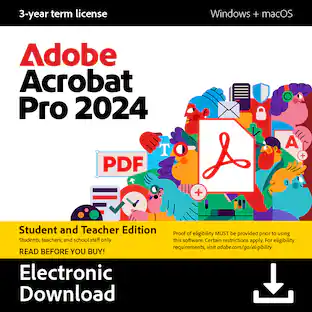
Boost your productivity with the essential offline solution for all your PDF needs. With Adobe Acrobat Pro 2024, you can easily create, edit, convert, and protect your documents on Windows and Mac without connecting to the cloud. Manage your documents efficiently with new features including enhanced accessibility tools, star a document, and create a new form from scratch. The updated Acrobat interface also means that you’ll be able to easily find the tools you need to complete PDF tasks faster than ever. You can own this software for a full three years, no subscription required. The 3‐year term license begins once you redeem the code. Note that only one redemption code can be redeemed per Adobe account. If you are looking to redeem another redemption code, click on "Use a different Adobe ID email" on the redemption page and log into a different account. If you have accidentally redeemed multiple codes using the same Adobe account, please contact Adobe Support to receive a replacement code.
Features
Acrobat Classic is also known as Acrobat Pro 2024.
Work securely offline, without connecting to the cloud, with desktop-only PDF tools.
Edit text and images and reorder and delete pages in a PDF.
Convert PDFs to Microsoft Word, Excel, or PowerPoint files while preserving fonts, formatting, and layouts.
Easily create, fill, and sign forms.
Password-protect documents or redact sections of a PDF to keep sensitive information secure.
Star a document to favorite or flag your PDF for easy future access.
Extract discontinuous pages from a PDF to focus on the information you need.
Create and validate PDFs to meet accessibility standards for people with disabilities.
Acrobat Pro 2024 is a 3-year term license — it is non-renewing. No subscription required.
Note that Acrobat Pro 2024 cannot be used with AI Assistant (add-on).
Paid features are not available on web browsers and mobile devices.
Specifications
- Operating System CompatibilityMac OS, WindowsSoftware FormatDigital
Reviews
Rating 4 out of 5 stars with 3 reviews
The vast majority of our reviews come from verified purchases. Reviews from customers may include My Best Buy members, employees, and Tech Insider Network members (as tagged). Select reviewers may receive discounted products, promotional considerations or entries into drawings for honest, helpful reviews.
Compare similar products
![Adobe - Acrobat Pro 2024 PDF Software (3-Year License) - Mac OS, Windows [Digital]](https://pisces.bbystatic.com/image2/BestBuy_US/images/products/5e48b230-e879-449b-b8a2-c9f42b04576a.jpg;maxHeight=422;maxWidth=264?format=webp)
Boost your productivity with the essential offline solution for all your PDF needs. With Adobe Acrobat Pro 2024, you can easily create, edit, convert, and protect your documents on Windows and Mac without connecting to the cloud. Manage your documents efficiently with new features including enhanced accessibility tools, star a document, and create a new form from scratch. The updated Acrobat interface also means that you’ll be able to easily find the tools you need to complete PDF tasks faster than ever. You can own this software for a full three years, no subscription required. The 3‐year term license begins once you redeem the code. Note that only one redemption code can be redeemed per Adobe account. If you are looking to redeem another redemption code, click on "Use a different Adobe ID email" on the redemption page and log into a different account. If you have accidentally redeemed multiple codes using the same Adobe account, please contact Adobe Support to receive a replacement code.
![Adobe - Acrobat Pro 2024 PDF Software Student & Teacher Edition (3-Year License) - Mac OS, Windows [Digital]](https://pisces.bbystatic.com/image2/BestBuy_US/images/products/b3717816-d38e-41ff-91d9-70b85bd330d4.jpg;maxHeight=422;maxWidth=264?format=webp)
Boost your productivity with the essential offline solution for all your PDF needs. With Adobe Acrobat Pro 2024, you can easily create, edit, convert, and protect your documents on Windows and Mac without connecting to the cloud. Manage your documents efficiently with new features including enhanced accessibility tools, star a document, and create a new form from scratch. The updated Acrobat interface also means that you’ll be able to easily find the tools you need to complete PDF tasks faster than ever. You can own this software for a full three years, no subscription required. The 3‐year term license begins once you redeem the code. Note that only one redemption code can be redeemed per Adobe account. If you are looking to redeem another redemption code, click on "Use a different Adobe ID email" on the redemption page and log into a different account. If you have accidentally redeemed multiple codes using the same Adobe account, please contact Adobe Support to receive a replacement code.
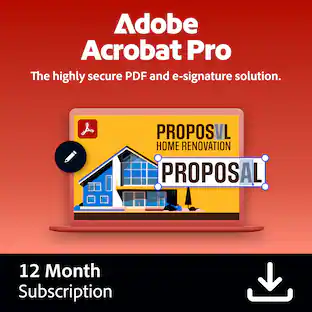
![Adobe - Acrobat Pro PDF Software - Mac OS, Windows [Digital]](https://pisces.bbystatic.com/image2/BestBuy_US/images/products/e3450e91-6882-4ba6-87f5-e292a962354e.jpg;maxHeight=422;maxWidth=264?format=webp)
Adobe Acrobat Pro is a complete collection of PDF and e-signature tools. Convert PDFs, manage agreements, protect your documents, redact sensitive information, and access advanced editing tools. With a one-year subscription, you get access to the latest features, security updates, and upgrades to accomplish more wherever you are.
![Adobe - Acrobat Standard PDF Software - Mac OS, Windows [Digital]](https://pisces.bbystatic.com/image2/BestBuy_US/images/products/6433/6433436_sd.jpg;maxHeight=422;maxWidth=264?format=webp)
Adobe Acrobat Standard lets you simplify everyday tasks with the trusted PDF writer solution. Use Acrobat Standard to create, edit, sign, and track your PDF.
| Pros for Adobe - Acrobat Pro 2024 PDF Software (3-Year License) - Mac OS, Windows [Digital] | |||
|---|---|---|---|
| There were no pros for this product— | Functionality | Overall Performance, Functionality | Overall Performance |
| Cons for Adobe - Acrobat Pro 2024 PDF Software (3-Year License) - Mac OS, Windows [Digital] | |||
| There were no cons for this product— | There were no cons for this product— | There were no cons for this product— | Functionality |
Specs
Customers often buy these together
 $999.99The price was $1,409.99
 Techtober Deal$649.99The price was $999.99
 Techtober Deal$799.99The price was $1,499.99
 Our 365-day lowest price$129.99The price was $199.99




More to consider
 $179.99The price was $206.99
 $239.99The price was $252.60

Explore tech essentials Sponsored



Discover related products
 $593.99The price was $659.99
 $249.00The price was $275.00
 Techtober Deal$10.99The price was $13.99
 $1,377.99The price was $1,409.33