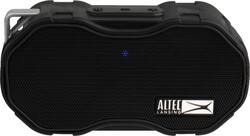
Altec Lansing - Baby Boom XL IMW270 Portable Bluetooth Speaker - Black
- Key Specs
- Speaker Pairing: true (Wirelessly connect the speaker to another compatible speaker for a more immersive sound experience or multi-room audio. Pairing may require use of an app or additional setup.)
- Voice Assistant Built-in: No (A digital assistant built into the device that uses voice commands to answer questions and control smart devices.)
- Speakerphone: true
- Wireless: true
- Works With: Siri, Google Assistant (Compatible with or able to be connected to other smart devices or applications.)
- Rechargeable: true
- USB Device Charging: true
- General
- Brand: Altec Lansing
- Model Number: IMW270-BLK
- Product Name: Baby Boom XL IMW270 Portable Bluetooth Speaker
- Color: Black
- Audio
- Number of Speakers: 1
- Speaker Pairing: true (Wirelessly connect the speaker to another compatible speaker for a more immersive sound experience or multi-room audio. Pairing may require use of an app or additional setup.)
- Radio Tuner: false
- Voice
- Voice Assistant Built-in: No (A digital assistant built into the device that uses voice commands to answer questions and control smart devices.)
- Speakerphone: true
- Calling Features: Calling via "Just Ask"
- Connectivity
- Wireless: true
- Maximum Wireless Range: 100 feet
- Wireless Connectivity: Bluetooth (The manner in which a device sends data to another device over a short distance without the use of wires or cables.)
- Headphone Jack: false (The device features an interface that allows for the connection of headphones.)
- Works With: Siri, Google Assistant (Compatible with or able to be connected to other smart devices or applications.)
- Auxiliary Input: false
- Features
- Protective Qualities: Water resistant
- Maximum Depth of Water Resistance: 3.28 feet (Measurement of the maximum depth of water in which the product is able to resist some degree of water penetration.)
- Control Button(s): Power on/off, Volume
- Controls: Power on/off, volume, next track, previous track
- Remote Control Included: false
- Digital Display: false
- Lighting Type: None
- Clip-on: true
- Power
- Rechargeable: true
- Battery Life (up to): 6 hours (Battery life will vary depending on the product configuration, product model, applications loaded on the product, power management setting of the product and the product features used by the customer. As with all batteries, the maximum capacity of this battery will decrease with time and usage.)
- Battery Charge Time: 2 hours (Battery charge time will vary depending on the product configuration, product model, applications loaded on the product, power management setting of the product and the product features used by the customer. Charging time will likely decrease with time and usage of the battery.)
- Battery Chemistry: Lithium-ion
- USB Device Charging: true
- Voltage: 5 volts (Amount of power needed to support an electrical current.)
- Wireless Charging: false
- Dimensions
- Product Height: 4 inches (The out of box height of the item. Height is measured as the vertical distance from the bottom of the item to the top as it would be primarily used or placed.)
- Product Width: 5 inches (The out of box width of the item. Width is measured as the horizontal distance from one side of the item to the other as it would be primarily used or placed.)
- Product Depth: 1.6 inches (The out of box depth of the item. Depth is measured as the distance from the front of the item to the back as it would be primarily used or placed.)
- Product Weight: 0.5 pounds (The out of box weight of the item.)
- Other
- UPC: 021331923981
Bring your music anywhere with this Altec Lansing Baby Boom XL portable Bluetooth speaker. An IP67-rated chassis stands up to water, snow, and dirt and has a buoyant design that doesn't sink in water. This Altec Lansing Baby Boom XL portable Bluetooth speaker delivers up to 6 hours of loud, accurate audio per charge.
- Just Ask feature: Activates Siri or Google Voice Assistant via Bluetooth on your compatible device.
- Water-resistant design: Meets IP67 standards.
- Connect wirelessly from across the room: Pair this speaker with virtually any Bluetooth-enabled device, including phones, tablets and laptops.
- True wireless pairing: Pair up to 2 true wireless enabled speakers for double the sound.
- Rechargeable Battery: Enjoy up to 6 hours of extended playback on a single charge.
- Fresh, durable design: Take this snowproof and dirtproof speaker everywhere, from a party to the pool to your favorite campsite.
Whats Included
- Altec Lansing Baby Boom XL IMW270 Portable Bluetooth Speaker
- Carabiner clip
- Owner's manual
- USB cable
Q: What is the difference between baby boom XL and baby boom speaker?
A: I checked the website and the XL came out after the Baby Boom. The only difference I could find is that the XL can be paired with another XL to give better “stereo” sound. I hope this helps. http://alteclansing.com/product-category/all-speakers/
A: I do not think this would work very well in the setting you describe. This speaker is designed for more personal use. For an outdoor event such as you are describing, I believe you should go with something bigger and more powerful... there are many to choose from, and a geek squad member could point you in the right direction
Q: Can you verbally tell it to change the song like an Alexa?
A: Hi there - thanks for the question! If the music is downloaded onto your phone you can ask Siri or Google to play the song or next song. But if streaming from Pandora or Spotify you cannot.
A: It does 2 channel stereo in that configuration.
Q: I can no longer get the speaker to connect to my Samsung Note 9 phone. Any suggestions? Thank you!
A: Hi there - thank you for the question. Our first suggestion would to be to "Forget the device" on your smartphone and try repairing. If this doesn't work - please contact us at 1-855-292-4087 and we can assist you further!
Q: Am I able to use the speaker in the shower?
A: Yes. Make sure the charging cover is closed completely. It’s waterproof. Kids use it to shower all the time
Q: Will the speaker play while it is recharging. Needs to be active for more than 6 hours.
A: Yes. Can be in use while charging
Q: Will this work a windows 10 PC? I have tried this and it has not worked out. Thanks!
A: Hi there - Thank you for the question! Pairing our speakers with computers typically depends on the make and model of the computer. If you have Bluetooth installed and are able to link up an external mouse or keyboard, you should be able to link up to our speaker! Follow these steps: How to pair a new Bluetooth device in Windows 10 1. Open Settings. 2. Navigate to Devices. 3. Click Bluetooth & other devices in the left sidebar. 4. Set the toggle switch at the top to On. 5. To add a new device click add Bluetooth or other device. 6. Select Bluetooth. 7. Choose the device from the list. If this doesn't work - please reach out to us at 1-855-292-4087 and we'd be happy to assist you further!
People also viewed
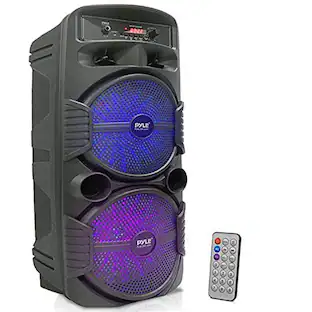 $86.99The price was $91.99
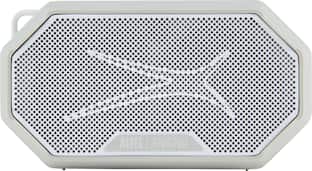 Clearance$23.99The price was $34.99
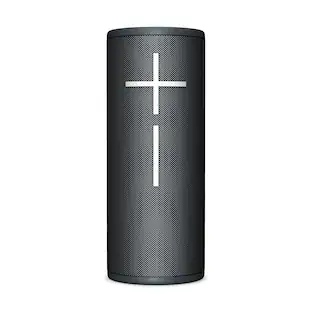 $114.99The price was $149.99
Today's top picks
 $1,029.99The price was $1,199.99
 $629.99The price was $1,099.99
 $129.99The price was $219.99
 $49.99The price was $79.99
 $1,399.00The price was $1,499.00
 $149.99The price was $299.99
 $549.99The price was $849.99
 $399.99The price was $499.99