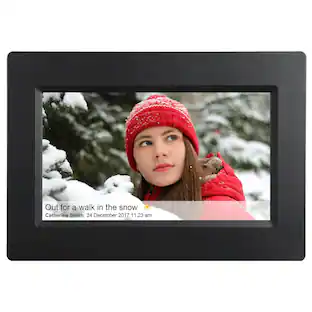
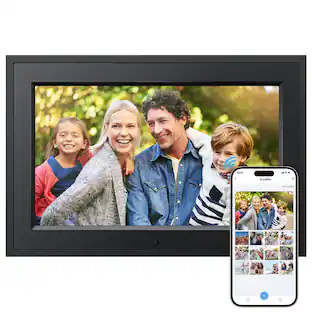
Aluratek - 10" IPS LCD Wi-Fi Touchscreen Digital Photo Frame - Black
Customers are saying
Customers regard the 10" IPS LCD Wi-Fi Touchscreen Digital Photo Frame highly for its ease of use and picture quality. The Wi-Fi connectivity, ample storage, and touchscreen functionality are also appreciated features. However, some customers have noted issues with the initial setup process and the user-friendliness of the app, while a few have reported problems with the USB port.
Features
10” Touchscreen IPS LCD (16:10 aspect ratio)
Your digital photos will be displayed clearer and more vibrant on the IPS LCD panel.
No subscription or monthly/annual fees
You will never need to worry about being charged fees to use any Aluratek digital photo frame
32GB Built-in memory
Plenty of storage for photos and videos.
Photo slideshows
Configure photo slideshows to play in various interval and transition effects set to background music. Features integrated stereo speakers.
Wireless photo and video sharing
Send photos and videos to the frame using our smartphone app, Facebook Messenger, Twitter messages and email.
Motion activated sensor
The digital frame will automatically power on when there is motion in front of the frame
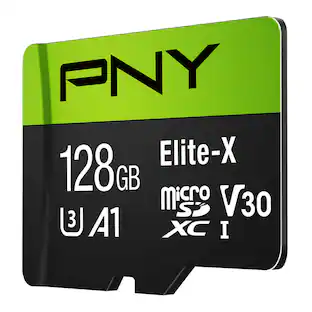
MicroSD card / USB support
Insert a MicroSD, MicroSDHC, MicroSDXC card or USB flash drive into the card slot to instantly view your photos
Easy to use
Fast and easy navigation through the touchscreen menus with no required setup or software to install.
Clock, calendar, weather
Easily configure the time and day and check what to wear before heading out so you are always prepared.
Auto on/off timer
Set your digital photo frame to turn on and off at a specific time.
OTA (Over-the-Air) Updates
Stay up to date with the latest software with automatic Over-the-Air updates
Specifications
- BrandAluratekModel NumberACKWS10FProduct Name10" IPS LCD Wi-Fi Touchscreen Digital Photo FrameColorBlackProduct Width10.4 inchesProduct Height7.2 inches
Reviews
Rating 4.4 out of 5 stars with 795 reviews
- Ease of use (236)
- Picture Quality (199)
- Storage Capacity (15)
- Touchscreen (12)
- Size (11)
- Connectivity (20)
- Setup (10)
- App (5)
Customer Images
The vast majority of our reviews come from verified purchases. Reviews from customers may include My Best Buy members, employees, and Tech Insider Network members (as tagged). Select reviewers may receive discounted products, promotional considerations or entries into drawings for honest, helpful reviews.







Compare similar products

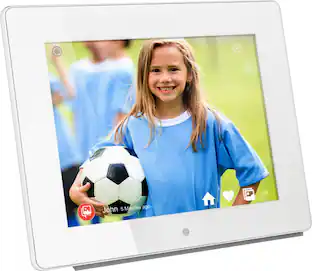
Aluratek’s 10 inch Wi-Fi Digital Photo Frame with Touchscreen LCD Display is a wonderful way to bring your treasured memories to life with incredible image clarity in rich and vibrant colors on the true color IPS LCD panel at 1280 x 800 resolution at an ideal 16:10 aspect ratio. Use multiple smartphones or email addresses to send photos and videos to one frame or use one smartphone or email address to send photos and videos to multiple frames. Display photos from your most recent vacation, graduations, anniversaries and birthdays and relive them over and over again.

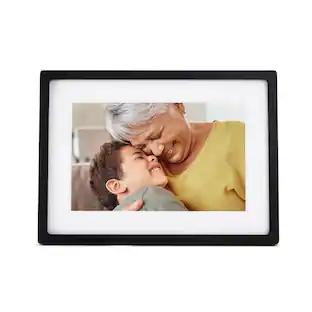
Share unlimited photos and videos from your phone to Carver Mat, Aura's bestselling HD frame. Featuring a 10.1" landscape display, intelligent photo pairing, and built-in speakers for video, Carver Mat boasts a stylish, paper-textured mat to make your photos really pop.
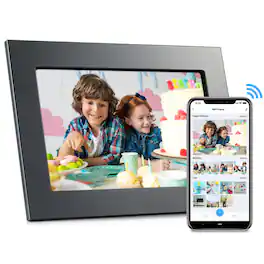
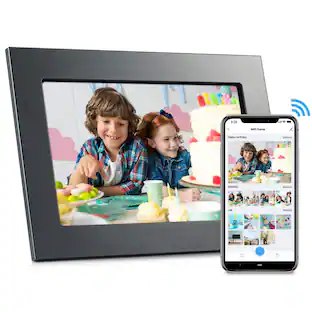
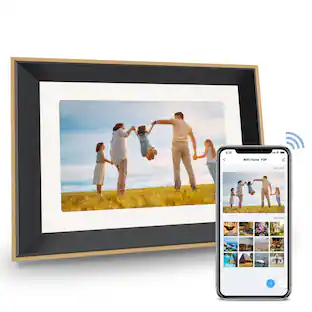
Stay connected with family moments in real time with the eco4life 10.1" Wi‑Fi digital photo frame. Use the companion app to send photos and short video clips (up to 60 seconds) directly from your phone to the frame, so new memories can appear as soon as you share them. The 10.1" HD IPS touchscreen (1280x800, 16:10) displays images clearly with wide viewing angles, and 16GB of built-in storage lets you keep your favorite photos and videos on the frame.Alexa compatibility adds hands-free convenience through Wi‑Fi voice control. Finished with an elegant metal frame, it’s designed to look great on a countertop or shelf while keeping loved ones connected.

Aluratek’s 15 inch Wi-Fi Digital Photo Frame with Touchscreen LCD Display is a wonderful way to bring your treasured memories to life with incredible image clarity in rich and vibrant colors on the true color LCD panel. Use multiple smartphones or email addresses to send photos and videos to one frame or use one smartphone or email address to send photos and videos to multiple frames. Display photos from your most recent vacation, graduations, anniversaries and birthdays and relive them over and over again. Makes a great gift for grandparents, moms and just about anyone who would like to share in your families most memorable moments.
| Pros for Aluratek - 10" IPS LCD Wi-Fi Touchscreen Digital Photo Frame - Black | |||
|---|---|---|---|
| Ease of use, Picture Quality, Storage Capacity, Touchscreen, Size | Ease of Use, Overall Performance | There were no pros for this product— | Picture Quality, Ease of use, Wi-Fi, Display, Features |
| Cons for Aluratek - 10" IPS LCD Wi-Fi Touchscreen Digital Photo Frame - Black | |||
| App, Connectivity, Setup | There were no cons for this product— | There were no cons for this product— | App, Price, Viewing Angle |
Specs
Customers often buy these together




More to consider
 $48.99The price was $69.99
 $82.99The price was $84.99
 $69.99The price was $89.99







Capture the moments Sponsored



Discover related products
 $11.99The price was $13.99
 $169.99The price was $199.99
 $15.99The price was $17.99
 $297.49The price was $333.49
 $215.99The price was $229.90



Keep exploring
- $48.99The price was $69.99
- $69.99The price was $89.99