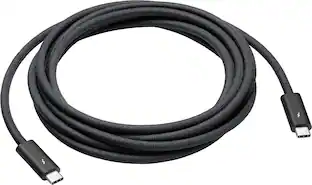
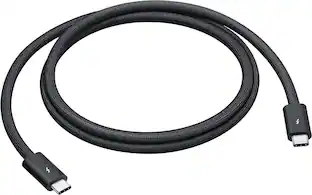
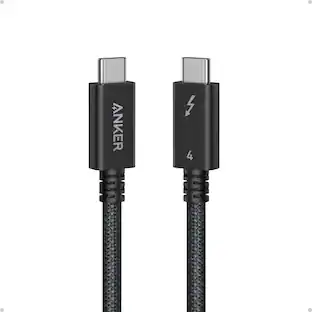
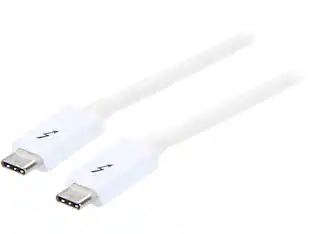
Apple - Thunderbolt 3 (USB-C) Cable (0.8 m) - White
- Key Specs
- Cable Length: 2.6 feet
- Connector Type (End 1): Thunderbolt
- Gender (End 1): Male
- Connector Type (End 2): Thunderbolt
- Gender (End 2): Male
- General
- Brand: Apple
- Model Number: MQ4H2AM/A
- Product Name: Thunderbolt 3 (USB-C) Cable (0.8 m)
- Color: White
- Quantity: 1
- Compatibility: Thunderbolt 3- or USB-C-enabled devices and displays
- Connectivity
- Cable Type: Thunderbolt
- Cable Length: 2.6 feet
- Product Type: Cable
- Connector Type (End 1): Thunderbolt
- Gender (End 1): Male
- Connector Type (End 2): Thunderbolt
- Gender (End 2): Male
- Warranty
- Warranty - Parts: 1 year
- Warranty - Labor: 1 year
- Other
- UPC: 190198441997
This 0.8m cable supports Thunderbolt 3 data transfer up to 40 Gbps, USB 3.1 Gen 2 data transfer up to 10 Gbps, DisplayPort video output (HBR3), and charging up to 100W. Use this cable to connect a Mac with Thunderbolt 3 (USB-C) to Thunderbolt 3 devices, such as docks, hard drives, and displays. You can daisy-chain up to six Thunderbolt 3 devices.
Whats Included
- Thunderbolt 3 (USB-C) Cable (0.8 m)
Q: What is the maximum data transfer speed this cable supports for Thunderbolt 3?
A: This cable supports Thunderbolt 3 data transfer speeds up to 40 Gbps.
Q: Does this cable support charging, and if so, at what wattage?
A: Yes, this cable supports charging up to 100W.
Q: How many Thunderbolt 3 devices can be daisy-chained with this cable?
A: You can daisy-chain up to six Thunderbolt 3 devices using this cable.
Q: What is the connector type on both ends of this cable?
A: This cable has a Thunderbolt connector on both ends.
Q: What is the length of this Thunderbolt cable?
A: The length of the Thunderbolt cable is 2.6 feet (0.8 meters).
A: The cable is .8 meters, which translates to 2' 7."
A: Apple has a 2m cord or they sell a belkin aftermarket version. The Apple cord is 129 and belkin is 79. The cables are expensive because the longer one is an active cable with circuitry in the connectors.
A: Yes. Works great between a 2018 Mac Mini and an RX-580 eGPU! Just long enough to work with the eGPU on an under desk shelf.