Aqara - T1 Door and Window Sensor- Requires Hub product, Supports Apple HomeKit, Alexa, Google, SmartThings - White
About this product
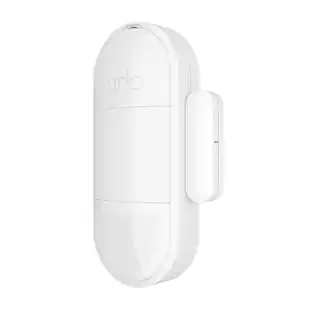
Aqara Door and Window Sensor T1 detects the open and close state of doors or windows through the distance between the sensor unit and the magnet. It consumes a minimal amount of energy. No tools are required, just stick it to the desired place and use it in a dozen of possible use cases.
Features
A Smart Sensor with Maximum Versatility
For an added convenience and peace of mind, you will be able to install this tiny sensor not only on the doors and windows, but also into the drawers, mailboxes, and even AC units to achieve
Multi-ecosystem support
After binding it to an Aqara hub, the sensor can be exposed to third-party platforms, such as Apple Home, Amazon Alexa, Google Home, and even Matter. Moreover, it can be natively integrated with Samsung SmartThings and Yandex Smart Home.
Aqara home automations
You can trigger different scenes and automations with our suite of smart home products. For example, when you open the door in the evening, the Aqara Door and Window Sensor T1 will send a signal to the Aqara Wall Switch to turn on the lights. No matter how late you get home, the lights will automatically turn on.
Security notifications
With the Door and Window Sensor T1, you can turn on alarm mode when you leave the house or when you are asleep. If a door or window is opened, the Hub will sound an alarm and send a notification to your phone.
Advanced technology
Aqara Door and Window Sensor T1 detects the current status of doors or windows via the distance between the sensor and the magnet. The sensor is also energy-efficient and one battery can last over 2 years under normal usage.
OTA update support
The T1 series come with OTA update support, which has enhanced their stability and functionality.
Specifications
- Detector TypeContact, TemperatureSensor TypeMagneticWireless ConnectivityBluetooth, Wi-Fi, Radio Frequency (RF - 2.4 Ghz/Low Latency)Works WithApple Home, Amazon Alexa, Google HomePower SourceBattery-poweredNumber of Devices Included1
Reviews
Rating 4.7 out of 5 stars with 7 reviews
Customer Images
The vast majority of our reviews come from verified purchases. Reviews from customers may include My Best Buy members, employees, and Tech Insider Network members (as tagged). Select reviewers may receive discounted products, promotional considerations or entries into drawings for honest, helpful reviews.
Compare similar products
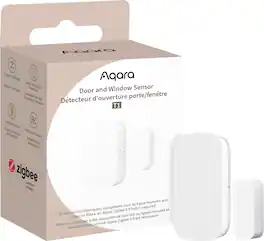
Aqara Door and Window Sensor T1 detects the open and close state of doors or windows through the distance between the sensor unit and the magnet. It consumes a minimal amount of energy. No tools are required, just stick it to the desired place and use it in a dozen of possible use cases.
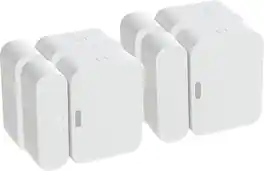
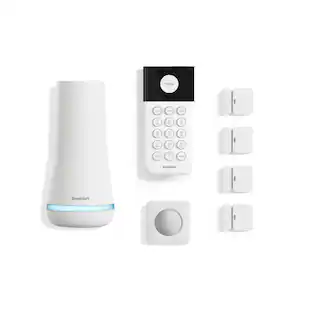
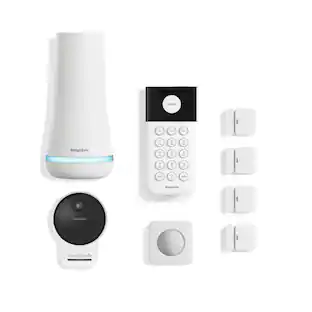
Easy to install on every type of door or window. The magnet goes on the door or window, and the sensor goes on the frame (or vice versa). Magnet can be placed up to 2 inches from the sensor, so sensors fit on all types of doors and windows. SimpliSafe sensors come with the battery pre-installed and adhesive tape pre-applied, making set-up a snap.

Get even more peace of mind with SmartSensor for doors and windows. They protect your home with instant notifications when an entryway or access point is opened or closed. With an ecobee Smart Security subscription, you can unlock even more and get instant alerts when any unexpected motion is detected in your home.

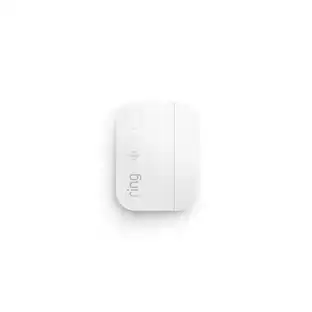
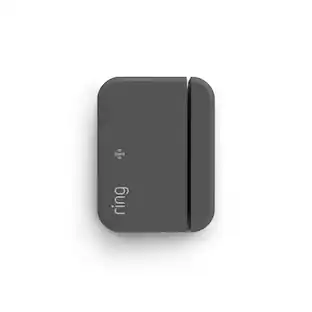
Expand your Ring Alarm system to secure each door and window in your home, and hear chirps as soon as they open. Ring Alarm Contact Sensors mount to any door or window frame in your home for easy, DIY installation. Connect them to your Ring Alarm and receive mobile alerts from the Ring App so you’ll always be the first to know when something’s ajar.
| Pros for Aqara - T1 Door and Window Sensor- Requires Hub product, Supports Apple HomeKit, Alexa, Google, SmartThings - White | |||
|---|---|---|---|
| There were no pros for this product— | Ease of use, Installation, Compatibility, Battery Life, Price | Ease of use, Battery Life, Compatibility, Setup, Motion Sensor | Ease of use, Installation, Overall Performance, Security, Size |
| Cons for Aqara - T1 Door and Window Sensor- Requires Hub product, Supports Apple HomeKit, Alexa, Google, SmartThings - White | |||
| There were no cons for this product— | There were no cons for this product— | Notification, Price | Connectivity, Range, False Alarms, Stickiness |
Specs
Questions & Answers
Is it UL2017 approved
Answered by Aqara OfficialSorry to say it is not

Can this sensor be used on anything other than doors and windows?
Yes, it can be installed on drawers and mailboxes as well.
This question and answer was generated by AI based on customer and product data.How should the sensor unit and magnet unit be aligned?
Align the Sensor Unit and Magnet Unit’s marking lines as much as possible.
This question and answer was generated by AI based on customer and product data.What does it mean when the indicator on the Aqara Door and Window Sensor is blinking?
The blinking indicator means the device is ready to be added.
This question and answer was generated by AI based on customer and product data.How long do you need to press and hold the reset button on this sensor?
You need to press and hold the reset button for 5 seconds.
This question and answer was generated by AI based on customer and product data.
Customers often buy these together
 Our 365-day lowest price$39.99The price was $49.99
Customers ultimately bought
 $49.99The price was $59.99
Control, Comfort, Convenience Sponsored
Discover related products
 $59.99The price was $69.99
 $55.99The price was $69.99
Keep exploring
 $46.99The price was $49.67