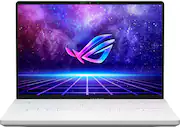
Rating 4.1 out of 5 stars with 1580 reviews
4.1- Performance (377)
- Battery Life (207)
- Build Quality (156)
- Display (109)
- Portability (71)
- Heat (273)
- Fan Noise (33)
- WiFi (16)
- GPU (12)
Customer Images
The vast majority of our reviews come from verified purchases. Reviews from customers may include My Best Buy members, employees, and Tech Insider Network members (as tagged). Select reviewers may receive discounted products, promotional considerations or entries into drawings for honest, helpful reviews.
- Rated 3 out of 5 stars
Great design concept marred by terrible execution
**Go to the end of this review to read about the QC issues and also why I gave this laptop 3 stars** The Asus Zephyrus G14 is an amazingly designed laptop, hitting a great balance between portability and performance, thanks to a lot of right choices made by the Asus engineers. However, it is all rendered useless with the terrible QC check issues Asus has been facing for a while. Pros: -Stunning 16:10 QHD display! -Very powerful for its size -Decent battery life (amazing for a gaming laptop) -Small size and weight -Pretty good speakers with better bass than most windows laptops Cons: -Terrible QC -mediocre webcam -No Fn lock (really Asus??) -overheats -heavy and power consuming proprietary software I mean it when I say those engineers really made some right choices when making this laptop. They chose to go with an AMD processor, which especially with the 6000 series is a lot more power efficient compared to Intel. The 1440p display is a great middle ground between sharpness and power consumption for a 14” laptop. Build quality: The build quality is decent, although not very flamboyant and premium feeling like many other laptops. The laptop has a magnesium alloy chassis where the palm rests, however the underside is plastic and the screen flexes more than laptops with aluminium frame. Overall though, it’s not a cheaply made laptop and durability is up there with laptops from the premium category. Display: The screen is one of the strongest features of the product featuring a 1440p display with a brightness of 500nits and support for Dolby Vision. It is really beautiful to look at and bright enough for most scenarios, however that Dolby Vision sticker means less in a windows laptop than you might think. It doesn’t support traditional HDR in windows meaning you can’t watch YouTube or play games in HDR. The only time you can use HDR is if you playback Dolby Vision content locally on the machine using windows media player or on Netflix Premium using Edge browser. In the end though, it is still way better than the standard we’re used to seeing for gaming laptops. However, you can have issues like screen bleeding due to ASUS’s terrible QC which I’m gonna mention down below. Performance: The performance is plenty, the 6900HS is powerful enough for most tasks and games. For reference, it is slightly behind Intel’s 12700H processor but it only really matters if you wanna save some time in video renders. The main benefit of the processor is the power efficiency, which enables this laptop to have impressive battery life, more on that later. The 6700s GPU is decently powerful doing as good or better than the RTX 3060. I am able to get 100fps in Forza Horizon 5 at 1600p Ultra settings. Far Cry 6 ran well above 60fps at 1200p Ultra. The only caveat is Ray Tracing and DLSS. This laptop absolutely struggles when RT is turned on. Also Fidelity FX, the AMD alternative for DLSS is not as good as Nvidia’s offerings. But at the end the only game where RT actually has significant improvement in visual quality is Minecraft. So unless you’re playing that game, you’ll be just fine and happy with this laptop. Speakers: The laptop is really good at spatial surround with its speakers which helps with movies and sports like Formula 1. The bass, although nowhere near MacBook level is much better than most 14” windows laptops, and the highs and mids are sparkly and decent. Just a note, do not use the “Music” sound profile that it comes with by default in Dolby Access app, it significantly lowers the volume and does not actually help with music. Surprisingly, I found Gaming to be the best sound profile for all types of content including videos and music. Another alternative is custom profile with a V-shaped EQ. With that mode, while you it sounds great, there can be a lot of distortion at high volume. Software: By default, the G14 comes with MyAsus and Armoury Crate, both of which are pretty much useless except for driver updates. Why you might ask? Because there exists a software called G-helper, made by the community. Armoury Crate and MyAsus are really good for selecting performance profiles and battery limit. But unfortunately, is it really bloated and consumes battery. Not only that, the D-gpu randomly turns shortening the battery life to 2-3hrs. Ghelper on the other hand has all the same functions as those two softwares but is much lighter and more optimised, leading to lower idle temps and better battery life. It even adds a Fn lock functionality which for some reason Asus doesn’t provide on their own. This means you have to hold the Fn key while doing simple stuff like changing brightness or taking a screenshot. Battery Life: The 2022 model of Asus G14 sets a benchmark for battery life when it comes to gaming laptop. I am able to get 8-10hrs of browsing on chrome and 7hrs of YouTube playback. Not only is it quite good for windows laptop, it is fantastic for a windows gaming laptop. It also supports type c charging which is really nice, though for some reason only the left c port. Honestly, I was a little bummed out by the video playback performance since many reviewers got 10+ hrs of YouTube playback. But I guess Asus might have done some optimisation for them which they might not have for consumers. Ports or I/O: The left side has HDMI2.0b, AC barrel jack, USB 4 type C (40gbps), headphone jack. The right side has two 10gbps USB-A, one 10gbps type C and a micro SD slot. Sadly the HDMI isn’t 2.1 so no 8K or 4K 120hz. The HDMI and the right type C port are connected directly to the GPU, which while it helps with more FPS in gaming, drastically reduces the battery life when doing simple stuff like presentation. So if you’re one of those people who use project a lot, get a type c to HDMI converter and use the left type c port which is connected to the iGPU. The left type c supports 40gbps USB 4, meaning you can connect an external GPU enclosure if you want. The elephant in the room: The terrible Asus QC. Many people in the best buy review and Reddit have been complaining about the terrible QC of G14, and they’re right. I first bought the open box version of this, and it had a flimsy trackpad, wobbly F key and battery of much lower capacity. Obviously with open box, it’s expected, so I replaced it with a new sealed one, and that had issues too. The trackpad was still a little flimsy, the F key was still wonky, and while the battery health was good, this time I got horrible backlight bleeding on the screen and super uneven backlighting on the keyboard. With LCDs, you should ideally expect a dark bluish tone when on a black screen. But sometimes, you might get slight blotches of green in the corners, that’s called backlight bleeding and is normal with LCDs. However, the unit I received had absolutely terrible bleed, beyond normal (view image). Not just me, many people on Reddit and Best Buy also have the same issue. The more I dug into this issue, I found out that people have been having other issues as well like cracked chassis, loud coil whine, fan rubbing against something and abnormal battery life. There are reports of people exchanging their laptop more than 3 times until they got a unit without any defects. Issues like these happen to be common with many other Asus ROG products, which leads me to the conclusion that Asus has a huge manufacturing defect problem that they can’t fix or that they don’t care about. Conclusion: The concept of the laptop is so balanced and so perfect that it was finally a dream choice for gamers who also like a portability for college or work. But with the ongoing manufacturing defects from Asus and simple blunders like no Fn lock force me to give it only 3 stars. What good is a great idea if the end result is poor. 5/5 for concept/design 2/5 for execution If you don’t mind replacing it multiple times, it’s a great laptop.
Posted by KMOD
- Rated 5 out of 5 stars
Great Laptop Especially With The Deals
The Asus ROG G14 (2022) featuring the AMD Radeon 6700S is a powerhouse gaming laptop that has taken the gaming community by storm. With its exceptional performance, stunning display, and portable design, it sets a new standard for gaming laptops. The design of the ROG G14 is sleek and stylish, showcasing a compact and lightweight form factor. The magnesium-aluminum alloy chassis not only enhances its durability but also adds a premium touch to its aesthetics. The laptop's portability makes it ideal for gamers on the move, without compromising on performance. Under the hood, the ROG G14 boasts the AMD Ryzen 9 processor and the AMD Radeon 6700S graphics card. This dynamic duo ensures a smooth and immersive gaming experience, allowing you to play the latest AAA titles at high settings. The powerful combination of these components guarantees fast and responsive gameplay, with stunning visuals and realistic graphics. The 14-inch WQHD display with a 144Hz refresh rate elevates your gaming experience to new heights. The vibrant colors, excellent contrast, and sharp details bring games to life, immersing you in a visually captivating world. The narrow bezels maximize the screen real estate, providing an expansive viewing area that draws you deeper into the game. Thermal management is a critical factor for gaming laptops, and Asus has paid special attention to it in the ROG G14. The laptop incorporates an innovative cooling system with an ErgoLift hinge for improved airflow. The Active Aerodynamic System (AAS) and self-cleaning cooling design ensure efficient heat dissipation, allowing you to push the limits of your gaming sessions without worrying about overheating. The keyboard on the ROG G14 offers a comfortable typing experience with responsive keys and good travel distance. The backlit keyboard allows for seamless gaming in low-light environments, and the customizable lighting effects add a touch of personalization. The trackpad is precise and responsive, enhancing navigation and productivity. Despite its powerful performance, the battery life on the ROG G14 is impressive. With its energy-efficient components and a sizable battery, it provides sufficient power to keep you gaming on the go for an extended period. You can indulge in gaming sessions without being tied to a power outlet, making it a truly portable gaming machine. In conclusion, the Asus ROG G14 (2022) featuring the AMD Radeon 6700S is an exceptional gaming laptop that excels in every aspect. From its sleek design to its powerful performance and stunning display, it offers an unparalleled gaming experience. With efficient thermal management and impressive battery life, it combines portability with top-notch gaming capabilities. Whether you're a casual gamer or a dedicated enthusiast, the ROG G14 is a game-changer that delivers excellence in every aspect.
Posted by ShahnajC
- Rated 5 out of 5 stars
Easily going to be one of the best laptops in 2020
I returned my Asus M16 i9 12th gen, 16GB DDR5, 1TB SSD, 3070Ti for this G14 and I am beyond happy. The i9 ran too hot, loud, and horribly inefficient. It looks like Ryzen 6000 series mobile CPU will remain on the best overall laptop throne. The Ryzen 9 6900HS is both very powerful and power efficient, even the RDNA2 iGPU is insane there were moments I didn't even realize I was only using the intergrated GPU running GTA IV at max setting over 60FPS not even using the Radeon 6700HS, insane. I have been running into issues with the dedicated GPU, a product of early adoption and I'm personally used to Nvidia GeForce software but the AMD Radeon Software has been a bad experience. I have not been able to update my graphics drivers and failing any time I try to, the app often also crashes and I am unable to search for update with in the app. Hopefully this is just a software issue that will be resolved. The size, is great for portability, battery is amazing and you can really stretch it on low power modes compared to the 2hr I was getting on the M16's battery just on internet use. The display is exceptional my only compliant is I wish that the G15 had 16:10 500nit display, because as much as I love the G14 and I would recommend this to anyone interested I have my eyes set on the upcoming G15 with two M.2 slots, larger 90Wh battery and larger screen I'm hoping that the G15 beats the G14 in every category, if not I'm happy with the G14!
Posted by Shroud
- Rated 5 out of 5 stars
Amazing Laptop!!!
I had first bought this and had it running stock with what it came with turbo with the standard settings, I booted a game got up to 90-95 degrees Celsius which is roughly like 190 Fahrenheit the keys closest to the top of the laptop felt they were on FIRE. I said nope packed up the laptop and put it away but after doing some research I decided to keep it and mess around a little. I found that going into “edit power plan” and disabling “processor performance boost mode” made a TREMENDOUS difference in the temps without sacrificing performance, I also found that in the armoury crate app that the preset “turbo” is very very very hot no matter what. Performance is a good start and then you can switch to manual. My current manual settings are (APU sPPT)- 40/80 (when connected to power) and (Platform sPPT)- 70/115 (also while connected to power) I haven’t used the laptop much without it connected to power but if you do I’d go with the performance mode. Lastly for the GPU mode I’d say ultimate, or optimized optimized works perfectly fine for well everything. Ultimate is just the one that consumes more power. These are things I wish people would’ve commented here before I had hastily packed it away, this is a good laptop ASUS just doesn’t have it Tweaked the way it needs to be. Please give it a chance and try the settings I have given they really do make a difference! I have also listed the fan speeds that I use for the certain temperatures in the pictures!
Posted by Frosty
- Rated 4 out of 5 stars
Great light yet powerful gaming laptop!
Decent build quality. Great performance vs. form factor, and battery life. Good display. Overall, incredible gaming laptop for the price. Cons so far - sometimes the laptop keeps running when closed, and sometimes if the display is closed while in silent mode (in Asus ArmouryCrate), the laptop doesn't turn on/freezes after the display is opened and power butten is pressed - need to long press power button (to turn off) and turn on again. Hope these get fixed with future firmware/software updates. Also, would have loved to see a much better webcam.
Posted by samintexas