Avantree - DG80-Gaming - USB Bluetooth 5.3 Adapter Dongle for PS5 & Gaming Consoles
About this product
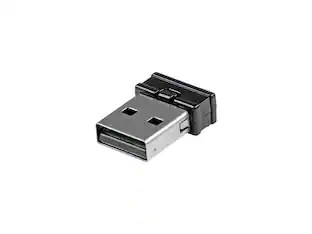
Avantree DG80-Gaming - USB Bluetooth 5.3 Adapter Dongle for PS5 & Gaming Consoles, with aptX-Adaptive & Low Latency, Wireless Audio Transmitter to Bluetooth Headphones & Earbuds
Features
PERFECT FOR GAMING
Connect your Bluetooth headphones (excluding the PULSE 3D and other 2.4G headsets) to your PS5 or other gaming consoles with the DG80-Gaming adapter and enjoy high-fidelity audio with no wires, drivers, or software required. NOTE: For use with PC and other devices, consider the C81-PC for best results.
NO AUDIO DELAYS
When used with headphones that support aptX-Low Latency or aptX-Adaptive, a latency of 55ms or less provides perfectly synced audio & visual.
HIGH-DEFINITION AUDIO
Equipped with a Qualcomm chipset that supports aptX-LL, HD, and Adaptive, the DG80-Gaming transmits high-quality 24-bit dynamic audio via a stable, energy-efficient connection.
EXTENDED RANGE
Listen from afar at a range of up to 100ft / 30m.
USER-FRIENDLY
In order to connect, simply plug the DG80-Gaming into your console and put your headphones into pairing mode – they’ll automatically connect. For any subsequent use, the headphones will automatically reconnect to the adapter.
Specifications
- BrandAvantreeModel NumberDG80Product NameDG80-Gaming - USB Bluetooth 5.3 Adapter Dongle for PS5 & Gaming ConsolesWarranty - Parts2-year warranty | For fast support, email support@avantree.com or call +1 800 232 2078. Visit https://avantree.com/support for Live Chat, Video Tutorials, FAQ, and our Online Clinic.Warranty - Labor2-year warranty | For fast support, email support@avantree.com or call +1 800 232 2078. Visit https://avantree.com/support for Live Chat, Video Tutorials, FAQ, and our Online Clinic.UPC6945624905031
Reviews
Rating 5 out of 5 stars with 1 review
The vast majority of our reviews come from verified purchases. Reviews from customers may include My Best Buy members, employees, and Tech Insider Network members (as tagged). Select reviewers may receive discounted products, promotional considerations or entries into drawings for honest, helpful reviews.
Compare similar products
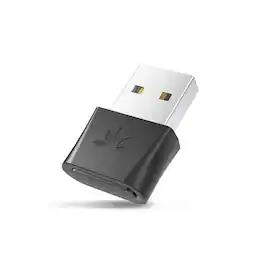
Avantree DG80-Gaming - USB Bluetooth 5.3 Adapter Dongle for PS5 & Gaming Consoles, with aptX-Adaptive & Low Latency, Wireless Audio Transmitter to Bluetooth Headphones & Earbuds
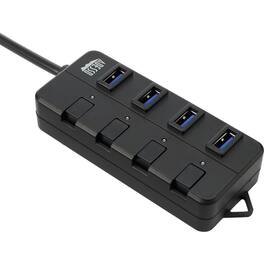
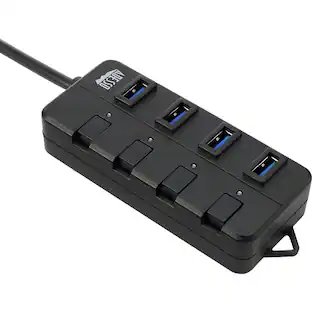
The Adesso USB 3.0 4-Port Hub is light and compact making it extremely easy to carry with you on the go. This hub also comes with power saving switches on each individual ports to conserve power when usb devices are not in use. It is also plug and play across different operating system such as Windows and Mac OS. With our daily lives becoming more dependent on usb devices, this usb hub will serve as the perfect usb peripheral to host your usb devices. More from the Manufacturer

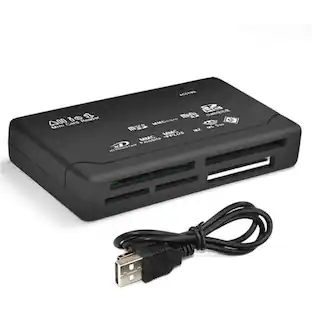
The SANOXY all-in-one memory card reader is the perfect way to transfer files between different types of HC memory cards and your PC. It supports a wide variety of card formats, including CF, SD, microSD, Mini SD, MS, MS Pro, MS Duo, MS Pro Duo, MS MG, RS MMC, MMC 4.0, Ultra II SD, Extreme SD, T-Flash, MMC micro card, M2, Memory Stick, Memory Stick PRO, Memory Stick Micro, Memory Stick Duo PRO, and XD Cards. To use the memory card reader, simply insert your card into the corresponding slot and connect the reader to your PC's USB port. The reader will automatically mount the card and make it available to your PC. You can then move, save, copy, or delete files from the card as needed.
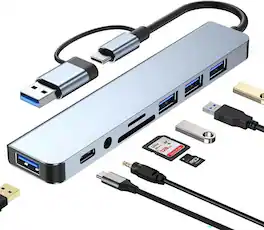
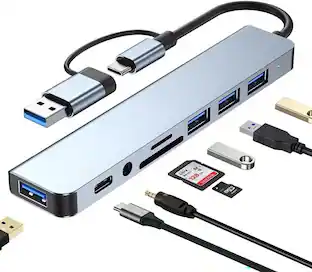
Expand a USB-C laptop, tablet or phone with an 8-in-1 hub that combines one USB 3.0 port, three USB 2.0 ports, a USB-C data port, SD and TF card readers, and a 3.5mm audio connection. The USB 3.0 port supports data transfer up to 5 Gbps, while USB 2.0 supports up to 480 Mbps. Plug-and-play operation works with Windows, macOS, Linux, ChromeOS, iOS and compatible Android devices, making the hub a practical portable connectivity solution.
Specs
Customers often buy these together





More to consider
 $24.99The price was $37.00

Explore tech essentials Sponsored


Keep exploring
 $1,899.00The price was $1,999.00