Everything for Back to School — and then someShop now

Skip to contentGo to Product Search
Main Content

Fitbit - Ace LTE - Kids Smartwatch with In-App Calling, Messaging, GPS - Mild - (2024)

Model: GA05576-NA
SKU: 6585805
Sold byBest Buy

Customers are saying

Customers are impressed with the device's integrated GPS, reliable communication features, and overall performance. Users also appreciate the clear call quality, intuitive ease of use, and the added benefit of water resistance. While the watch is highly regarded for its functionality, some users have noted that the battery life could be improved.

Generated by AI based on customer reviews.
Features
  • Independence for them. Peace of mind for you.

    With advanced location technology powered by Google, you’ll know where your child is, and that they got there safe and sound.⁴,⁵

  • Now they can call home, without the smartphone.

    With in-app calling and messaging for up to 20 adults,³,⁶ you can contact your kids anytime using the Fitbit Ace app.⁷

  • Fitbit Ace Pass. LTE data. Unlimited fun.⁸,⁹

    The Fitbit Ace Pass is a data plan that gives kids access to calling, messaging, and location sharing,³ plus every game title in the Fitbit Arcade.⁸

  • One app to keep everyone connected.

    The Fitbit Ace app⁷ is your home base. It’s where you go to call or message your kids,³ manage and approve their contacts,⁶ see their location, and more.

  • School Time. For when class is in session.¹⁰

    Use this mode to limit gameplay on their watch during the day, while still letting them get in touch if they need to.

  • Every move counts.

    Kids do more than take steps. They jump and spin through the day. The Move Goal captures the different ways kids play in one easy-to-read snapshot.¹¹

  • Move the Noodle.

    Meet the Noodle, the weirdest activity ring your kids will ever close. It records movement, and celebrates with a fun animation when they reach their Move Goal.¹¹

  • Active games, powered by Fitbit.

    The Fitbit Arcade is full of movement-based games for every level.¹² The more they move, the farther they get through the game.

  • Meet the eejie.

    The eejie is the center of Fitbit Ace LTE. The more your kids move, the more goals they hit and the happier they make the eejie.¹²

  • Welcome to Bit Valley.

    Bit Valley is where the eejie lives, and where it can meet up with other players’ eejies.¹² Keep the eejie happy by meeting Move Goals and earning cool items for its room.¹¹

  • Band together.

    Every Fitbit Ace LTE Band has technology that unlocks a new haul. Keep their eejie’s house looking fresh, and help them stay active with a new Noodle and activity challenges.²

  • Bump and scratch resistant. Because kids happen.

    It’s made with Corning Gorilla Glass 3 and comes with a protective bumper case.¹³ So it resists dust, scratches, and endless bounces.

  • Help is one tap away.

    If there’s an emergency and your child needs to reach you, they can quickly access emergency contacts and Fitbit Ace LTE will automatically call you.³,⁶

  • A battery that keeps on going. Just like them.

    With 16+ hours of battery life, Fitbit Ace LTE keeps up with kids all day long.¹⁴ And fast charging provides 11 hours of battery life in just 30 minutes.¹⁵

See all features
Specifications
  • Screen Size
    41 millimeters
    Touch Screen
    Yes
    Operating System Compatibility
    Android, Apple iOS
    Operating System
    Other
    App Compatible
    Yes
    Built-in Storage
    0 gigabytes
Sponsored

Reviews

Customers are sayingCustomers are impressed with the device's integrated GPS, reliable communication features, and overall performance. Users also appreciate the clear call quality, intuitive ease of use, and the added benefit of water resistance. While the watch is highly regarded for its functionality, some users have noted that the battery life could be improved.
This summary was generated by AI based on customer reviews.
  • GPS (45)
  • Overall Performance (34)
  • Communication Features (27)
  • Call Quality (19)
  • Ease of Use (17)
  • Battery Life (31)

Customer Images

The vast majority of our reviews come from verified purchases. Reviews from customers may include My Best Buy members, employees, and Tech Insider Network members (as tagged). Select reviewers may receive discounted products, promotional considerations or entries into drawings for honest, helpful reviews.

  • Rated 5 out of 5 stars

    Best option for elementary and Middle school kids

    This is my second purchase. Earlier last year I bought one for my elder kid and now this for my younger kid. We as parents are happy with the product as having an option of school time gives minimal distraction and at the same time help us to know their where abouts. This will alos keeps the kids motivated for doing activities

    Posted by VenkatanagamarutiravipraK

  • Rated 5 out of 5 stars

    Kids smart watch

    It’s great for the kids to be able to play the games. The kids need to walk that one thing that I like and they can only message or call the people that I put on his watch. I 100% recommend this watch.

    Posted by Mikasa1985

  • Rated 3 out of 5 stars

    Good starter watch

    A good starter watch for our kids but we weren’t aware that when it said it was compatible with IOS and Android that meant through its own app (thought texts would be sent right to messages). Maybe we just missed it in the description.

    Posted by Kross

  • Rated 4 out of 5 stars

    Great child-friendly, secure smartwatch for calls

    Quick Overview ================================= Smartwatches have come a long way, but what about ones for kids? They've either been relegated to fitness trackers or full-on smartwatches that parents have to lock down. The ones that were focused on kids, more often than not, had some kind of security failure that defeated the purpose of having a kid-focused smartwatch. Google (with their acquisition of Fitbit) has now entered the fray with the Fitbit Ace LTE focused on ages 7 to 11 and requiring a subscription for connectivity. You can message and call with the watch itself, so let's see how it performs. Overall build ================================= This is definitely built for kids, but don't confuse it with the earlier Fitbit Ace models that were fitness trackers. This is a more full-featured smartwatch with a great color screen, GPS, LTE, and games to keep kids entertained and engaged. The watch itself looks similar to Fitbit's adult smartwatch offerings with rounded corners and a large screen. The screen is Corning Gorilla Glass 3 and there's an included bumper (green) that came with it to help further protect the face of the watch. The sides are plastic and sensor-wise there's an array of sensors (accelerometer, altimeter, gyroscope, heart rate sensor, and more) for tracking fitness and for games. The Fitbit Ace LTE is also rated at 5ATM of water resistance, so they can certainly swim and splash around in it without fear. The band is a looped Velcro mechanism that's easy to take on and off for charging purposes, but I wish they had made it a bit harder to fully unloop the strap. More than once, we've had to catch the watch before it dropped onto the ground as they took it off to change wrists or charge it. Fitbit will sell you different colored bands with different associated digital goodies. Initial setup ================================= Yes, this Fitbit Ace LTE will require a subscription, but until the end of 8/2024, the price is half off. I think it's fair at that point since you'd expect to pay for connectivity if you need this device to make calls, communicate location, and do some messaging. The watch also has WiFi so presumably this will be used inside the house. You'll first need to download the Fitbit Ace app on your phone (parent) and start setting up the watch. Soon you'll be asked if this is for you or a child. If you already have a Google family account (I did), then you can just select a child to associate your watch with. If you don't have a Google family account setup yet, you'll be prompted to create one, then you can associate that child with the watch. After that, you can hand the watch to your child and let them set up their Eejie (a play on emoji?) which is like a Tamagotchi. Performance ================================= Each day, there are Daily Quests to keep moving and keep the Eejie happy. For kids that like virtual pets or virtual friends (ours love Tamagotchis), this should keep them entertained! There are also miscellaneous games in the Fitbit Arcade and each has a good explanation and movement involved. To unlock, your kid will have to walk around for a required amount of steps first, so if they're anything like mine, they zoomed around the house immediately to unlock them. The games are nice and movement-based. For example, Kaiju Golf and Smokey Lake (fishing) requires swinging a virtual club or casting a virtual fishing rod which helps keep your kids moving. Google says there will be new games every few months so let's see if that holds true! There is a School Time mode which you can enable to lock games. Bit Valley lets your kids design and decorate a house and earn more items to put into it. The more your child moves, the more points they'll earn, and the more things they can buy at the store. With the current variety of games, I think there's something for every child. Surprisingly, there were some text-heavy, Q&A style games that may not have been the best idea on a small screen. Battery-wise, don't expect this to last more than a day. I suppose that's why there's no sleep tracking in it. Depending on activity, gaming, and other usage, our watch is usually on its last legs by 8pm or so. Charging is fairly simple, but I think it could have been made foolproof. Yes, there is a bit of a diagram attached to the cord, but why not make it impossible to connect incorrectly? Calling and messaging work fine but with a caveat: You'll both need the Fitbit Ace app installed on your devices (my phone and my child's phone that I set the watch to pair to). Why? Because that's where approved contacts are listed. No adding from contacts on the phone or Google contacts. You'll need to add contacts and confirm them so you can connect safely. We've tested this while out and about and I'm honestly a bit impressed that the phone functionality is as good as it is on a child's device. Messaging works as you'd expect (through the Fitbit Ace app) via speech to text or swiping on the tiny keyboard. You can also send a pre-recorded voice message directly from the watch itself. Location works well also after a brief delay. Your parent's app will show their location data on a map view but there are no geofencing alerts to notify you if/when they enter/leave certain areas. Google Wallet payment is supposedly coming soon (so there's NFC) and I suppose there's a chance that sleep tracking could be added in the future. I don't mind that they don't have it currently since they sleep well enough and it's one less temptation for them at bedtime. Conclusion ================================= Overall, this may be the best kids' smartwatch offering out there now. Instead of using an adult's smartwatch, having a purpose-built device with an app to match may be superior. I certainly think it is. I wish I did have a bit more fitness stats and tracking of activity (like in my current Fitbit), but I suppose as our children, we already know a lot about what they're doing. This is more for communications in an emergency or other scenario and for that, this performs really well. Price-wise, this is up there with an older "proper" smartwatch, but Google is committing to a 3+ year support program on software and new games every 3 months. Let's hope that's true! With a cellular-connected smartwatch, you'll need to typically pay for coverage anyway, so I think at this price, it's a fair deal for a kid-focused smartwatch. If your child falls into the 7-11 age range that this is focused on, I think they'll really enjoy it and you'll feel secure knowing you have connectivity options that can't be easily bypassed. Perhaps it's still new, but the kids really do love the watch, playing the games, and exploring new things so perhaps that's a bit more screentime than I'd prefer, but overall it's a great, child-friendly smartwatch.

    This review is from Fitbit - Ace LTE - Kids Smartwatch with In-App Calling, Messaging, GPS - Spicy - (2024)

    Posted by Kaizoku

  • Rated 5 out of 5 stars

    Fun Fitness Tracker for Kids

    This is my first FitBit product and first kid’s wearable. I got the colorful ‘Spicy’ version with the green and purple band (Moovin’), green bumper watch face guard, white trim, and green home button. The watch face is slightly smaller than a men’s watch face but could easily be used by an adult if desired. It’s a bit heavy for a kid though, and I was surprised at how warm it gets while charging though not while wearing it. The hook and loop adjustable watch band snaps into the bottom of the watch face and loops through a bracket at the top. Just be sure that the band is tight enough so that the back of the watch has constant skin contact with the wrist for accurate biometric measurements. You’ll need to purchase an Ace plan (monthly or yearly) which includes Fitbit Arcade and a 4G LTE data plan with unlimited calls and texts as well as GPS positioning. The watch comes with a proprietary magnetic charger that has a USB-C connector but does not come with a wall adapter. The charger has four contact points which are oriented with a ‘+’ and ‘-,’ so the watch can only be charged in one specific direction. It does, however, charge quickly in just over an hour. A full charge will last around 16 hours depending on usage habits, so I recommend charging the watch every night. Spec-wise it runs on a Snapdragon W5 chip, 2 GB RAM, with 32 GB of storage and for tracking data has an optical heart rate sensor, accelerometer, gyroscope, altimeter, and ambient light sensor Setting up the watch was pretty straightforward. You’ll need the FitBit Ace app on a mobile device and a Google account. I created a new supervised child account linked to mine for the watch. After that I was able to set up parental controls like “school time” hours, location sharing, and manage trusted contacts. You can set up any contact as a parent by assigning parental permissions in Family Link, but be aware that you can only have two parents at a time per supervisory account. However, the FitBit Ace can have up to 20 contacts, and you can swap parental control at any time. Note that contacts must use the FitBit Ace mobile app and have a Google email address to call or message the watch. As a watch, it’ll show you the time but not the date; the font for the watch time is customizable. There's a built-in microphone for calls and sending voice messages, and it also supports voice-to-text typing. I find this useful as the on-screen keyboard can feel a tad cramped, even for kid fingers. You can also send pre-set quick messages and emojis but not photos, and there are sent/delivered/read receipts. For accessibility, the text on the screen can be enlarged or you can enable a magnification mode via a triple-tap. The screen can be locked via a PIN or a swipe pattern. If your child forgets their passcode, you can unlock the watch with a parental PIN from the mobile app. The watch is waterproof to 50 meters deep and our 8-year-old had no issues with using it in the diving well of the pool. The bumper works well for protecting the edges of the watch face but can feel a little bulky and provides no extra protection for the OLED screen. It is Gorilla Glass 3 though so should be resistant to short drops and scratches. The Moovin' watch band is made of nylon fabric and dries kind of slowly after getting wet which I found slightly uncomfortable. The hook and loops can also catch easily on fluffy fabrics when the band is undone. When setting up the watch, your child will create an ‘eejie,’ a digital avatar, whose physical features can be customized including clothing, and accessories. This eejie will represent your child in BitValley, the arcade section on the watch. Your child can change the ‘points’ goal for each day based on the amount of physical activity they expect to complete: 45, 60 or 75 active minutes. The goal is tracked on-screen via the ‘noodle,’ which is an animated progress bar, customizable with different skins like a snake, robot arm, or hot dog. Meeting your goal will earn a certain amount of tickets, the in-game currency used in BitValley, with higher goals earning more tickets. Attaching a new band will also reward the user with new digital items. Games in the arcade are only available after completing activity goals like learning about the watch and movement goals like completing a certain number of steps. The games are also physically engaging and consist of interactive 3D environments that require your child to move around in order to navigate them. For example, the fishing game requires you to throw out your arm while wearing the watch in order to ‘cast’ the line, then bring your arm back in quickly to reel in your catch. Haptic feedback vibrates the watch for notifications and in-game prompts. To progress in games, your child will need to continue to complete activity goals to reach higher levels. Ticket can be used to purchase digital items used to furnish and decorate their eejie’s rooms. I appreciate that the games have no ad breaks or any sort of advertising. Some parental controls are available like real-time GPS location tracking which has pinpoint accuracy within a few yards when you enable the ‘location accuracy’ setting, ‘Find my device’ which plays an audible tone through the watch’s speaker, and setting up a ‘school schedule,’ even on weekends, for controlled screentime; note that the watch will also not ring, receive incoming calls, or notify your child when a message is received during 'school hours.' They will still be able to call and message emergency contacts, if needed, but not emergency services directly. Parents can view and monitor their child’s physical activity recorded by the watch categorized as steps, light, and active. As for personal privacy, the watch does not send health data to Google and it gets purged after a month. Location history is deleted after one day, and you are not able to download and install 3rd-party apps from the Google Play store to the watch. One feature that is not yet available, but ‘coming soon’ is the ability to connect Google Wallet and give your child an allowance for spending since the watch has NFC. That will allow your child to make purchases with the watch using ‘tap to pay’ with real-time spending notifications for parents. One thing I felt was missing from the watch is a calendar, if only for your child to see what day it is, as the date doesn’t appear anywhere on the watch. I also think this feature would be useful for parents for setting up reminders and pop-up notifications allowing your child to stay on top of activities, events, and daily tasks. You can, however, set up a timer and alarm (one-time or daily) as well as use a stopwatch feature on the watch. Overall, I think the FitBit Ace LTE is a great kid-focused device that’s part smart watch, part fitness tracker. The goals and games are a great way to motivate and get kids excited about physical activity and our 8-year-old is really enjoying wearing and using it. For parents, it lets you stay connected to your child so you can view their physical activity history, call or message them away from home, and see their location giving you peace of mind as your child starts to explore their independence.

    This review is from Fitbit - Ace LTE - Kids Smartwatch with In-App Calling, Messaging, GPS - Spicy - (2024)

    Posted by ReviewedByPhil

From the Manufacturer

Compare similar products

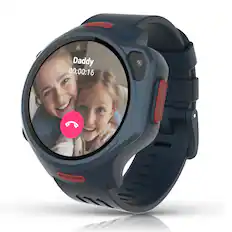
Fitbit - Ace LTE - Kids Smartwatch with In-App Calling, Messaging, GPS - Mild - (2024)

Know where your wild things are. Fitbit Ace LTE is the first-of-its-kind kids smartwatch designed to move the next generation of gamers.¹ Keep them active with fun games and daily goals that reward different types of movement. Collect new bands to unlock more rewards.² And with secure in-app calling, messaging, and location sharing, they’re never out of reach.³

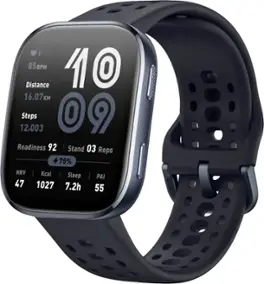
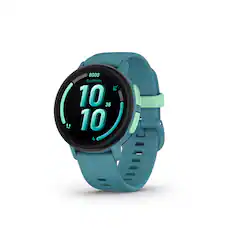
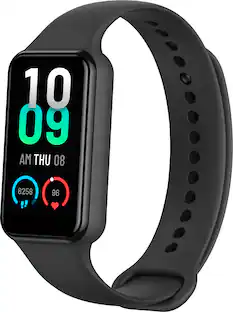
Amazfit - Bip 6 Smartwatch 46mm Silicone - Black / Blue - (2025)

Built to withstand the demands of daily life, the Bip 6 is an everyday smartwatch that seamlessly integrates high-performance fitness tracking with elegant design and smart features. With advanced health technology, intelligent coaching, and seamless connectivity, this smart watch empowers users to stay active, connected, and in control - making every moment count. Compatible with Android 7.0+ and iOS 14.0+ smart devices.

Samsung - Galaxy Watch7 Aluminum Smartwatch 40mm BT - Cream - (2024)

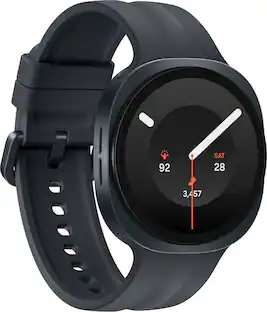
Your favorite new health and wellness companion is here — Galaxy Watch7. Enhanced with Galaxy AI,¹ this Watch has everything you need to keep you moving toward your health goals. Wake up on the right side of the bed every morning with an Energy Score1 that helps you understand your well-being better. Hit your morning workout while staying in touch with your world — make calls from your Watch and quickly respond to texts on the go with Suggested Replies.² Then hone in on your heart health during your workout with improved Heart Rate Tracking,³ and improve each day with personalized Wellness Tips⁴ viewable right on your Galaxy smartphone.⁵ Plus, stay in the zone by streaming your favorite playlist or podcast from your Watch to your Galaxy Buds.⁶ Your ultimate fitness partner is now on your wrist — Galaxy Watch7.

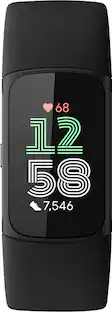
Google - Fitbit Charge 6 Advanced Fitness & Health Tracker - Works with Android and iOS - Obsidian - (2023)

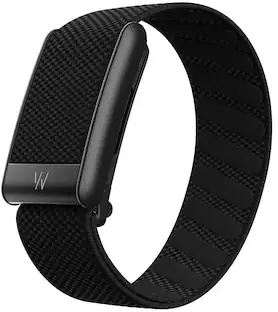
Give your routine a boost with Fitbit Charge 6 the only fitness tracker with Google built in. ¹ Charge 6 has your essentials—like YouTube Music, Google Maps and Google Wallet—plus the fitness tools you need to crush your goals.²,³ From staying motivated and tracking your daily progress to tuning in and taking care, running your day and your routine has never been easier. Includes a 3-month Google Health Premium membership.⁴

Pros for Fitbit - Ace LTE - Kids Smartwatch with In-App Calling, Messaging, GPS - Mild - (2024)
Overall Performance, Ease of Use, GPS, Communication Features, Call QualityOverall Performance, Battery Life, Features, Screen Size, ComfortOverall Performance, Ease of Use, Features, Design, Health TrackingBattery Life, Overall Performance, Ease of use, Heart Rate, Size
Cons for Fitbit - Ace LTE - Kids Smartwatch with In-App Calling, Messaging, GPS - Mild - (2024)
Battery LifeThere were no cons for this productBattery Life, Band Length, Charging Speed, Heat DissipationBand, Connectivity, Water Resistance, Charging

Specs

Questions & Answers
  • Do I need to use one of the plans or can I just buy the watch and not purchase a plan?

    Hi, Isabel. An Ace Pass is required to complete activation when setting up the Fitbit Ace LTE. For more information, please visit this: https://support.google.com/fitbitacelte/answer/14949765 For any additional questions and concerns, reach us at: https://goo.gle/contactfitbit

    Answered by FitBit Team
    FitBit Team response
  • When you schedule school time to disable calls during school hours, is access to games also disabled?

    Hi, there. When you schedule "School Time" on a Fitbit Ace LTE to disable calls during school hours, access to games is also disabled. For more information, please visit this: https://support.google.com/fitbitacelte/answer/14963183 For any additional questions and concerns, reach us at: https://goo.gle/contactfitbit

    Answered by FitBit Team
    FitBit Team response
  • Can I use this device to track my son's location? If so, how far I can track?

    Great question. Yes, the Ace LTE will let you find the location of your child’s Fitbit Ace LTE in the Fitbit Ace app once location sharing is enabled. What prevents the device from showing your child's location are the following: 1. Their watch is powered off. 2. Their watch has low or no GPS signal. 3. Their watch isn't connected to the internet. 4. Their watch has been off wrist for an extended period. Here’s a link with more details: https://support.google.com/fitbitacelte/answer/14949884?hl=en

    Answered by FitBit Team
    FitBit Team response
  • Can the user make mobile payments with this smartwatch?

    Yes, the user can make mobile payments with Google Pay.

    This question and answer was generated by AI based on customer and product data.
  • How long does the battery last on this smartwatch?

    The battery lasts for 16 hours on this smartwatch.

    This question and answer was generated by AI based on customer and product data.

Ask a question
No content
Sponsored

Finance Options

My Best Buy® Credit Card
Buy Now, Pay Later

Finance Options

My Best Buy® Credit Card
Buy Now, Pay Later