Rating 4.6 out of 5 stars with 2820 reviews
4.6- Screen Size (933)
- Ease of use (473)
- GPS (300)
- Overall Performance (183)
- Voice Command (149)
- Battery Life (53)
Customer Images
The vast majority of our reviews come from verified purchases. Reviews from customers may include My Best Buy members, employees, and Tech Insider Network members (as tagged). Select reviewers may receive discounted products, promotional considerations or entries into drawings for honest, helpful reviews.
- Rated 5 out of 5 stars
Awesome GPS
Couldn't be easier to use. Bluetooth, voice command, wifi to make everything easier. This thing is HUGE. You'd have to be blind to miss a turn with this GPS. Gives voice directions, multiple customization options, etc. Wish they would've made this sooner.
Posted by Kenneth6547
- Rated 4 out of 5 stars
Easy-to-see large screen
I have been a Garmin GPS user for 14 years and I'm very impressed with the DriveSmart 61. It is lightweight, easy to see, and easy to use. The touchscreen is very sensitive and it doesn't have the extra "fun" features (photo album, large "icon" selection, etc.) compared to the previous models. The addition of foursquare and trip advisor are helpful. If you don't want to tie up your smart phone as a GPS, the DriveSmart is a good alternative .
Posted by SpecialkVI
- Rated 1 out of 5 stars
No Live Traffic information
I was very excited about my new GPS but unfortunately I'm really disappointed today after using my device first time. I bought this device mainly for live traffic information as my previous garmin GPS did not have that feature. I prefer not using my cell phone and network data for navigation which drains phone battery as well especially on long routes. The reason I am very hurt today is that the only way I can get live traffic information in my new GPS is by using smartlink app through my phone.... then what is the meaning of publicizing that garmin can also provide live traffic updates and we have HD traffic receivers etc etc etc. When I tried to get live traffic information the following window popped up as shown in the image. My device says LMT which according to some reviewers mean that I don't need an extra reciever or special cable to get traffic information but contrary my device is found to be unable to get ang kind of traffic information without traffic receiver. Whats the point of having traffic enabled gps device if it actually extracts traffic information from your cellphone and display on its screen, Interesting fact??? I looked everywhere on you tube, best buy and garmin website but could not find any specific answers. Perhaps I also did not search well enough as well. But I believe it is also unfair that a product is being sold with the tag of live traffic information but in reality it might need an extra 70$ -100$ to serve that purpose in buying traffic reciever. I read in multiple reviews before buying, that LMT device means that it has internal traffic reciever so it doesn't need an extra reciever or cable. Perhaps my research was not good enough. But I hope my review will help other buyers to know this before purchasing this product as I couldn't find this information before buying and garmin product description and information is very vague about this feature.... On one page GPS 61 is enlisted in the device list of HD traffic capable devices but there is no clear information in product details that you have to buy extra cable or receiver to get that feature which means spending of 70-100$ extra after spending 300$, otherwise be ready to use your phone. What's the point of spending 300$ for dedicated new gps device with live traffic tag while it actually depends on your phone for navigation????
Posted by Rizz
- Rated 5 out of 5 stars
Love the large screen
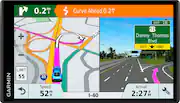
I purchased this for my dad but I used it for several weeks and while traveling over 500 miles. The features are easy to use. I prefer it over my cell phone GPS. If I traveled more often I would definitely buy myself one. The photo I uploaded is the view when traveling on interstates. Seeing the exact images are extremely helpful.
Posted by MIchelle
- Rated 5 out of 5 stars
Loved
Is nice to not use my phone for at gps any more i love the way tell me if I go over the speed limit
Posted by Lupe