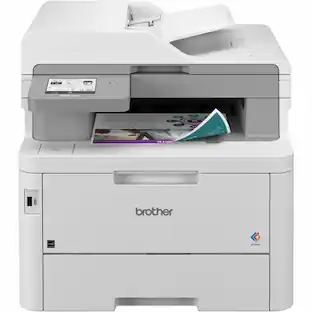
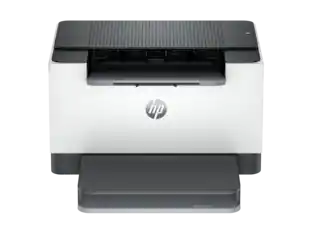
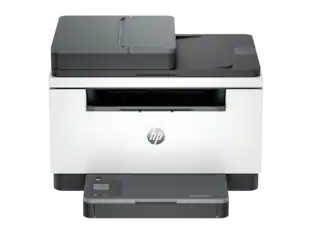
HP - LaserJet Pro MFP 3301fdw Wireless AI-Enabled Color All-in-One Laser Printer - White & Slate
Customers are saying
Customers find value in the superb print quality and the overall fast, reliable performance of this printer. Users also appreciate its quiet operation, compact size, and the straightforward setup process. While the device is highly regarded for its primary functions, some customers noted a limitation regarding the lack of duplex scanning capabilities.
Features
Perfect for office
Perfect for office teams creating professional-quality color documents and reports. Auto 2-sided printing, duplex color scanner, scan to USB or email and auto document feeder for fast scan/copy, plus fax. This MFP (multifunction printer) can print on A4. Perfect for up to 10 people.
Simplify scan to email
Save time when scanning documents to email. HP AI automatically generates smart subject lines, file names, and actionable summaries to streamline your workflow.
Reliable connectivity
Intelligent wireless connectivity looks for the best connection to stay online and ready to print. Also includes Ethernet and USB connectivity.
Blazing fast color
Up to 26 color pages per minute, with sharp details and incredible color
Protects your data
Includes HP Wolf Pro Security with customizable settings so your printer and information are always secure
Easy to set up
Simple set up with or without HP App—get started fast with easy setup that guides you, step by step; compatible with Windows 11; Windows 10; macOS 12 Monterey; macOS 11 Big Sur; Linux; macOS 13 Ventura; Android; iOS
HP app
Print, scan, copy, or fax right from your smartphone with the easiest-to-use print app.
Specifications
- NetworkingWireless, WiredENERGY STAR CertifiedYesPrinter TypePrinter, Copier, Scanner, FaxDuty CycleUp to 40,000ISO Color Print Speed26 pages per minuteMonochromatic/ColorColor
Reviews
Rating 4.2 out of 5 stars with 52 reviews
- Print Quality (20)
- Overall Performance (9)
- Ease of use (3)
- Noise Level (3)
- Size (3)
- Scanning (3)
Customer Images
The vast majority of our reviews come from verified purchases. Reviews from customers may include My Best Buy members, employees, and Tech Insider Network members (as tagged). Select reviewers may receive discounted products, promotional considerations or entries into drawings for honest, helpful reviews.


Compare similar products

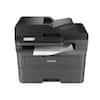
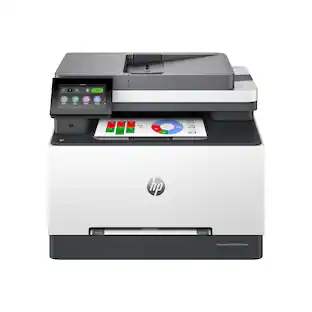
Get ground-breaking multifunction performance, ultra-fast color speeds and wireless connectivity for an effortless and secure printing experience with the Color LaserJet Pro MFP 3301fdw.
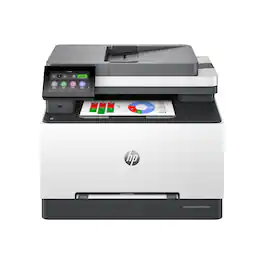
Get ground-breaking multifunction performance, ultra-fast color speeds and wireless connectivity for an effortless and secure printing experience with the Color LaserJet Pro MFP 3301sdw.
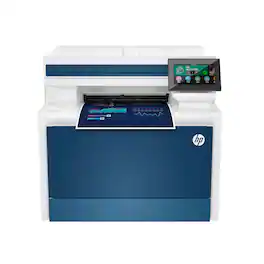
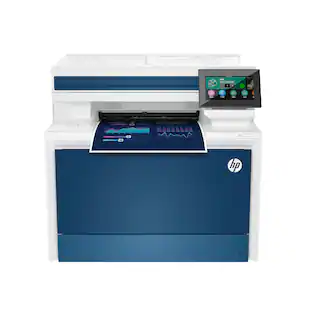
From America's most trusted printer brand, the Color LaserJet Pro MFP 4301fdw provides vibrant laser-quality color and powerful productivity. Super fast and super easy with advanced features for small teams.
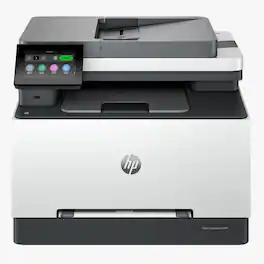
Get more done with this HP Color LaserJet Pro MFP 3301cdw. It's a wireless all-in-one printer that delivers crisp color prints, easy scanning, and reliable copying—perfect for your home office or small business. Professionally refurbished and ready to work.
| Pros for HP - LaserJet Pro MFP 3301fdw Wireless AI-Enabled Color All-in-One Laser Printer - White & Slate | |||
|---|---|---|---|
| Print Quality, Overall Performance, Ease of use, Noise Level, Size | Print Quality, Overall Performance, Setup, Ease of Use, Connectivity | Print Quality, Ease of use, Overall Performance, Setup, Noise Level | There were no pros for this product— |
| Cons for HP - LaserJet Pro MFP 3301fdw Wireless AI-Enabled Color All-in-One Laser Printer - White & Slate | |||
| Scanning | Weight | Weight, Size, Software | There were no cons for this product— |
Specs
Questions & Answers
Can you print on photo paper? Is the resolution high enough for photo printing? If not, what resolution is required of a laser printer?
Answered by HP TeamHello, and thank you for your question. The HP LaserJet Pro MFP 3301fdw can print photos on glossy paper made specifically for LaserJet printers.

Can it print on cardstock? If so how heavy? Thanks.
Answered by HP TeamThank you for your question. The Laserjet Pro 3301fdw printer can handle cardstock up to 47 lbs.
Can black & color cartridges be replaced separately? If 1 color is empty, can just that color be replaced or is entire cartridge replaced?
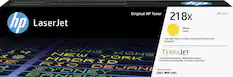
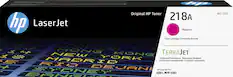
Answered by HP TeamHello. Thank you for your question. The LaserJet Pro 3301fdw printer uses the HP 218A or 218X yellow, magenta, cyan, and black toner cartridges. Each one can be replaced individually.
Does this HP printer offer wireless printing capabilities?
Yes, this printer offers wireless printing through its dual-band Wi-Fi with self-reset capabilities.
This question and answer was generated by AI based on customer and product data.What is the paper handling capacity of this HP printer?
This HP printer has a 250-sheet input tray and a 100-sheet output bin.
This question and answer was generated by AI based on customer and product data.
Customers often buy these together
Toner Cartridges



Customers ultimately bought
 $439.00The price was $539.00
 Top Deal$329.99The price was $399.99
 $759.00The price was $859.00
 $349.99The price was $479.99
 $319.99The price was $349.99
 $639.99The price was $699.89
Explore tech essentials Sponsored
 $119.89The price was $219.89

Discover related products
 $1,299.00The price was $1,949.00
 $593.99The price was $659.99
 $249.00The price was $275.00
 $12.99The price was $13.99




Keep exploring
 $659.99The price was $723.98
 $311.36The price was $432.52
 $1,100.57The price was $1,233.34
 $569.99The price was $616.34
 $259.99The price was $336.92
 $391.18The price was $434.99
 $569.99The price was $745.93
 $539.99The price was $569.99
 $179.00The price was $239.00