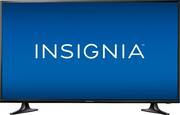
Enjoy the large, clear picture of this 40-inch 1080P Insignia LED television. It lets you enjoy content from a phone or tablet via the USB port, and the sleep timer can power the TV off at a preset time to save energy. This Insignia LED television's headphone jack allows for private listening.
A: Hello deniseincabo! It is really great that you took the time to present this question as others may be helped by your efforts and product interest as well. You "already" received a "no" answer when it comes to addressing your question (i.e., "Is this TV a Roku"); however, please consider that there are ways to get this Insignia 40" TV model # NS-40D420NA18 to work just like a "Roku" or Smart TV. Because this 40" Insignia TV has three (3) HDMI ports, you have the option of incorporating your choice of Roku units, Google Chromecast units, Apple TV streaming devices, Amazon streaming devices for TV, and many others. I would suggest that you and others go on Bing.com and select "Images" and then enter the search term "TV streaming devices" like I did so that I could provide some information which may be of help you and others. There may be sales representatives at Best Buy or reviews posted on the Internet of the available streaming device options out there. There a lot of other streaming options out there aside from Netflix and Hulu Plus so having the best TV streaming device that meets your TV viewing needs should be a goal to pursue. These streaming devices depend on your Internet speed, your router, Internet congestion in your area, other wireless activity and other factors. Lots of luck deniseincabo and please read my product review of this Insignia TV model # NS-40D420NA18 that has a clear/beautiful image and other desirable features under my product reviewer's name "JerseyMike56."
Q: Would this TV suffice as a computer monitor? Would it work for PC gaming?
A: Hello Warpiggy! Thank you for asking this question as a detailed answer to your question will give many Best Buy customers many hours of enjoyment if they choose to connect their PC to this television set like you want to do. If your desktop computer has an HDMI port then all you need to do is find the appropriate length of m/m HDMI cable to connect your computer to the HDMI 1 "ARC" port of this Insignia model NS-40D420NA18. The HDMI 1 "ARC" port will enable you to use the TV's remote to control both the volume of the connected computer and the TV--no additional remote will be needed for the volume function when connected in this manner! What follows is how I have my laptop display settings configured; however , I do not know if the information which I am offering, herein, will be adequate to get "your" computer to work in synch with this TV => GO TO “DISPLAY SETTINGS” ADJUSTMENT ON COMPUTER FOR TV CONNECT => UNDER “SELECT & REARRANGE DISPLAYS” HIGHLIGHT “112” => UNDER “SCALE & LAYOUT” SELECT “ 100% (RECOMMENDED) => UNDER “RESOLUTION” SELECT “1280 x 720” => UNDER “ORIENTATION” SELECT “LANDSCAPE” => UNDER “MULTIPLE DISPLAYS” SELECT “DUPLICATE THESE DISPLAYS.” This isn't so easy to do and I needed outside tech support to do this. In addition, so that your icons on your lower task bar and the icons on the your desktop saver screen fit on your Insignia's TV screen, use your Insignia TV's remote control to click onto "menu" and then "picture" and then "advanced settings" and then click onto "Overscan" and make sure that the "Overscan" function is turned "OFF!" I hope that this information helps you Warpiggy! There are so many PC gamers out there! Let's not forget that this TV has "3" HDMI ports. I am sorry to say that I am not into PC gaming as you are; however, if you would phone Insignia tech support at 1-877-467-4289 I will bet that they could answer this question for you with no problem at all. Enjoy your viewing experience enhanced by your computer being connected to this TV. There are so many viewing options out there using the computer and TV together and I get a lot of enjoyment watching the music options. I will enter a song title followed by the word "lyrics" and you can sing along to your selections.
Q: Will this work with a digital antenna or would I need a separate digital converter box?
A: Hello Ben and thank you for asking this question as a lot of people are cutting the cable these days to save money and/or because they might not find it necessary to have access to so many TV programs on a paid subscription basis. The answer is "yes" to your question--this TV will work with a digital antenna "and" you won't need a digital converter box. First, I would recommend that you go on the website TVFOOL.COM (and there are other websites like this) so that you can identify the location (i.e., direction) and distance of your major TV broadcast towers. I use the Winegard brand model Flatwave FL5000 indoor HDTV antenna. There is also the Winegard Flatwave FL5500A (amplified) version. A lot of people believe that by purchasing the more expensive indoor HDTV antennas that you would get better results, but if you do not need an antenna with a lot of signal draw it can "negatively" impact your signal reception. The above mentioned antennas are modeled after military "mud flap" technology and it is best to place them in a window as high as you can go. If you have "aluminum" mini blinds in the window, swap them out for "vinyl" ones as my experience has been that the aluminum mini blinds negatively impact TV reception of signals. If you need to add length to the antenna's cable, use RG-6 Coax cable and try not to make the extension Coax cable too long. This particular 40" Insignia TV has three (3) built-in tuners which impact signal reception--NTSC (for Analog) plus ATSC and Clear QAM (these last "2" are digital tuners). I have a 32" Insignia TV which also has an 8-VSB digital tuner (aside from the other 3 tuners) and I am able to get better reception with that additional 8-VSB tuner than with this 40" Insignia. Please know that certain electronic devices (such as if a nearby laptop is turned on) can affect the ability to receive stations. I've even found that certain weather conditions can affect reception. The best route, they say, is to use an outside mount (roof?) antenna. It sounds to me like you want to cut the cable for viewing TV programs. I like watching a lot of the classic shows; however, many times they do not fill the screen. Whenever a TV program needs to be enlarged with the remote control's P-size button to fit the entire screen, I found that with this 40" model the images a more blurry than when I engage in this same enlargement process on my 32" Insignia and my 32" Insignia is 720P and this year newer 40" Insignia model is 1080p. The major network/more-recently-produced TV shows look truly magnificent on this 40" Insignia 1080P TV. Please read my review of this TV under JerseyMike. Best Buy thinks a lot of its customers to allow well intentioned feedback to be published. Happy viewing Ben!
A: Hello Jeremy. This is a really great question as the correct answer which provides the best insight can save a lot of confusion for a lot of people who purchase this television set and other 1080 LED TV sets similar to it. Please don't focus on the "TV" in instances where you are unable to see a 1080P "mention" right near the TV channel indicator after you change channels. The focus must be placed on the source--the way in which the TV program and/or TV channel is configured. Please remember that just because a television show is being broadcast from a major network, it does not necessarily guarantee the beautiful 1080p imagery that this Insignia 40" TV is capable of providing. I hope that this information helps Jeremy.
Q: Can this TV Play videos off of a USB on a loop?
A: No, this TV can not play videos off of a USB on a loop.
Q: is this a new tv or refurbished?
A: Hello lenny! My guess is that you are asking this questions because of the very reasonable price of this TV. It is my understanding that any item that is an "open box" or refurbished item is labeled as such by Best Buy. Because the current ad posted on August 15, 2017 on Best Buy's website gives no indication of the above, please assume that it is new. Also, for your and other Best Buy customers' knowledge, I have been told that the last two numbers of the model make reference to the model year of the Insignia product--in this case, "2018."
A: Hello frrobert! On July 17th, 2017, your question was answered by CommunityAnswer and the response was said to be helpful by two reviewers; however, I am sad to say that the answer provided was wrong where indication was made that there were "no" audio outputs. All one has to do is go on Insigniaproducts.com and enter the Insignia "model" number of this TV and then click onto "supports & downloads" and then click onto the "user guide" selection. Within the text, one can see that there are two (2) sources for audio "outputs"--optical digital audio output "and" 3.5mm analog output. The optical digital audio output, they say, is the best choice to get the maximum performance out of a soundbar; however, a soundbar "can be" connected to the TV with a male<>male 3.5mm connection as well. I, personally, reserve my 3.5mm analog output on the TV for my headphone connection. There are not many TV manufacturers out there these days who offer the option to connect headphones to the TV like Insignia does! When using the optical digital audio output to connect a soundbar be sure to set the TV audio setting to PCM.
A: Hello Lisa. You are asking a great question! Please read my product review of this Insignia 40" LED 1080P TV model under my product reviewer's name of JerseyMike found on this Best Buy website. The reason why I gravitate toward the Insignia brand (a.k.a. Exclusive/Best Buy Brand) are for several reasons. The over-the-phone tech support cannot be beat! As far as I am concerned, it is hard to find tech support people anywhere who are as patient and willing to devote time to obtain a solution to understanding product operation/functionality as the phone agents of Insignia Products are. Also, if you go on the their website InsigniaProducts.com and enter any model number of their product you will find that information provided is very user friendly. One may ask "what does this have to do with TV functionality," but it does as there are so many things to learn about operating this and other televisions. Unlike other companies, Insignia does not stop offering support after a few months--they continue to be there for you. I did have some issues with this particular Insignia TV as I only use an indoor HDTV antenna for television viewing (i.e., no cable TV!) and I had "some" problems with reception with only a few channels; however, I live in a condominium and buildings block my clear shot to my TV stations' broadcast towers. In instances where I had to enlarge the TV show image of classic/older TV programs they would appear more blurry than on my 32" Insignia TV, but I've seen that happen with more expensive 40" TV brands, also. For the newer TV programs of major networks, this TV really and truly produces beautiful imagery. This TV is also "GREAT" because it has a 3.5mm headphone jack and not that many of the newer TVs have this type of audio out option these days. It also has a digital optical audio output so that you can maximize sound bar performance--if you decide to go that route. It also has "3" HDMI ports and a USB port so that you can put a flash drive in that port and view, say, your photos or power an amplified indoor HDTV antenna that has a USB connection. I have my laptop connected to one of the HDMI ports of this TV and I view music videos and other program offerings that one can find on BING.COM, YouTube, etc. I use a Microsoft wireless keyboard/mouse 2000 combo which would allow someone to sit from as far away as "30" feet and select viewing choices from the laptop which one could view on the connected TV. Always remember to turn the "OVERSCAN" feature "OFF" on this and other Insignia televisions so that those icons on the lower taskbar and desktop saver screen will fit. This TV set often goes on sale and I would recommend getting the Geek Squad Protection Plan for your peace of mind. The 2 stereo speakers are twice as powerful than those on my year older 32" Insignia TV and the volume and sound quality is more than adequate. It is my understanding that there is a one year warranty on this Insignia TV and if you have problems I believe that you can bring it into a local Best Buy store for them to deal with Insignia--it is their brand! I have to believe that you've seen the prices on some of the other big names brands in this TV size range and no one could really question the monetary savings one would experience when it comes to purchasing this TV.